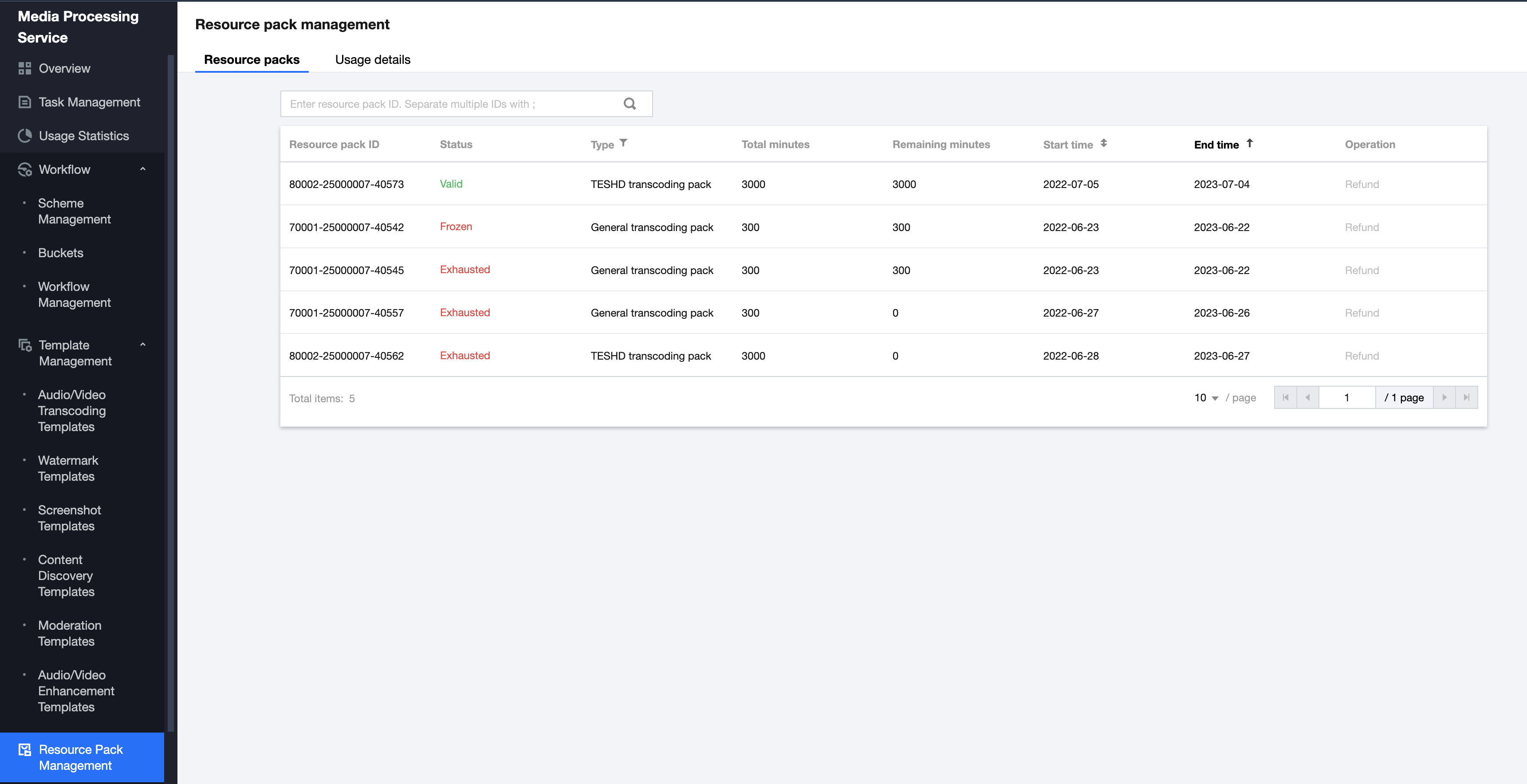
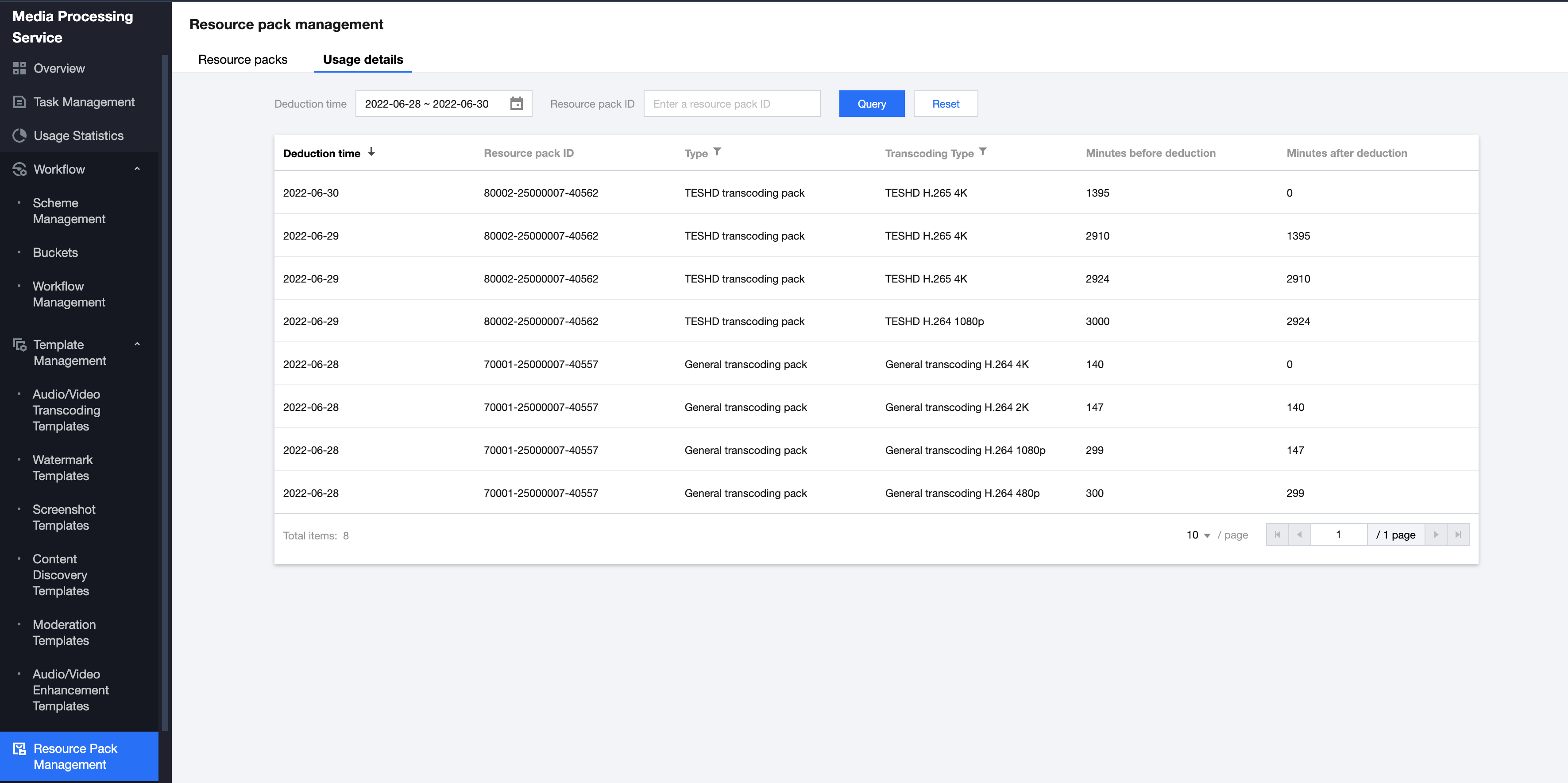
This page shows the general transcoding and Top Speed Codec (TSC) transcoding resource packs you have purchased and their usage.
Viewing Resource Packs
Log in to the MPS console and select Resource Packs on the left sidebar. Under the Resource packs tab, you can view the information of the resource packs you have purchased.
Header
Description
Resource pack ID
The unique identifier of a resource pack. You can enter a resource pack ID in the search box to search for a resource pack.
Status
The current status of a resource pack, which may be valid, expired, frozen, or exhausted.
Valid: The resource pack is valid and can be used.
Frozen: The resource pack has been frozen for some reason and can no longer be used.
Expired: The resource pack has expired and can no longer be used. The validity period of a resource pack is one year.
Exhausted: The resource pack has been used up.
Type
The resource pack type, which may be general transcoding or TSC transcoding. You can view only your general transcoding packs or TSC transcoding packs by selecting the corresponding type.
Total minutes
The total number of minutes a resource pack offers, which does not change after you start using the pack.
Remaining minutes
The number of remaining minutes in a resource pack, which decreases after you start using the pack. When the number of remaining minutes becomes zero, the status of the pack will become expired.
Start time
The time when a resource pack became valid.
End time
The time when a resource pack expires, which is one year after the start time.
Operation
You can click Refund to refund a resource pack.Note: Resource packs are refundable only within five days of purchase.
Viewing Usages
Log in to the MPS console and select Resource Packs on the left sidebar. Under the Usage details tab, you can view the usage details of your resource packs.
You can view the deductions of a specific resource pack (resource pack ID) in a specific time period (deduction time).
Header
Description
Deduction time
The time when a deduction occurred.
Resource pack ID
The ID of the resource pack from which minutes were deducted.
Type
The resource pack type. You can select a type to view deductions for that type.
Transcoding type
The transcoding type of a deduction. The usages for the same transcoding type are added up each day.
Minutes before deduction
The remaining minutes of a resource pack before the deduction occurred.
Minutes after deduction
The remaining minutes of a resource pack after the deduction occurred.