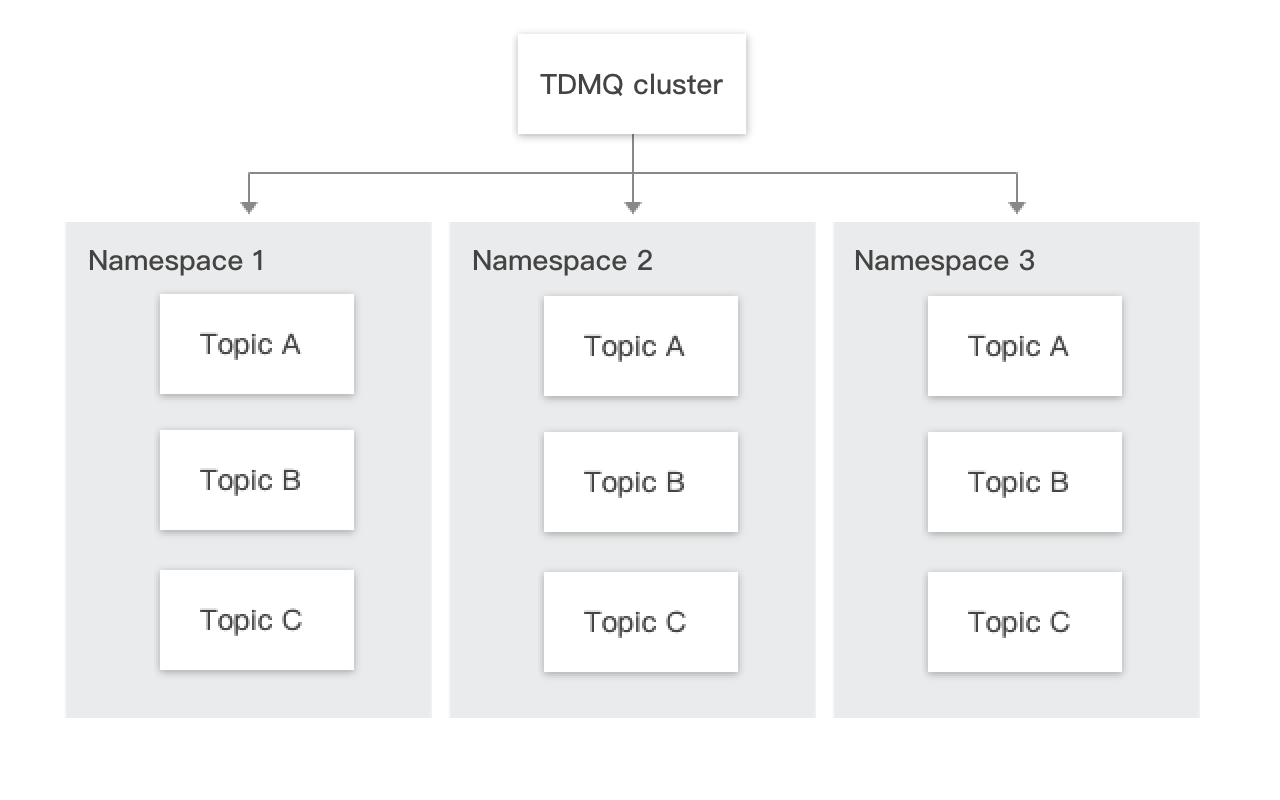
A cluster is a resource dimension in TDMQ for Apache Pulsar, where namespaces, topics, role permissions, and other resources are fully isolated across different clusters. Each cluster has its resource limitations, such as the total number of topics and message retention period. Common usage methods include using a dedicated cluster for the development and test environment and a dedicated cluster for the production environment.
After completing the cluster resource assessment, you can purchase clusters with the required specifications in the TDMQ for Apache Pulsar console based on your business requirements.
Prerequisites
Before purchasing a cluster, ensure that you have completed the following preparations:
1. Your account has sufficient funds to cover the cost of purchasing a cluster. For specific steps on account top-up, see Online Top-up.
2. Your account has the operation permission to create clusters. For specific steps on sub-account authorization, see Account Permission Overview.
3. An available Virtual Private Cloud (VPC) and subnet exist, and the VPC and TDMQ for Apache Pulsar cluster must be located in the same region. Cloud products located in different regions are completely isolated from each other on the private network. For specific steps to create a VPC and subnet, see Creating a VPC and Subnet.
2. In the left sidebar, choose Cluster, choose a region, click Create Cluster, and in the pop-up window, select the type of the cluster to be created and configure the cluster properties:
Parameter
Required
Description
Cluster Type
Yes
Choose Pro cluster. A pro cluster provides exclusive access to physical resources and ensures a high level of data security.
Billing Mode
Yes
For a pro cluster, only the Yearly/monthly subscription mode is supported. For specific prices, see Pricing.
Region
Yes
Select the region that is closest to your business. Cloud products located in different regions are completely isolated from each other on the private network, and the region cannot be modified after purchase, so select it carefully. For example, Cloud Virtual Machine (CVM) in the Guangzhou region cannot access a cluster in the Shanghai region via a private network. For cross-region private network communication, see Cloud Connect Network (CCN).
Cluster Name
Yes
Set the cluster name. It cannot be empty. It can contain digits, letters, and characters "-_=:.". The length cannot exceed 64 characters.
Tenant Alias
No
Used to customize the tenant name for client access to the cluster. By default, it is set to the cluster ID. If you are not migrating data from self-built environments to the cloud, you are advised not to enable it.
Series
Yes
Elastic storage and fixed storage are supported. For elastic storage, storage is billed on a pay-as-you-go basis; for fixed storage, storage is billed on a yearly/monthly subscription basis. For details on the differences between the two types, see Product Selection.
Engine Version
Yes
For a pro cluster, only version 2.9.2 is supported. For details about the engine version, see Cluster Version Updates.
Storage
Yes
Fixed storage: Cloud Solid State Drive (SSD) is supported. You need to select the storage space you want to purchase. TDMQ for Apache Pulsar Pro Edition clusters use a 3-replica deployment by default, so the storage cost will be three times the base unit price.
Elastic storage: Storage is billed on a pay-as-you-go basis, based on actual usage.
Cross-AZ Deployment
No
After it is enabled, you can select up to 3 AZs to purchase cross-AZ instances in regions that have 3 or more AZs. For details, see Cluster-Level High Availability.
AZ
Yes
AZs refer to physically isolated areas within the same region, with separate power and network infrastructure. AZs within the same region can communicate with each other through private networks, while different AZs are physically isolated from each other.
Select AZs based on actual requirements. If multi-AZ deployment is selected, you need to choose 2 to 3 AZs to deploy your resources.
VPC
Yes
Bind the access point domain name of the newly purchased cluster to the pre-configured VPC in the same region.
Public Network Access
No
Enabling public network bandwidth will incur additional charges. You can disable it on the Cluster page.
Cross-Region Replication
No
TDMQ for Apache Pulsar pro clusters provide a cross-region replication solution. For details, see Cross-Region Replication.
Tag
No
Tags are used to categorize and manage resources from different dimensions. For specific usage, see Configuring Resource Tags.
3. Check I have read and agree to the TDMQ Terms of Service , and then click Buy Now.
4. On the Order Payment page, click Pay now, wait for 3 to 5 minutes, and then you can view the created cluster on the Cluster list page.