Hitless Migration from Virtual Cluster to Pro Cluster
ダウンロード
フォーカスモード
フォントサイズ
Scenarios
To meet user requirements in different scenarios, TDMQ for Apache Pulsar provides two product modes: Pro Clusters and Virtual Clusters.
Due to stability risks, we stopped creating new virtual clusters in 2023. Pro clusters offer enhanced product capabilities and a more comprehensive console (for management, renewal, scaling, and so on). To provide better service, we have enabled hitless migration between clusters for your existing virtual clusters in use, supporting the hitless migration of virtual clusters to pro clusters.
Note:
Pre-check and assessment are required for the hitless upgrade from a virtual cluster to a pro cluster. If you cannot find the related button on the Instance Details page in the console, you can contact Tencent Cloud customer service or submit a ticket.
Capability Description
The cluster migration process on the data plane is nearly transparent to users. This indicates that the migration is hitless (No adjustment is required for access points, and no modification is required for the user business code).
Migration process:
1. The system will deduct fees based on the specifications of the pro cluster. When migration starts, you can see that the deduction status is Processing on the order page. If a rollback occurs due to issues during migration, the order is automatically refunded. After migration is complete, the order status becomes Completed and billing officially starts.
2. On the Professional Cluster list page of the console, you can view the cluster information after migration and perform subsequent operations such as management, configuration upgrade, and renewal.
Hitless Migration Process
Operation Entry
Go to the virtual cluster list page via the Pulsar console. Click the ID of the cluster you want to upgrade to enter the instance details page. You can see the Upgrade to Pro button in the Actions column of the virtual cluster instance list and in the upper-right corner of the Basic Information section on the details page. If you cannot find this button, you can contact Tencent Cloud customer service or submit a ticket.
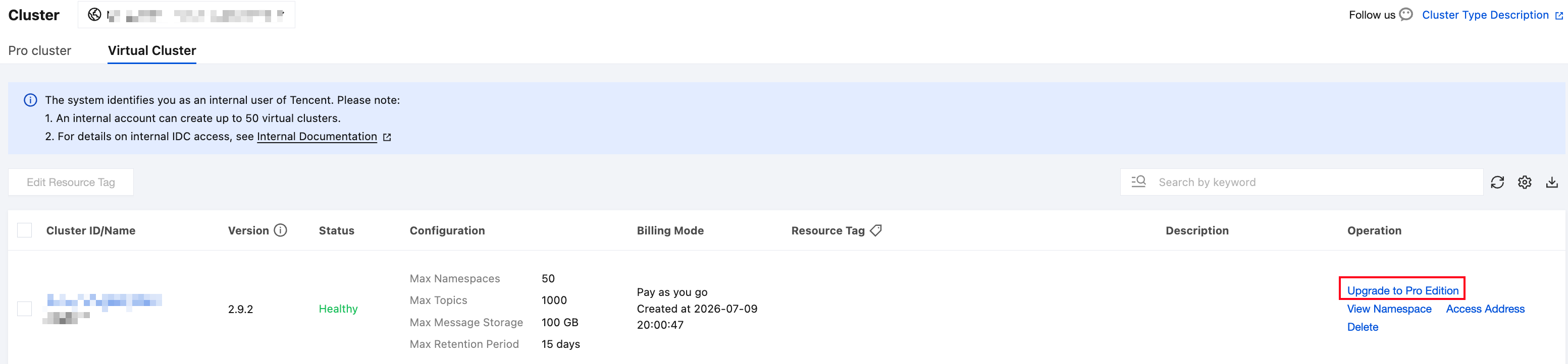
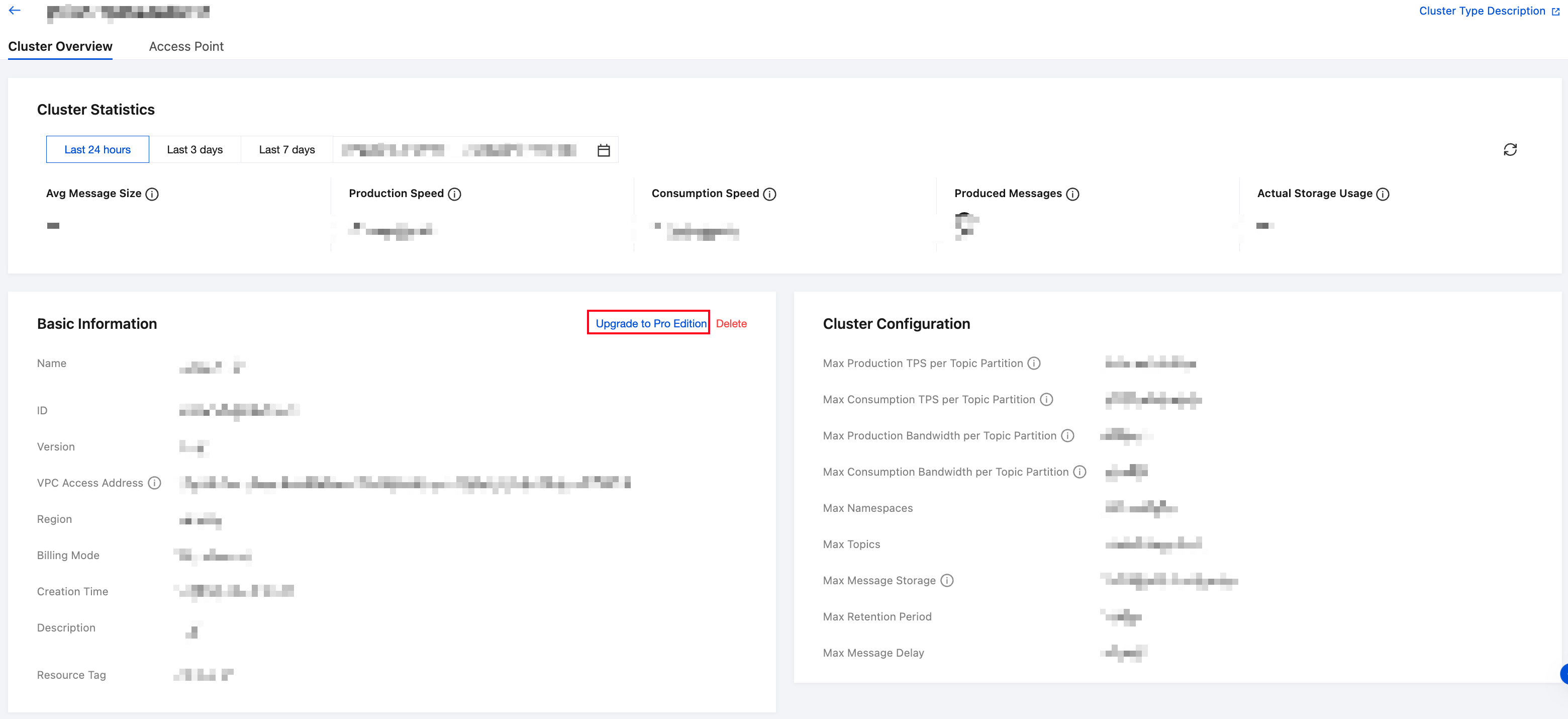
Step 1: Target Specification Selection
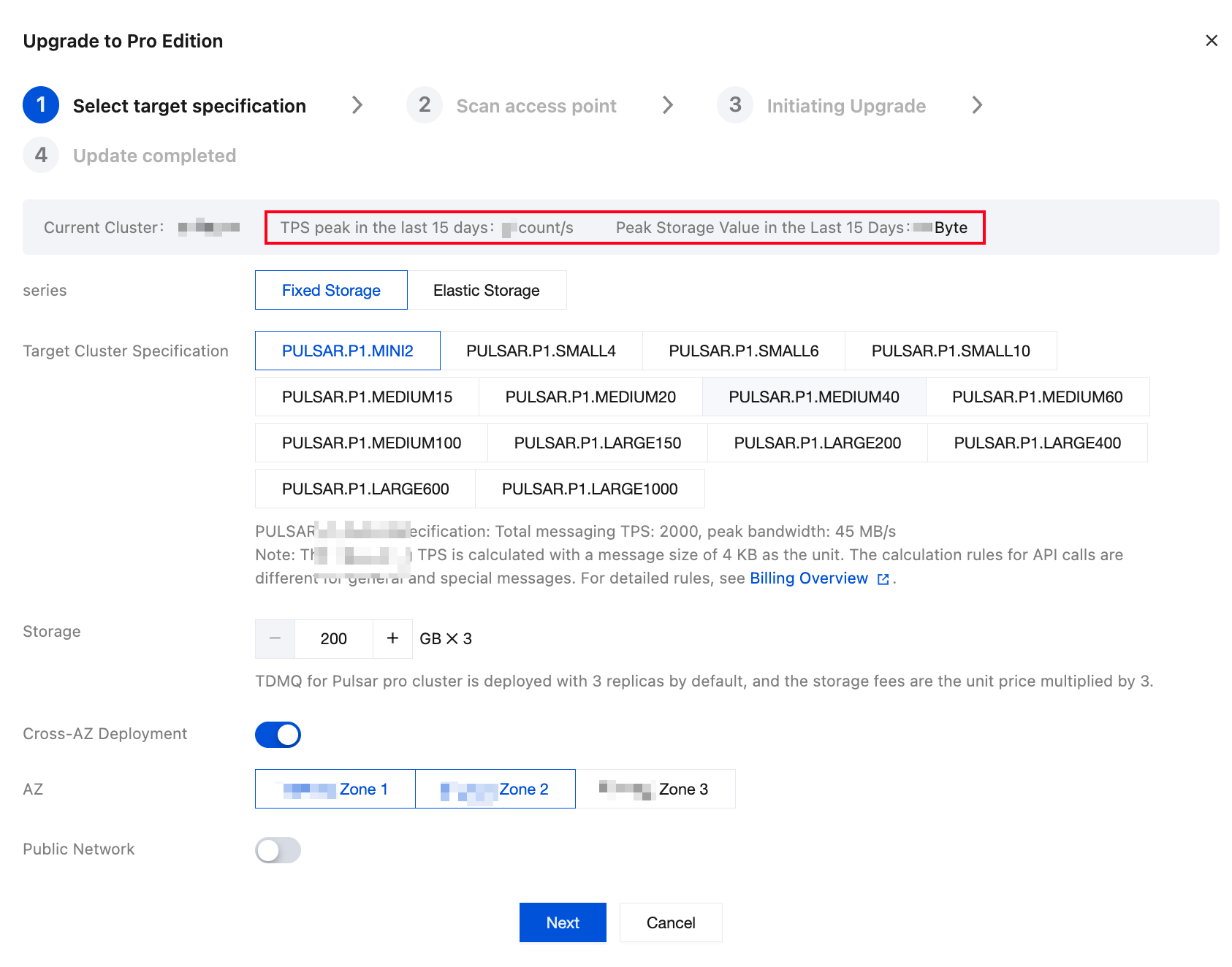
When the target specification is selected, the page will display the cluster's TPS and storage usage over the past 15 days. The system will recommend appropriate fixed or elastic storage specifications by default to help you assess the resources required for the upgrade. The upgrade from a virtual cluster to a pro cluster (fixed/elastic storage) is supported. Please refer to the elastic storage or fixed storage specification selection documentation based on your current business load to choose a suitable pro cluster specification. To ensure high availability and SLA for your business, it is recommended to enable Cross-AZ Deployment. This ensures that your business remains unaffected in the event of an AZ-level failure.
Step 2: Access Point Scan
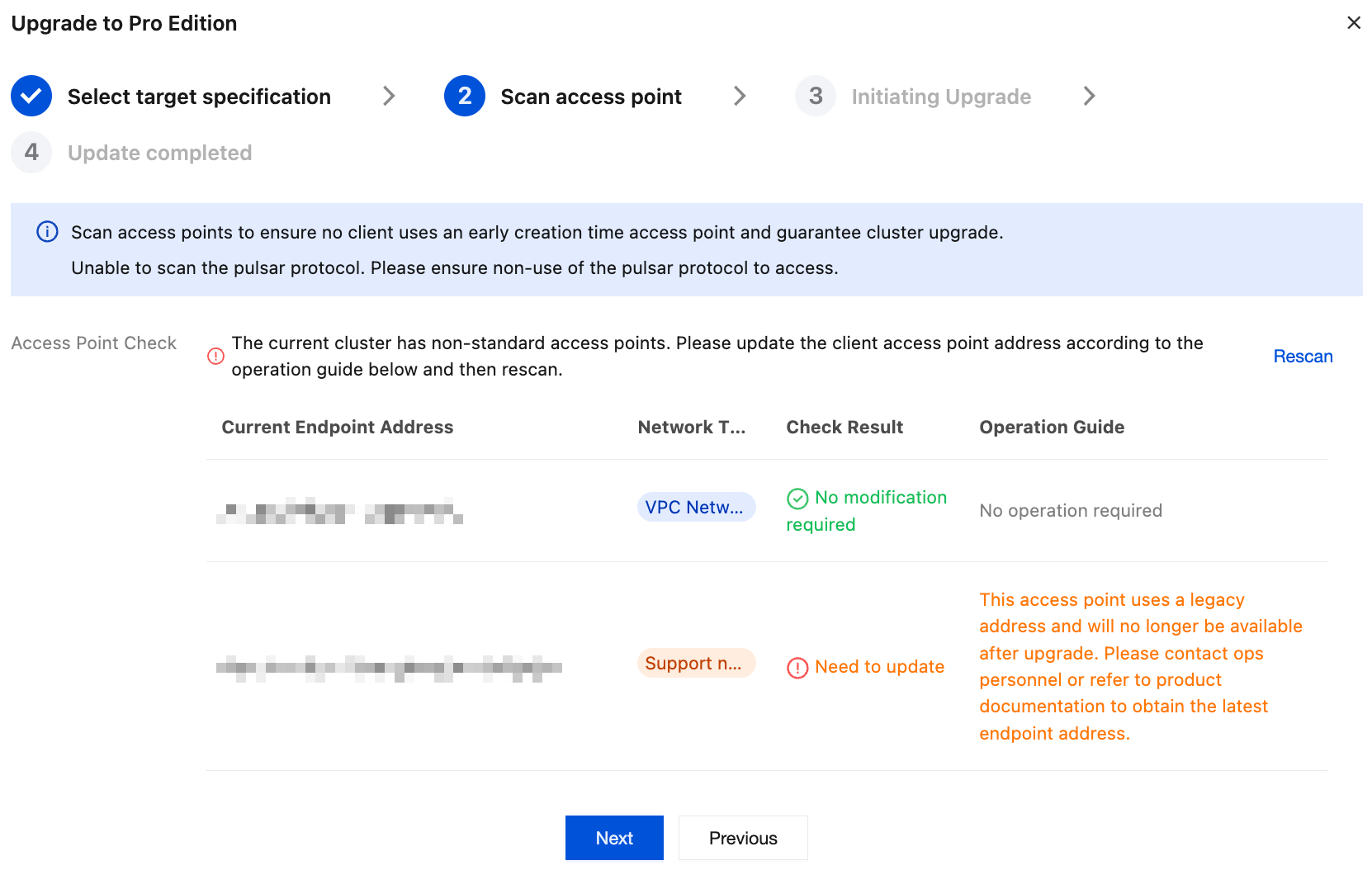
Some access point addresses cannot be migrated hitlessly to the new cluster because the cluster was created earlier or a special network connection method was used. The upgrade step guide page provides an access point scanning feature after you select the target specification. Click Start Scan to automatically complete the scan confirmation.
If the check result requires no modification, you can proceed directly to the next step:
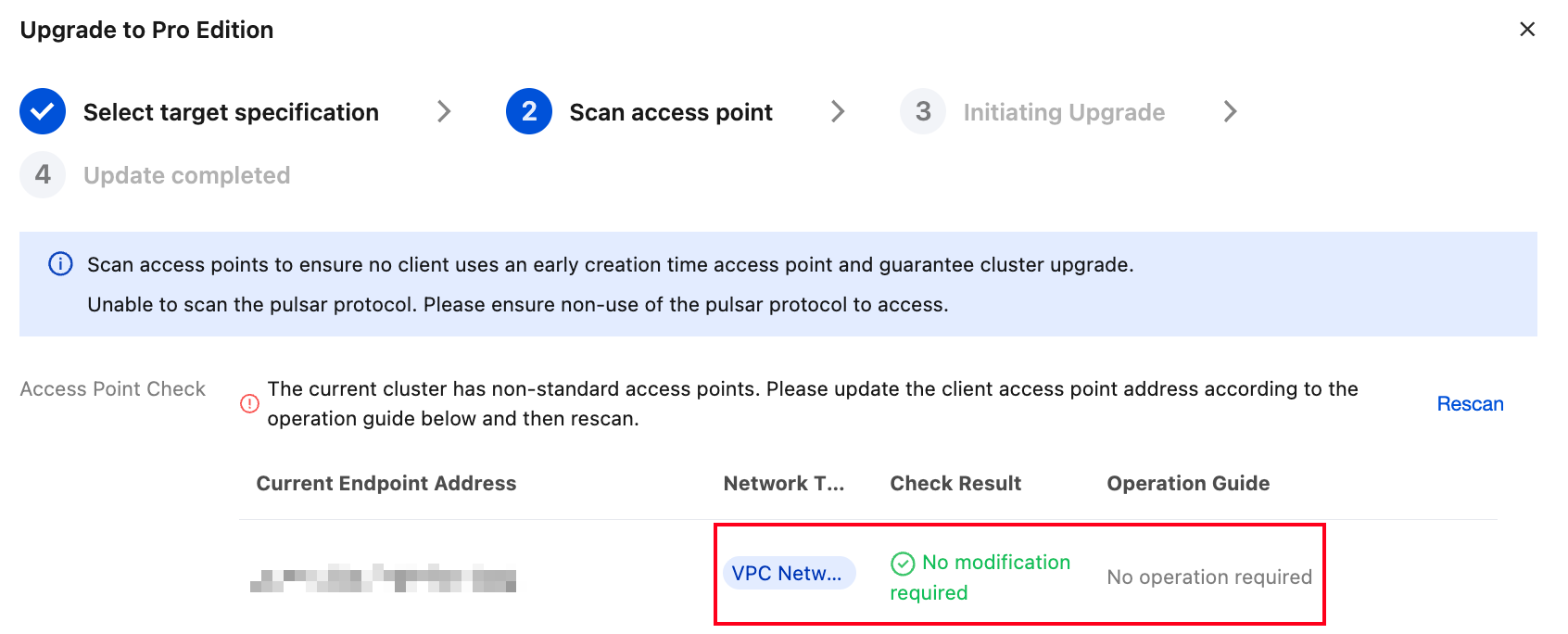
If the check result indicates an update is required, change the client address to the link provided in the operation guide, then rescan and proceed to the next step.
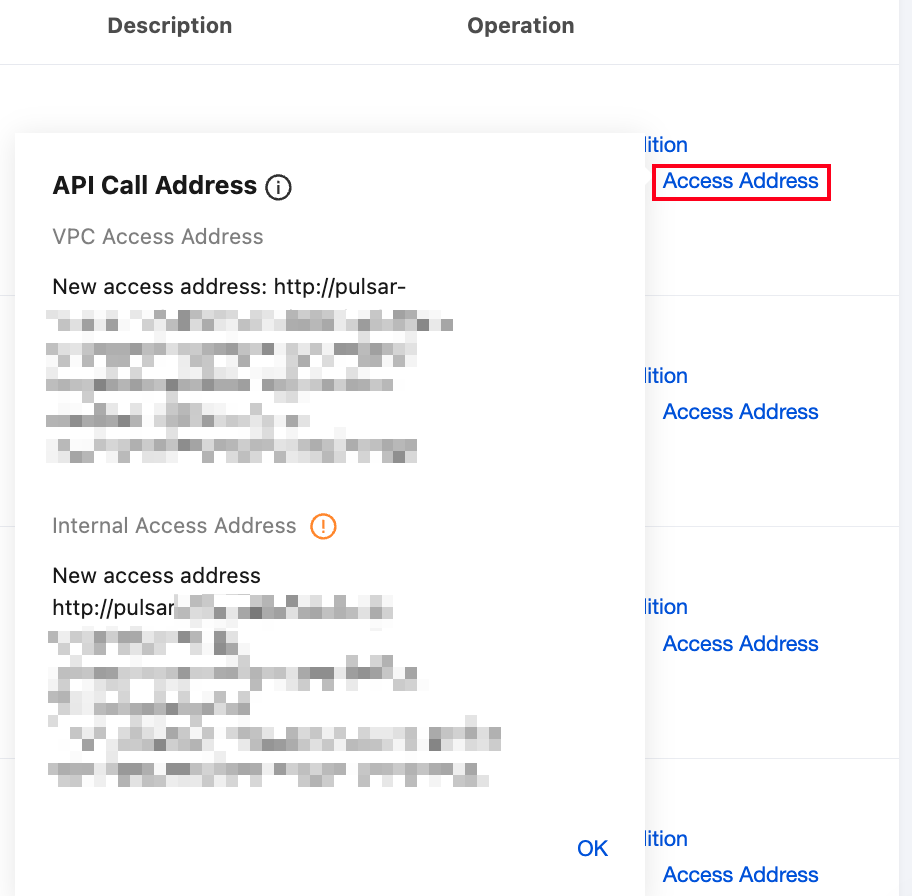
You can also find and view the old and new access point addresses in the Actions column of the virtual cluster. Note that the old access address supports both Pulsar and HTTP protocols, while the new access address supports only the HTTP protocol.
Step 3: Initiate Migration
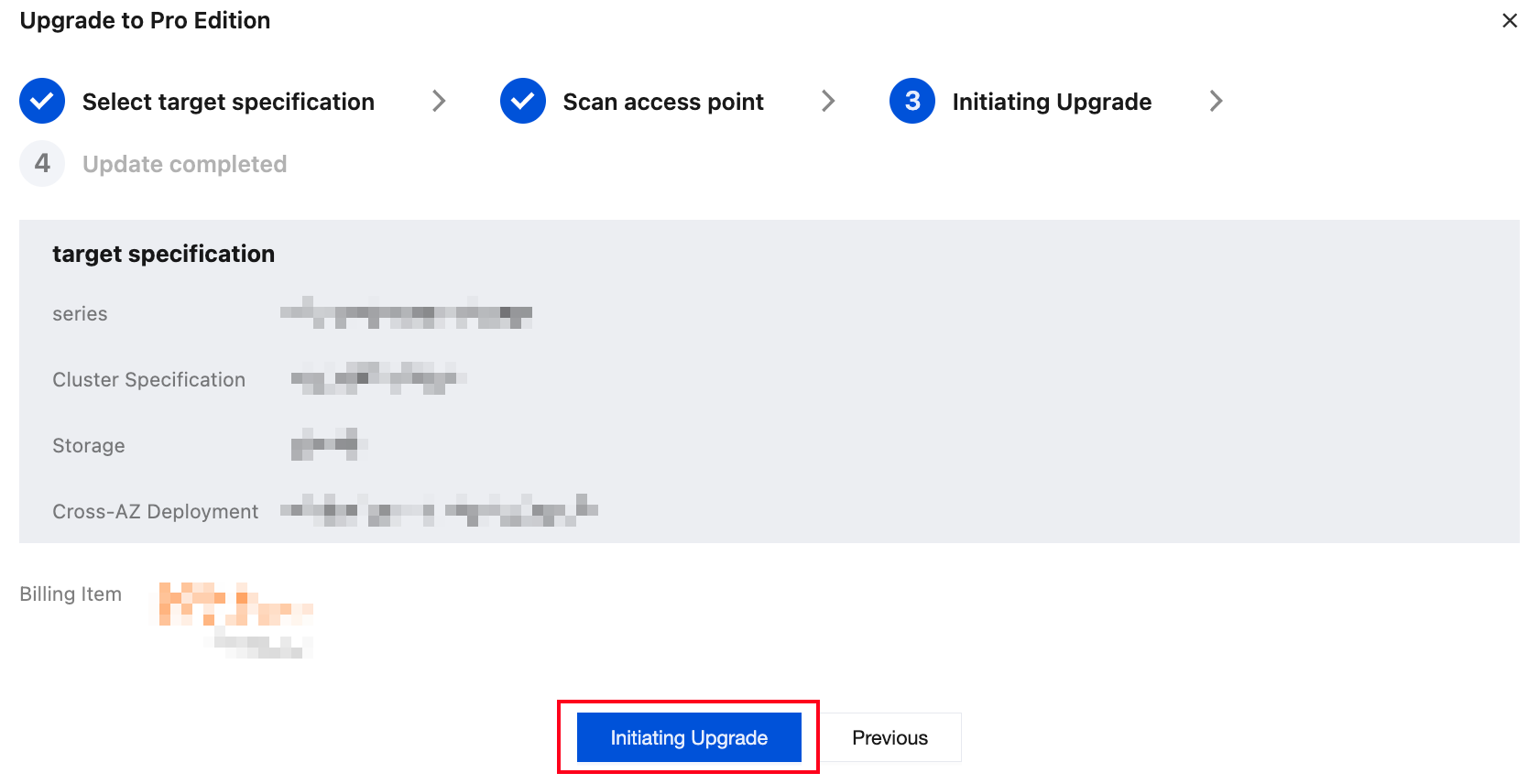
Initiate the upgrade. The migration process starts.
Possible Issues and Solutions
1. Message duplication
Progress synchronization via individual ack has been implemented to minimize the number of duplicate messages during migration. However, duplicate messages during migration may not be completely avoidable. Typically, the duplication lasts no longer than 1 minute. If necessary, users should implement idempotent processing in advance.
2. Out-of-order messages
This issue may occur during cluster migration. No solution can completely prevent out-of-order messages during the migration process. It is necessary to notify message consumers in advance.
3. Inaccurate monitoring data
During the switch of clusters, the monitoring data may be instantaneously inaccurate. Typically, this issue can be resolved within 1 to 2 minutes.
4. Production time jitters
During cluster switching, a brief production time jitter may occur, similar to the time jitter during cluster upgrades. Typically, this jitter recovers within 1 minute.
5. Abnormal message traces
During data synchronization, messages for consumption progress synchronization are generated. Users may see these messages when performing message queries. When message details are queried during migration, the query may be affected, potentially resulting in the inability to view them.
6. Migration duration
The total migration duration depends on the number of namespaces, production traffic, and the volume of message storage. For a namespace with 1000 TPS and 100 GB of message storage, cluster migration can typically be completed within 1 hour. For larger data volumes, such as 1 TB of storage, the migration takes approximately 2 hours.
7. Retention period of the original cluster
After migration is completed, the Tencent Cloud R&D team will wait for 1 to 3 days before cleaning up resources on the existing physical cluster. After cleanup, rollback will no longer be performed.
8. Message backlog issue
During migration, the consumption progress synchronization is performed by using user topics. Therefore, internal messages may exist in these topics. These messages are filtered out on the server during consumption and will not actually be consumed by the business. For topics without consumer subscriptions, a message backlog may occur.
9. Message replication scope
During message replication, only messages within the TTL range of the original cluster can be replicated to the new cluster due to the implementation mechanism of TDMQ for Apache Pulsar. If your message retention period is long and you need to synchronize all data within the retention period, you need to adjust the TTL configuration first.
10. Client disconnection
At the final stage of migration, the unload operation will be triggered for topics. This will trigger client lookup. Typically, the address of the new cluster is automatically obtained at the client lookup initiation stage.
Migration Principles
Technical Solution
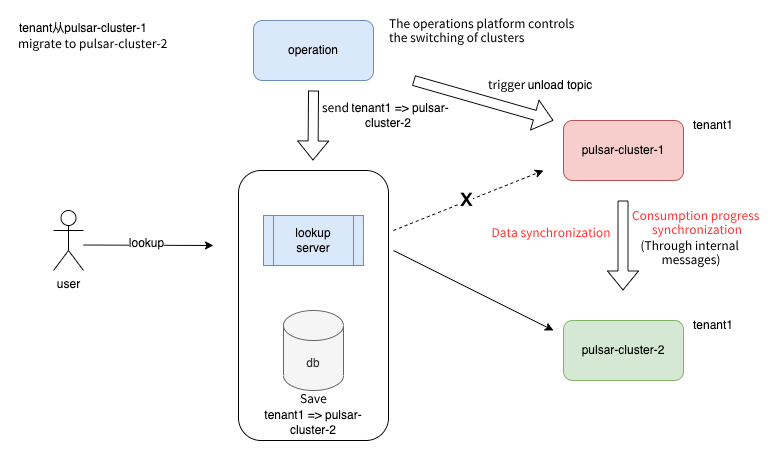
The Geo Replication solution of TDMQ for Apache Pulsar is used, and bidirectional cross-cluster replication is enabled. This can achieve the synchronization of data and message progress, meeting cluster migration requirements.
Main Migration Process
The following figure shows the main migration process. Migration proceeds to the next step after each step is successful.
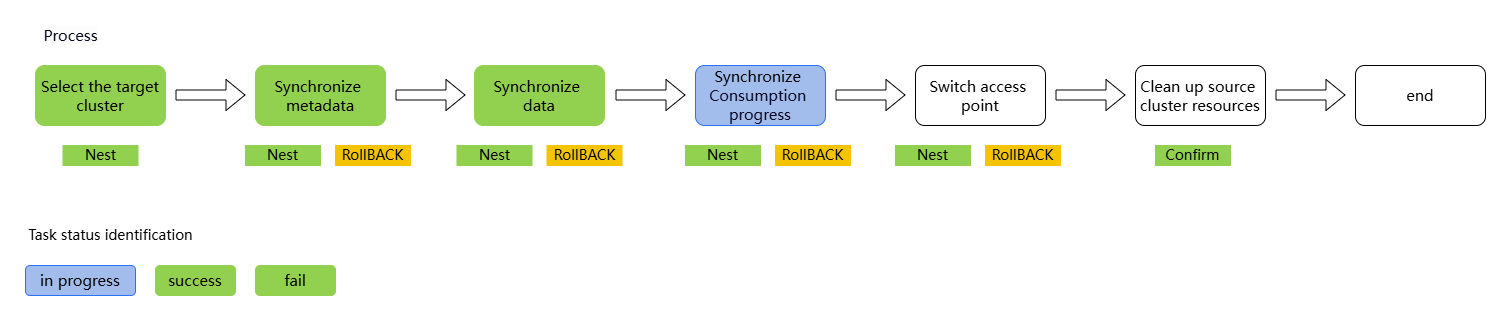
1. Initiate the migration process in the console. The platform triggers resource delivery. After the order payment is completed, a new pro cluster starts to be built.
2. Perform synchronization of cluster metadata, including namespaces, topics, subscriptions, roles, and namespace policies.
3. Enable cross-cluster data synchronization.
4. Switch between clusters. The operation platform issues a tenant cluster-switching command to trigger the unload operation for the topics of the original cluster. This triggers client lookup. At the lookup stage, the address of the new cluster is returned.
5. After confirming that user data has been successfully migrated, disable cross-cluster data synchronization and clean up resources of the original cluster.
6. You can view the new cluster in the console.
フィードバック