通过 EdgeOne Skill 对话接入你的第一个站点
Download
Focus Mode
Font Size
本文将介绍如何通过 EdgeOne Skill 接入站点及域名并启用加速。以完成如下接入目标为例:
Skill 安装方式:通过 SkillHub 商店安装 tencent-edgeone 技能。
站点:接入一个 example.com 的站点,加速区域为中国大陆境外,接入方式为 DNSPod 托管接入,绑定个人版套餐。
域名:接入一个 www.example.com 的站点,源站为 1.1.1.1 并配置 EdgeOne 免费证书。
完整流程分两大步骤:
1. 环境准备:安装 EdgeOne Skill 插件并完成账号授权。
2. 一句话进行站点接入。
准备工作
一个您已注册可用于接入站点的域名(例如:example.com)且该域名需托管在 DNSPod 内,并且账号具有 DNSPod 的操作读写权限。
一个可访问的源站(例如:1.1.1.1)。
已注册腾讯云账号,并完成实名认证,有关实名认证的介绍请参见 实名认证基本介绍。
建议提前在 EdgeOne 控制台购买套餐。若未提前购买,AI 会在创建站点环节弹出套餐选项供你选择,但需要保证账号余额充足,否则会因扣款失败导致流程中断。
步骤一:安装 EdgeOne Skill
1. 安装 EdgeOne Skill 插件
EdgeOne Skill 支持安装在各类 AI 工具中,可通过自然语言对话的形式,让 AI 自动安装该 Skill。对 AI 说:
请先检查是否已安装 SkillHub 商店,若未安装,请根据 https://skillhub.cn/install/skillhub.md 安装SkillHub商店,但是只安装CLI,然后安装tencent-edgeone技能。若已安装,则直接安装tencent-edgeone技能。
安装完成后,AI 会输出明确的成功摘要,例如:
已完成:- 检查到原本未安装 skillhub CLI。- 已按 https://skillhub.cn/install/skillhub.md 执行"仅安装 CLI":- CLI 路径:/Users/sowawu/.local/bin/skillhub- 已安装 tencent-edgeone 技能:- 安装位置:/Users/sowawu/.codebuddy/plugins/marketplaces/git_github_com_Tencent_tencent_edgeone_agent_plugins_git/skills/tencent-edgeone- 已验证文件存在:- skills/tencent-edgeone/SKILL.md
看到「已安装
tencent-edgeone 技能」+「已验证文件存在 skills/tencent-edgeone/SKILL.md」即已完成安装。步骤二:一句话进行站点接入
对 AI 说:
帮我把 example.com 接入 EdgeOne,加速域名 www.example.com,源站 1.1.1.1,自动配置证书和 CNAME
本文以接入 example.com,接入方式为 DNSPod 托管,加速区域为全球(除中国大陆)外的站点为例,在 AI 答复中,根据实际业务可配置该加速域名的源站类型、回源协议及回源端口、IPv6 访问策略、源站地址、回源 HOST 等信息。所有步骤完成后,AI 返回的示例如下:
🎉 所有配置已成功完成!1. 站点创建站点名称:example.com- ZoneId:zone-3qdqkolmc0cc- 接入方式:DNSPod 托管接入- 加速区域:overseas- 绑定套餐:edgeone-3qdqkdo6csdk(个人版)- 归属权验证:自动完成2. 加速域名配置加速域名:www.example.comCNAME:www.example.com.eo.dnse5.com源站:当时先配置为 1.1.1.1回源协议:FOLLOWIPv6:follow3. HTTPS 证书(已部署)- 证书模式:eofreecert_manual- 证书 ID:teo-3qds1nzp3i9q- 签名算法:RSA 2048- 过期时间:2026-08-18T23:59:59Z- 部署状态:deployed- 部署时间:2026-05-21T04:15:15Z4. DNS 配置(已完成)- 记录类型:eofreecert_manual- 主机名:www.example.com- 记录值:www.example.com.eo.dnse0.com
🎉恭喜 www.example.com 已成功接入 EdgeOne,并用 HTTPS 加速!
常见问题
如何授权账号?
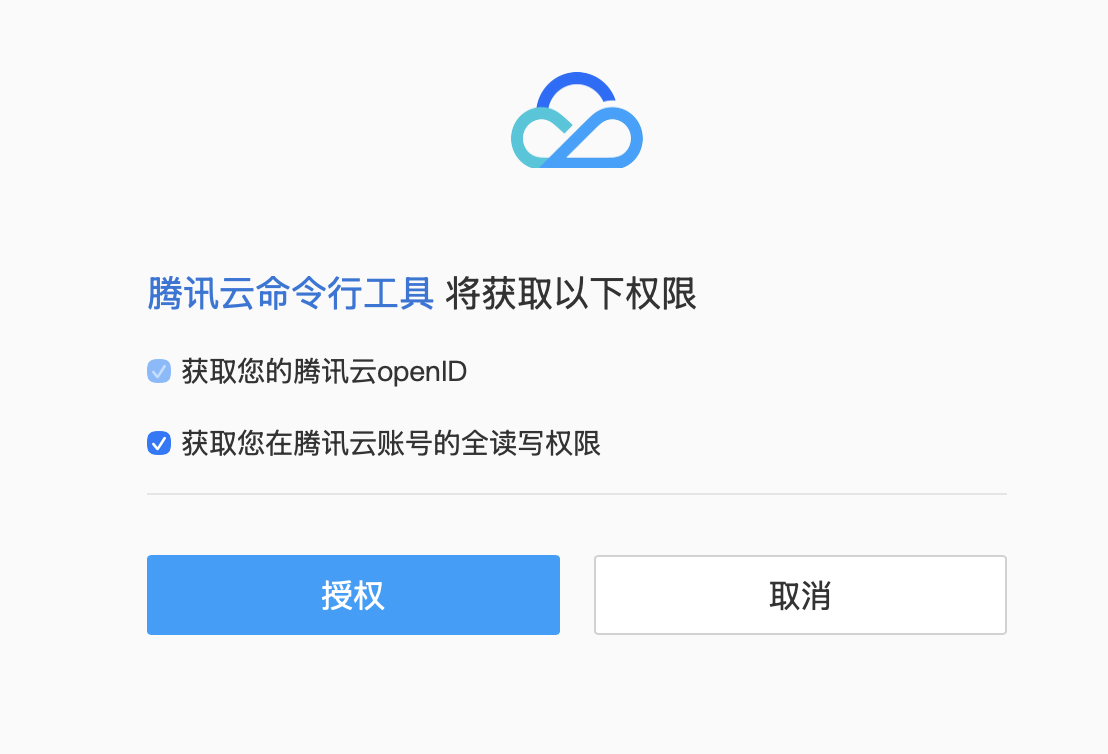
EdgeOne Skill 调用腾讯云 API 时将通过 TCCLI(腾讯云命令行工具)发起,第一次使用会弹出浏览器要求授权:
说明:
后续所有 EdgeOne Skill 操作都用这套凭证,不需要再次授权。请勿对 AI 直接提供 SecretId / SecretKey,避免密钥泄露。
对于无法自动弹出浏览器的 AI 工具(例:openclaw),则按照 AI 指引把对应的验证码复制给 AI 对话框即可进行授权登录:
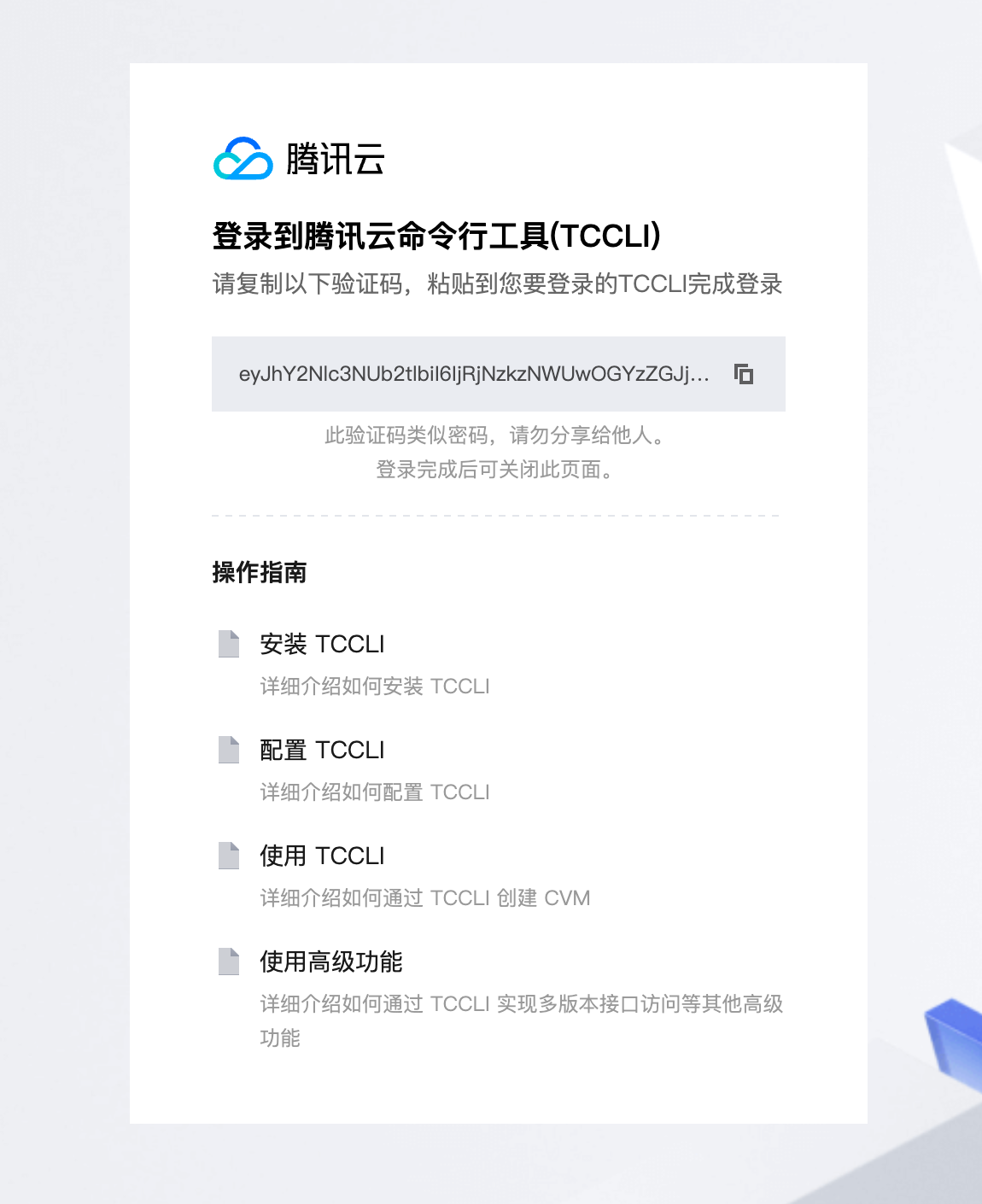
完成授权后,回到 AI 对话框继续,授权状态会自动同步。
如何判断域名网站是否可以访问成功?
如何注册域名?
为什么域名无法选择使用中国大陆可用区或者全球可用区加速?
免费证书申请失败?
不同的接入方式有哪些区别?
其它问题
在接入过程中遇到的大部分问题,建议都可以通过直接询问 AI 助手来咨询对应的解决方案。
Help and Support
Was this page helpful?
You can also Contact sales or Submit a Ticket for help.
Help us improve! Rate your documentation experience in 5 mins.
Feedback