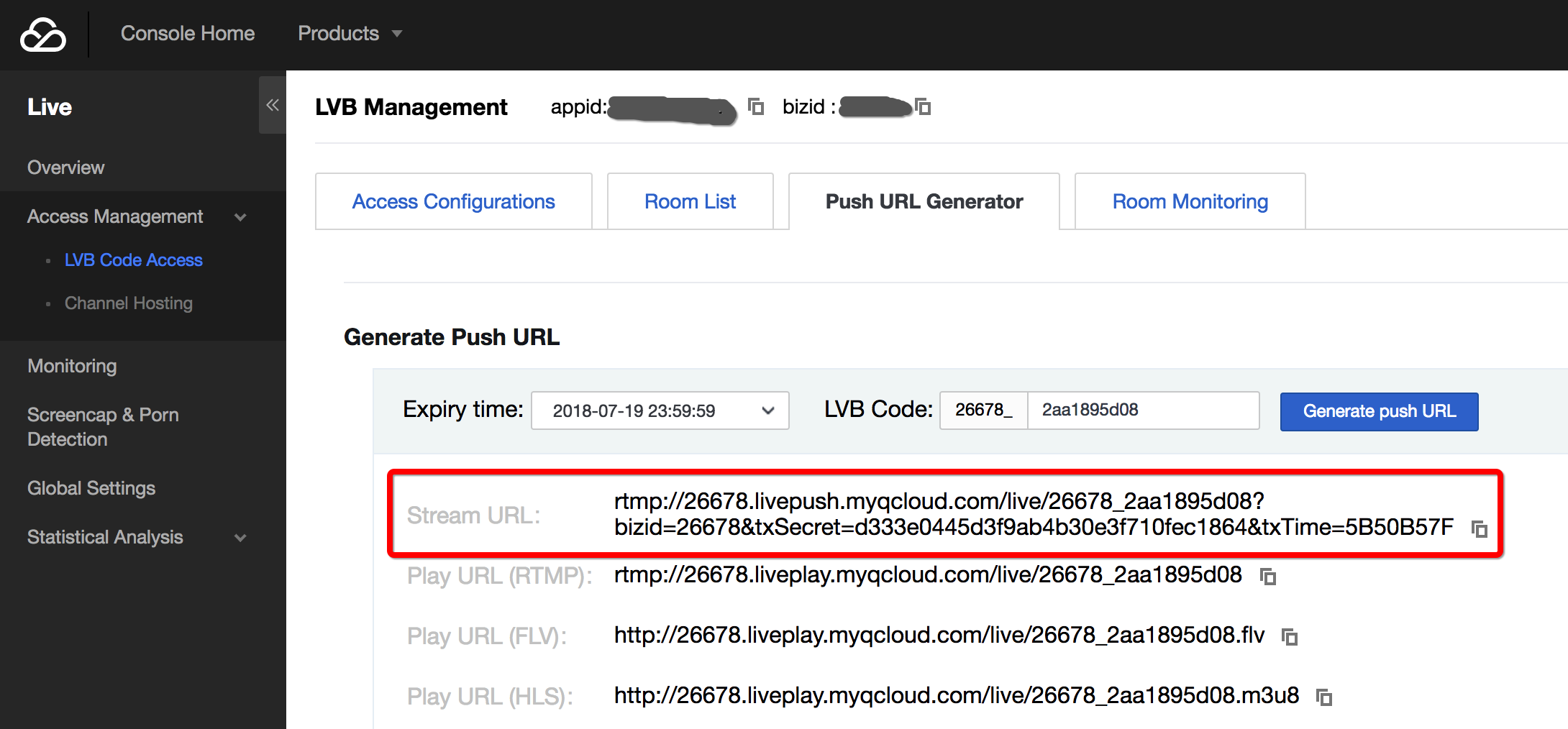
If you want to generate a group of URLs for testing, you only need to open CSS Console > CSS Code Access > Push Generator, and click Generate Push URL button, to generate a push URL and three playback URLs with different playback protocols.
2. How to Realize Auto Construction at the Backend
2.1 Push URL
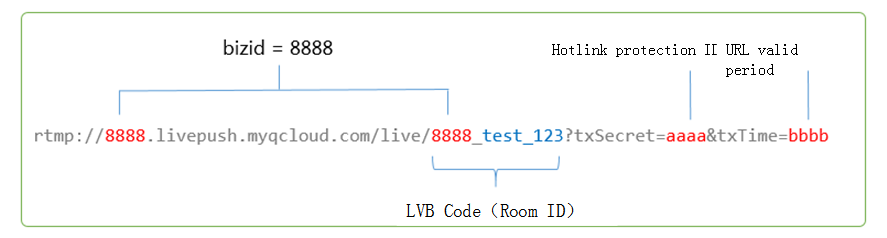
In the actual application scenario, it is impossible to create push and playback URLs manually for each VJ. Instead, these URLs are constructed automatically by your server. Any URL that conforms to Tencent Cloud specifications can be used as a push URL. A standard push URL is shown below, which consists of three parts:
CSS Code
It is also called room ID. Random numbers or user ID is recommended. BIZID prefix is required in a valid CSS code.
txTime
It refers to the time when the URL expires. The format is UNIX time stamp in hexadecimal notation, for example, 5867D600 means that the URL will expire at 00:00:00 AM on Jan. 1, 2017. Generally, txTime is set to a time which is 24 hours later than the current time. It is not recommended to set a too short validity period to avoid the inability of VJ to restore push in case of a flash breakdown of network during the broadcasting.
txSecret
This refers to hotlink protection signature, which is used to prevent attackers from simulating your backend server to generate push URL. For more information about computing method, please see Computing of Hotlink Protection.
Sample Code
Go to CSS Console > CSS Code Access > Push Generator. In the lower part of the page, the sample code (PHP and Java) is provided to show how to generate a hotlink protection URL.
2.2 Playback URL
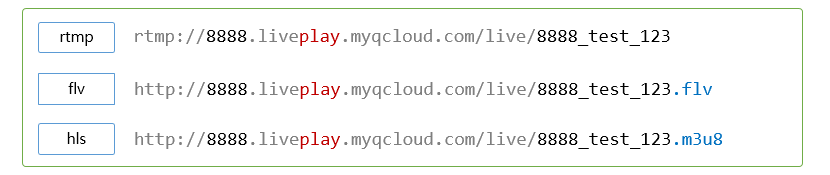
Constructing a playback URL is as simple as constructing a push URL, except that the sub-domain name needs to be changed from livepush to liveplay:
3. How to Calculate Hotlink Protection
The security hotlink protection refers to the txSecret field in push and playback URLs. It is used to prevent attackers from simulating your backend server to generate push URL or hacking your playback URL for their benefits.
3.1 How it works
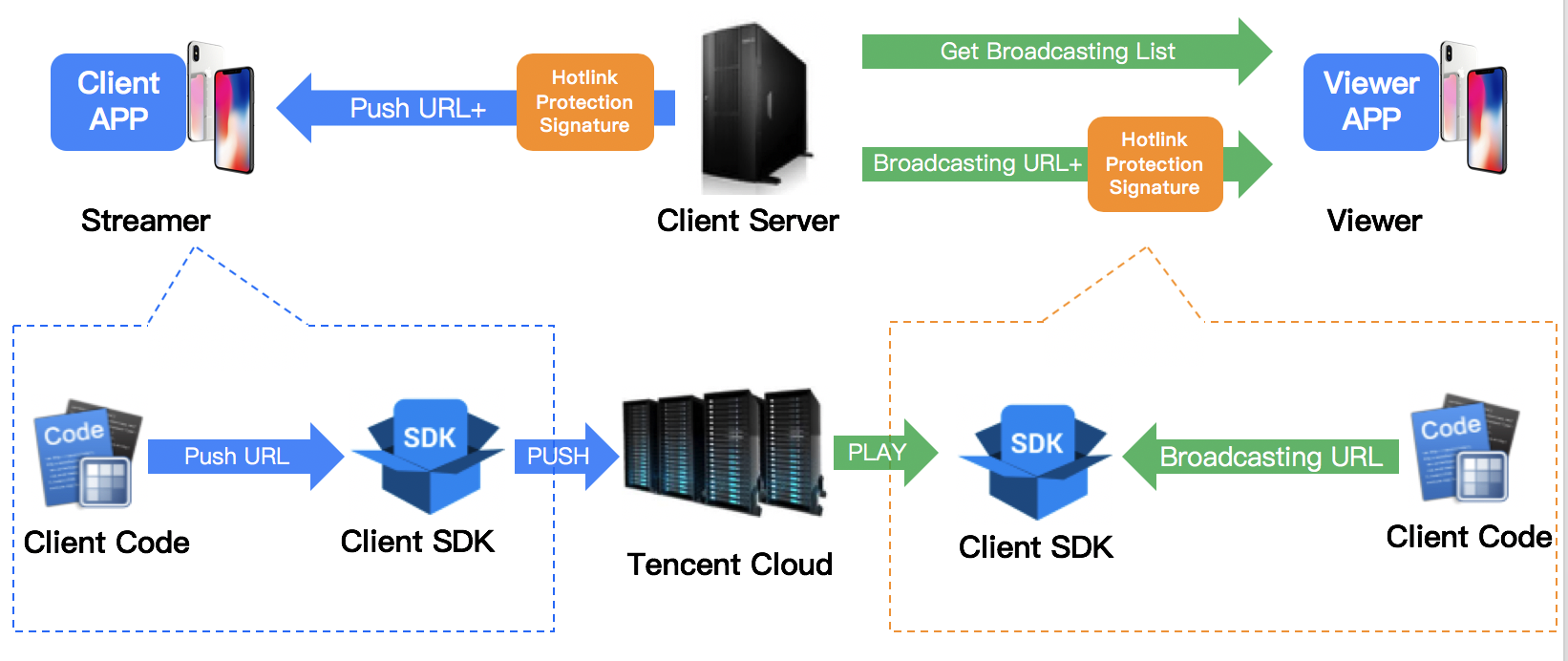
To prevent attackers from simulating your server to generate push URL, you need to configure in CSS console a hotlink protection encryption key that is unlikely to be obtained by attackers for faking a valid push URL. The figure below shows how it works.
3.2 Computing procedure
Step 1: Exchange the key
You need to negotiate an encryption key on the console at the official website. This encryption key is used to generate a hotlink protection signature on your server. Since Tencent Cloud has the same key as yours, it can decrypt and verify the hotlink protection signature generated by your server.
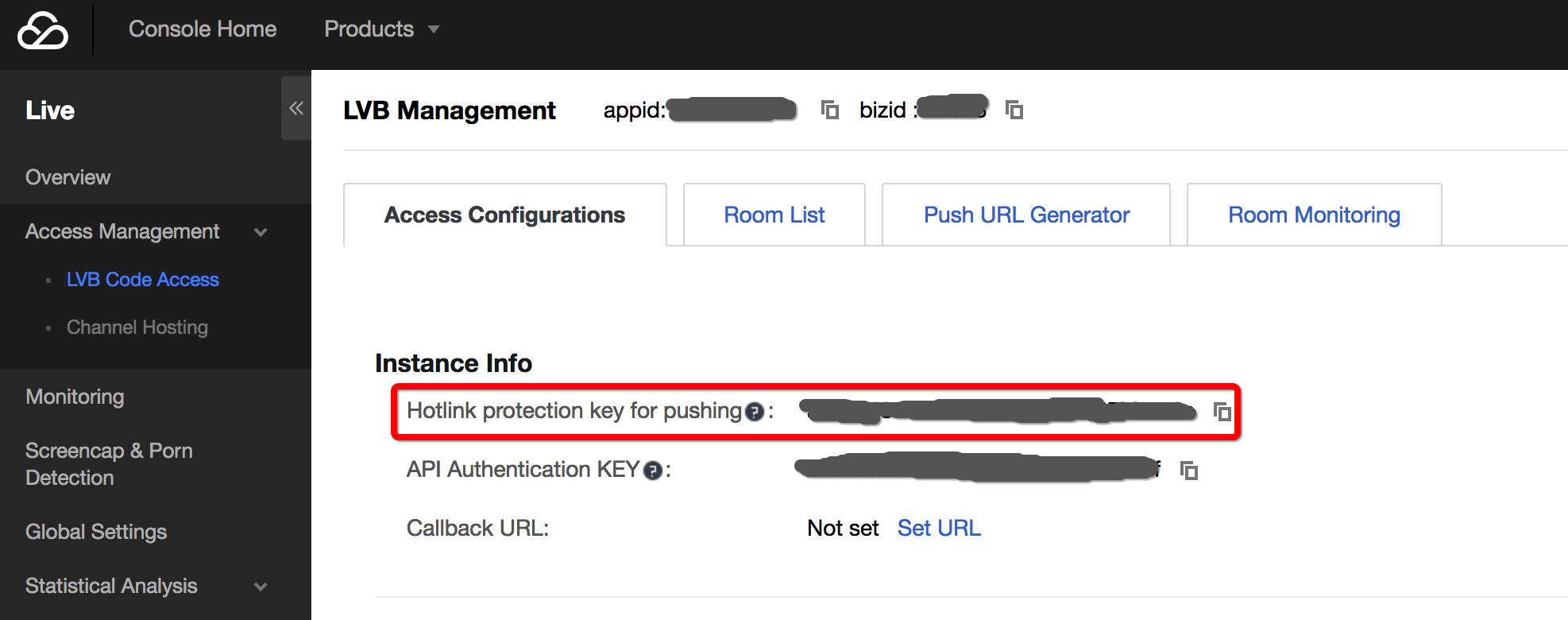
Encryption keys are classified into push hotlink protection keys and playback hotlink protection keys. The former are used to generate the push hotlink protection URLs and the latter are used to generate the playback hotlink protection URLs. You can configure push hotlink protection keys in the CSS Console, as shown below:
Playback hotlink protection is disabled by default:
Since the configuration of playback hotlink protection key needs to be synchronized to thousands of CDN clusters, the key cannot be frequently modified in the debugging phase due to a long synchronization period. Contact us if you need to configure the playback hotlink protection by calling our customer service. It generally takes 1 to 3 days to complete the synchronization in all of the clusters.
Step 2: Generate txTime
In the signature, the plaintext is txTime, which indicates the URL validity period. For example, if the current time is 2016-07-29 11:13:45 and the generated URL is expected to expire after 24 hours, txTime can be set to 2016-07-30 11:13:45.
Such a long time string would occupy too much space in the URL. In actual scenario, 2016-07-30 11:13:45 is converted into a UNIX timestamp, i.e. 1469848425 (various backend programming languages are directly handled by available time functions during the conversion). Then, the timestamp is converted into a hexadecimal string to further reduce the string length, that is, txTime = 1469848425 (hexadecimal) = 579C1B69 (hexadecimal).
Generally, txTime is set to a time which is 24 hours later than the current time. It is not recommended to set a too short validity period to avoid the inability of VJ to restore push in case of a flash breakdown of network during the broadcasting.
Step 3: Generate txSecret
txSecret is generated as follows: txSecret = MD5 (KEY + stream_id + txTime). The KEY here is the encryption key you configured in Step 1. In this example, stream_id is 8888_test001, txTime is 579C1B69 as calculated above, and MD5 is the standard unidirectional irreversible hash algorithm.
Step 4: Construct the hotlink protection URL
Combine the push (or playback) URL, the txTime indicating the expiration time of the URL and the txSecret that can be decrypted and verified only by Tencent Cloud to generate a secure hotlink protection URL.