Inter-VPC Firewall Practice Tutorial
다운로드
포커스 모드
폰트 크기
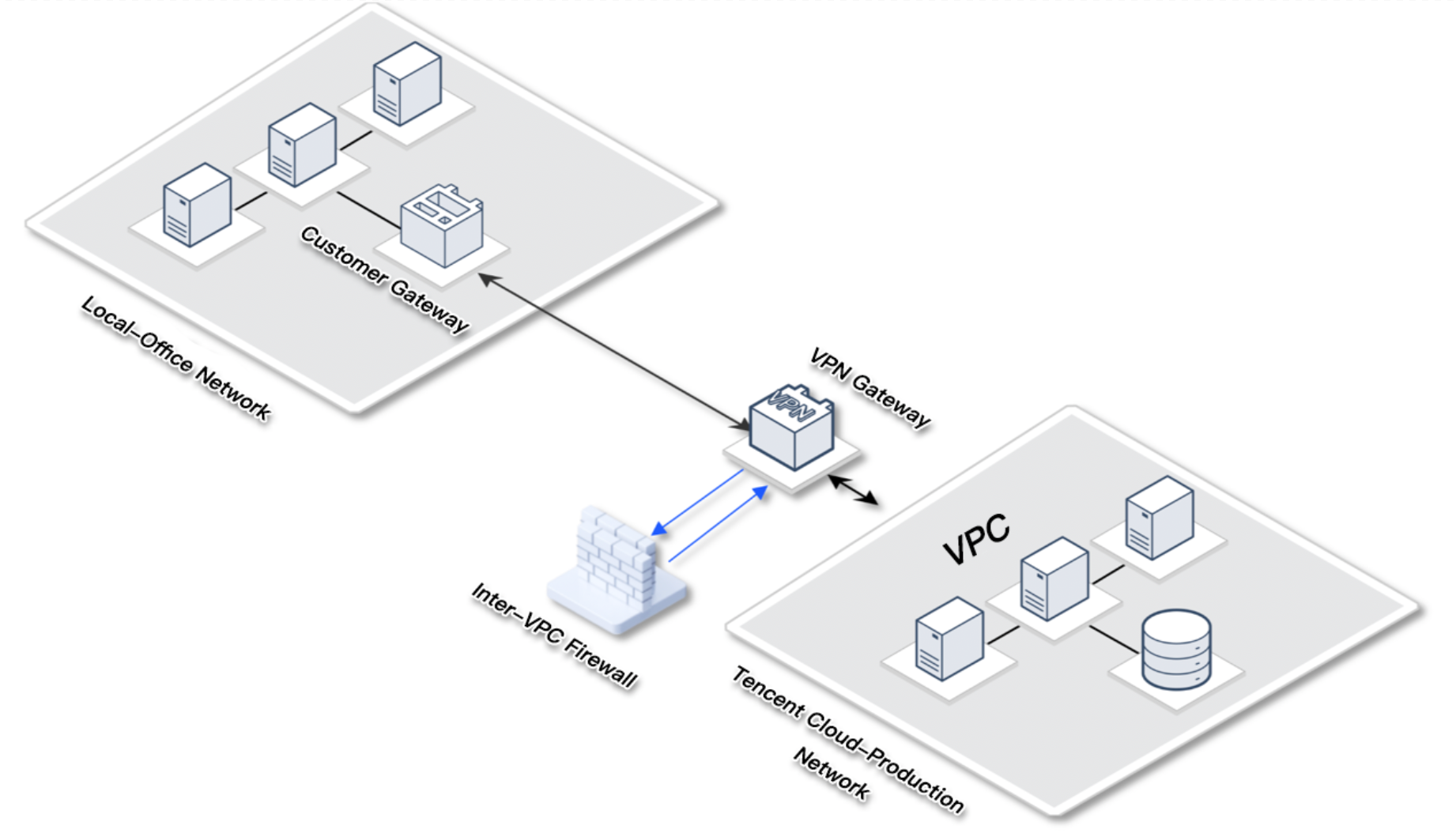
VPN Cloud Migration Scenarios
User requirement: Adopt VPN connections for Office Network and Public Cloud, with core business and data residing on the public cloud. Security monitoring of the office network is lower than the production network.
Business challenge: When the local office network is compromised due to attacks such as phishing, attackers can easily attack core business on the cloud via VPC Private Line.
Solution: Integrate Inter-VPC Firewall and enable intrusion defense block mode to automatically block and monitor the office network's access to cloud services, intercepting scanning and attack traffic.
Practical configuration: See Create Inter-VPC Firewallf for configuration, select CCN mode for integration, select Auto for Inter-VPC Firewall, and select Point to point for the routing mode.
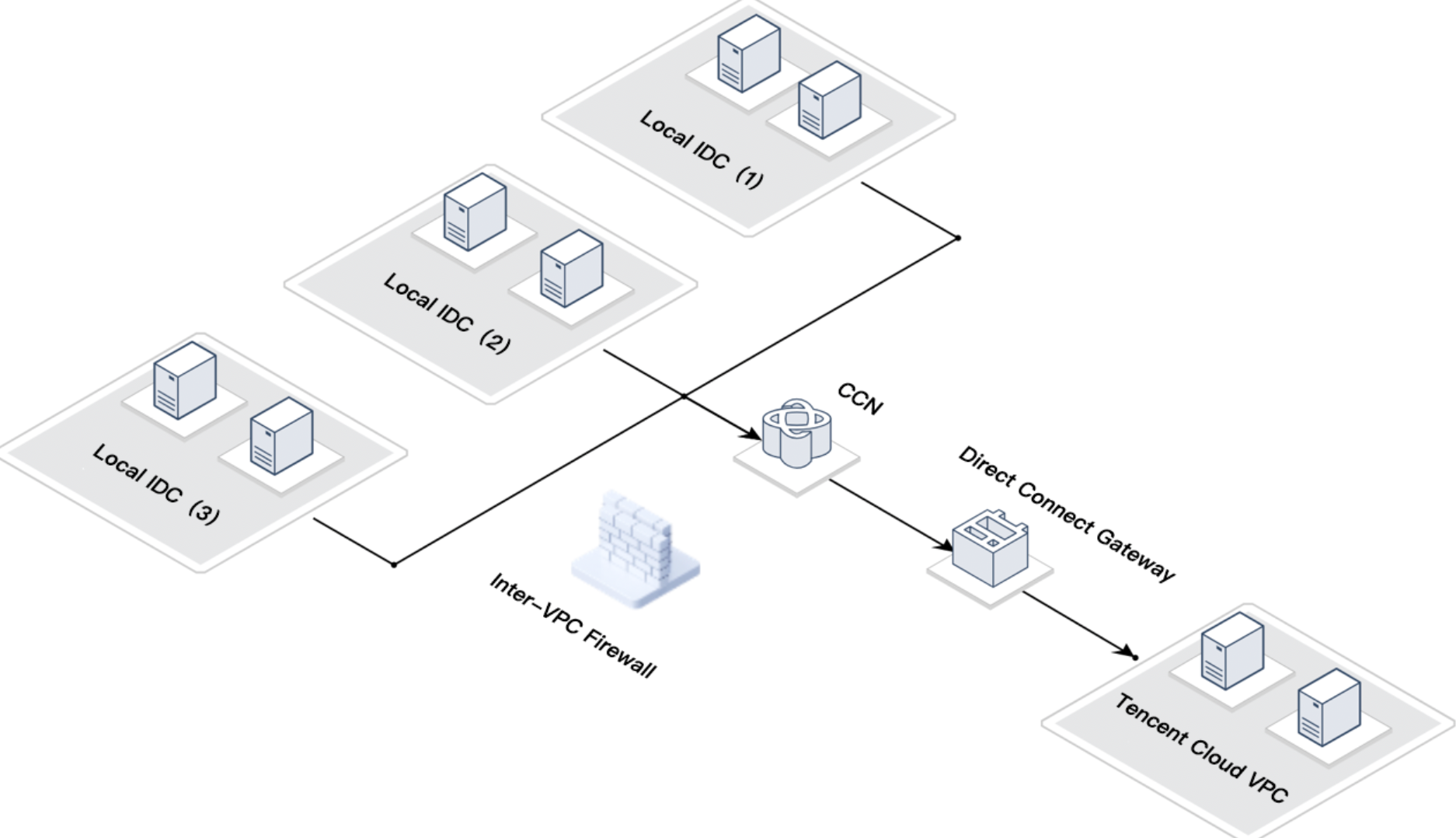
Hybrid Cloud Scenario
User requirement: The client has multiple local IDCs that are interconnected via CCN and uses private lines to connect to Public Cloud VPC.
Business challenge: When certain IDCs are isolated to prevent accessing public cloud services, it is also necessary to prevent lateral movement to the cloud if a local IDC is compromised.
Solution: Integrate Inter-VPC Firewall and enable Intrusion Defense. Set access control rules to block certain IDCs' source addresses.
Practical configuration: See Create Inter-VPC Firewall for configuration, select CCN mode for integration, select Auto for Inter-VPC Firewall, and select Point to multipoint for the routing mode (if there are fewer local IDCs, point to point can be selected).
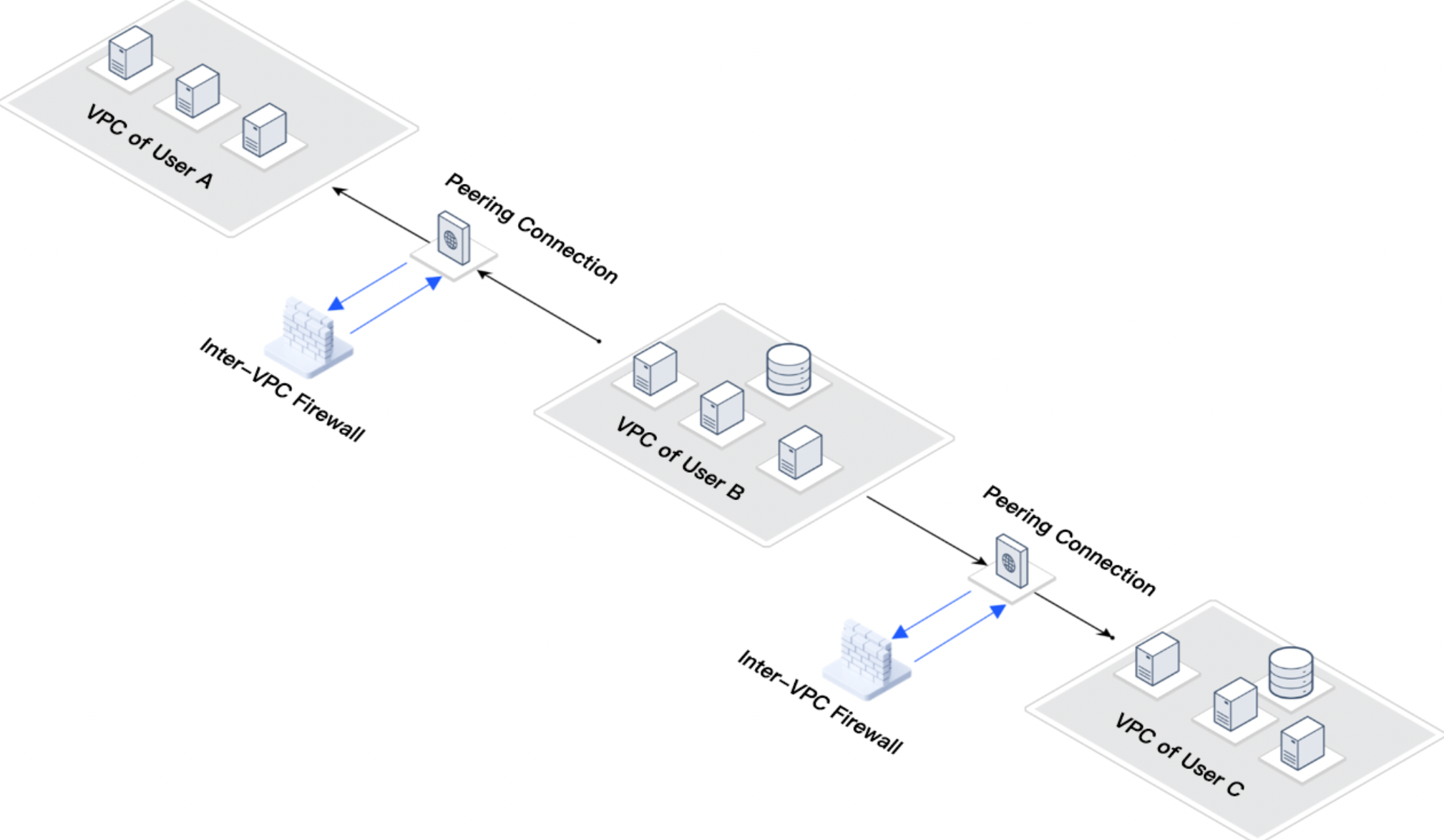
Cross-Account Peering Connection Scenario
User requirement: User B's cloud business needs to retrieve data from User A and User C, with a requirement for data inflow only.
Business challenge: User B VPC need to access User A and User C VPCs, but to ensure data security, User A VPC and User C VPC need to be blocked from accessing User B.
Solution: Integrate Inter-VPC Firewall and configure access control rules to block all traffic destined for User B VPC.
Practical configuration: See Create Inter-VPC Firewall for configuration, select VPC mode for integration, select Auto for Inter-VPC Firewall, and select Point to point for the routing mode.
FAQs
Does Integrating an Inter-VPC Firewall Affect Business?
There will be a very brief interruption during integration. It is recommended to choose a less busy period for this. CFW can provide R&D support, and based on experience, the integration of the Inter-VPC Firewall has minimal impact on the business. If concerned, you can try it in a test environment.
Can Security Groups Replace Inter-VPC Firewall?
Inter-VPC Firewall can perform log audits, observe rule matched and allowed traffic. However, server security groups do not have this feature. Additionally, the intrusion defense feature of the Inter-VPC Firewall can address threats in the traffic, monitor scanning traffic and attack traffic, while security groups do not have this feature.
피드백