tencent cloud

Low-code Interactive Classroom

Release Notes and Announcements
Announcement on the Renaming of Low-Code Interactive Classroom Product
Announcement on the Upgrade of Low-Code Interactive Classroom
Product Introduction
Overview
Use Cases
Features
Strengths
Purchase Guide
Billing Overview
Monthly Packages
Billing Examples
Purchase Instructions
Payment Overdue
Refunds
Demo Download and Experience
Client Integration Guide
Web and H5
Android
iOS
Windows and macOS
Console Guide
Overview
Usage
Applications
Quick Run-through
API Documentation
History
Introduction
API Category
Making API Requests
User Login APIs
Room Management APIs
Group Management APIs
Application Configuration APIs
Recording Management APIs
Courseware Management APIs
User Management APIs
Developer APIs
Data Types
Error Codes
Interface Customization
Getting Started
Event Listening
Service Callbacks
Advanced Features
Custom Business Domain
Mobile Screen Sharing
Mobile Preloading
Practical Tutorial
Integration with Scheduling System
Integration with Account System
Integration with Recording and Playback
Integration with Courseware Module
LCIC Policy
Privacy Policy
Data Processing And Security Agreement
FAQs
Billing
Recording
Console and API authorization issues
Interactive Whiteboard Lag
Screen Sharing
Dealing with Firewall Restrictions
Web
Electron
Device Performance Requirements
Service Agreement
Service Level Agreement

Audio/Video

PDF
Focus Mode
Font Size
Last updated: 2025-08-27 14:55:02
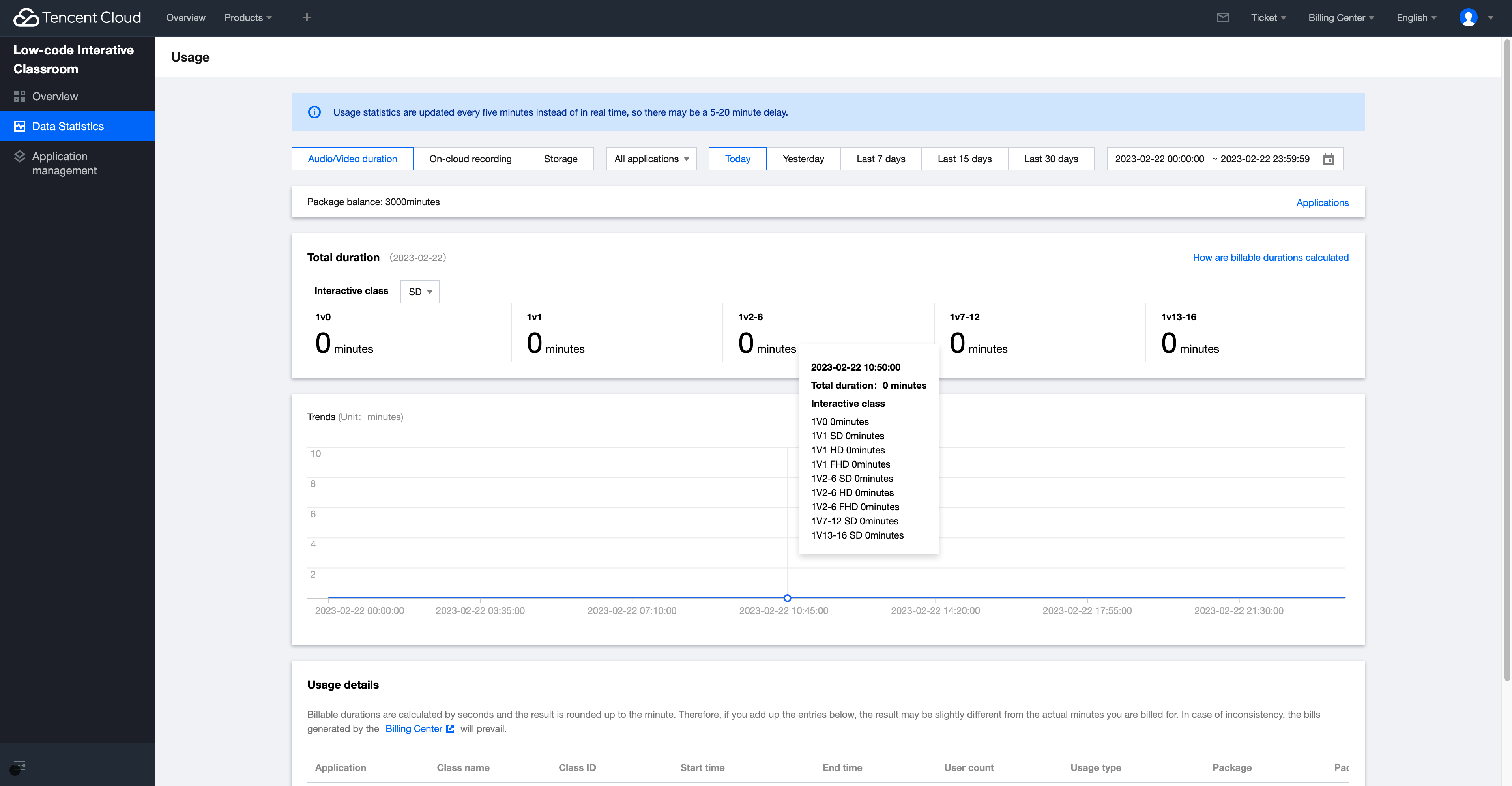
The Usage module allows you to query the audio/video duration, on-cloud recording durations, and storage usage of a specified application.
Note:
Usage statistics are not in real time. The statistics are updated every five minutes, so there may be a 5–20 minute delay.

Directions

1. Log in to the LCIC console.
2. On the left sidebar, select Usage to enter the Usage page.
3. Select Audio/Video duration as the service type.
4. You can select a specific application and time period to view the usage data, trend, and details.


Note:
1. Click How are billable durations calculated in the top-right corner to view Billing Overview.
2. Durations in Usage details are calculated in seconds and rounded up to minutes. Therefore, the cumulative duration used for billing may differ slightly from your actual usage. For the actual billable usage, see the bills generated in Billing Center.

Usage details list

The list displays the usage details.
Item
Description
Application
The full name of the class application
Class name
The name of the class using the service
Class ID
The ID of the class using the service
Start time
The time point when the teacher clicks Start to start the class  
End time
The time point when the teacher clicks End to end the class
User count
The actual number of users in the class, including all roles like student, teacher, teaching assistant, and spectator
Usage type
Interactive class or Playback
Package
The package from which the usage is deducted
Duration usage deducted from package
The actual total duration used by the class, which is deducted from the package. For example, if 10 students attend a 60-minute class, the used duration will be 600 minutes.
Pay-as-you-go duration usage
The actual total duration used by the class billed in pay-as-you-go mode

Help and Support

Was this page helpful?

Help us improve! Rate your documentation experience in 5 mins.

Feedback