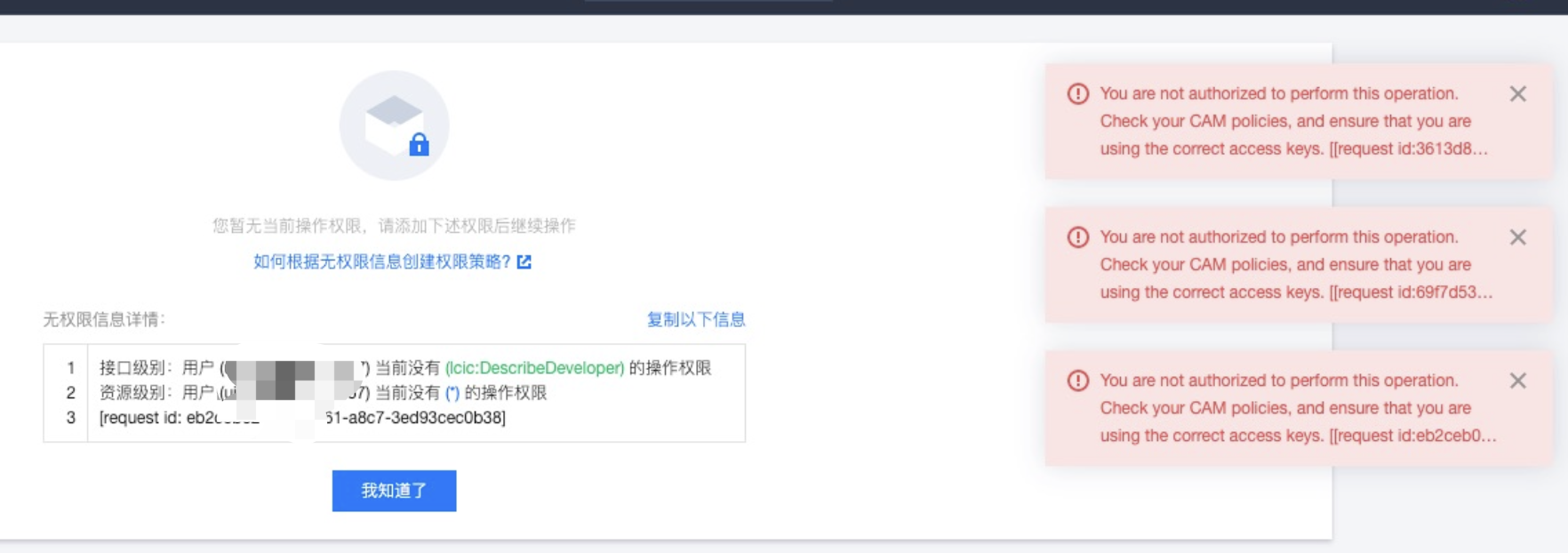
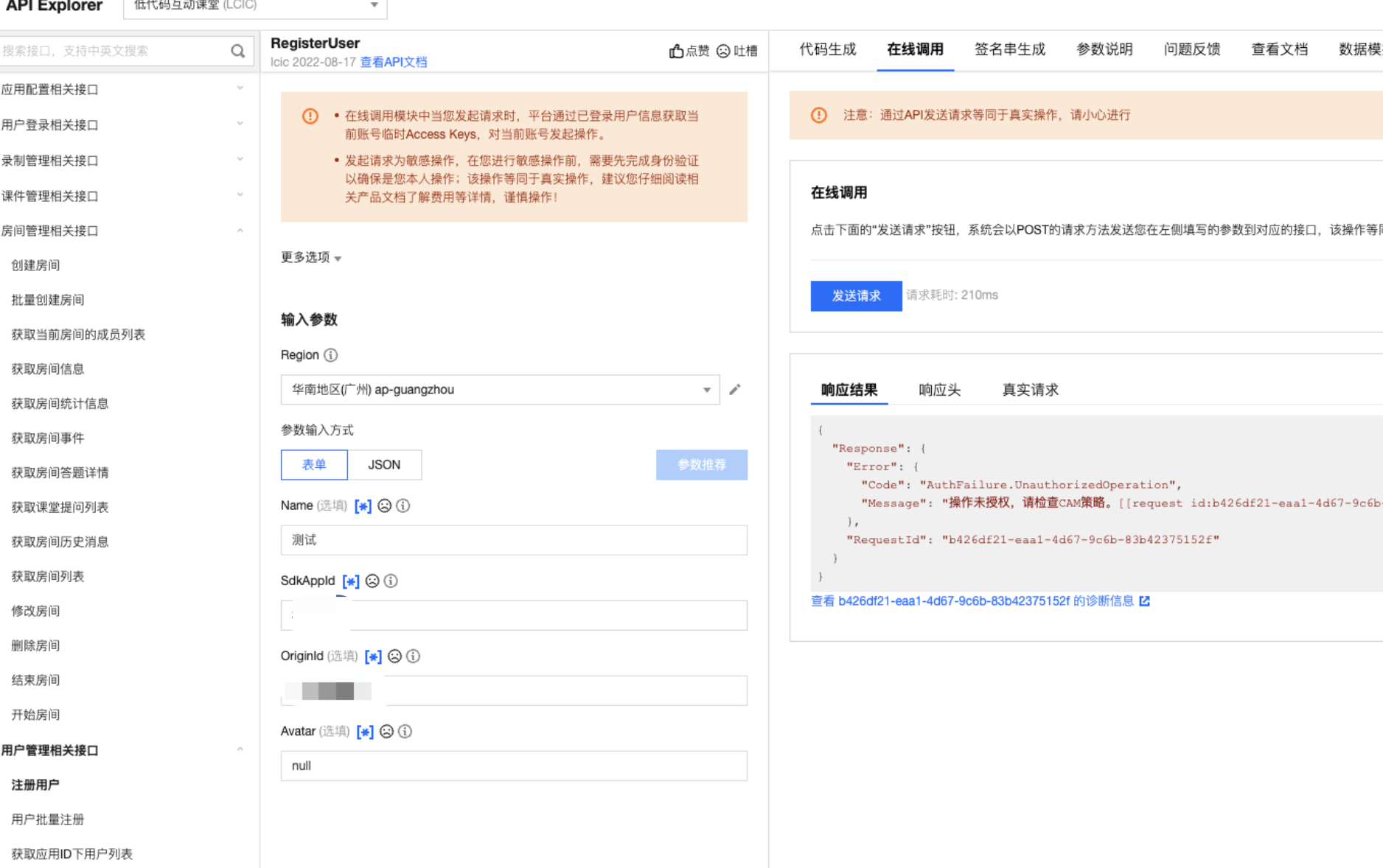
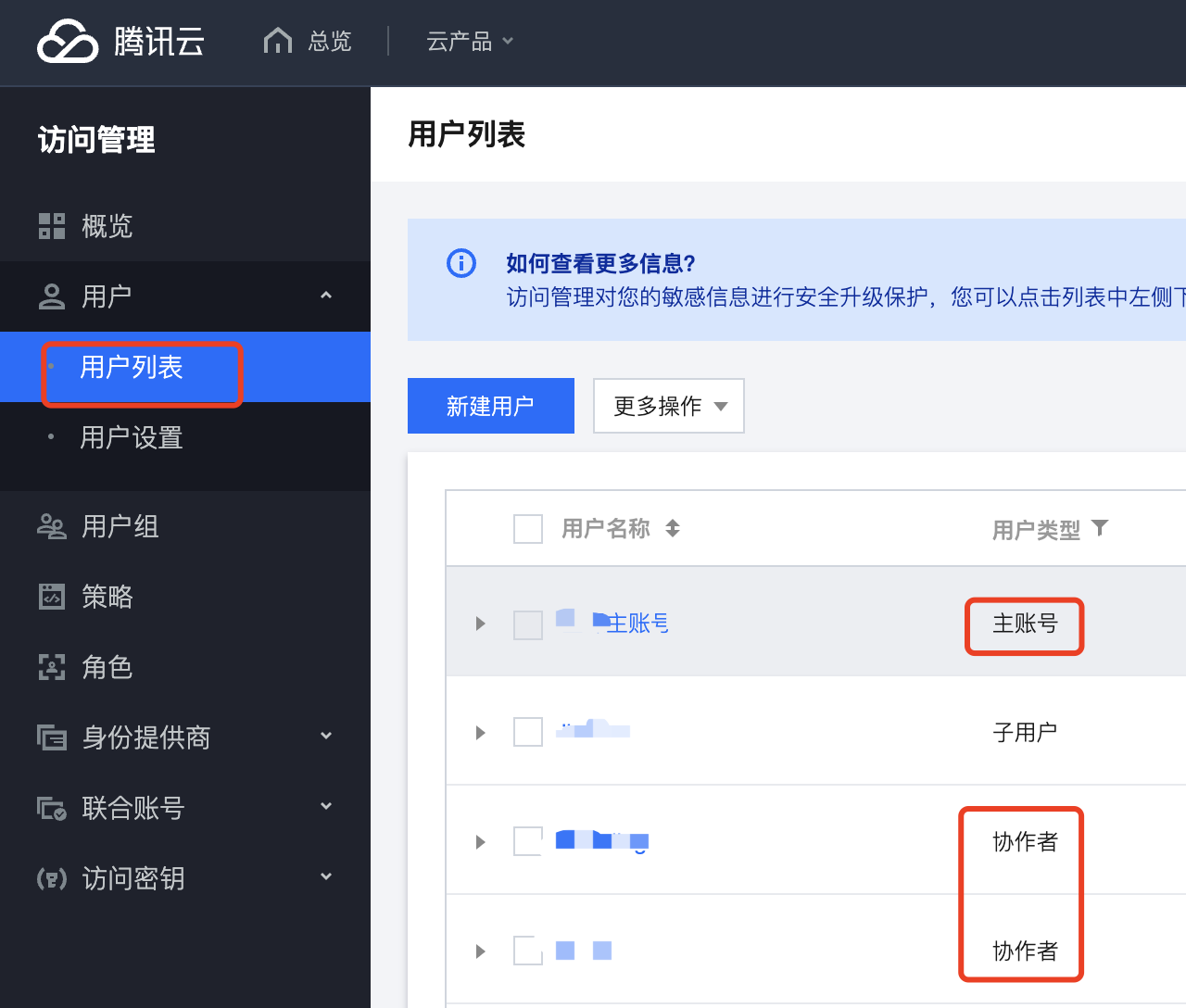
Next steps The main account or collaborators have permission to operate.
2. Get access
Gain access through sub-accounts (recommended)
If you want to generate a non-primary account key, you need to create a new user/sub-account/permission group, etc. Authorize designated users by product and scope.
The authorization operation steps are as follows:
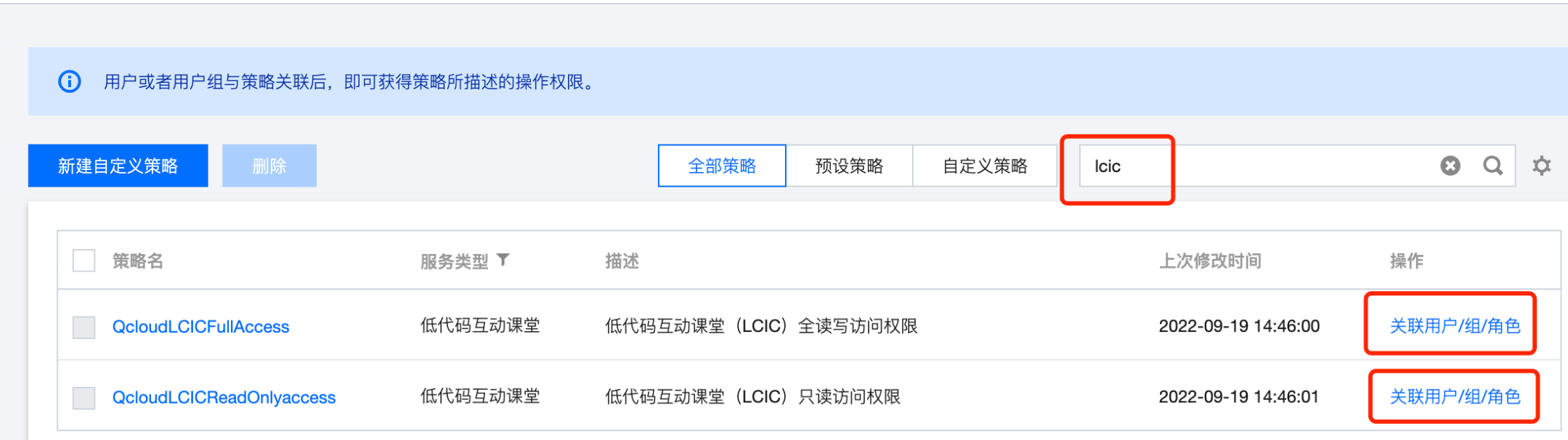
2.1.1 Click Policies on the left navigation bar of the console.
2.1.2 Enter lcic on the page to search and query, and click the associated user/group/role under the operation column to authorize.
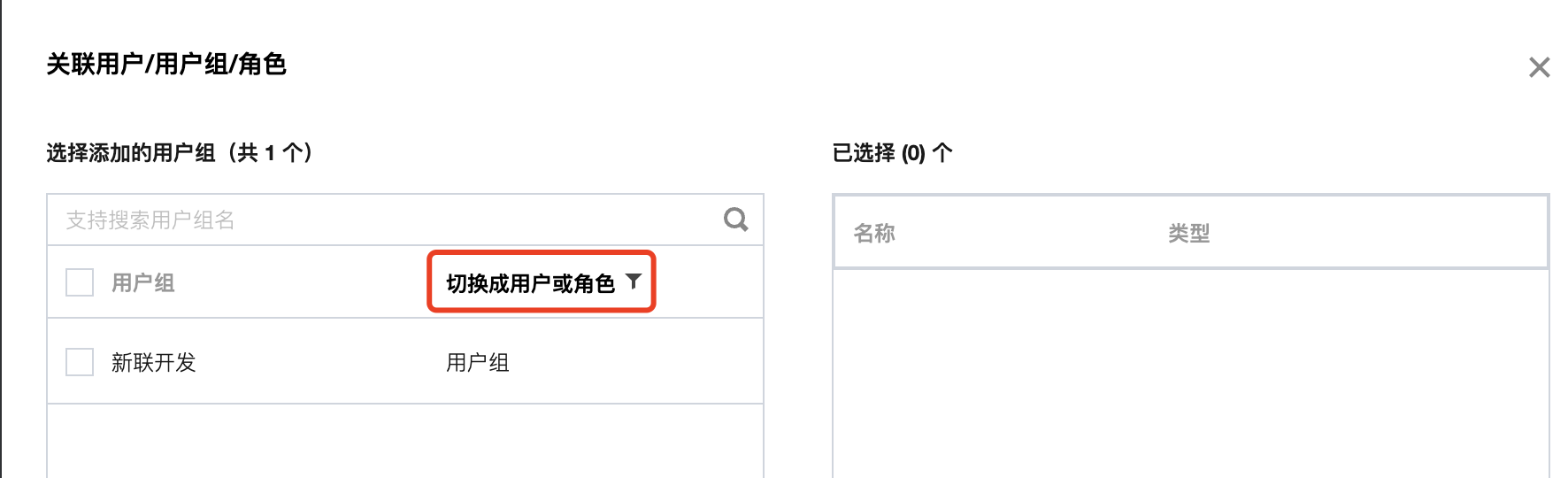
2.1.3 Choose to switch to user/group/role as required, and save it.
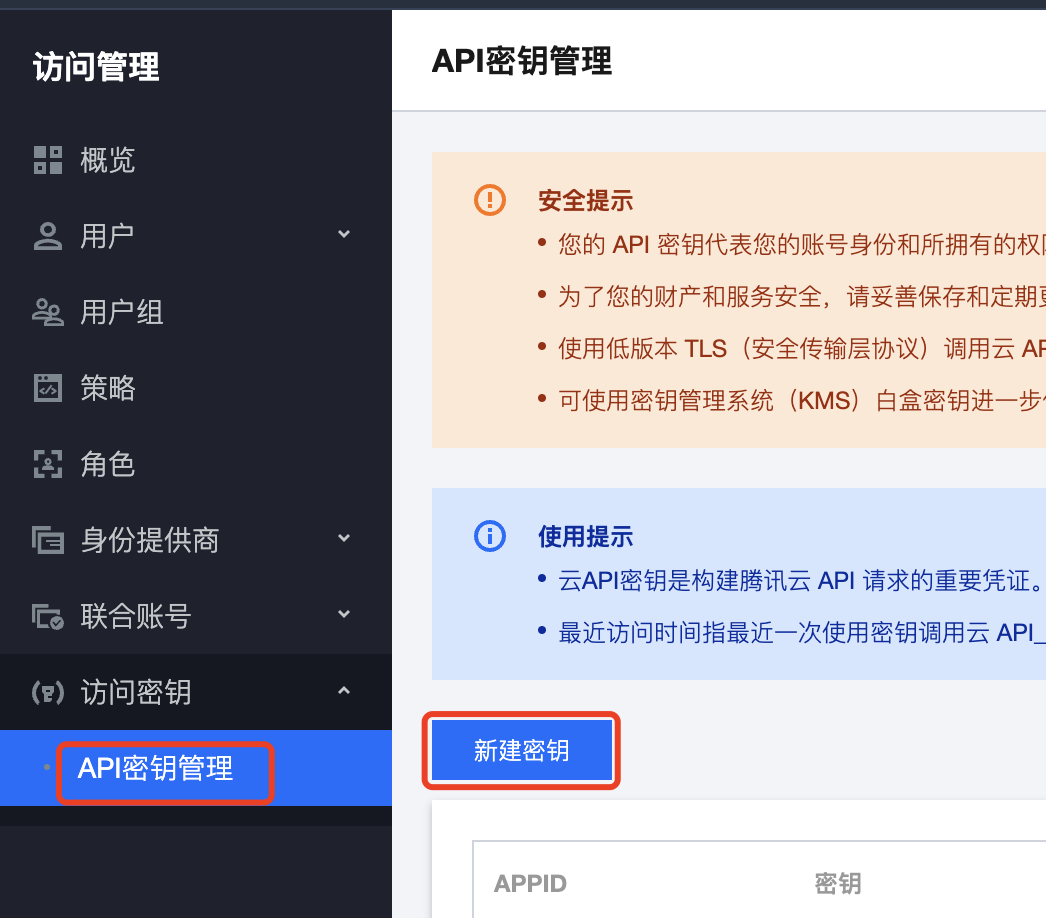
Generating a key for the primary account (not recommended)
The API key generated by the master account has access rights to all products by default. If the account involves many products and has sensitive information, please authorize and manage the key access rights and scope according to actual needs.
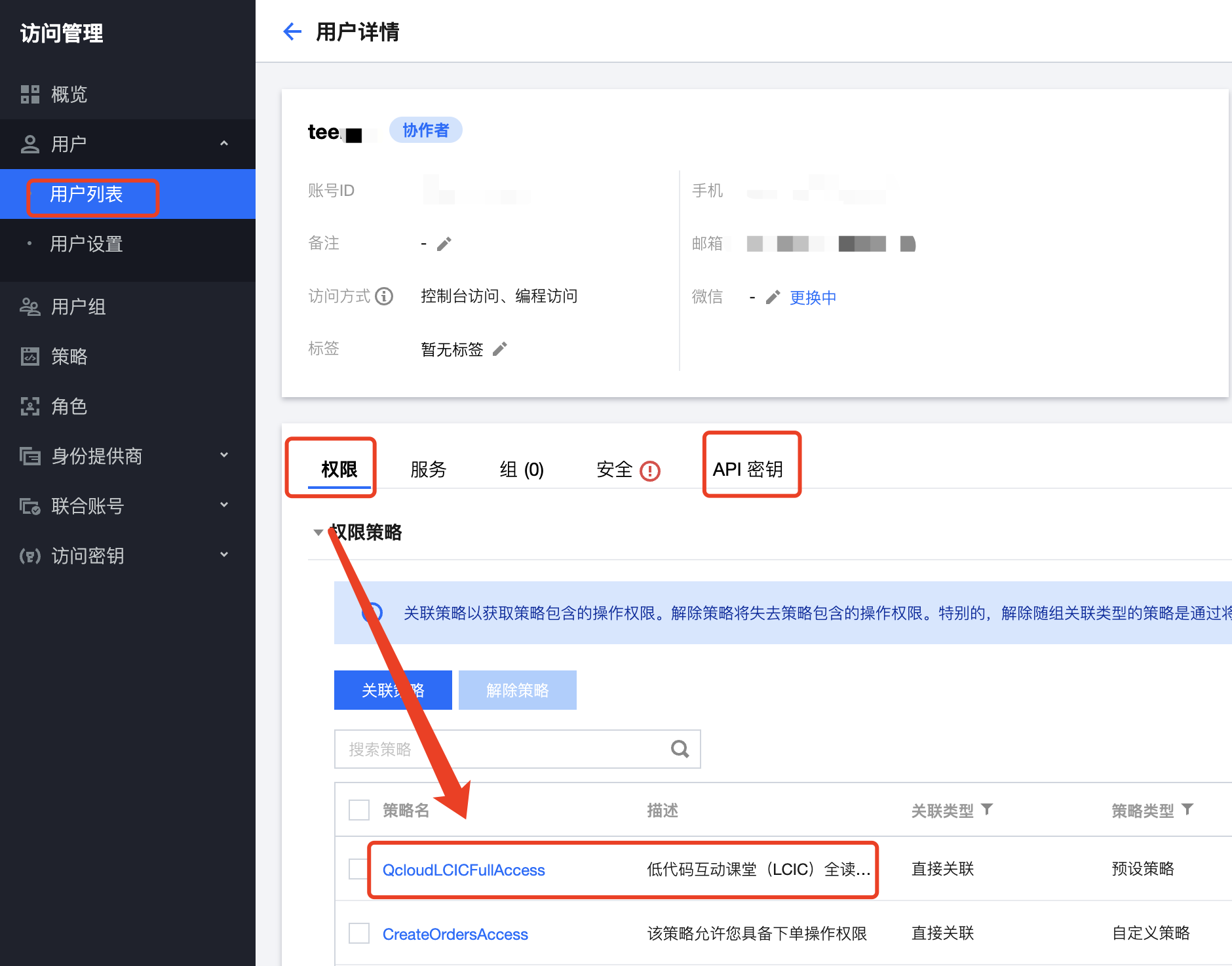
3. Verify user or role permissions
After the binding is successful, the user has access rights, and the created API key has corresponding request rights.