By using an event rule, you can deliver collected events to the specified delivery target for processing and consumption. Currently, EventBridge allows you to set Serverless Cloud Function (SCF) as a delivery target and provides multiple preconfigured templates to help you deliver events.
Note:
By default, the number of events delivered to a target cannot exceed 2,000 per day.
Template Function-based Delivery
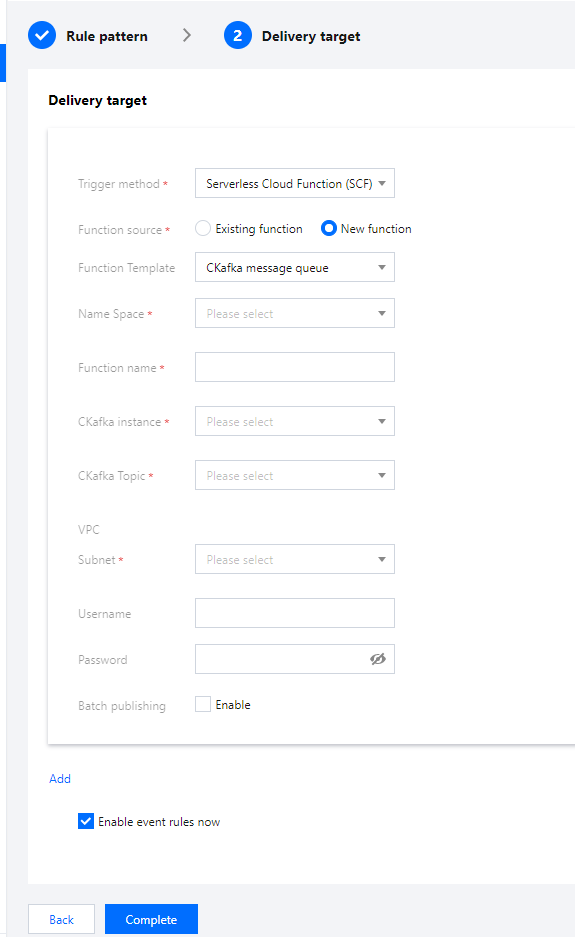
You can select a function template, so that EventBridge will create a target function for event delivery for you based on the template. Currently, CKafka function templates are available. To select and configure templates, choose Event rule > Delivery target.
Note:
If your target CKafka instance has a username and password, please ensure that the entered information is correct; otherwise, event delivery may fail.
Custom Function Delivery
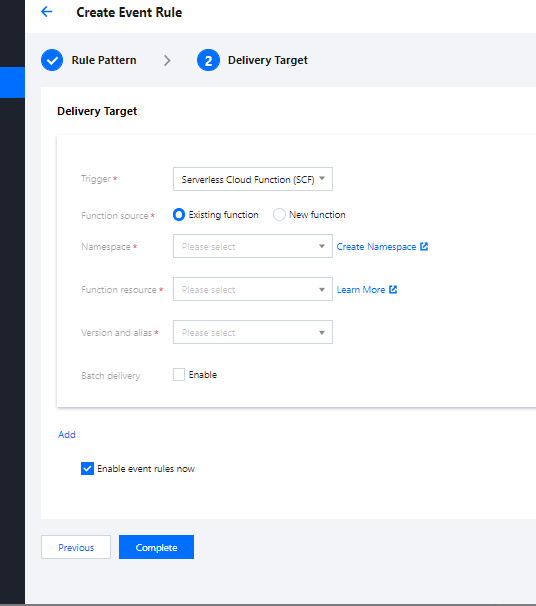
In addition to using templates, you can deliver events to your created custom functions to implement more business logic.
Enabling Batch Delivery
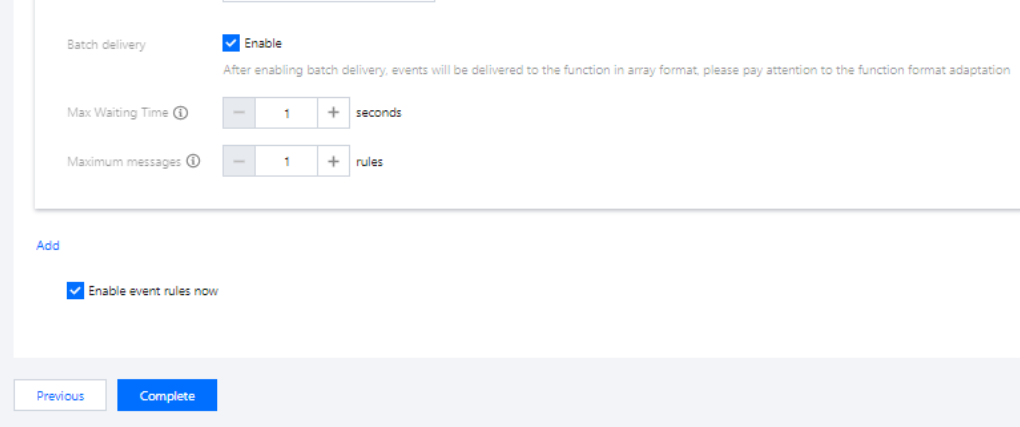
EventBridge supports batch delivery to SCF. You can specify the parameters of batch delivery as needed.
Batch delivery parameter description:
Maximum waiting time: The maximum waiting time for each function trigger. Value range: 0–60s. Default value: 0.
Maximum messages: The maximum number of messages that can be pulled and batch delivered to the current function at a time, which can be up to 10,000 currently. Depending on the message size and writing speed, the number of messages delivered when the function is triggered each time may not always reach the maximum number; instead, it is a variable value between 1 and the maximum number.
Note
After the batch delivery feature is enabled, events will be delivered together as an array. Ensure that the event consumer is compatible with such format.