Tencent Cloud Distributed Cache introduces the concept of a primary AZ for cross-AZ deployments. After a node failover, the master node may be switched to a secondary AZ, causing cross-AZ access and increased latency for your business. To simplify Ops operations after a failover, Tencent Cloud Distributed Cache provides the automatic failback feature (Auto Failback) for instances deployed across AZs, which is controlled by the auto-failback parameter. After the feature is enabled, the master node is automatically switched back to the primary AZ (the master node group in a cluster architecture) once the faulty node is restored and the system completes the node replenishment, requiring no manual intervention.
3. In the instance list, find the target instance.
4. Click the target instance ID to enter the Instance Details page.
5. On the Instance Details page, select the Parameter Settings tab.
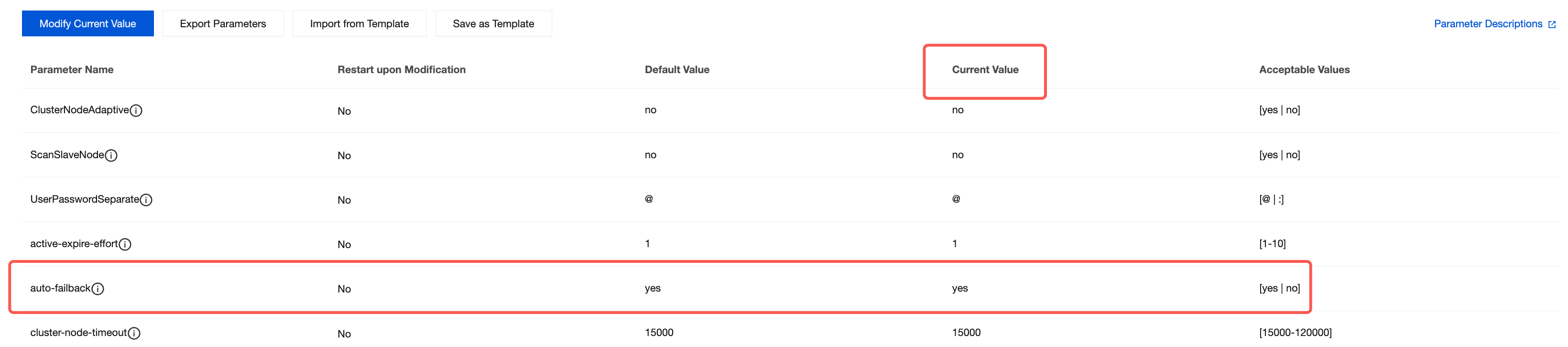
6. On the Parameter Settings tab, click the Modifiable Parameters tab, find auto-failback in the parameter list, and set it to yes.
7. On the Modifiable Parameters tab, locate the auto-failback parameter row in the parameter list. In the Current Value column, hover over the parameter value and click
to modify it. Set the value to yes to enable automatic failback, or set it to no to disable it. For more operations, see Managing Instance Parameters.
Supplementary Descriptions
Automatic failback is triggered after the faulty node is restored and the system completes the node replenishment. The failback process is a lossless migration. However, if your business uses blocking commands (such as BLPOP and BRPOP), command failures may occur during the failback.
After automatic failback is disabled, the master node will not automatically switch back to the primary AZ after a failover to a secondary AZ. This may cause your business to continue accessing across AZs and experience increased latency. To restore the primary AZ, manually specify it using replica promotion to primary.
This feature only applies to instances deployed across AZs. Single-AZ instances do not have the concept of a primary AZ and are not subject to failback.