Configuring Local-Node-Only Access via the read-local-node-only Parameter
Download
Modo Foco
Tamanho da Fonte
Última atualização: 2026-07-13 14:44:22
Scenarios
In a multi-AZ deployment, cross-AZ access introduces additional network latency (typically 2 ms to 5 ms). To reduce business access latency, Distributed Cache provides the proximity access capability: when an available node exists in the local AZ, read requests are preferentially routed to nodes within the same AZ to avoid cross-AZ access.
How It Works
This capability is controlled by the read-local-node-only parameter and is disabled by default. After it is enabled, read requests are routed based on proximity at two levels:
1. Access Layer: The CLB cluster detects the AZs where each Proxy resides. When an available Proxy exists in the local AZ, it accesses only the Proxy within that AZ.
2. Data Layer: Based on the AZ information built into the data nodes, the Proxy routes read requests to nodes within the same AZ.
Prerequisites
The instance uses the multi-AZ deployment architecture. To upgrade a single-AZ instance to a multi-AZ instance, see Change AZ.
Read-only replica (read/write separation) is enabled, and your business can tolerate the scenario where data on replica nodes lags behind the master node. To enable it, see Read-only Replica.
3. In the instance list, find the target instance.
4. Click the target instance ID to enter the Instance Details page.
5. On the Instance Details page, select the Parameter Settings tab.
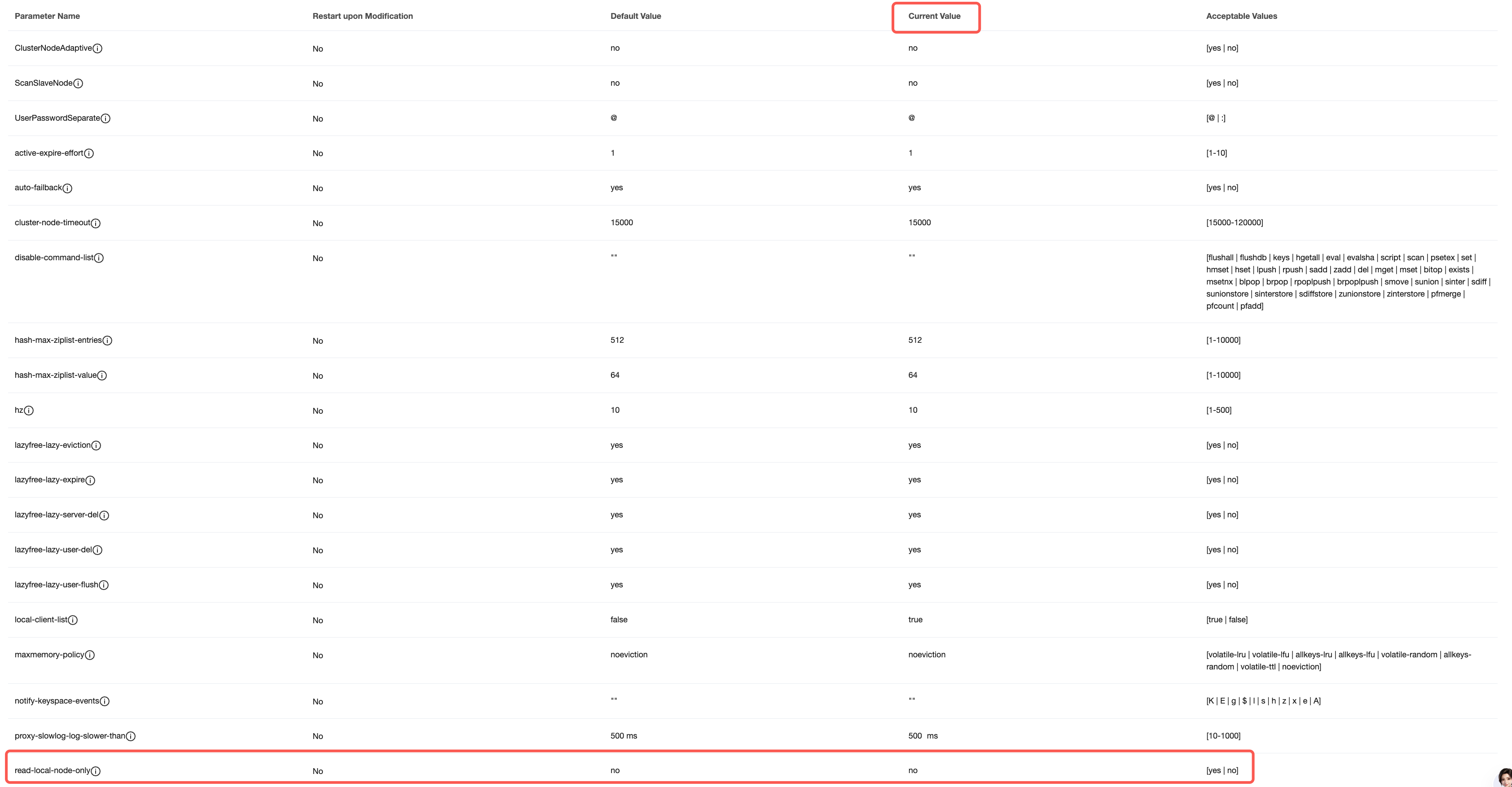
6. On the Modifiable Parameters tab, locate the row for the read-local-node-only parameter in the parameter list. In the Current Value column, hover over the parameter value and click
to modify it. Set it to yes to enable proximity-based access. For more operations, see Manage Instance Parameters.
Supplementary Descriptions
Version Requirements: If the current instance version does not support proximity-based access, you must upgrade the Proxy version and the Redis kernel minor version when upgrading to a multi-AZ instance. This operation involves data migration, which may take a long time. Follow the instructions on the console page.
Routing Priority: Proximity-based access has a higher priority than the read-only routing policy. After it is enabled, read requests first read data from nodes in the same AZ and then follow the read-only routing policy.
Typical scenario (policy degradation): The instance has read-only replica enabled, the read-only routing policy is set to replica node, and proximity-based access is enabled. However, the primary AZ has only one master node (no replica). When traffic from the primary AZ accesses the Proxy in the same AZ, the Proxy ignores the read-only replica policy and falls back to reading from the master node to prioritize proximity-based access and avoid cross-AZ access.
Data Consistency: Enabling read-only replica means your business must be able to tolerate replica data latency (data on replica nodes slightly lags behind the master node). Read requests that require high data consistency should be routed to the master node.