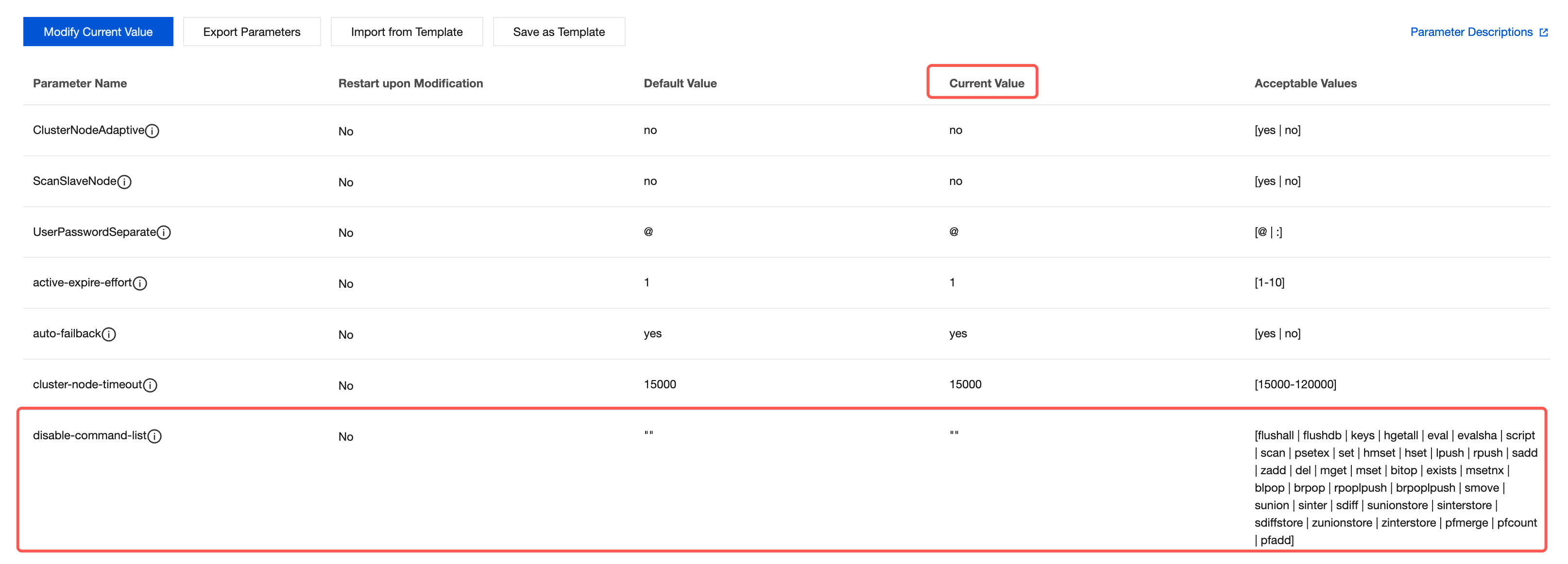
Improper use of certain Redis commands may cause service instability or accidental data deletion. For example, commands such as KEYS, FLUSHALL, and FLUSHDB can have excessively long execution times or overly broad impact, and should be avoided in production environments. Distributed Cache supports disabling specific commands by configuring the disable-command-list parameter. Once a command is disabled, it cannot be executed on the instance.
Note:
The value of disable-command-list is one or more command names, separated by commas (for example, flushall,flushdb,keys). Supported commands that can be disabled include flushall, flushdb, keys, hgetall, eval, evalsha, and script. The exact list of supported commands is subject to the commands listed in the "Reference Value" column of the console parameter list.
Prerequisites
A Tencent Cloud Distributed Cache instance has been created.
The disable-command-list parameter is visible in the console parameter list of the instance. If it is not visible, submit a ticket to upgrade the backend version. (A momentary disconnection may occur during the version upgrade; simply reconnect.)
Directions
Step 1: Configuring the disable-command-list Parameter
2. Above the instance list on the right, select the region.
3. In the instance list, find the target instance.
4. Click the target instance ID to enter the Instance Details page.
5. On the Instance Details page, select the Parameter Settings tab.
6. On the Modifiable Parameters tab, locate the disable-command-list parameter row in the parameter list. In the Current Value column, hover the mouse over the parameter value and click
Commands that can be disabled include flushall, flushdb, keys, hgetall, eval, evalsha, and script, subject to the acceptable values in the actual parameter list.
Command disablement will take effect within two minutes for existing connections without restarting the Redis service.
Step 2: Verifying That the Command Is Disabled
After the instance is connected to via a client, if you execute a disabled command, the server will return an error, indicating that the disablement is in effect. For example, using redis-cli:
redis-cli -h <instance-connection-address> -p <port> -a <password>
<instance-connection-address>:<port>> keys *
(error) ERR command keys is disabled
Note:
The error message above is for illustration only. The actual returned message is determined by the real output of the kernel version.
Enabling a command
On the Modifiable Parameters tab, locate the disable-command-list parameter row. Delete the corresponding command from the disable list in the current runtime parameter value to re-enable that command.
Supplementary Descriptions
Disabled commands cannot be executed on the instance. Before disabling commands, ensure that your business code no longer relies on them to prevent business errors caused by command disablement.
It is recommended to prioritize disabling commands with high time complexity or high risk, such as keys, flushall, and flushdb. For full traversal requirements, consider using the scan command for incremental processing instead.
You can view the modification history of the disable-command-list parameter on the Modification History tab in Parameter Configuration.