Obtaining Client Information via local-client-list
Download
Modo Foco
Tamanho da Fonte
Última atualização: 2026-07-13 14:49:47
Scenarios
In scenarios such as service decommissioning or connection troubleshooting, you can use the CLIENT LIST command to view client connection information and ensure no stale connections remain. Distributed Cache supports controlling the scope of client information returned when the CLIENT LIST command is executed on a Proxy node by configuring the Proxy parameter local-client-list.
Parameter Value
Command Behavior
Scenarios
Default Instance
true
Returns only the client list of the currently connected Proxy node, with low performance overhead.
View client connections routinely
Default configuration for new instances purchased from Proxy v5.8.25 onward
false
Aggregates and returns the client list of all Proxy nodes under the instance via the Redis Pubsub mechanism (full information).
Scenarios such as troubleshooting residual connections across all instances
Default configuration for existing instances (v5.8.24 and earlier)
Notes
After local-client-list is set to false, the CLIENT LIST command aggregates the client list of all Proxy nodes under the instance through the Redis Pubsub mechanism. In scenarios with a large number of client connections, this operation can cause excessive pressure on the master node corresponding to Redis slot 0, easily triggering outbound traffic limits and posing stability risks. It is recommended to use this cautiously during off-peak hours and revert the parameter to true after completing the investigation.
Note:
To view the full connection and command access records of an instance, it is recommended to use the Database Audit feature. This feature supports searching historical operation logs across multiple dimensions, such as client IP address, user account, and executed commands. It eliminates the need to run the CLIENT LIST command for full aggregation, thereby avoiding additional pressure on the instance. For instructions on enabling this feature, see Enable Database Audit.
Prerequisites
A Tencent Cloud Distributed Cache instance has been created.
You have obtained the instance's connection address, port, and password (which can be viewed in the Network Information section of the instance details page), and the client and instance have network connectivity (they are in the same VPC, or public network access has been enabled).
Directions
Step 1: Configuring the local-client-list Parameter
2. In the upper-right corner of the instance list, select the target region.
3. In the instance list, click the target instance ID to go to the instance details page.
4. On the instance details page, select the Parameter Settings tab.
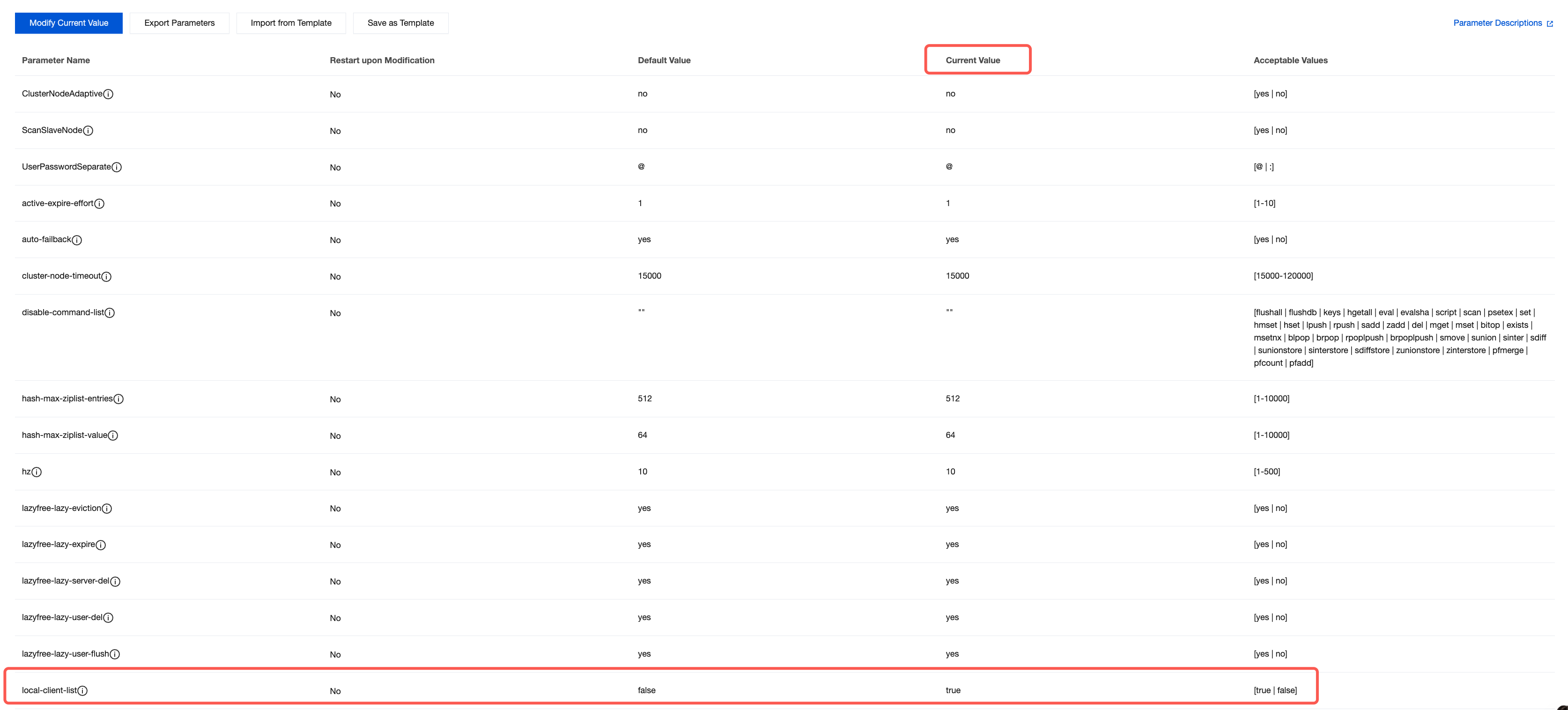
5. On the Modifiable Parameters tab, locate the local-client-list parameter row in the parameter list. In the Current Value column, hover the mouse over the parameter value and click
to modify it. Change the value to true or false as needed. For specific instructions on modifying parameters, see Manage Instance Parameters.
Note:
The modification to the local-client-list parameter takes effect without requiring an instance restart.
Step 2: Executing CLIENT LIST to Obtain Client Information
1. Connect to the Proxy node of the instance via a client. Using redis-cli as an example:
redis-cli -h <instance-connection-address> -p <port> -a <password>
2. Execute the client list command to return client connection information for the corresponding scope based on the LocalClientList configuration:
When the parameter is set to true: Only client connections on the currently connected Proxy node are returned.
When the parameter is set to false: Client connections on all Proxy nodes under the instance are returned, typically resulting in a larger number of entries.
Each line in the CLIENT LIST output corresponds to a client connection. The local-client-list parameter only affects the scope of the returned results and does not change the meaning of individual fields. The following fields are commonly used for troubleshooting connections.
Field
Description
id
The unique ID of the client connection
addr
The IP address and port of the client, used to locate the connection source
fd
The file descriptor corresponding to the client
name
Client name (set via the CLIENT SETNAME command, empty if not set)
age
The duration for which the connection has been established (unit: seconds).
idle
The idle duration of the connection (unit: seconds), which can be used to troubleshoot connections that have been idle and inactive for a long time.
cmd
The most recently executed command of the connection