tencent cloud

Tencent Cloud Organization

  • Product Introduction
  • Purchase Guide
  • Operation Guide
    • Console Overview
    • Organization Settings
    • Department Management
    • Member Account Management
    • Member Finance Management
    • Member Access Management
    • Resource Management
    • Member Audit
    • Identity Center Management
  • API Documentation
    • History
    • Introduction
    • API Category
    • Making API Requests
    • Organization Settings APIs
    • Department and Member Management APIs
    • ListOrganizationIdentity
    • Unified Member Login APIs
    • Organization Service Management APIs
    • Organization Management Policy APIs
    • Resource Sharing APIs
    • Identity Center Management APIs
    • Identity Center User Management APIs
    • Identity Center User Group Management APIs
    • Identity Center Management SCIM Synchronization APIs
    • Identity Center Single Sign-On Management APIs
    • Identity Center Permission Configuration Management APIs
    • Identity Center Multi-Account Authorization Management APIs
    • Identity Center Sub-User Synchronization Management APIs
    • Data Types
    • Error Codes
    • TCO API 2018-12-25
  • Related Agreement
  • FAQs
  • Glossary

Viewing Shared Units

PDF
Modo Foco
Tamanho da Fonte
Última atualização: 2024-12-09 15:15:13
If the sharer needs to view the shared units, refer to this document for operation.

Directions

1. Log in to the TCO console and select Resource Sharing > Share by Me in the left sidebar.
2. View the created shared units on the shared units list page.
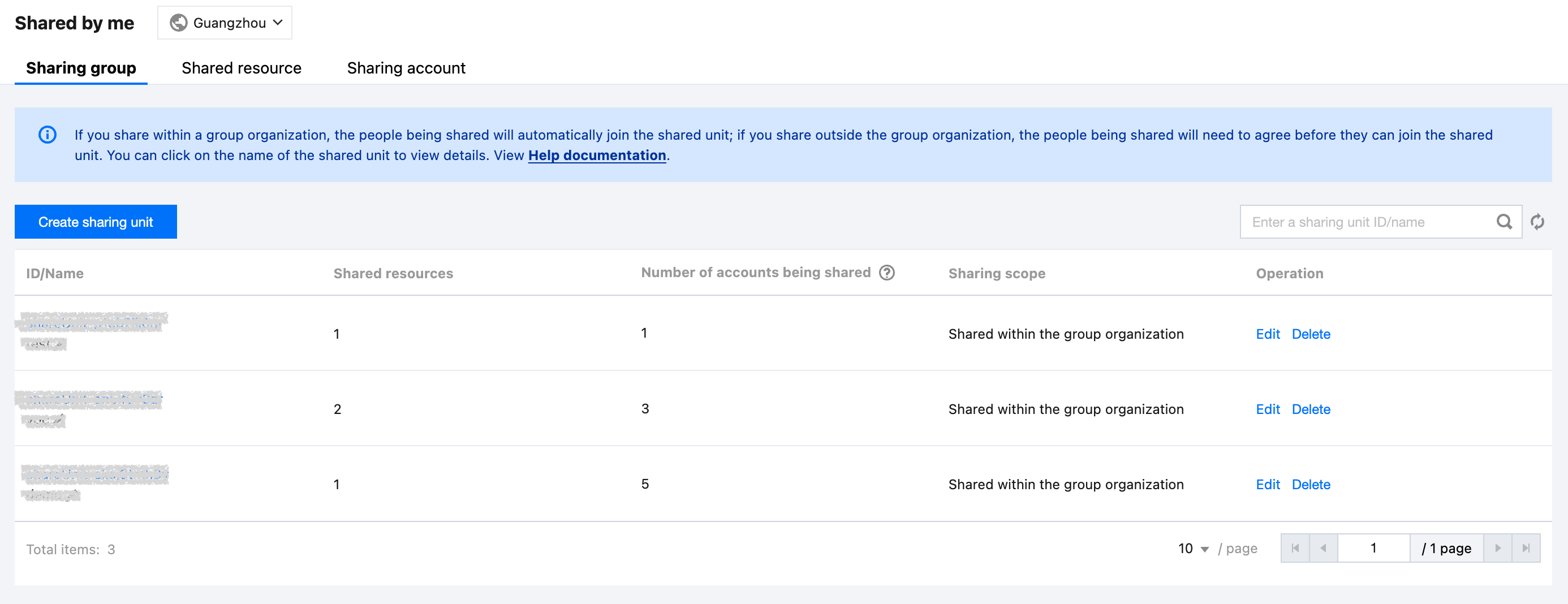


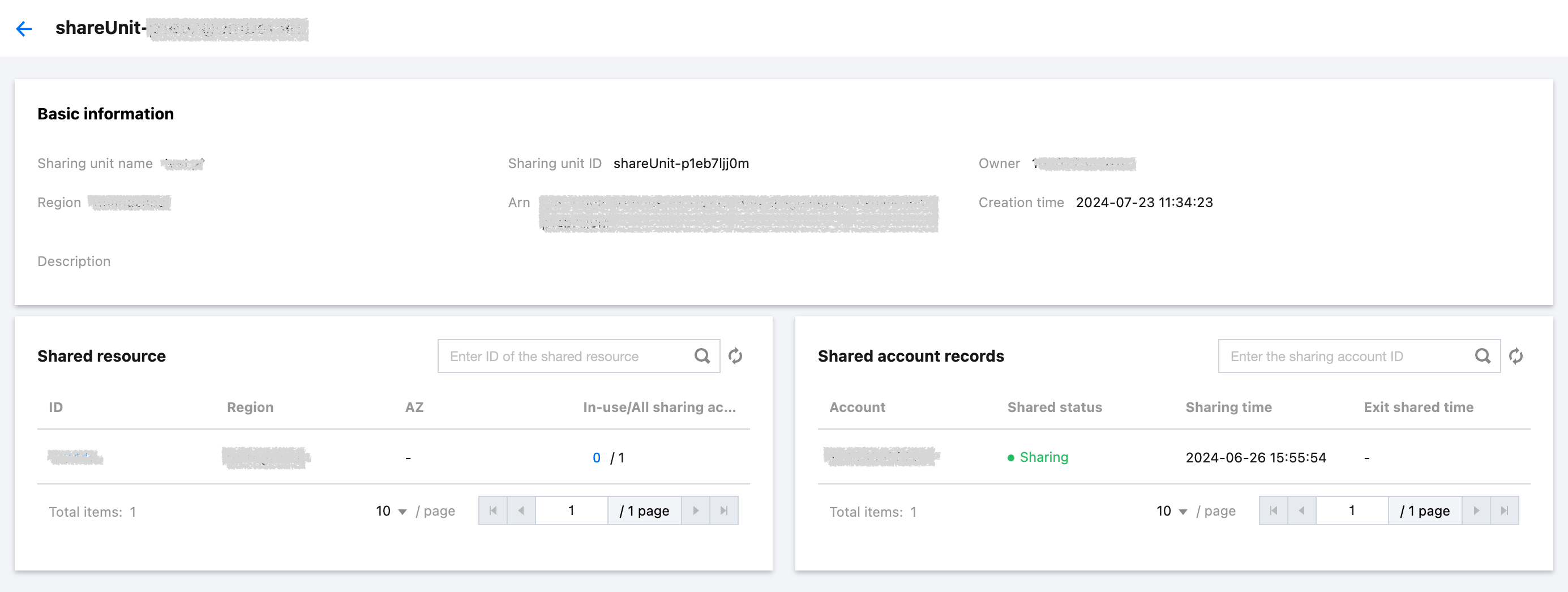
3. Click on the shared unit name to enter the shared unit details page and view the shared resources and corresponding member accounts.


Ajuda e Suporte

Esta página foi útil?

comentários