Use Cases of Custom Commands
Download
포커스 모드
폰트 크기
The cluster architecture, encapsulated by VIP, provides a single-node usage experience in cluster mode, offering great convenience for business operations. In Ops scenarios, frequent access to each node in the cluster may be required to locate issues. Custom commands add a parameter [node ID] to the original command's parameter list, with the format
COMMAND arg1 arg2 ... [node ID], facilitating the retrieval of information for specified nodes. Node ID details can be obtained on the node management page in the Tencent Cloud Distributed Cache console or via the cluster nodes command.Version Description
For Proxy versions before 5.5.0, executing custom commands requires adding a node ID, while versions 5.5.0 and later do not require this.
INFO
This command returns the information and statistics of a server.
Custom command format
info [section] [node ID]
Here, optional parameters can be used to select a specific part of the information:
server: The general information of a Redis server.clients: The information of connected clients.memory: The information of memory usage.persistence: The information of RDB and AOF.stats: The general statistics.replication: The information of master/replica replication.cpu: The information of CPU usage.commandstats: The statistics of Redis commands.cluster: The information of a Redis cluster.keyspace: statistics of databaseOptional parameters can also take the following values:
all: Returns all the information.default: Returns the default information.Use Cases
The following example runs the
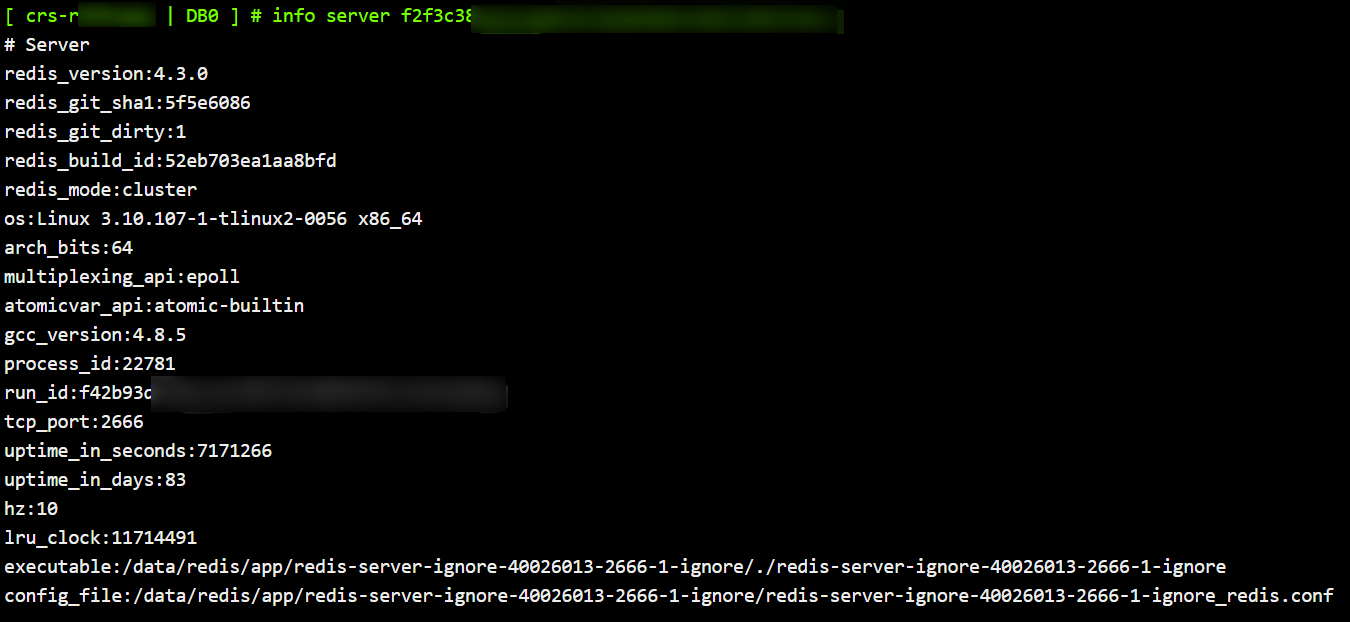
SLOWLOG
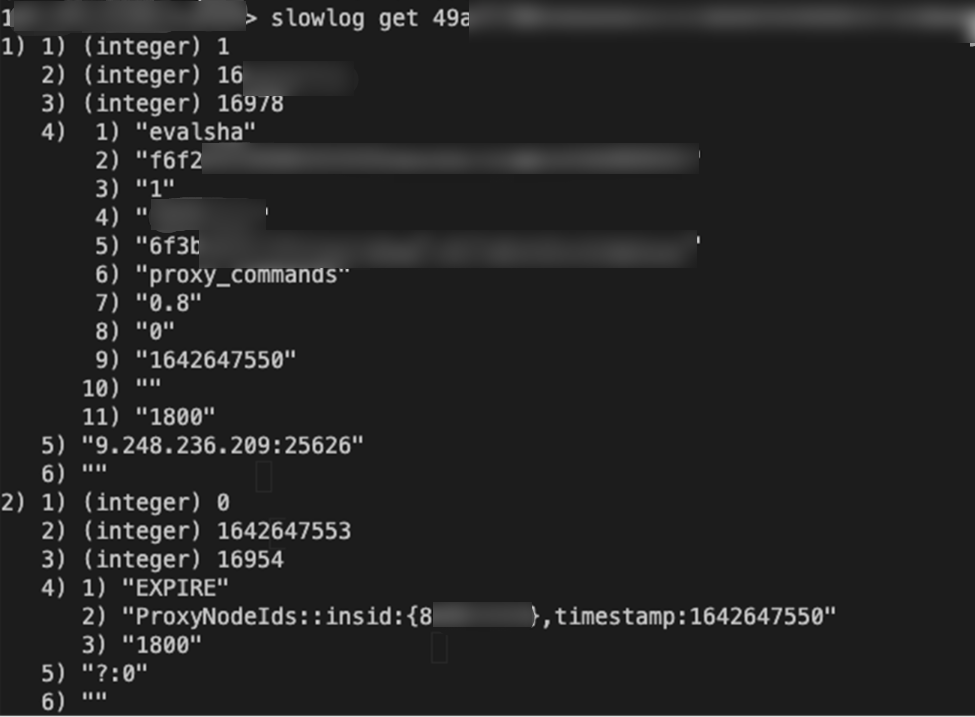
This command reads slow logs. It uses
Custom command format
slowlog get [Redis node ID]slowlog get [slow log quantity][Redis node ID]
Use Cases
FLUSHDB
This command deletes all keys of the currently selected database. It will never fail.
Custom command format
flushdb [Redis node ID]
Use Cases
cd-crs-rhxxxay.sql.tencentcdb.com:24894> flushdb f2f3c387b9fab0e67af02039845c60278b13bed0OK
PING
This command is often used to test whether the connection still exists or to measure the latency.
Custom command format
ping [message] [node ID]
Use Cases
[ crs-rh**** | DB0 ] # PING "PONG" f2f3c3************************PONG[ crs-rh**** | DB0 ] # PING "hello world"hello world
KEYS
This command queries all the matched keys.
Custom command format
keys [pattern] [Redis node ID]
Use Cases
keys a* f2f3c3*************************

SCAN
Custom command format
scan cursor [MATCH pattern] [COUNT count] [Redis node ID]
Use Cases
[ crs-******** | DB0 ] # scan 0 f2f3c3*************************1) "2"
IMonitor
IMonitor is an enhanced monitoring command provided by Tencent Cloud Distributed Cache. It is used to monitor commands executed on specified shard nodes in real time. Compared to the native Redis MONITOR command, IMonitor supports monitoring specific nodes, making it more suitable for troubleshooting and performance analysis in a cluster architecture.
Note
The iMonitor command requires Redis proxy version 5.6.0 or above.
Native Redis does not support the iMonitor command, and redis-cli cannot recognize this command. To execute this command, you should use the telnet tool.
1. Run the following command in your local command-line tool to connect to the Tencent Cloud Distributed Cache instance via telnet.
# Use telnet to connect to the instancetelnet <Instance_Host> <Instance_Port>
telnet 10.0.0.12 6379Trying 10.0.0.12...Connected to 10.0.0.12.Escape character is '^]'.
2. Execute the auth command and enter the instance access password. For the default account, enter the password directly; for a custom account, enter account@password; for passwordless authentication access, skip this step.
# Perform authentication after successful connectionauth <password># A return of +OK indicates successful authentication.# Execute the IMonitor command to monitor the specified nodeimonitor <Redis node ID>
3. Run the imonitor command to monitor commands executed on the specified shard node.
Note
Standard architecture: The instance contains only one shard, and the monitoring target is unique. You do not need to specify a node ID and can directly execute imonitor.
Cluster architecture: An instance consists of multiple shard nodes, with each shard independently hosting a portion of the data. You must specify the target shard to monitor using the node ID, and the command format is
imonitor <Redis shard node ID>. The node ID can be obtained from the node management page in the console or queried using the cluster nodes command.imonitor 3dba154c67925520ef1a1e2c41d8cc22d7f4****+OK+1680504260.729707 [0 127.0.0.1:6379] "auth" "******"+1680504260.736070 [0 127.0.0.1:6379] "info" "commandstats"
4. To exit imonitor, enter the quit command.
피드백