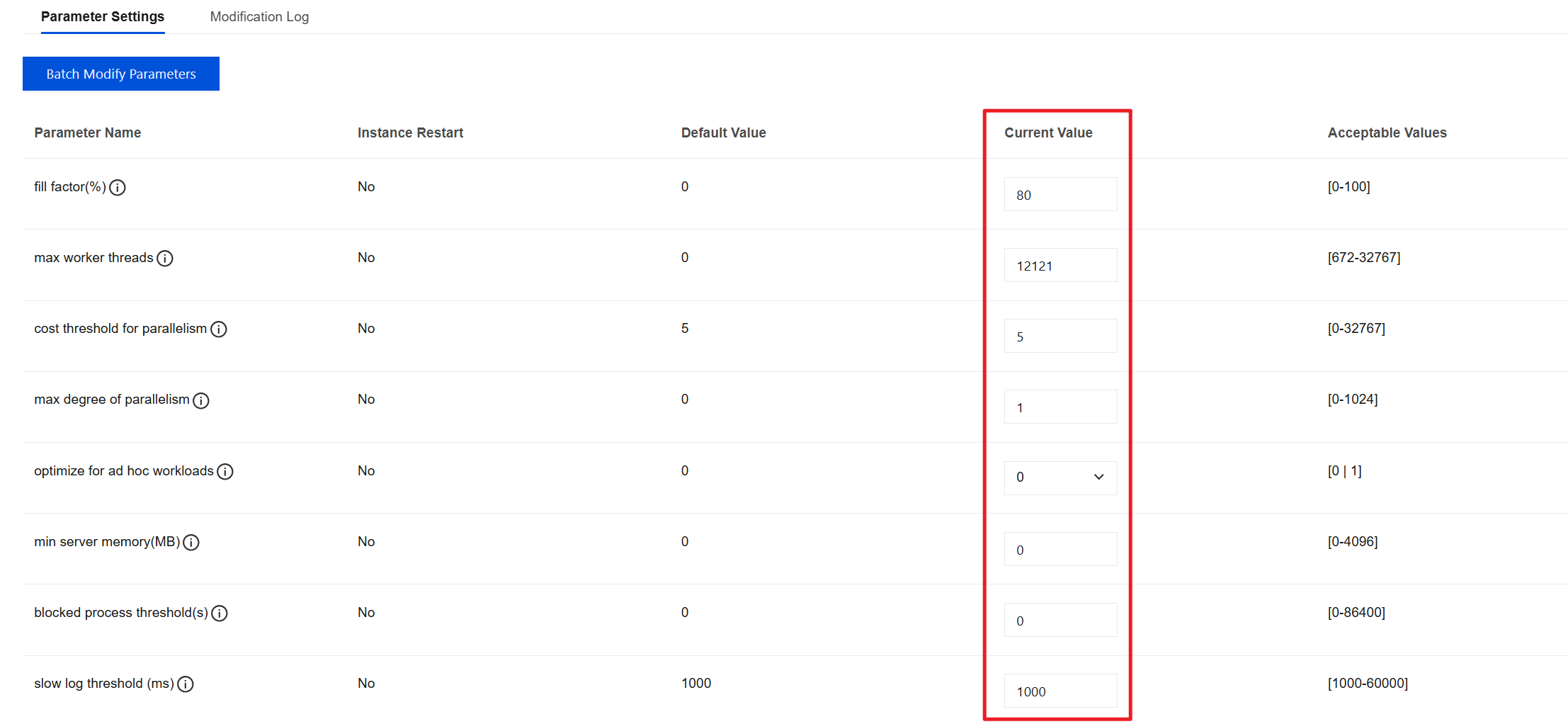
You can view and modify some parameters through the SQL Server console, and you can also query the parameter modification history on the console.
Note
To ensure the stability of the instance, the console only allows modification of some parameters. The parameters displayed on the console's parameter configuration page are the parameters that users can modify.
If a modified parameter requires an instance restart to take effect, the system will prompt you whether to restart. It is recommended that you perform this operation during off-peak hours and ensure that your application has a reconnection mechanism.
Parameter List
Parameter Name
Default Value
Value Range
Description
fill factor(%)
0
[0 - 100]
Used to fine-tune the storage and performance of index data
max worker threads
0
[672 - 32767]
Configures the number of worker threads available across the entire SQL Server for processing query requests, logins, logouts, and similar application requests.
cost threshold for parallelism
5
[0 - 32767]
Specifies the threshold at which SQL Server creates and runs parallel query plans.
max degree of parallelism
0
[0 - 1024]
The number of processors used to run a single statement each time a parallel plan is executed.
optimize for ad hoc workloads
0
[0 | 1]
Improves the plan cache efficiency for workloads containing a large number of single-use ad hoc batches.
min server memory(MB)
0
[0 - 4096]
Changes the amount of memory that the SQL Server memory manager can allocate to the SQL Server process.
blocked process threshold(s)
0
[0 - 86400]
Specifies the threshold (in seconds) for generating blocked process reports using the blocked process threshold option.
slow log threshold (ms)
1000
[1000 - 60000]
The execution time threshold (in milliseconds) for logging a statement as a slow query.
default language
0
[0 - 33]
Configures the default language and specifies the default language for all newly created login users.
default language Parameter Value Description
Value
Description
0
English (US)
1
German
2
French
3
Japanese
4
Danish
5
Spanish
6
Italian
7
Dutch
8
Norwegian
9
Portuguese
10
Finnish
11
Swedish
12
Czech
13
Hungarian
14
Polish
15
Romanian
16
Croatian
17
Slovak
18
Slovene
19
Greek
20
Bulgarian
21
Russian
22
Turkish
23
English (British)
24
Estonian
25
Latvian
26
Lithuanian
27
Brazilian Portuguese
28
Traditional Chinese
29
Korean
30
Simplified Chinese
31
Arabic
32
Thai
33
Bokmål
Modifying Parameters in Batches
1. Log in to the TencentDB for SQL Server console and click Instance ID or Manage in the Operation column in the instance list to enter the instance management page.
2. On the instance management page, choose the Parameter Configuration > Parameter Settings page and click Batch Modify Parameters.
3. In the Current Value column, select and modify the parameters that need to be changed. After verifying that everything is correct, click OK.
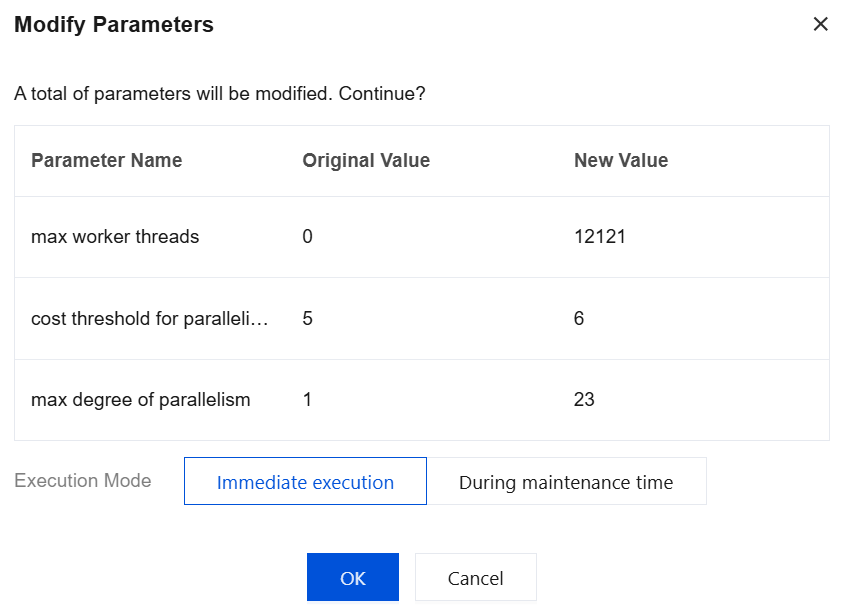
4. In the pop-up dialog box, select the Execution Mode for the parameter task and click OK.
Note:
If you select Immediately execution, the parameter modification task for the selected instance will be executed and take effect immediately.
If you select During maintenance time, the parameter modification task for the selected instance will be executed and take effect during the maintenance window of the instance.
Modifying a Single Parameter
1. Log in to the TencentDB for SQL Server console and click the Instance ID in the instance list to go to the instance management page.
2. On the instance management page, choose the Parameter Configuration > Parameter Settings page. Select the row where the target parameter is located. In the Current Value column, click
to modify the parameter value.
3. Enter the target parameter value according to the prompt in the Parameter Value column. Click
to save or click
to cancel the operation.
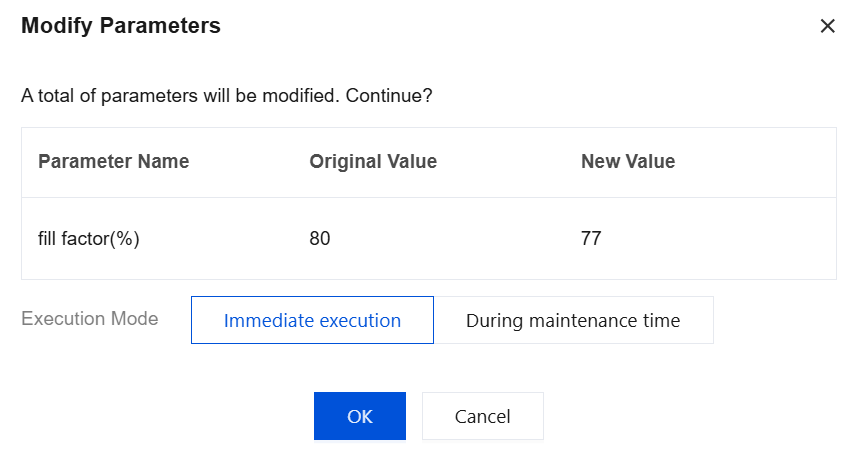
4. In the pop-up dialog box, select the Execution Mode for the parameter task and click OK.
Note:
If you select Immediately execution, the parameter modification task for the selected instance will be executed and take effect immediately.
If you select During maintenance time, the parameter modification task for the selected instance will be executed and take effect during the maintenance window of the instance.