O CDN permite que você configure políticas de consulta e gerenciamento para nomes de domínio em uma granularidade fina. É possível conceder permissões no nível do nome de domínio por meio de instruções de política personalizadas.
Nota:
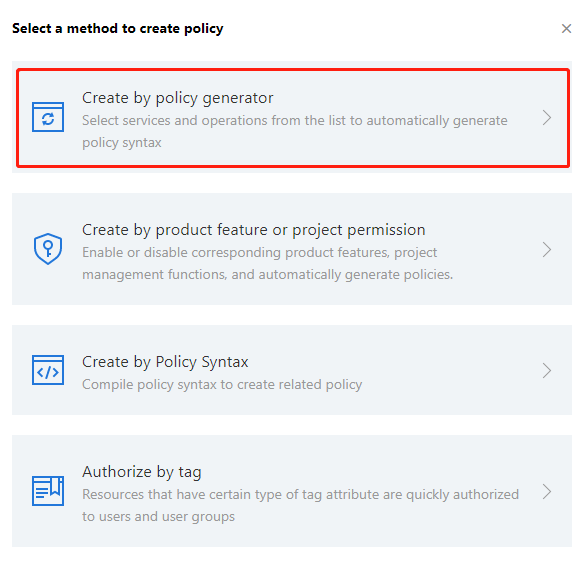
Como o suporte para a API 2.0 do CDN foi encerrado, escolha Create by Policy Generator (Criar pelo gerador de políticas) ou Authorize by Tag (Autorizar por tag) para criar políticas novas. A opção Create by Product Feature or Project Permission (Criar por funcionalidade de produto ou permissão de projeto) não é recomendada.
1. Faça login no console do CAM e clique em Policies (Políticas) para acessar a página de gerenciamento de políticas. Clique em Create Custom Policy (Criar política personalizada):
2. Selecione Create by Policy Generator (Criar pelo gerador de políticas):
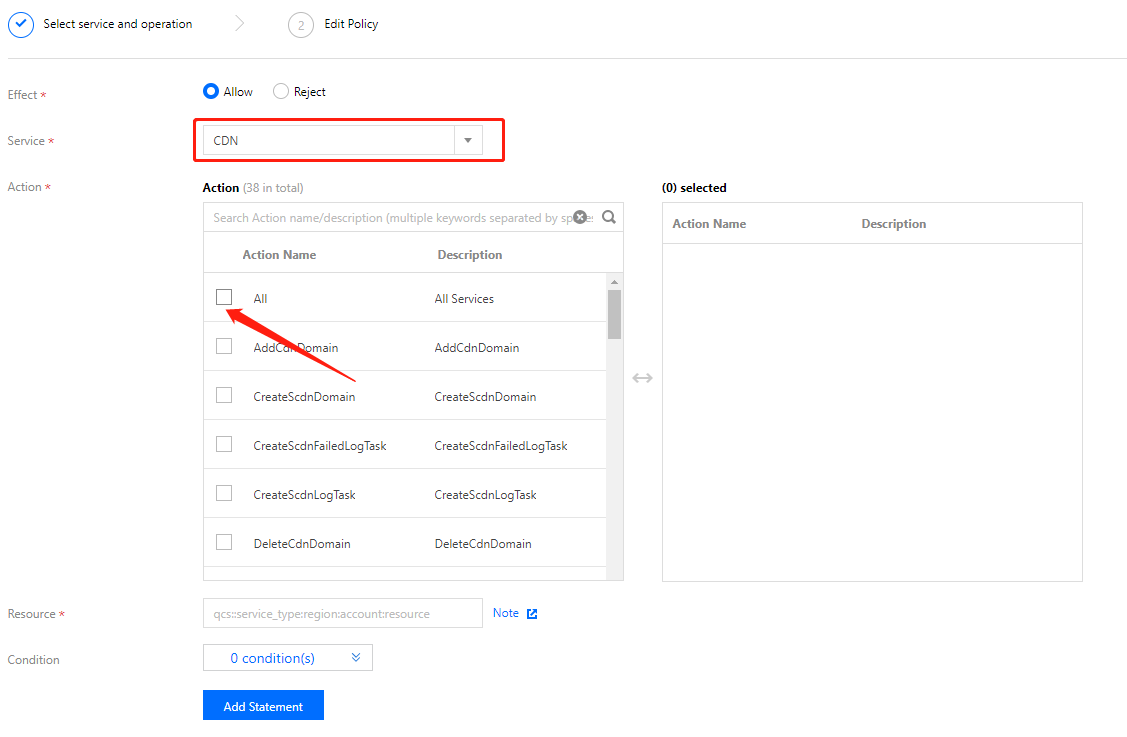
3. Selecione CDN na lista suspensa de serviços e selecione as ações a serem autorizadas. Se você deseja conceder permissão total de leitura/gravação, marque All actions (Todas as ações). Para mapear ações específicas com funcionalidades do console, consulte Permissões do console.
4. Insira o nome de domínio a ser autorizado como o recurso:
Para todos os nomes de domínio: marque All resources (Todos os recursos) e clique em Confirm (Confirmar).
Para nomes de domínio específicos: marque Specific Resources (Recursos específicos) e clique em Add a 6-segment resource description (Adicionar uma descrição de recurso de 6 segmentos).
Na janela pop-up à direita, insira um nome de domínio e clique em Confirm (Confirmar). Você pode repetir a operação para adicionar vários nomes de domínio.
5. Depois que a configuração for concluída, clique em Confirm (Confirmar) e Next (Avançar). Associe a política criada a usuários ou grupos de usuários existentes e, por fim, clique em Done (Concluído) para conceder a eles as permissões.