Capsule Button Event Listener
Download
Focus Mode
Font Size
Close
You can customize the "Close" button event listener to allow the superapp to receive callback events when the "Close" button is tapped.
"Close" button in the image:
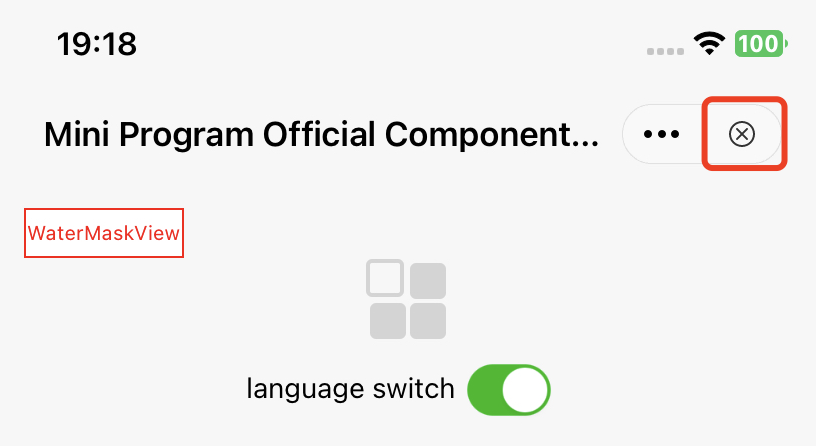
API description:
#pragma mark Exit confirmation- (BOOL)shouldDetainUser:(TMFMiniAppInfo *)app;
You also need to add the detainConfig configuration in the app.json file of the mini program. Otherwise, the retention pop-up window will not be triggered.
app.json configuration example:
{"detainConfig": [{"exitPage": "pages/order/*","content": "The order process is not completed. Claim a coupon now to enjoy more discounts.","exitButton": "Leave","enterButton": "Claim coupon","openType": "navigateTo","openLink": "/pages/coupon/claim?source=exit_detainment"}]}
If you want the user to stay on the current page without page flickering when they tap enterButton, leave openLink empty and do not set openType to navigateBack:
{"exitPage": "*","content": "Are you sure you want to exit the current mini program?","exitButton": "Exit","enterButton": "Continue","openType": "reLaunch"}
This API is triggered when the user taps the "Close" button. If it returns YES, a pop-up will appear to retain the user. If it returns NO, the mini program will exit directly.
More
You can customize the "More" button event listener to allow the superapp to receive callback events when the "More" button is tapped.
More button in the image:
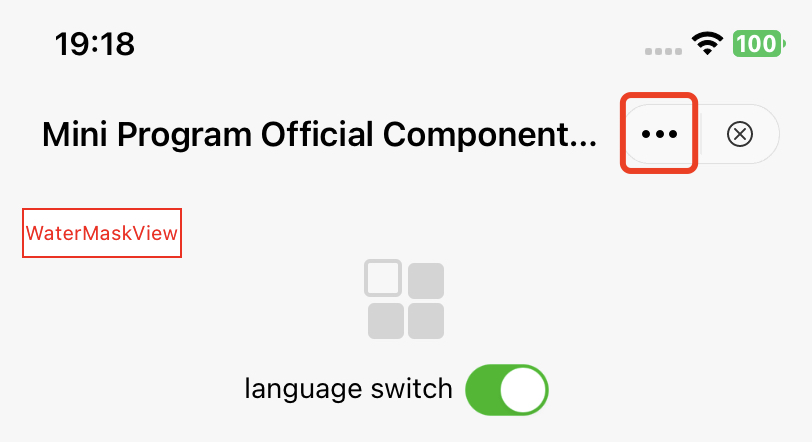
API description:
// Panel triggered by tapping the "More" button in the capsule.// If this method is not implemented, showActionSheetWithTitle:cancelButtonTitle:cancelAction:otherButtonTitleAndActions:dismissBlock:presentingViewController: will be called// @param app Mini program information// @param cancelButtonTitle Title of the "Cancel" button// @param cancelAction Action to perform when the "Cancel" button is tapped.// @param otherButtonTitleAndActions Other button titles and their corresponding actions// @param dismissBlock Action to perform after the panel is dismissed. This block MUST be called to ensure correct functionality.// @param parentVC The view controller that presents the panel- (void)showMoreButtonActionSheetWithApp:(TMFMiniAppInfo *)appcancelButtonTitle:(nullable NSString *)cancelButtonTitlecancelAction:(nullable dispatch_block_t)cancelActionotherButtonTitleAndActions:(nullable NSArray *)otherButtonTitleAndActionsdismissBlock:(nullable dispatch_block_t)dismissBlockparentVC:(UIViewController *)parentVC;
Customize the "More" menu item list
When a user triggers the tap event for the "More" button, an action sheet with optional extension buttons is displayed. The default list is shown below:
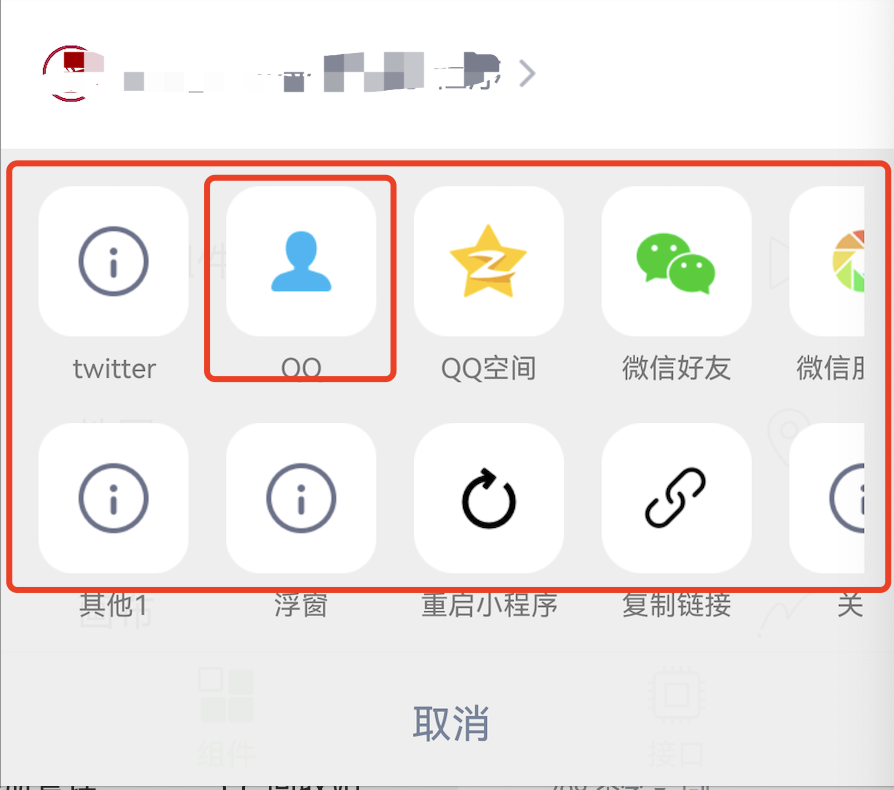
Method 1
By overriding the customizedConfigForShare method, you can customize the sharing channels and determine their display order.
API description:
// In the superapp, you can customize the sharing channels and determine their display order. This feature is currently implemented in the ActionSheet triggered by tapping the "More" button or the button component (open-type="share").// 1. Default channels: QQ friends, Qzone, WeChat, and Moments (for specific types, see MAUIDelegateShareViewType). They are determined by the developer and the display order can only be changed within the superapp.// 2. Custom sharing channels: Customized in the superapp (set the type to MAUIDelegateShareViewTypeCustomizedShare, and when defining MAShareTarget, the value must be greater than 100. In the mini program page, onShareAppMessage will return the sharing content, which will be uniformly handled through shareMessageWithModel, allowing the superapp to process each ShareTarget individually.)// 3. Custom events: Customized in the superapp (set the type to MAUIDelegateShareViewTypeCustomizedAction).// The display order of the above three types of channels supports mixed arrangement- (NSArray<TMASheetItemInfo *> *)customizedConfigForShare;
Example:
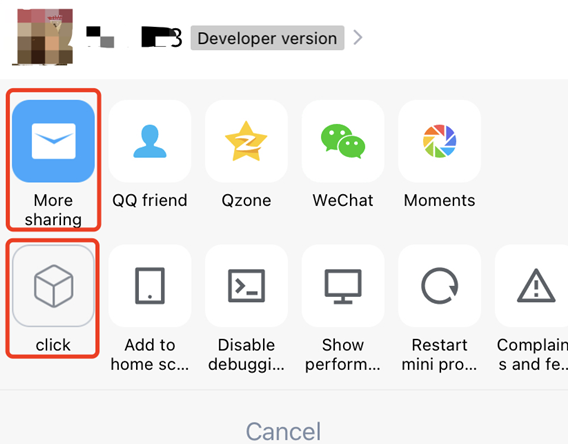
- (NSArray<TMASheetItemInfo *> *)customizedConfigForShare {NSMutableArray *arrays = [[NSMutableArray alloc] init];TMASheetItemInfo *item1 = [[TMASheetItemInfo alloc] initWithTitle:@"More sharing" type:MAUIDelegateShareViewTypeCustomizedShare shareTarget:100 shareKey:@"my"];item1.icon = [UIImage imageNamed:@"icon_moreOperation_shareChat"];[arrays addObject:item1];TMASheetItemInfo *item2 = [[TMASheetItemInfo alloc] initWithTitle:@"click" type:MAUIDelegateShareViewTypeCustomizedAction action:^(TMASheetActionParams * _Nullable params) {NSLog(@"click action triggered");}];item2.icon = [UIImage imageNamed:@"icon_moreOperation_collect"];[arrays addObject:item2];return arrays;}
Here’s how it looks:
Method 2
You can customize the display of the capsule view list by adding or removing items based on mini program information through the customizedConfigForMoreButtonActions method in the TMFMiniAppSDKDelegate protocol.
- (void)customizedConfigForMoreButtonActions:(NSMutableArray *)moreButtonTitleAndActions withApp:(TMFMiniAppInfo *)app{/*// Add a custom sharing channelTMASheetItemInfo *item = [[TMASheetItemInfo alloc] initWithTitle:@"Share" type:MAUIDelegateShareViewTypeCustomizedShare shareTarget:100 shareKey:@"my"];item.icon = [UIImage imageNamed:@"icon_moreOperation_shareChat"];[moreButtonTitleAndActions addObject:item];*//*// Delete the “Copy link” buttonNSMutableArray *newArrays = [[NSMutableArray alloc] initWithCapacity:moreButtonTitleAndActions.count];for (TMASheetItemInfo *item in moreButtonTitleAndActions) {if(item.type != MAUIDelegateShareViewTypeCopyLink) {[newArrays addObject:item];}}[moreButtonTitleAndActions removeAllObjects];[moreButtonTitleAndActions addObjectsFromArray:newArrays];*/}
Intercept and control panel and menu actions
Overview
Starting from v2.3.9, the superapp can perform two actions on the capsule "More"panel:
1. Control built-in item visibility: Determine which SDK built-in items (Settings, Performance panel, Add to home screen, etc.) are displayed in the panel.
2. Intercept actions: When the"More","Close" button, or panel items are tapped, perform pre-processing (such as event tracking, secondary confirmation, or complete takeover)and determine whether to continue executing the default SDK logic.
The sharing section is not included in this scope and is still controlled by defaultSharingChannels / customizedConfigForShare.
Usage
Implement the following two methods in TMFMiniAppSDKDelegate (both are optional; if not implemented, the default behavior is retained).
Control built-in item visibility
Return a bitmask of visible items. If not implemented or if TMAMoreMenuItemAll is returned, all items are displayed:
- (TMAMoreMenuItem)visibleItemsForMoreMenuWithApp:(TMFMiniAppInfo *)app {// Only display "Settings" and "Restart mini program"; hide other built-in itemsreturn TMAMoreMenuItemSetting | TMAMoreMenuItemRestart;}
Available options: About, Setting, Report (Complaints & feedback), Restart, CopyUrl (Copy link), DevTool (Debug toggle), PerfPanel (Performance panel), Shortcut (Add to home screen).
Intercepting actions
Return YES to indicate that the superapp has consumed the action and the SDK should skip its default logic. Return NO to proceed with the default logic:
- (BOOL)shouldHandleMoreMenuAction:(TMAMoreMenuAction)actionwithApp:(TMFMiniAppInfo *)appuserInfo:(nullable NSDictionary<NSString *, id> *)userInfo {if (action == TMAMoreMenuActionPerfPanel) {BOOL shown = [userInfo[TMAMoreMenuActionInfoPerfPanelCurrentlyShownKey] boolValue];NSLog(@"Performance panel currently shown: %d", shown);return YES; // Superapp takes over; SDK does not toggle the performance panel}return NO; // Other actions proceed with default logic}
Common actions: MoreEntry (tapping the "More" entry; returning YES prevents the panel from appearing), Close (tapping close; returning YES prevents exit), PerfPanel, DevTool, Setting, Restart, CopyUrl, etc.
userInfo carries different context depending on the action:
TMAMoreMenuActionInfoPagePathKey: Current page path (common to all actions).
TMAMoreMenuActionInfoDebugCurrentlyEnabledKey: Whether vConsole is currently enabled (DevTool only).
TMAMoreMenuActionInfoPerfPanelCurrentlyShownKey: Whether the performance panel is currently shown (PerfPanel only).
TMAMoreMenuActionInfoCopyUrlKey: The link to be copied (CopyUrl only).
Notes:
Both methods are optional. If not implemented, the behavior is fully compatible with previous versions.
userInfo may be nil. Keys not listed above should be treated as not provided.
Interception of MoreEntry / Close occurs before the panel appears or the exit flow begins.
Help and Support
Was this page helpful?
You can also Contact sales or Submit a Ticket for help.
Help us improve! Rate your documentation experience in 5 mins.
Feedback