Cocos/Laya/Egert Engine Adaptation
ダウンロード
フォーカスモード
フォントサイズ
Support for game engines
Mini games operate in a JavaScript runtime environment that differs from browsers, lacking BOM (Browser Object Model) and DOM (Document Object Model) APIs. Most HTML5-based game engines rely on these browser-provided APIs. Therefore, to use these engines in mini games, modifications are necessary.
Currently, engines like Cocos, Egret, and Laya have adapted their tools and engines to support mini games. Their official documentation provides guidance on integrating with mini game development.
Cocos
LayaAir
Egret
Mini games: A different runtime environment
Regardless of the engine, most tasks during game runtime involve updating the display and playing sounds based on user interactions. Since mini games use JavaScript, the engine's core must call drawing and audio APIs through JavaScript.
The APIs available to a JavaScript code depend on the
host environment . For example, console.log console.log is not part of the JavaScript core language but is provided by the browser environment. Common host environments include browsers and Node.js. Browsers provide BOM and DOM APIs, while Node.js offers file and network APIs through core modules like fs and net. For instance, the following code runs in a browser but will throw an error in Node.js:let canvas = document.createElement('canvas')
This is because document is not defined in the Node.js environment
ReferenceError: document is not defined
In mini games, the runtime environment does not provide BOM and DOM APIs but offers wx APIs. These APIs allow developers to access native capabilities for drawing, audio/video, networking, and file handling.
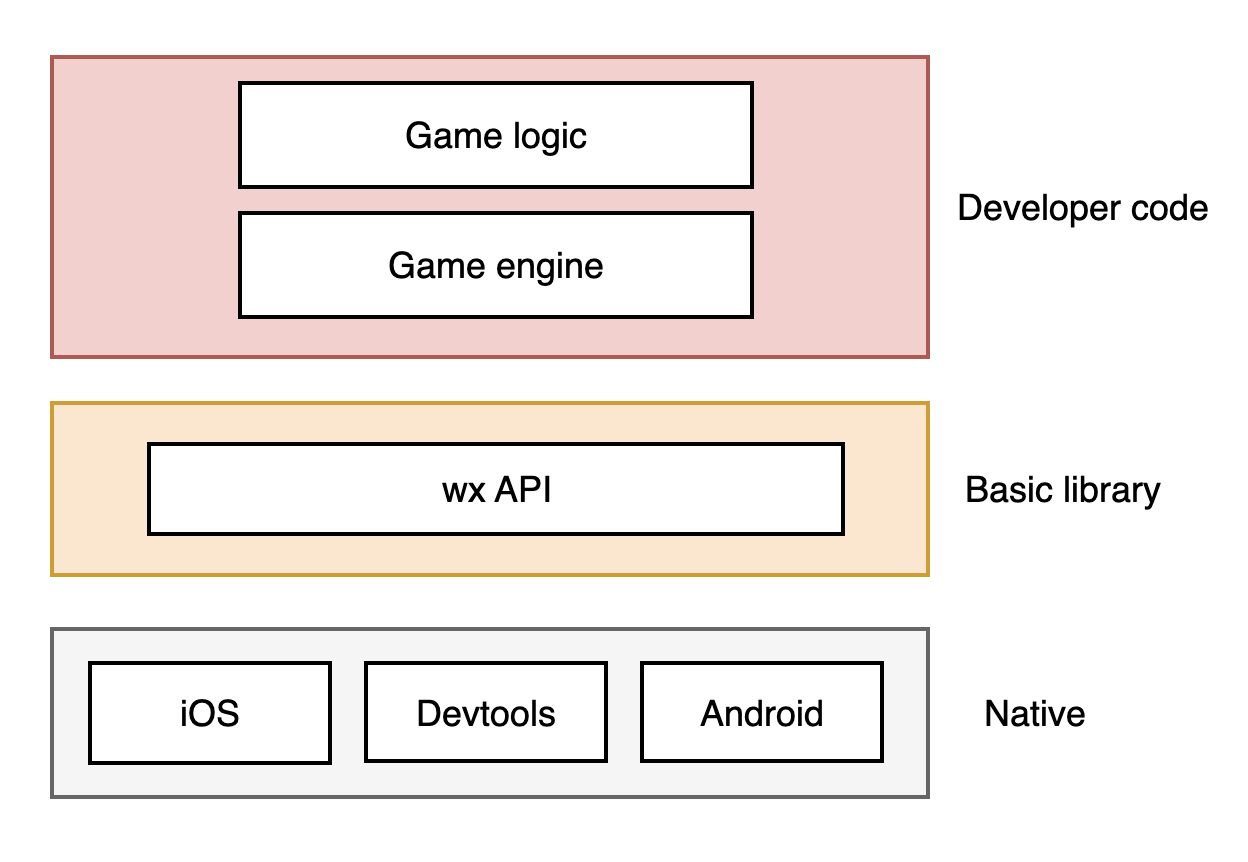
let canvas = wx.createCanvas()let context = canvas.getContext('2d')
let audio = wx.createInnerAudioContext()// The src address is for demonstration purposes and does not actually existaudio.src = 'bgm.mp3'audio.play()
let { screenWidth, screenHeight } = wx.getSystemInfoSync()
In contrast, HTML5 game engines typically use:
let canvas = document.createElement('canvas')let audio = document.createElement('audio')console.log(window.innerWidth)console.log(window.innerHeight)
This will result in errors because the mini game environment does not provide document and window global variables. Mini games operate in a JavaScript runtime environment that differs from browsers.
ReferenceError: document is not definedReferenceError: window is not defined
So, basically, all HTML5-based game engines cannot be directly migrated to mini games, as the engine may more or less use BOM and DOM APIs that are specific to the browser environment. To run these engines in the mini game environment, you need to modify the engine to replace BOM and DOM API calls with wx API calls.
Alternatively, you can add an adaptation layer, called an Adapter, between the engine and game logic. This Adapter simulates the necessary window and document properties and methods using wx APIs, making the engine unaware of the environment differences.
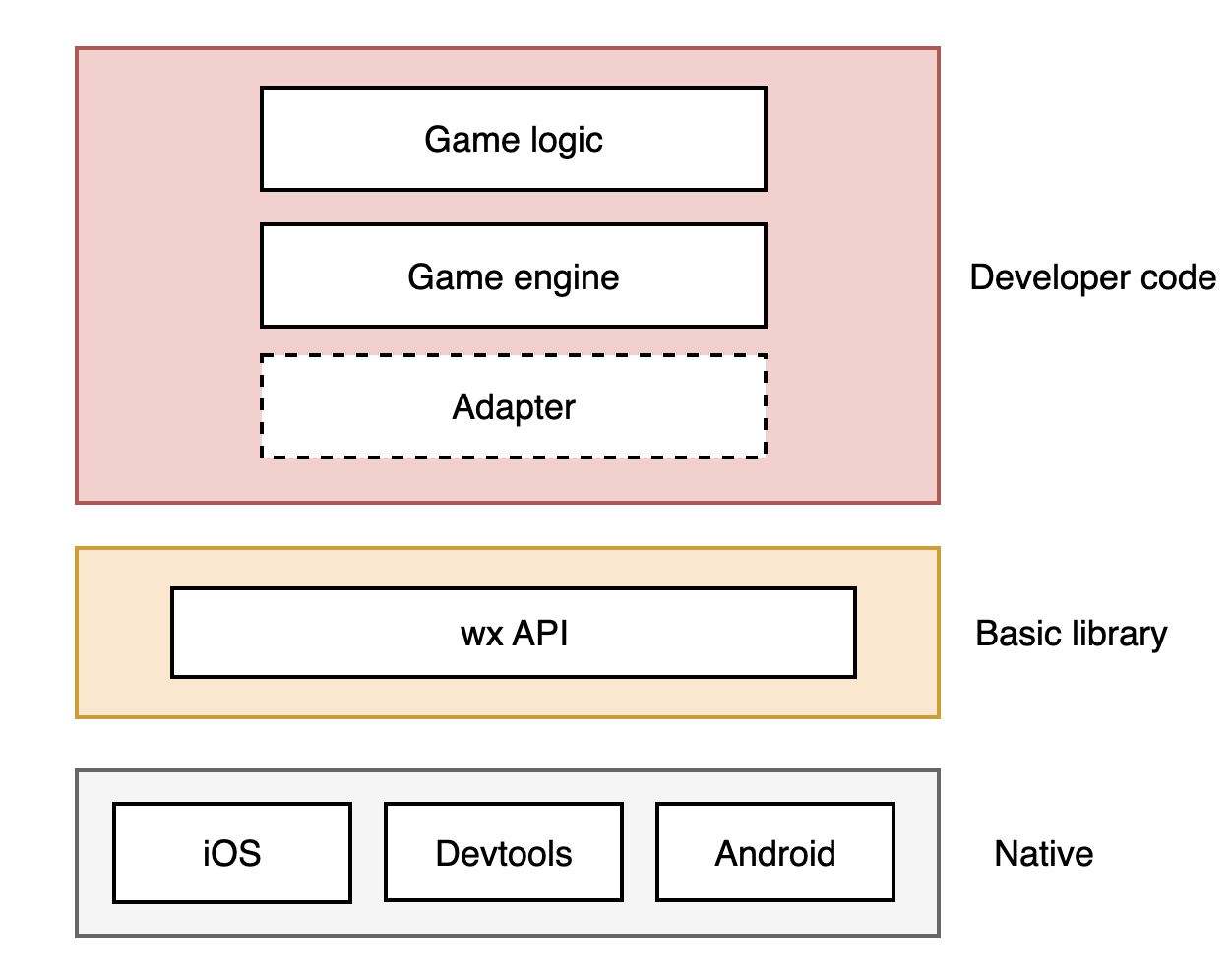
Adapter is user code, not part of the base library. For an introduction to Adapter, please see Adapter.
Use other game engines
If you want to use other HTML5 game engines not mentioned above, you can still develop mini games by modifying the engine. Start by introducing a general Adapter and then address issues as they arise.
フィードバック