When you need to manage Web application assets, you can implement it by adding the application asset feature.
Notes:
The application asset management feature is only supported by the pro edition and the national cryptography edition. The standard version does not support it.
2. In the left sidebar, select Asset Management > Web Application Assets.
3. On the Web Application Asset page, click Add Asset.
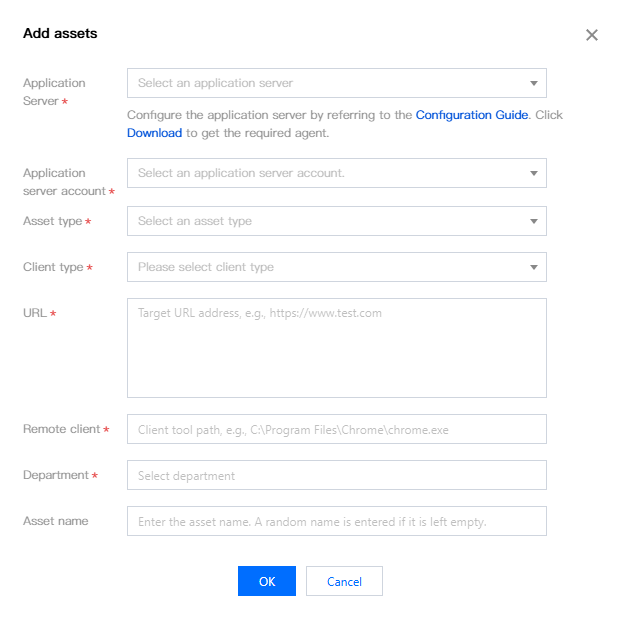
4. In the pop-up window for adding assets, fill in the asset configuration based on actual parameters.
Parameter Name
Description
Application server
Select a Windows server to act as a Web application server. This server needs to refer to configuration documents and be configured as an application server.
Application server account
Select a login account hosted on the application server.
Asset type
Currently, only Web is supported.
Client type
The Web client program installed on the application server currently only supports Chrome and Microsoft Edge.
URL
The URL that needs to be accessed through the Web client on the application server.
Remote client
The path of the Web client program. You need to fill in the correct full path, which should correspond to the client type.
2. In the left sidebar, select Asset Management > Web Application Assets.
3. On the Web Application Asset page, click More Operations > Import Assets.
Notes:
Batch creation of assets, up to 500 per time.
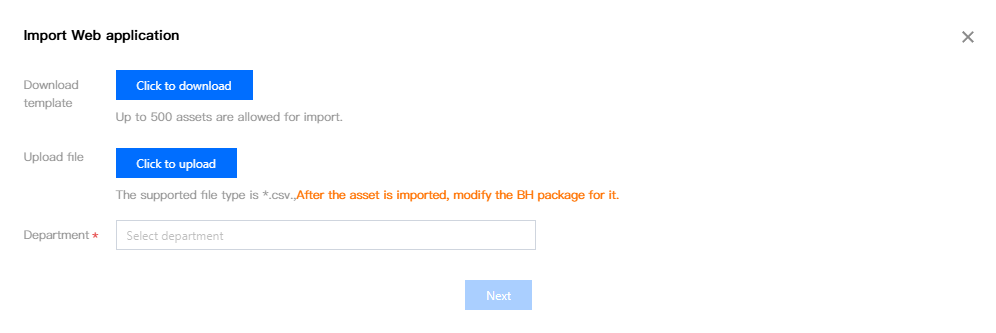
4. In the Import Web Application window, click click to download to download the template locally.
5. On the local terminal, fill in the information of the Web application asset to be imported completely according to the template.
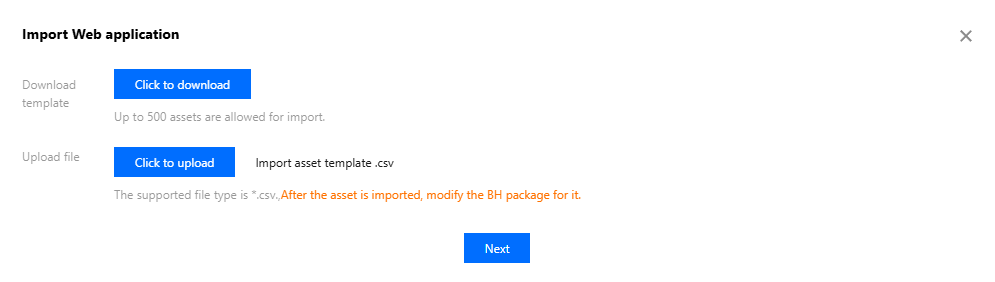
6. In the Import Web Application window, click Click Upload to upload the web application template information to the BH, and click Next.
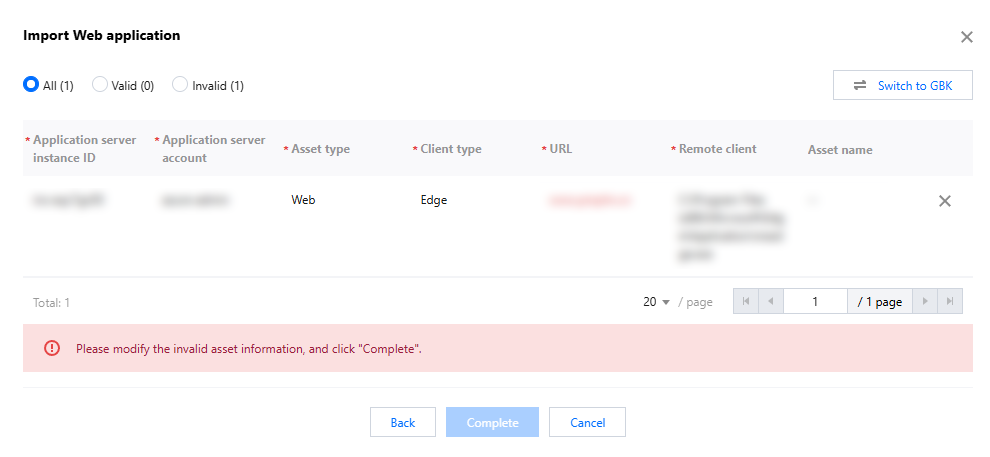
7. Confirm the Web application asset information. If there is any non-compliant asset information, modify the asset information to meet requirements; after confirming that all Web asset information is correct, click Complete to import the Web application asset.