Blocking High-risk Commands
ダウンロード
フォーカスモード
フォントサイズ
Overview
High-risk command blocking effectively prevents Ops personnel from causing security incidents in Ops due to mistakes or malicious operations. This document provides detailed instructions on configuring high-risk command blocking policies in the BH.
Note
This feature is only supported on Linux servers.
Step 1: Creating a High-Risk Command Template
1. Log in to the BH Console.
2. In the left sidebar, select Access Permission > High-risk Command.
3. On the High-risk Commands page, click Create template.

4. In the Create High-Risk Command Template popup, configure the template name and specify the commands to be prohibited.
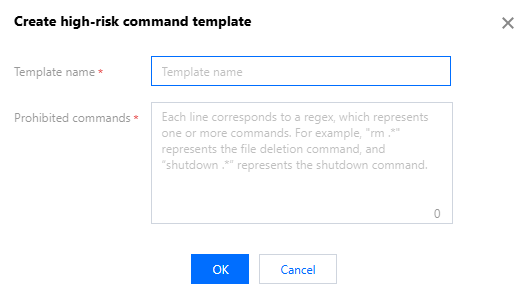
5. Click OK to create the high-risk command template.
Step 2: Associating High-Risk Command Templates with Access Permissions
1. Log in to the BH Console.
2. In the left sidebar, choose Access Permission > Access Privileges.
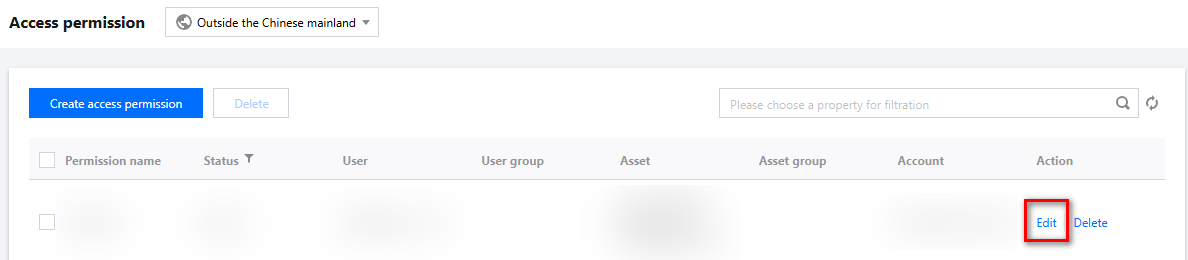
3. On the Access Privileges page, click Edit on the right side of the corresponding access permission.
4. On the Edit Access Privileges page, go to Step 5 and configure the high-risk commands for the access permission's host.
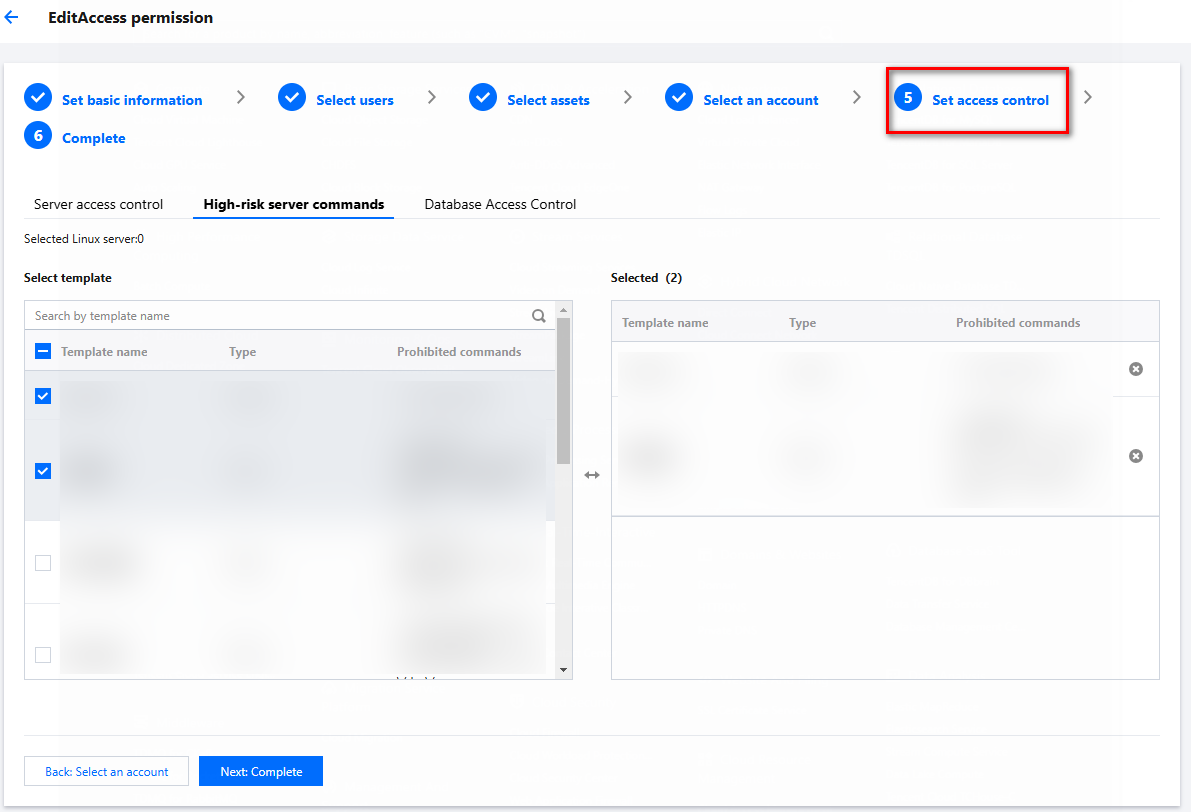
5. Click Next: Complete to confirm the access permission configuration details.
6. After confirming the information is accurate, click Submit to save the changes to the access permissions. From this point, any user authorized through these access permissions will be blocked by the BH if they attempt to execute commands specified in the high-risk command template on a Linux host.
フィードバック