tencent cloud

Tencent Cloud TI Platform

Product Introduction
Overview
Product Pricing
Benefits to Customers
Use Cases
Purchase Guide
Billing Overview
Purchase Mode
Renewal Instructions
Overdue Payment Instructions
Security Compliance
Data Security Protection Mechanism
Monitoring, Auditing, and Logging
Security Compliance Qualifications
Quick Start
Platform Usage Preparation
Operation Guide
Model Hub
Task-Based Modeling
Dev Machine
Model Management
Model Evaluation
Online Services
Resource Group Management
Managing Data Sources
Tikit
GPU Virtualization
Practical Tutorial
Deploying and Reasoning of LLM
LLM Training and Evaluation
Built-In Training Image List
Custom Training Image Specification
Angel Training Acceleration Feature Introduction
Implementing Resource Isolation Between Sub-users Based on Tags
API Documentation
History
Introduction
API Category
Making API Requests
Online Service APIs
Data Types
Error Codes
Related Agreement
Service Level Agreement
Privacy Policy
Data Processing And Security Agreement
Open-Source Software Information
Contact Us

Installation and Initialization

PDF
Focus Mode
Font Size
Last updated: 2025-05-09 15:57:00

Directions

Environment Dependency

Currently, Python 3.4 or higher versions are supported.

Install tikit

In the TI-ONE platform, tikit is built-in in the containers of notebooks and training tasks, and there's no need to reinstall it.
For non-public cloud TI-ONE platform environments, follow these steps for installation:
Dependency installation
#centos:

sudo yum -y install cyrus-sasl cyrus-sasl-devel cyrus-sasl-lib

#ubuntu:

sudo apt-get update
sudo apt-get install -y libsasl2-dev
Method one: Use pip installation (recommended)
pip3 install -U tikit
Method two: Offline installation. Download the installation package at https://pypi.org/project/tikit/, use the whl file for installation, or use source code installation.
pip3 install tikit-1.0.0-py3-none-any.whl

# Or, decompress the source code.
python3 setup.py install

Starting to Use

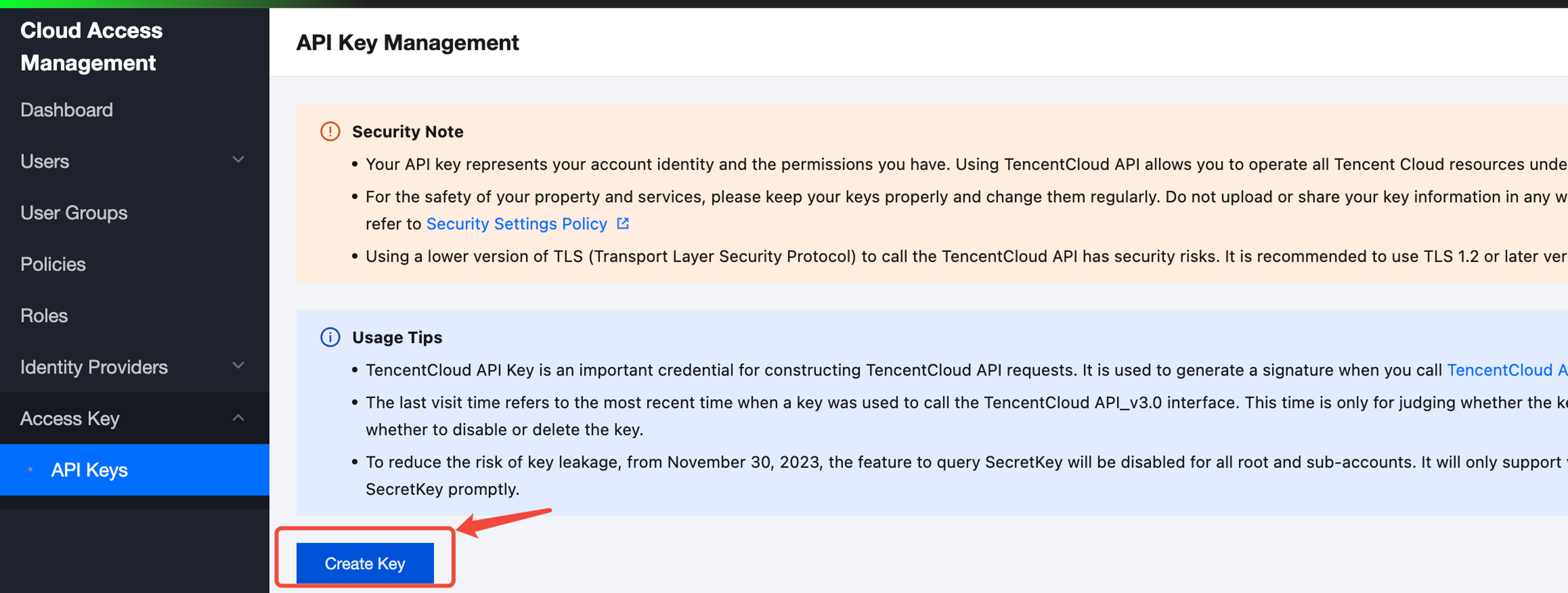
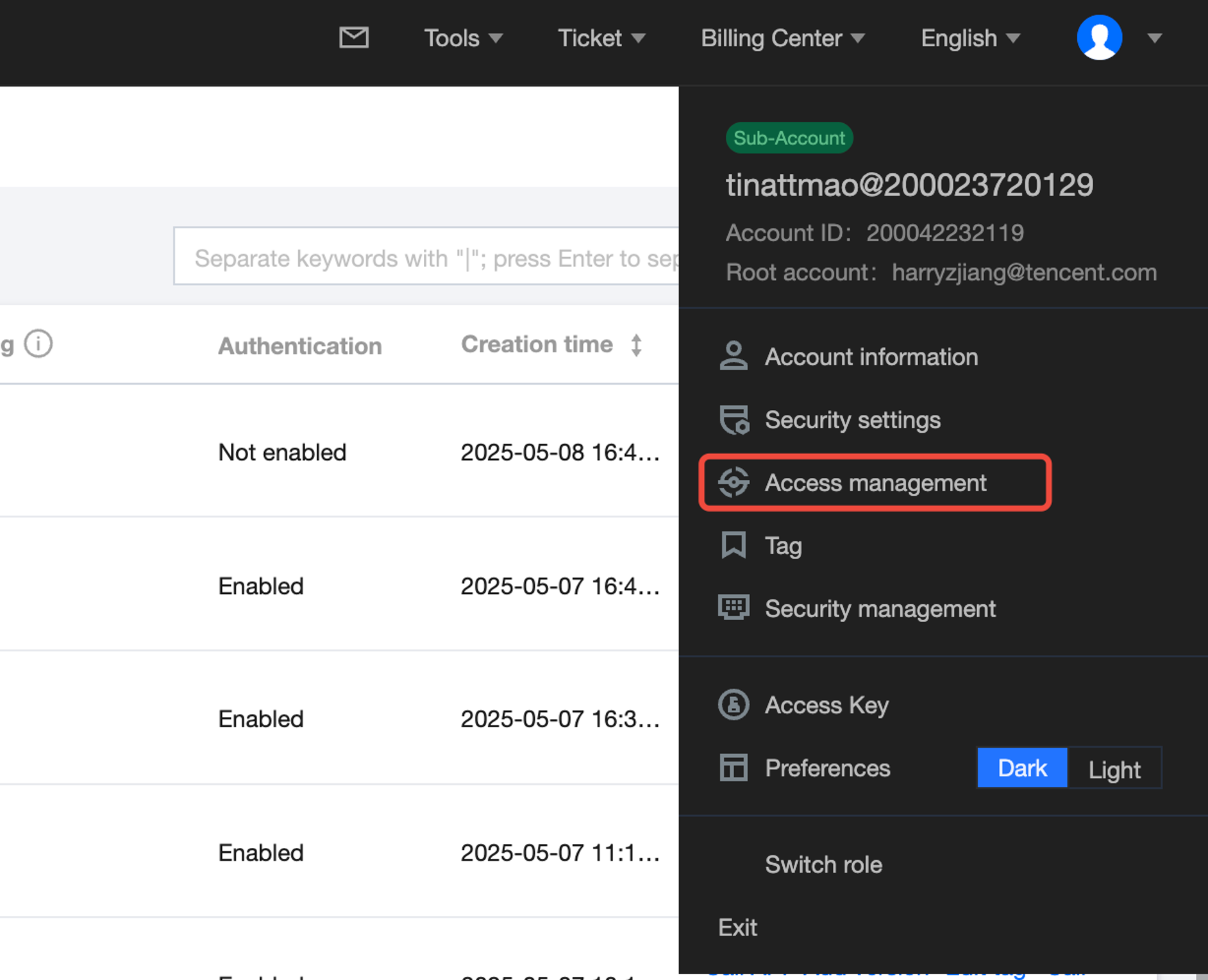
1. Prepare the secret_id and secret_key information.
Log in to Tencent Cloud and retrieve the following on the page:


2. Initialize Invoke function

from tikit.client import Client

# Initialize the client. In the environment (including notebooks and training tasks) on the public cloud titanium platform, the region can be left blank as the region information is already in the environmental variable.
client = Client("your_secret_id", "your_secret_key", "<region>")


Help and Support

Was this page helpful?

Help us improve! Rate your documentation experience in 5 mins.

Feedback