Tencent Cloud Service Integration
Download
Focus Mode
Font Size
You can perform the following operations on the Tencent Cloud service integration page:
Viewing Available Integrations
Managing Installed Integrations
Configure service roles
Prerequisites
1. Log in to the TCMG console.
2. Find the corresponding Grafana instance in the list and click its
3. Click Tencent Cloud Service Integration on the left sidebar.
Viewing Available Integrations
On the Tencent Cloud Service Integration page, you can view and search for the available integrations of the current instance and install and connect them. After they are connected successfully, their monitoring data will be displayed on the Grafana dashboard.
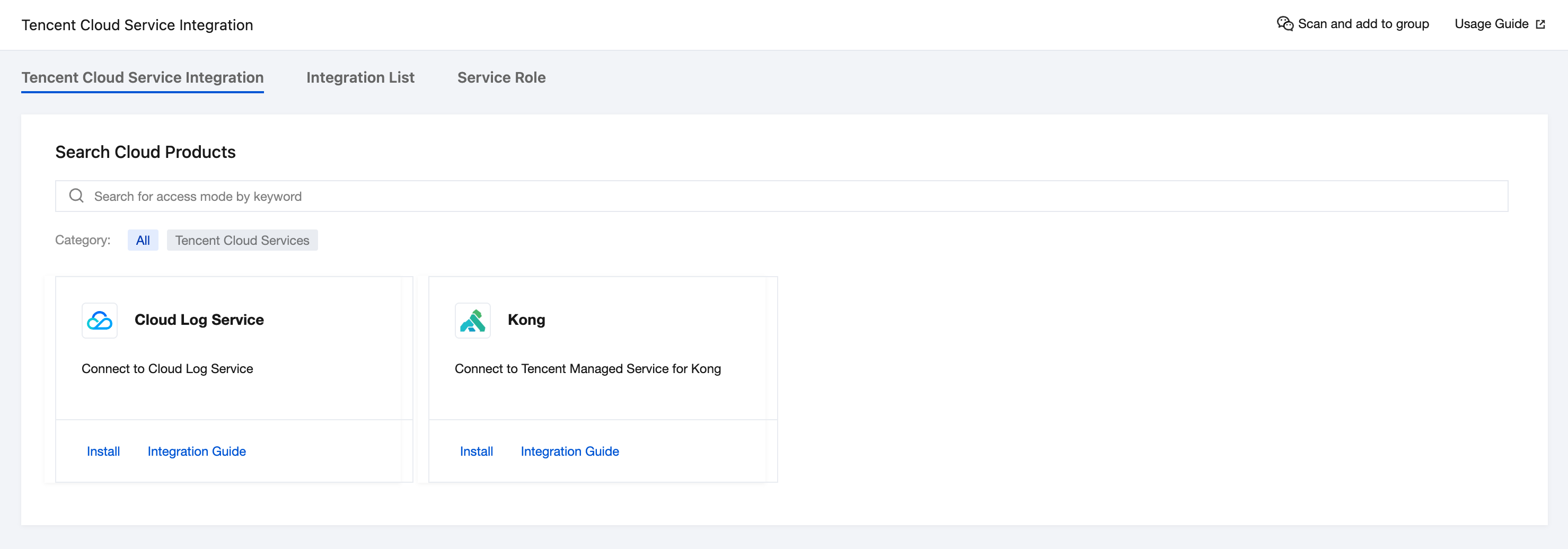
Kong
1. Click Install below Kong to enter the installation page.
2. Configure the data source:
Data Source Name: enter the data source name.
Data Source Address: the source address of the data, for example,
http://10.0.0.0:9090/.Account: the Grafana account name on the Prometheus Managed Service Basic Information page.
Password: the Grafana password on the Prometheus Managed Service Basic Information page.
Tag: the Prometheus value corresponding to the custom type.
Extra Organization: the Grafana organization ID.
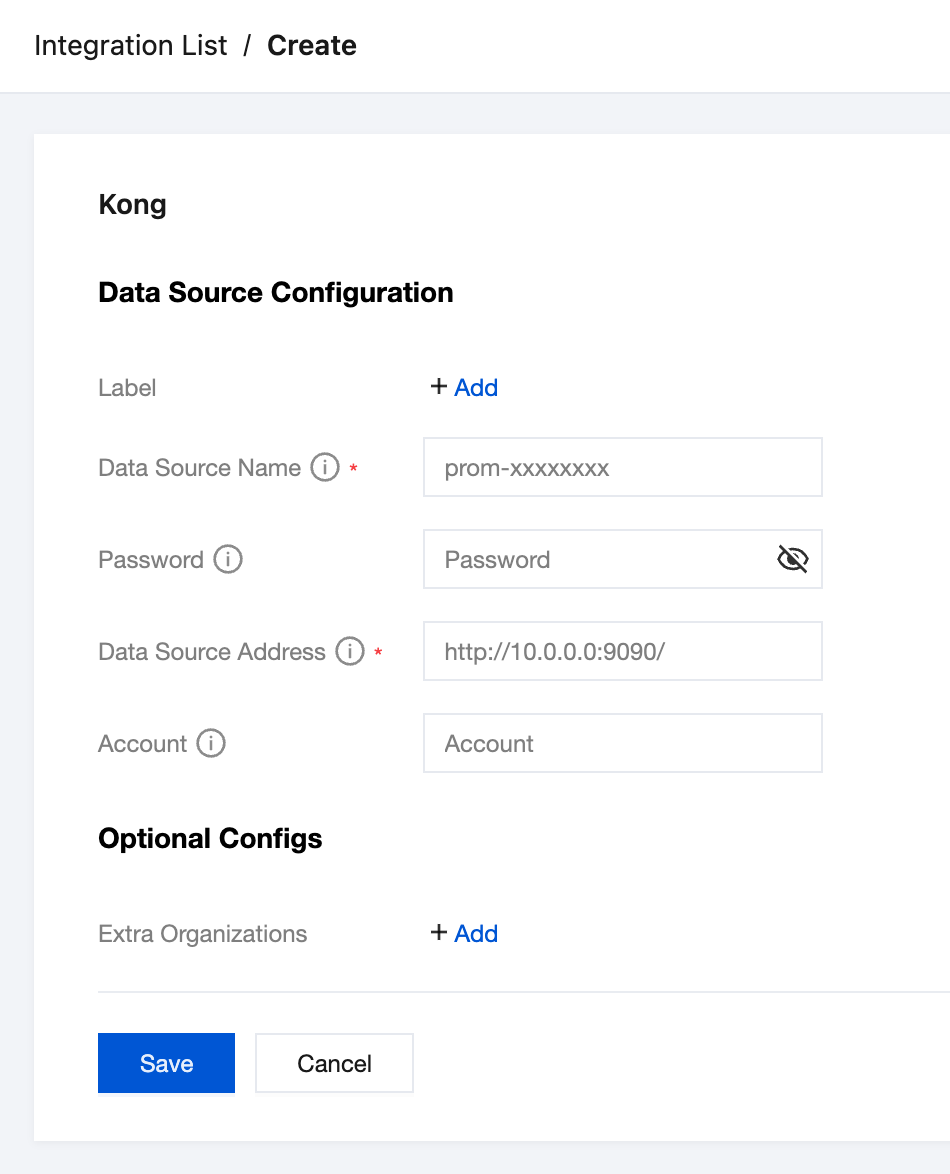
3. After configuration, click Save. After the system rebuild is complete, you can view the installed Kong data source on the Grafana data sources page.
CLS
1. Click Install below CLS to enter the installation page.
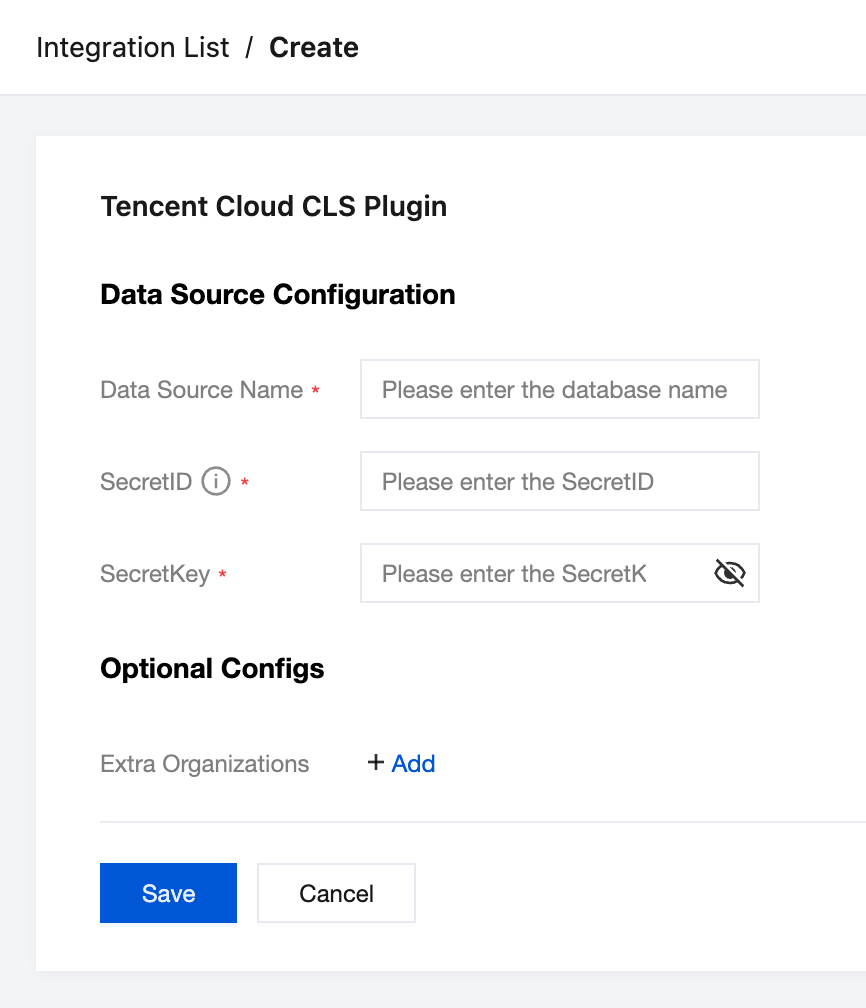
2. Configure the data source:
Data Source Name: enter the data source name.
SecretID: enter your SecretID.
SecretKey: enter your SecretKey.
Extra Organization: the Grafana organization ID.
3. After configuration, click Save. After the system rebuild is complete, you can view the installed CLS data source on the Grafana data sources page.
Managing Installed Integrations
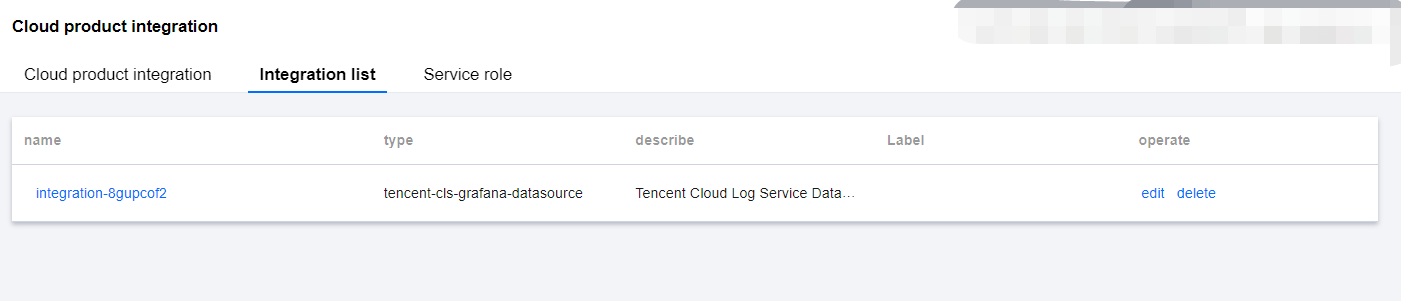
Select Integration List to view the installed integrations, which may be installed by you or automatically by Tencent Cloud services through the binding relationship and can be edited and deleted in the Operation column.
Help and Support
Was this page helpful?
You can also Contact sales or Submit a Ticket for help.
Help us improve! Rate your documentation experience in 5 mins.
Feedback