tencent cloud

Grafana

Product Introduction
Overview
Strengths
Use Cases
Purchase Guide
Billing Overview
Monthly Subscription
Purchase Methods
Payment Overdue
Refund
Getting Started
Operation Guide
Instance
Tencent Cloud Service Integration
Plugin Management
Logging in to Grafana
Notification Channel
Configuration Management
Image Rendering
Account Management
Guide on Grafana Common Features
FAQs
TCMG Service Level Agreements
TCMG Policy
Privacy Policy
Data Processing and Security Agreement

Notification Channel

PDF
Focus Mode
Font Size
Last updated: 2024-01-02 18:01:45
TCMG allows you to add notification channels. Alert notifications can be sent through multiple channels such as webhook, email, SMS, and phone.

Prerequisites

1. Log in to the TCMG console.
2. In the instance list, find the target instance and click Instance ID.

Directions

1. Enter the instance details page and click Notification Channel in the list on the left.
2. On the Notification Channel management page, click Create in the top-left corner.
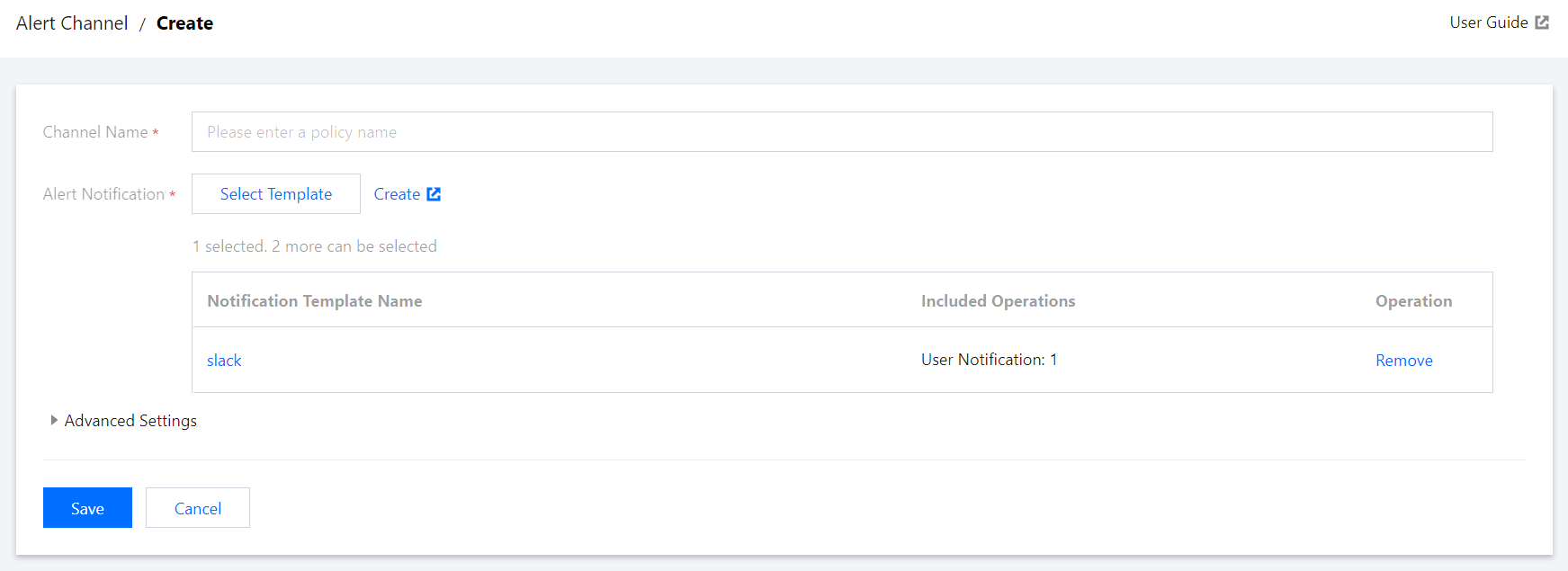
3. On the Create Notification Channel page, enter the channel name and select or create a notification template as instructed in Creating Notification Template.


4. After a notification template is created, you can return to the notification channel creation page, select the created template, and click Save. You can view the created notification channel on the Grafana Alert Notification Channel page after the instance is rebooted.
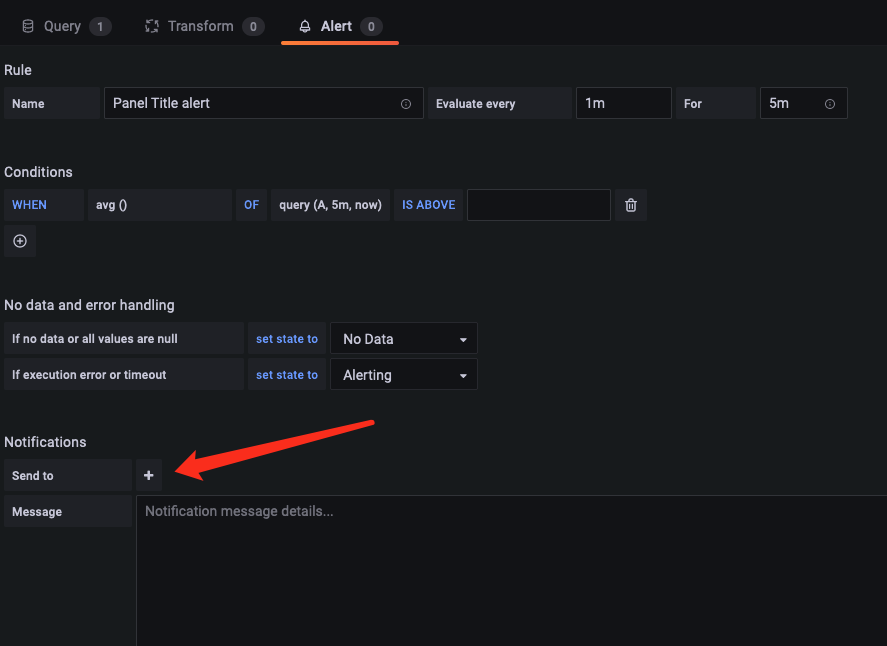
5. When configuring a Grafana alert, select the name of the added channel in the Notification Channel configuration block.

Help and Support

Was this page helpful?

Help us improve! Rate your documentation experience in 5 mins.

Feedback