Viewing Log
Baixar
Modo Foco
Tamanho da Fonte
Overview
During a migration task, you can view the migration logs to know the task progress.
Directions
1. Log in to the DTS console, and you can view a task in the following two ways:
Method 1: on the Data Migration page, select the target migration task and click the task name.
Method 2: on the Data Migration page, select the target migration task and click More > View in the Operation column.
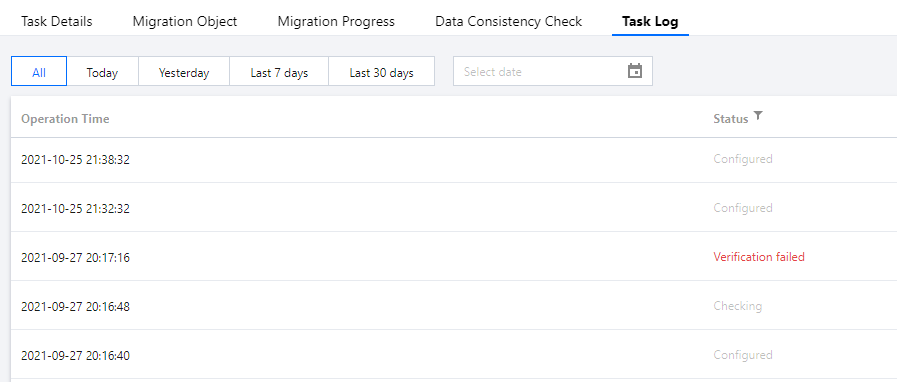
2. View the migration logs.
Switch the tab to view the task logs.
Ajuda e Suporte
Esta página foi útil?
Você também pode entrar em contato com a Equipe de vendas ou Enviar um tíquete em caso de ajuda.
comentários