Modifying Storage Period
TMP allows you to modify the data storage period after creating an instance. The longer the storage period, the higher the unit price of the instance. For billing details, see Pay-as-You-Go.
Directions
1. Log in to the TMP console.
2. In the instance list, find the target TMP instance and click More > Instance Configuration > Modify Storage Period on the right.

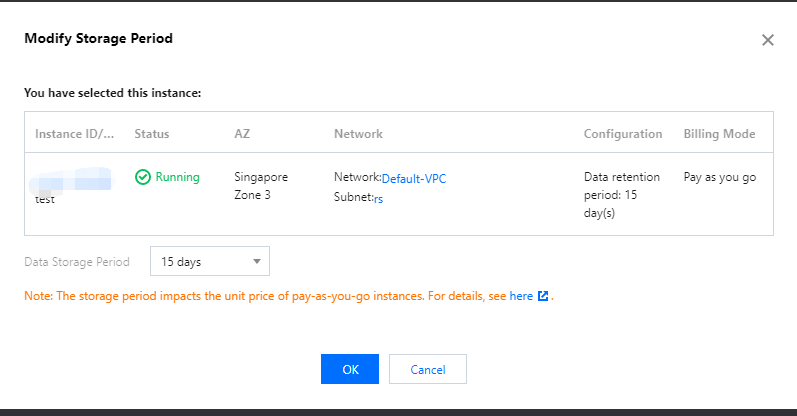
3. In the pop-up window, select the target storage period and click OK.
Note:
After the modification, newly collected data will be billed based on the new storage period and unit price from 0:00 AM the next day.
Historical data is still stored based on the storage period configured before the modification.
Ajuda e Suporte
Esta página foi útil?
Você também pode entrar em contato com a Equipe de vendas ou Enviar um tíquete em caso de ajuda.
comentários