Serverless Resource Group Configuration
Baixar
Modo Foco
Tamanho da Fonte
Creating a Serverless Resource Group
Enter the WeData Console, click Execution Resource Group > Serverless Resource Group, go to the resource group creation webpage, and click one-click activation to create a Serverless resource group.
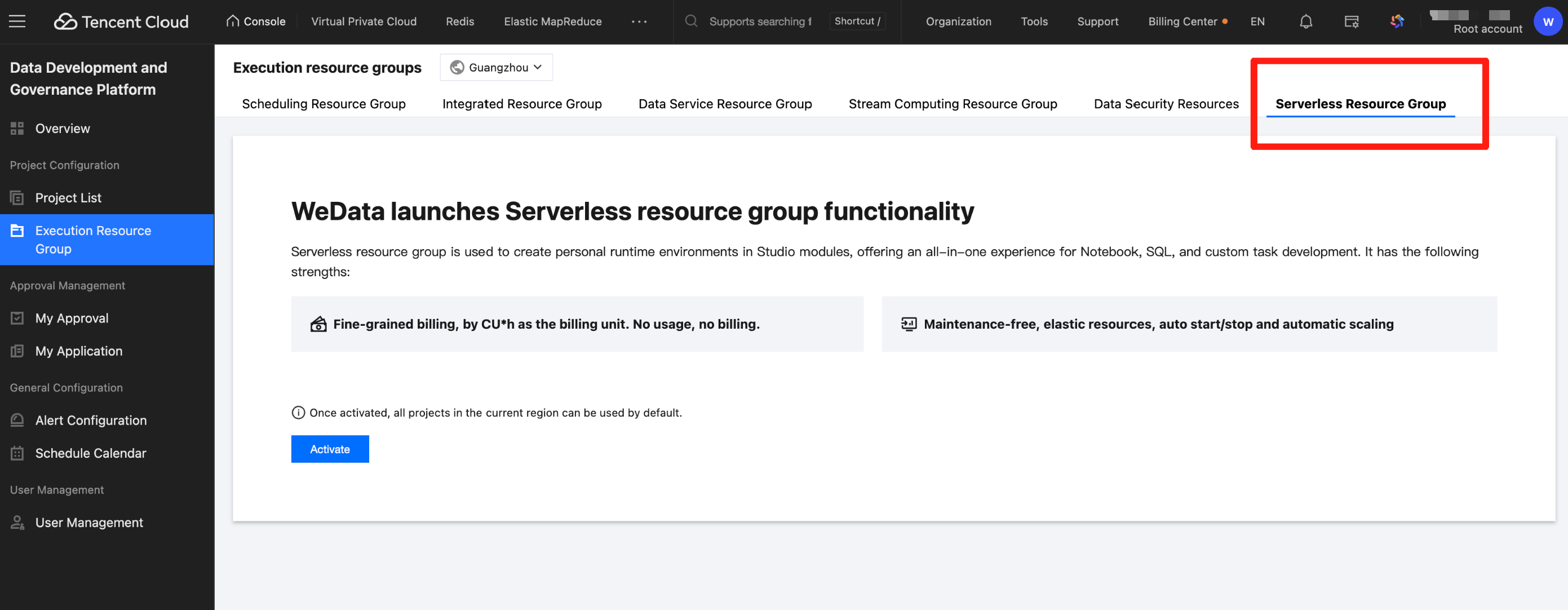
Creating a Description
Each root account and region only support one default Serverless resource group.
After creation, all existing projects in the current region are automatically associated with the Serverless resource group.
When creating a new project, if the region has activated the Serverless resource group, it will be automatically bound.
Serverless Resource Group Management
Enter the WeData Console, click Execution Resource Group > Serverless Resource Group, and go to the Serverless resource group management webpage.
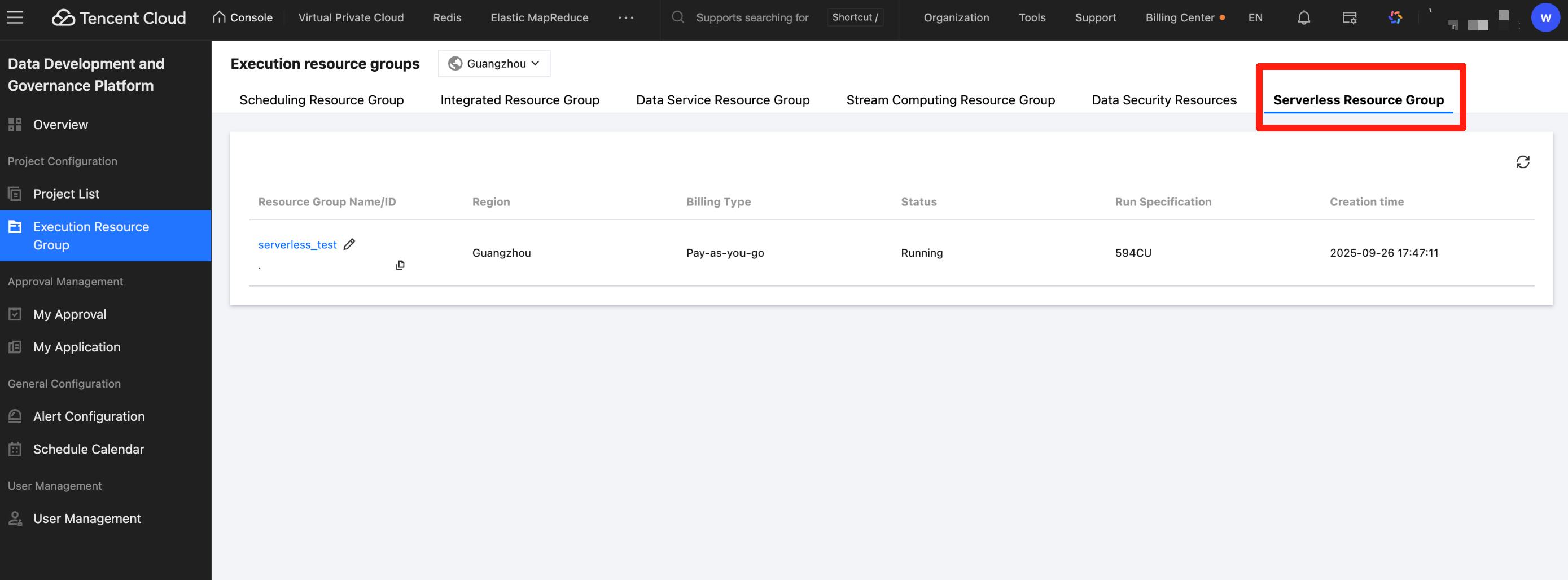
The resource group list shows the Serverless resource groups and their running status information under the current root account in each region. The parameter descriptions in the list are as follows:
Parameter | Description |
Resource Group Name | Serverless resource group display name, default name is default, supports users to modify |
Resource Group ID | system-generated unique identifier |
Region | Serverless resource group belonging to physical region |
Billing Mode | Pay-as-you-go (CU × usage duration) |
State | Serverless resource group running state |
Operation specification | Real-time CU usage of Serverless resource groups under the current account |
Creation time. | Resource group creation time |
Resource Group Status Description
Serverless resource group supported states and descriptions are as follows:
State | Description |
Creating | After the user triggers the activation operation, the system is initializing the Serverless resource group, typically needing 5–10 minutes. |
Running | The Serverless resource group has been successfully created and can be used normally. |
Operation exception | The resource group is unavailable, usually due to account arrears. In this state, the personal execution environment will not be able to start. |
Serverless Resource Group Details
Click the resource group name in the resource group list to enter the Serverless resource group details page.
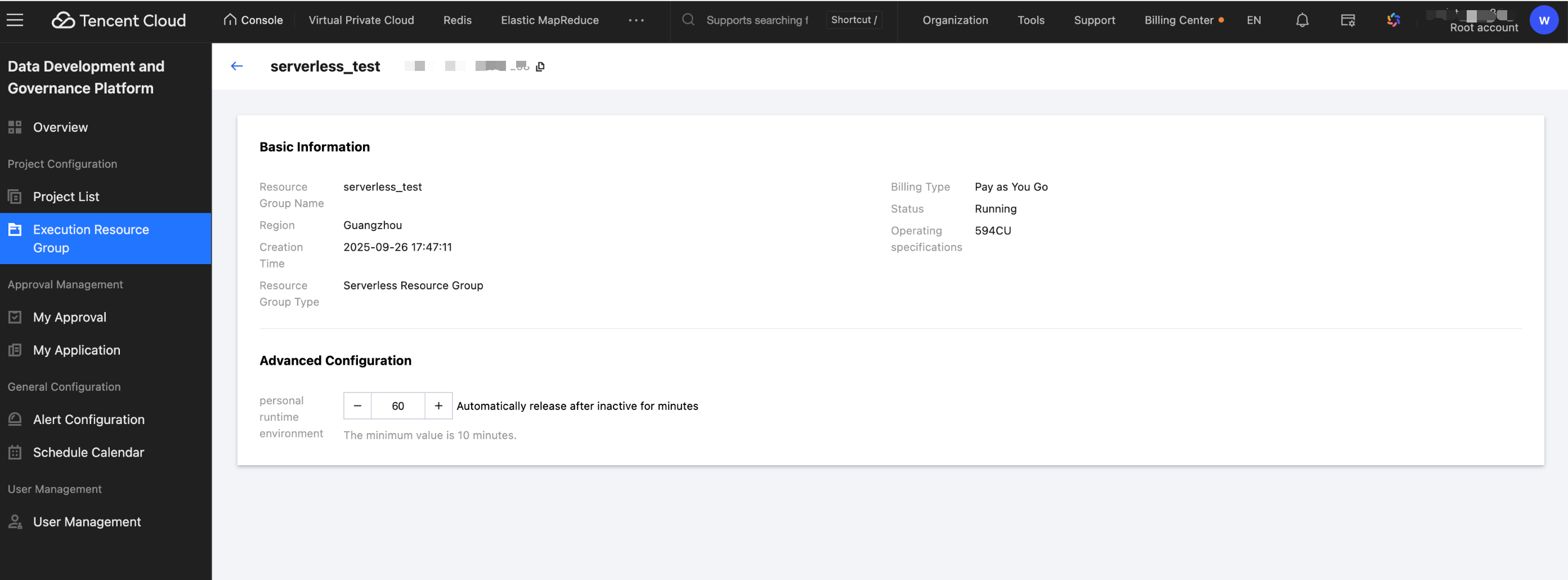
Advanced Configuration > Personal Runtime Environment, used to control the auto release strategy of personal execution environments in WeData Studio.
Parameter | Description |
Default Value | 60 minutes |
Minimum value | 10 minutes |
Maximum Value | No limit |
Effective Scope | Serverless resource group current individual runtime environments |
Ajuda e Suporte
Esta página foi útil?
Você também pode entrar em contato com a Equipe de vendas ou Enviar um tíquete em caso de ajuda.
comentários