Resource Group Public Network Configuration
Baixar
Modo Foco
Tamanho da Fonte
Configuring Public Network for Resource Group
Scenarios
This is suitable for configuring a resource group's VPC to access the public internet.
Operation Steps
1. Go to Virtual Private Cloud > NAT Gateway. In the corresponding region, click Create NAT Gateway.
2. Purchase NAT Gateway:
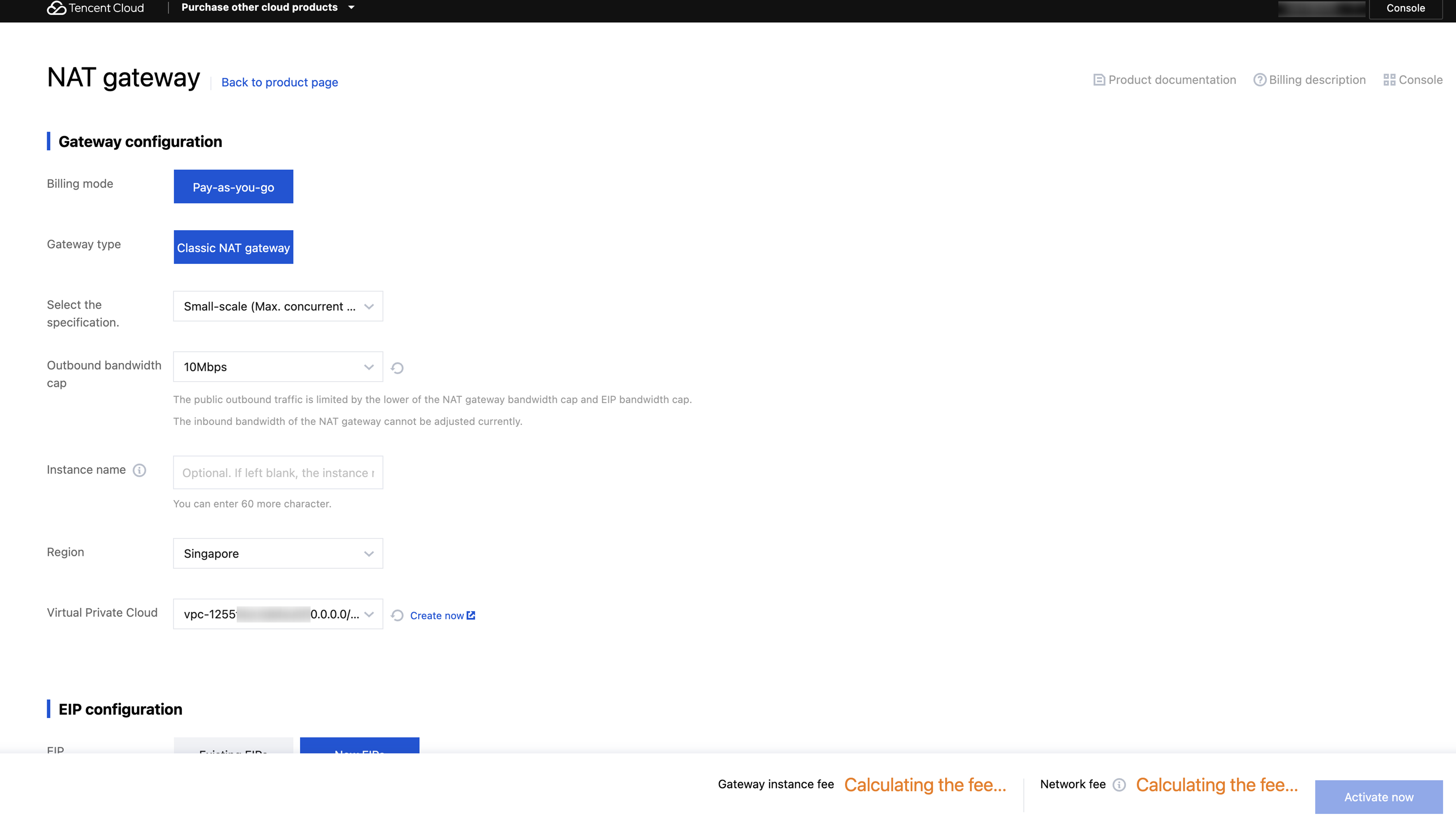
3. Go to Virtual Private Cloud > Route Table, create and bind the route table pointing to the NAT Gateway.
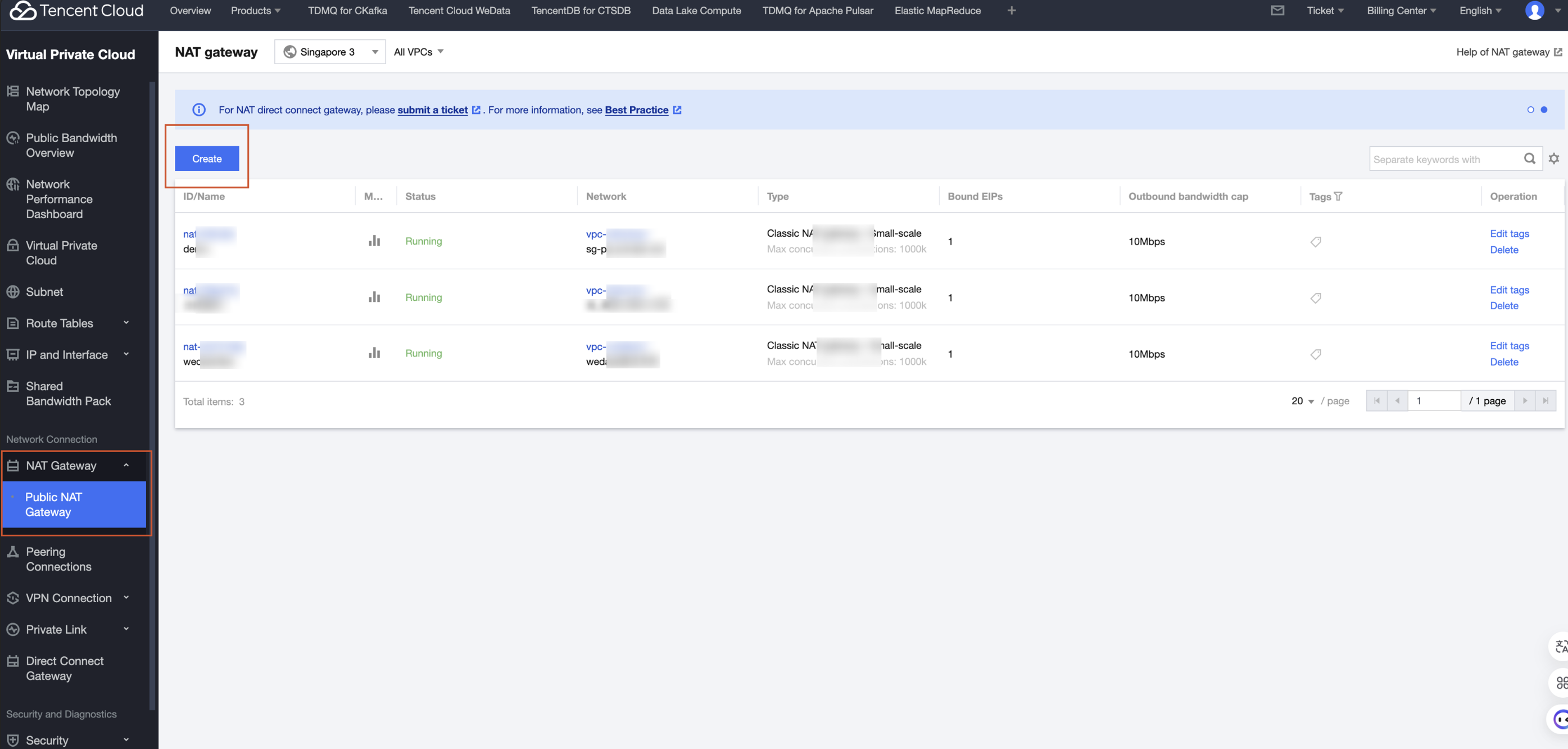
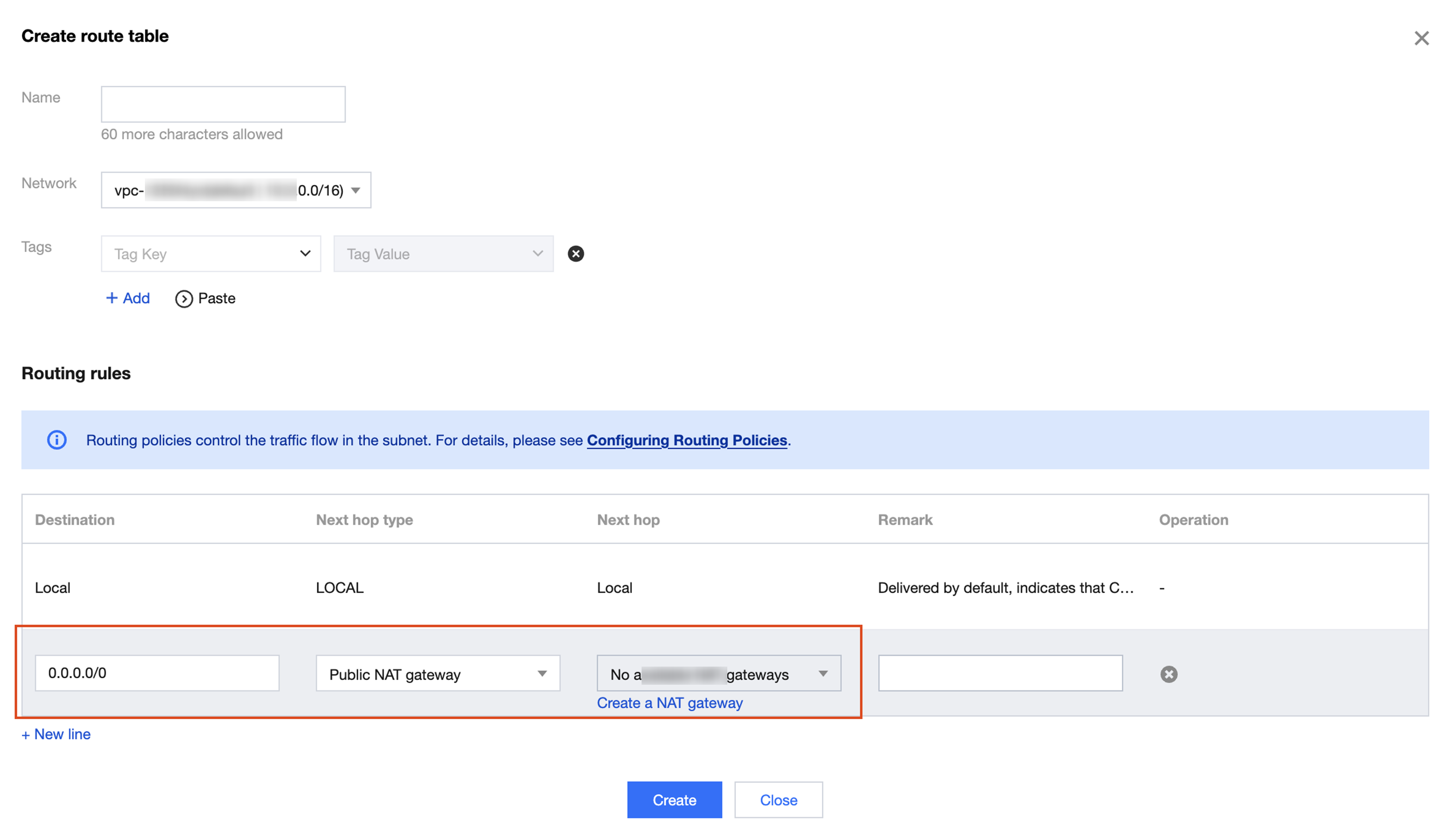
4. Create a custom routing table, select the associated VPC network, fill in the destination with 0.0.0.0/0 or fixed routing, select the next hop type as NAT Gateway, and choose the newly created NAT Gateway as the next hop:
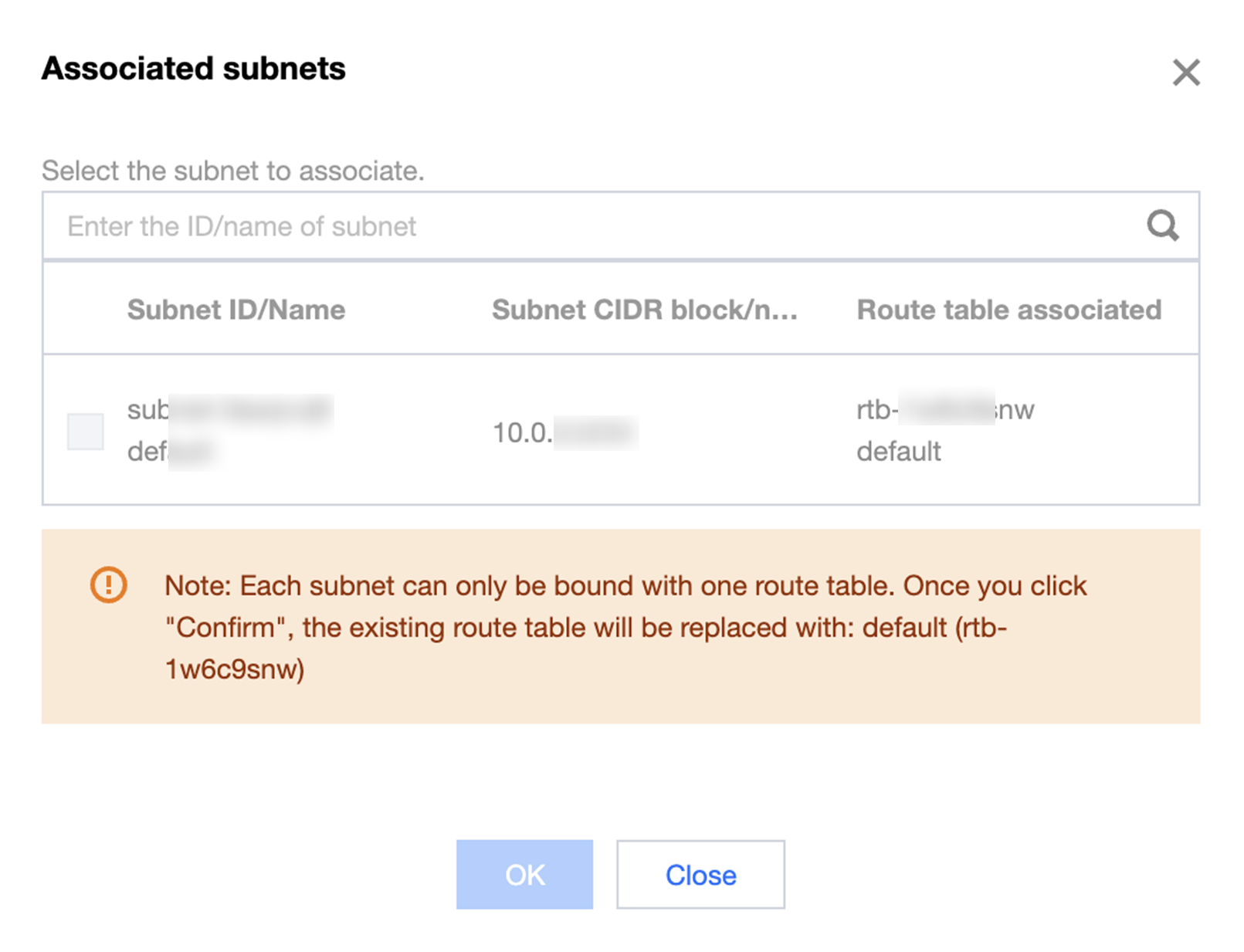
5. After the route table is created, go to the route table details to associate subnets:
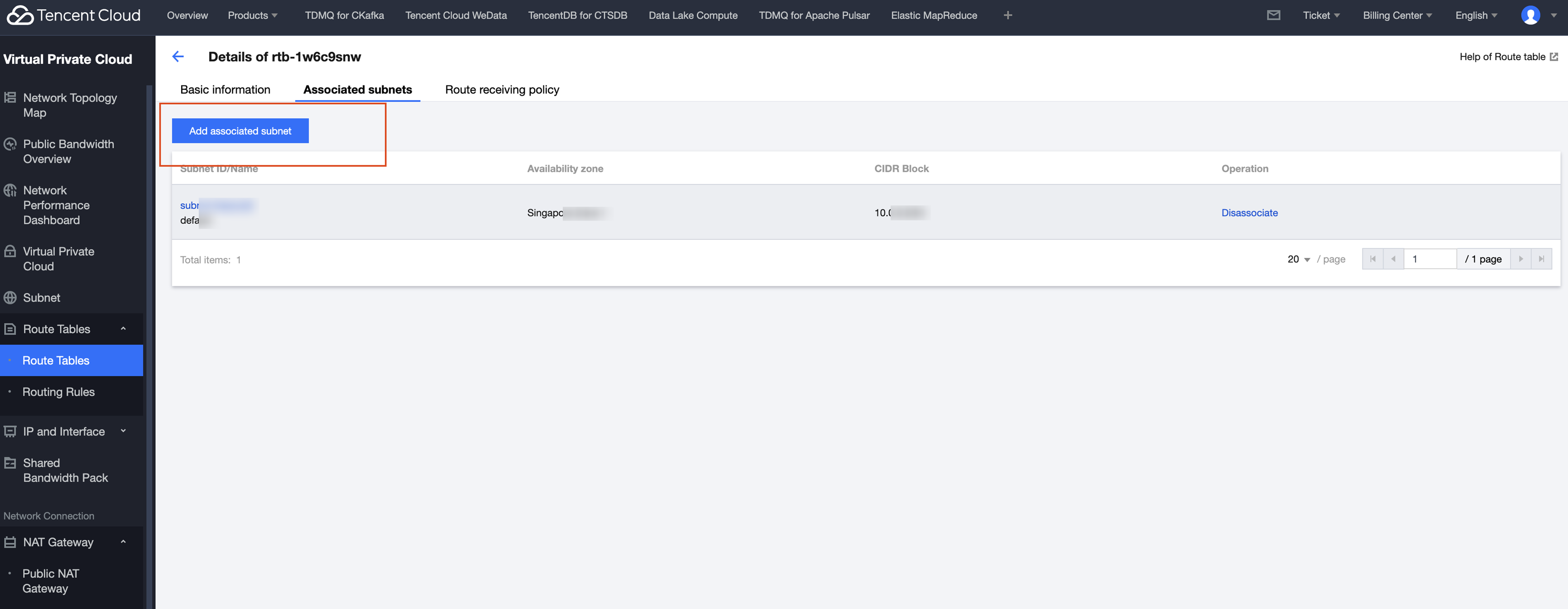
6. Select the subnet to associate with and bind:
Resource Group Configuration Private Network
Scenarios
The user data source is managed through Private DNS and needs to connect to WeData's scheduling resource group for data development or to the integration resource group for Data Integration.
Operation Steps
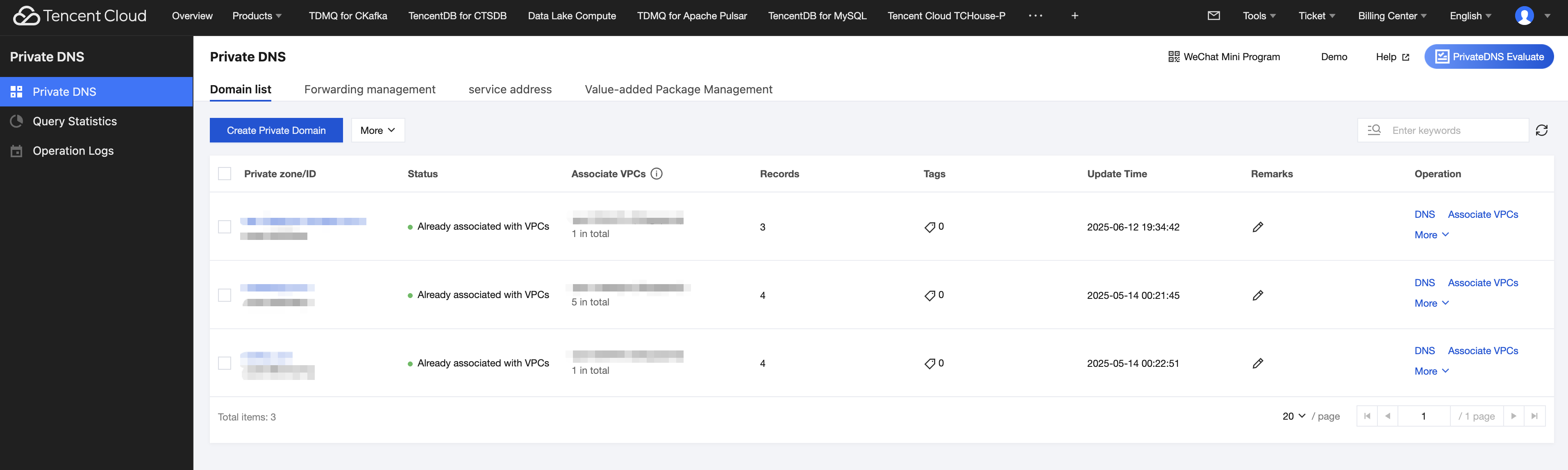
1. Enter Tencent Cloud DNS product and add resolution records for the private domain in Private DNS.
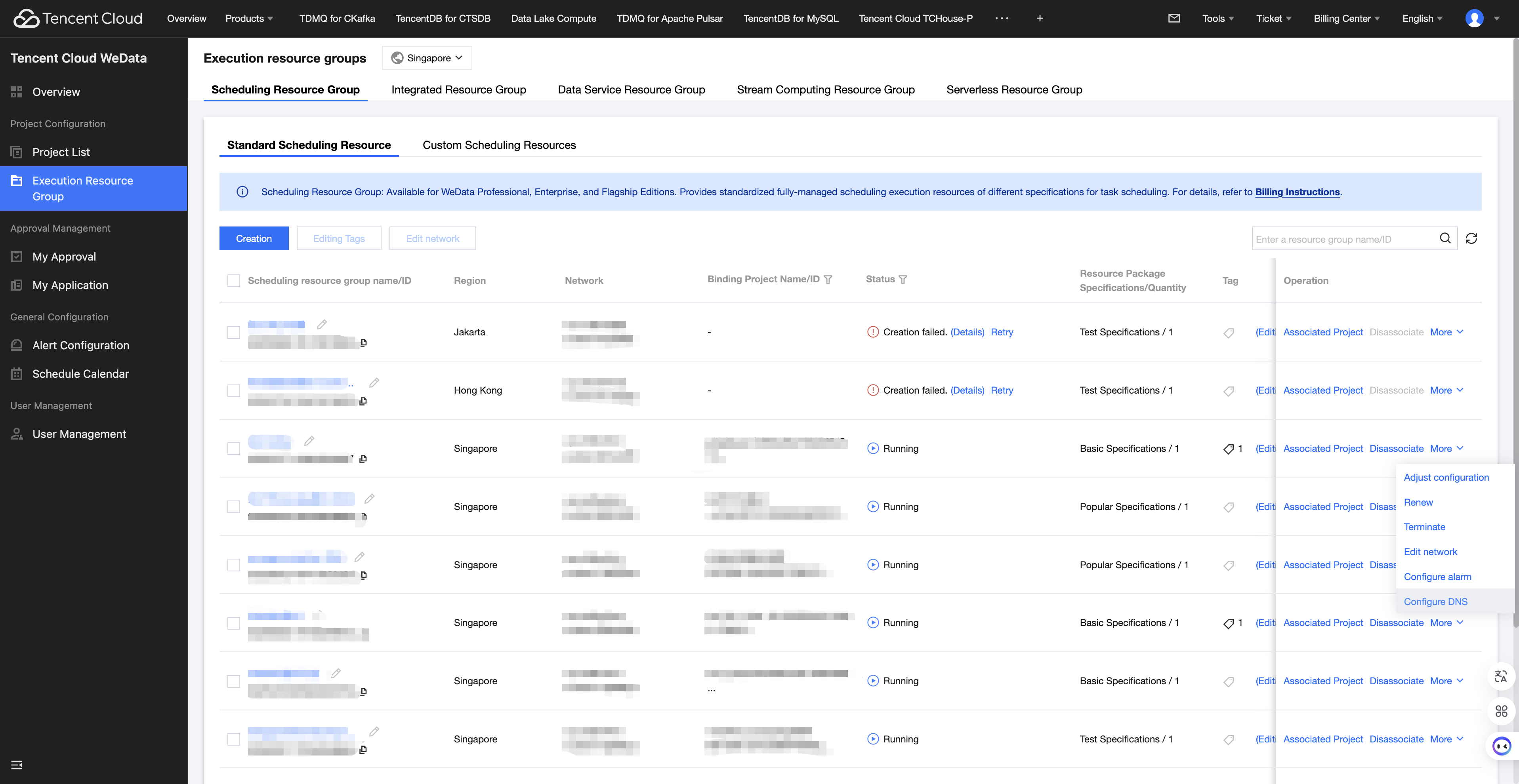
2. Enter WeData Console > execution resource group, click operate > more > configure DNS.
Note:
Note: Only scheduling resource groups and integration resource groups support DNS configuration.
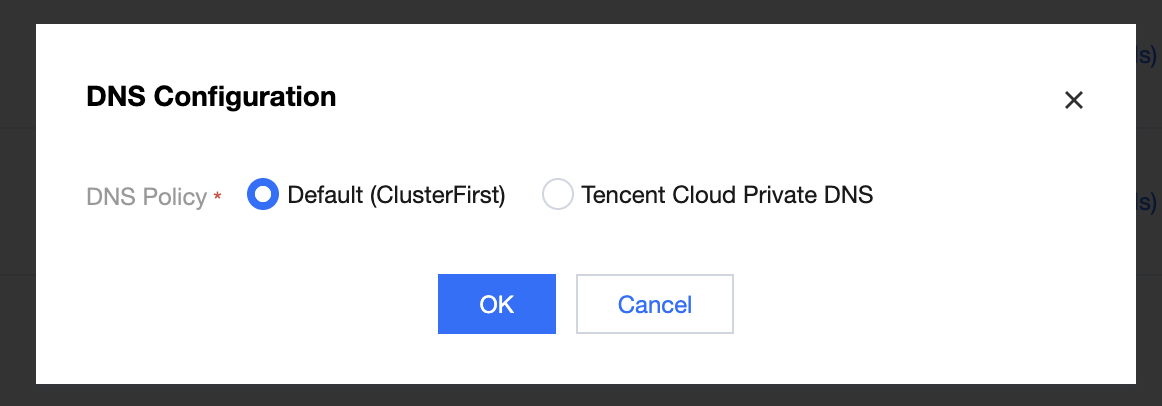
3. In DNS configuration, select DNS policy as Tencent Cloud Private DNS. Click confirm to restart the resource group.
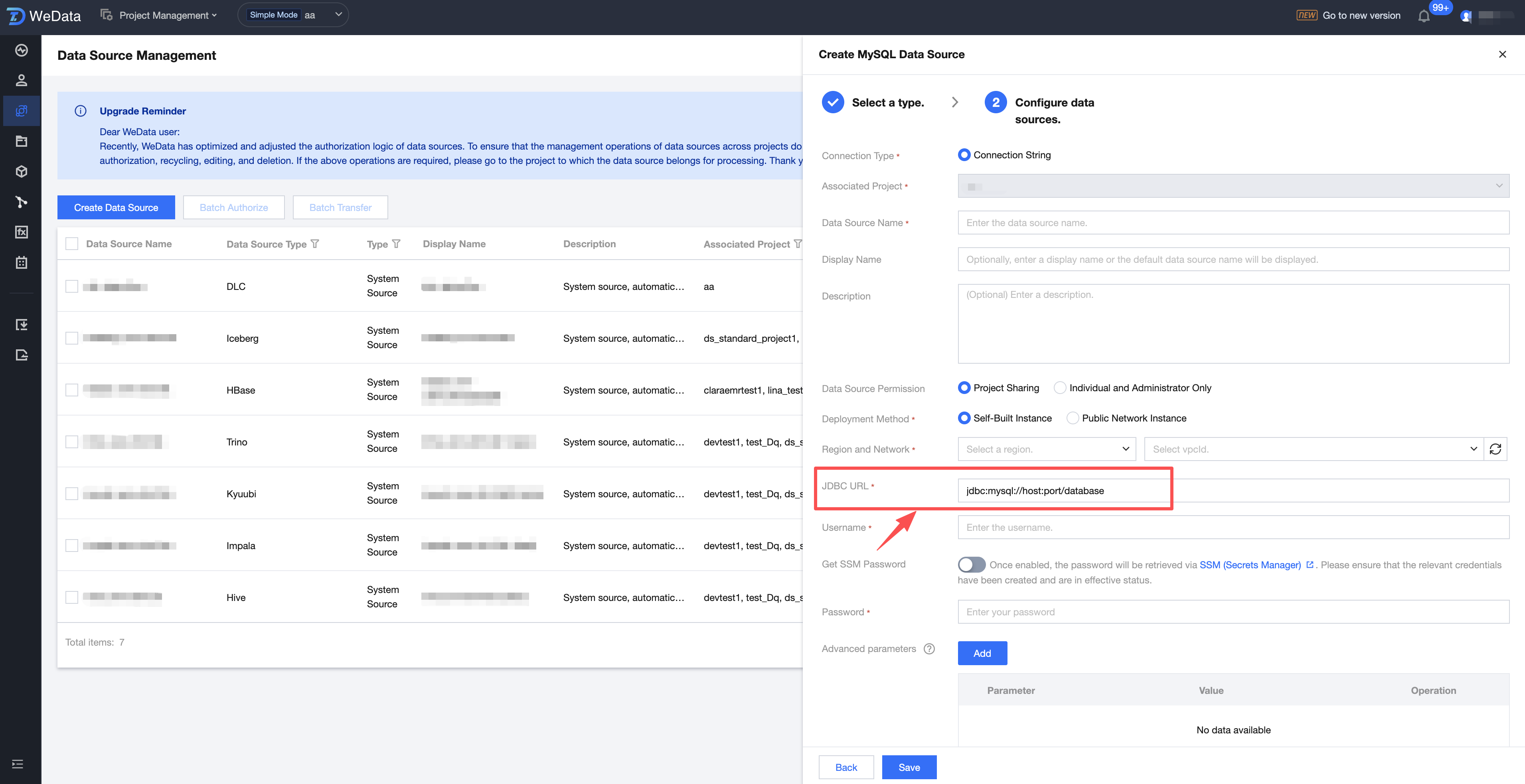
4. In project management > data source management, create a data source. You can input domain in JDBC URL.
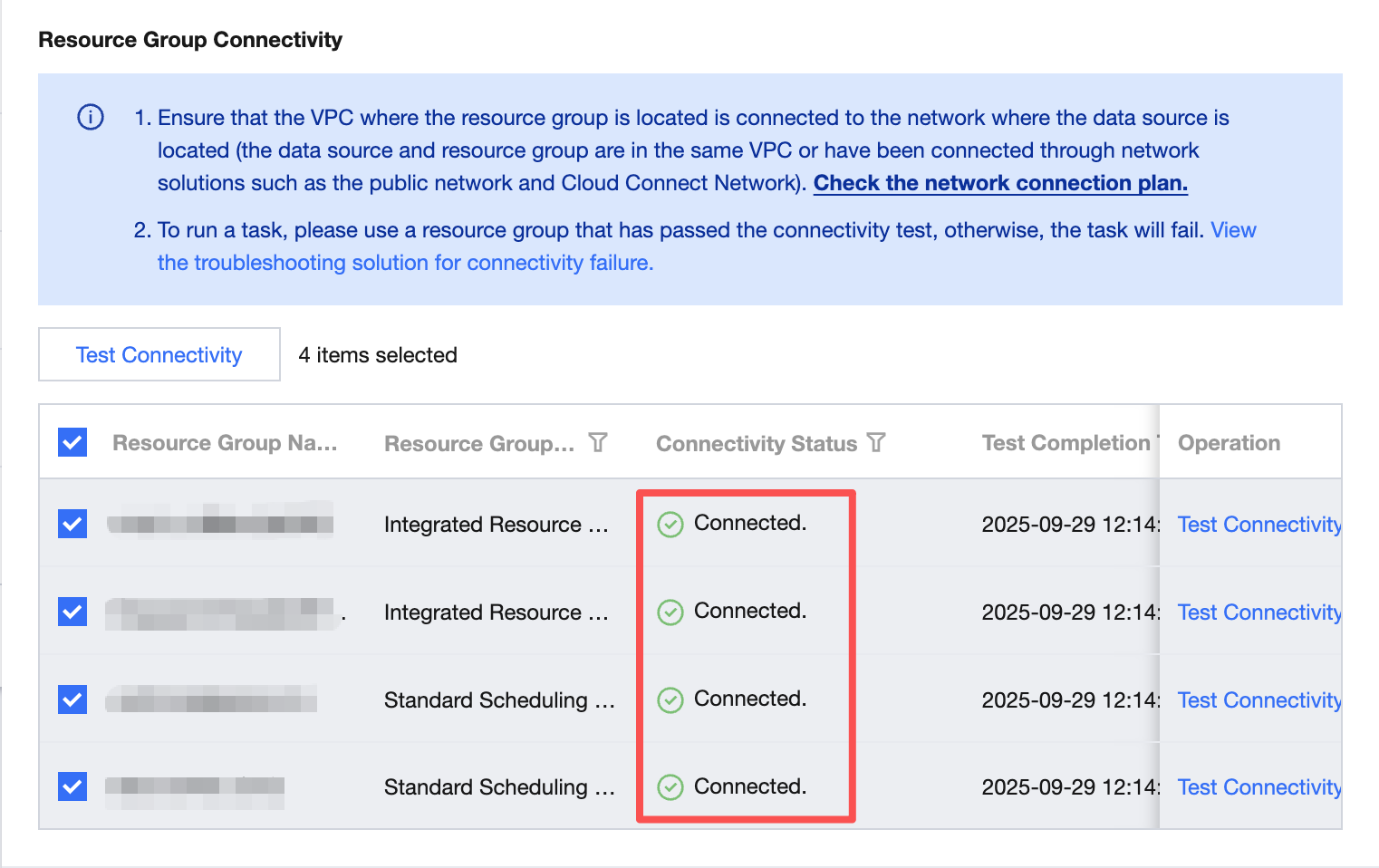
5. When testing connectivity, you can test the connectivity between scheduling resource groups, integration resource groups, and data sources. If resolution records for related domains are configured in Private DNS, the connection will be successful.
Ajuda e Suporte
Esta página foi útil?
Você também pode entrar em contato com a Equipe de vendas ou Enviar um tíquete em caso de ajuda.
comentários