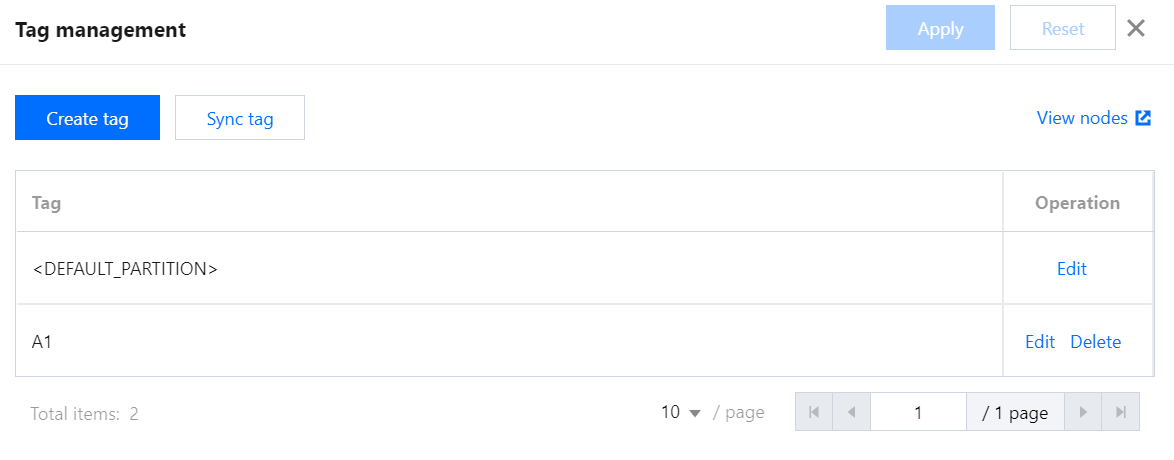
Label management allows you to create, edit, or delete a label or bind it to a node. Adding different labels to cluster nodes helps allocate resources at a finer granularity based on Capacity Scheduler and specify the running locations of applications.
Prerequisites
You have enabled YARN resource scheduling, switched to Capacity Scheduler, and enabled label-based scheduling.
Directions
1. Log in to the EMR console and click Details of the target Hadoop cluster in the cluster list to enter the cluster details page.
2. On the cluster details page, select Cluster Service and click Operation > Resource Scheduling in the top-right corner of the YARN component block to enter the Resource Scheduling page.
3. Toggle on Resource scheduler and select Capacity Scheduler.
4. Toggle on Label-based scheduling and click Label Management to enter the Label Management page.
5. On the Label Management page, view all labels of the cluster, create, edit, delete, or sync a label, or redirect to the web UI to view the node to which the label is bound.