If your account's available balance is negative, you need to top up before you can purchase new Tencent Cloud services. Most Tencent Cloud services are billed hourly. If your available credit remains negative, services may be suspended for your account. To avoid service suspension, we recommend you keep your available credit positive. You can top up by credit card or via bank transfer.
For data security, only account creators and collaborators authorized financial permissions have access to the Payment page.
Online Payment
Payment by Credit/Debit Card
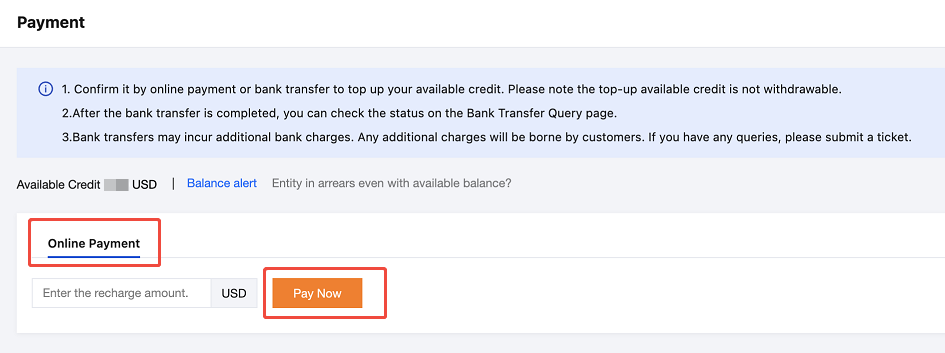
1. Log in to the console and go to Billing Center > Payment Management > Payment. Click Online Payment to input the top-up amount, then click Pay Now to proceed to the payment page.
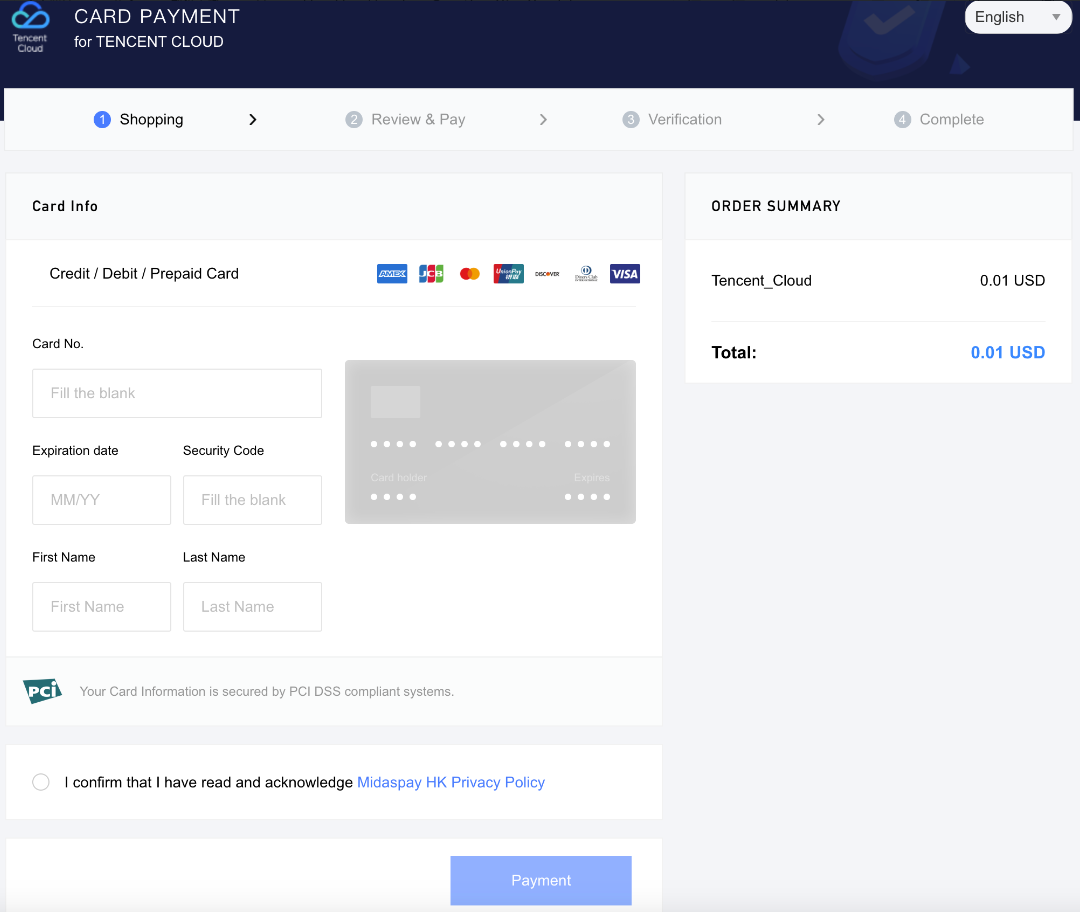
2. On the payment page, if you select Credit/Debit Card Payment, you can top up your account by choosing a previously bound card or adding a new payment account.
Note:
If a new payment card is added during the top-up process, the credit card or debit card will only be used for the payment of this top-up order. The platform will not automatically bind this card as your payment card.
Due to the minimum payment amount restriction imposed by the payment channel, the minimum top-up amount for customers with a South Korea entity is USD 0.1.
The limit for online credit card payments is determined by the card's available balance and its payment limit. Additionally, the platform imposes a single transaction limit of USD 100,000.
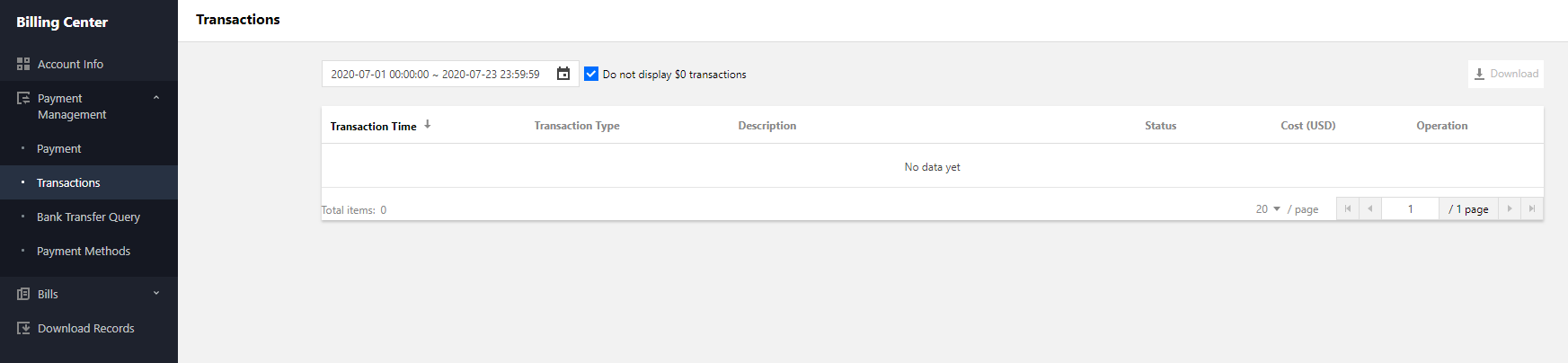
3. After the payment is complete, you can go to the Transactions page to view the payment details.
WeChat Pay
You can top up your account using the Online Payment - WeChat Pay method. Currently, WeChat Pay is available only to customers whose Tencent Cloud signing entity is TENCENT CLOUD INTERNATIONAL PTE. LTD. To use WeChat Pay for cloud account top-up or order payment, please refer to the relevant procedures.
Note:
The signing entity is associated with the cloud account's registration location. Changing the registration location may result in a change of the signing entity. You can view the current signing entity in Billing Center - Account Information. For customer with a sales representative, the signing entity is subject to the sales contract.
The WeChat Pay feature is being gradually rolled out to other Tencent Cloud entities. If WeChat Pay is unavailable for your account, please top up your account by selecting Online Payment - Credit/Debit Card or Bank Transfer.
Each WeChat account has a per-transaction and daily cumulative top-up limit of approximately USD 400. For large top-up amounts, we recommend that you select Online Payment - Credit/Debit Card or Bank Transfer.
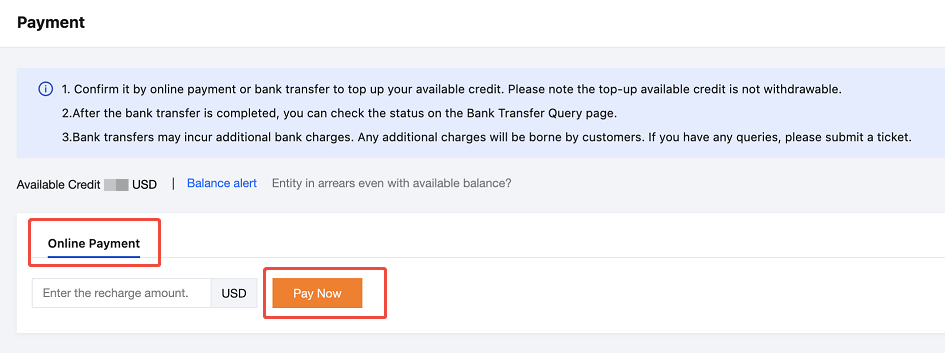
1. To top up using the Online Payment - WeChat Pay method, log in to the Tencent Cloud official website and go to Billing Center > Fund Management > Payment. Click Online Payment, enter the top-up amount, and then click Pay Now to go to the payment page.
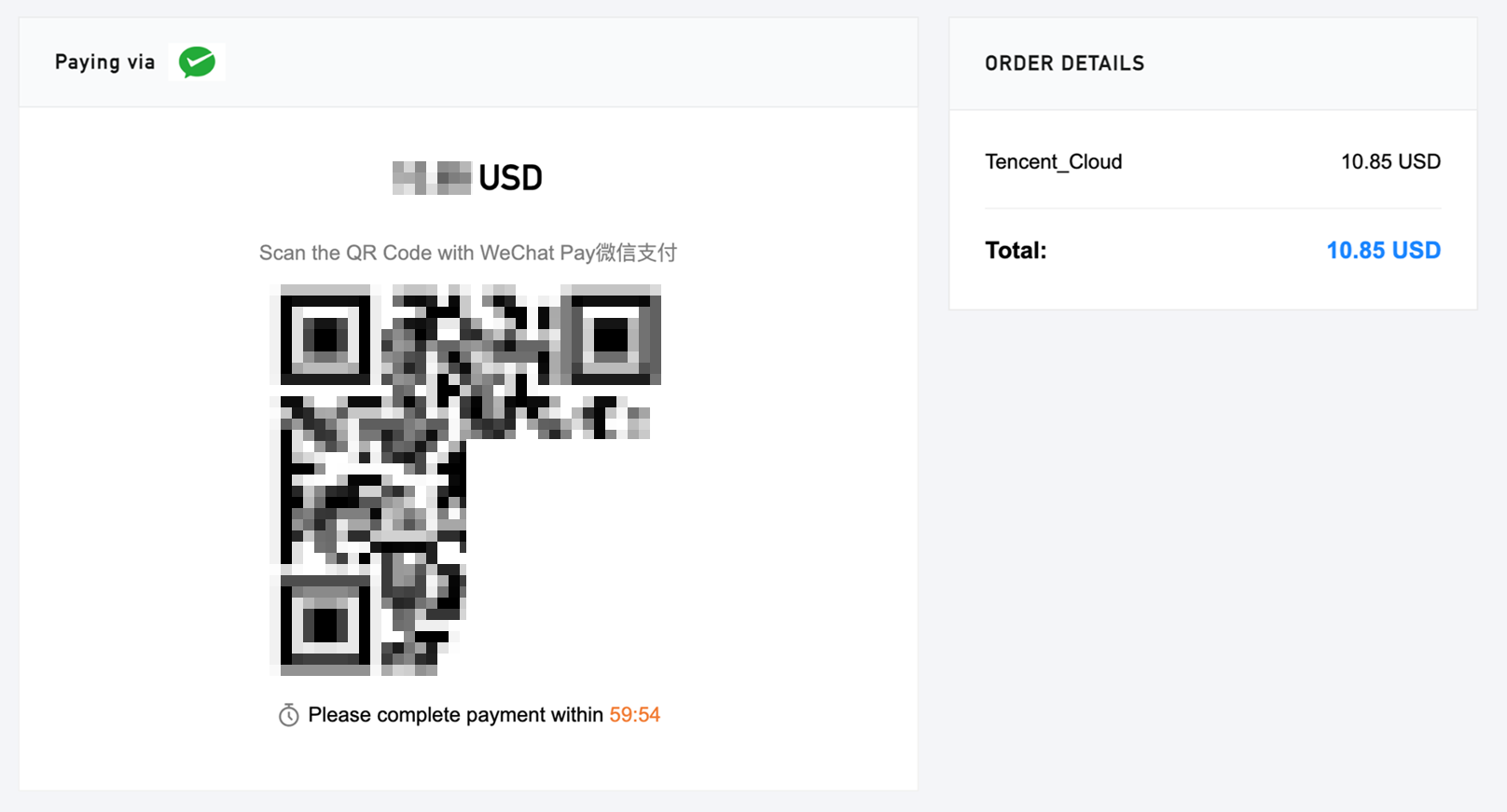
2. On the payment page, if you select WeChat Pay, please use WeChat to scan the QR code to top up your account.
3. After the payment is complete, you can go to the Transactions page to view the payment details.
Bank Transfer
1. To top up via a bank transfer, you need to transfer or deposit the top-up amount to our bank account and provide your Tencent Cloud account ID by adding a note. Make sure to send your bank transfer to the correct Tencent Cloud bank account according to your account's location.
Note:
If you top up via bank transfer, please make sure the payment is in USD.
A. Users Whose Registration Location Is in the Following List:
United States
Guatemala
Trinidad and Tobago
Grenada
Saint Vincent and the Grenadines
El Salvador
Saint Lucia
Dominican Republic
Saint Kitts and Nevis
Dominica
Panama
Cuba
Nicaragua
Costa Rica
Mexico
Canada
Jamaica
Belize
Honduras
Barbados
Haiti
Bahamas
Antigua and Barbuda
-
Beneficiary Name: Tencent Cloud, LLC.
Bank Account Number: 000271829 (USD account)
Beneficiary Bank: HSBC Bank USA, N.A.
Bank Address: 66 Hudson Boulevard E New York, NY 10001.
SWIFT Code: MRMDUS33.
Remarks: Cloud service fee + developer account (unique ID)
B. Users Whose Registration Location Is in the Following List:
Switzerland
Latvia
Sweden
Italy
Spain
Ireland
Slovenia
Iceland
Slovakia
Hungary
Romania
Greece
Portugal
Germany
Poland
France
Norway
Finland
Netherlands
Estonia
Malta
Denmark
Luxembourg
Czech Republic
Lithuania
Cyprus
Liechtenstein
Croatia
Belgium
Bulgaria
Austria
-
Beneficiary Name: TENCENT CLOUD EUROPE B.V.
Bank Account Number:
EUR account: NL71HSBC2031728148.
USD account: NL49HSBC2031728156.
Beneficiary Bank: HSBC BANK PLC, Amsterdam z.o. The Netherlands.
Bank Address: De Entrée 236, 1101 EE Amsterdam Z.O. the Netherlands.
SWIFT Code: HSBCNL2A.
Remarks: Cloud service fee + developer account (unique ID)
C. For Users with Registration Locations Other Than Type A and Type B, Select Payment Account Based on Contracting Entity:
Others
Philippines
Taiwan, China
Indonesia
Macao (China)
Malaysia
Hong Kong (China)
Singapore
The payment information for different contracting entities is as follows:
Beneficiary Bank: JPMorgan Chase Bank N.A., Singapore Branch.
Bank Address: 88 Market Street, CapitaSpring, #30-00, Singapore 048948.
SWIFT Code: CHASSGSG.
Remarks: Cloud service fee + developer account (unique ID)
Contracting Entity: TENCENT KOREA YUHAN HOESA.
Bank details:
Beneficiary Name: TENCENT KOREA YUHAN HOESA
Beneficiary Account Number:
KRW account: 002-192383-297.
USD account: 002-192383-298.
Beneficiary Bank: The Hongkong and Shanghai Banking Corporation Limited.
Bank Address: 37, Chilpae-ro, Jung-gu, Seoul, South Korea.
SWIFT Code: HSBCKRSE.
Remarks: Cloud service fee + developer account (unique ID)
2. Bank transfers usually take 3 to 5 business days, and cross-border transfers may take longer. After completing the transfer, please make sure to submit a ticket to claim your payment. We will top up your account based on the transfer details you provide. If you have any questions, you can submit a remittance receipt in the console.
3. Bank transfers may incur additional bank fees. Any additional fees will be borne by the customer.