Viewing Alarm Records
Download
聚焦模式
字号
You can create alarm policies via the console to trigger alerts and send notifications when the status of TencentDB for SQL Server instances changes. The created alarms will determine whether to trigger relevant notifications based on periodic monitoring of metrics against given thresholds. You can also view detailed alarm history information through the console. Alarm messages help quickly locate specific issues for further troubleshooting.
This article will introduce how to view alarm history through the console. For detailed descriptions of related features, see Viewing Alarm Records.
Operation Steps
1. Log in to the TCOP console, and in the left sidebar, choose Alarm Management > Alarm Governance > Alarm Records > Cloud Product Monitoring.
2. In the alarm list, you can view alarm records.
Note:
The alarm list displays fields including alarm content, alarm target, alarm time, alarm status, alarm level, alarm type, monitoring type, policy type / alarm policy, and operation.
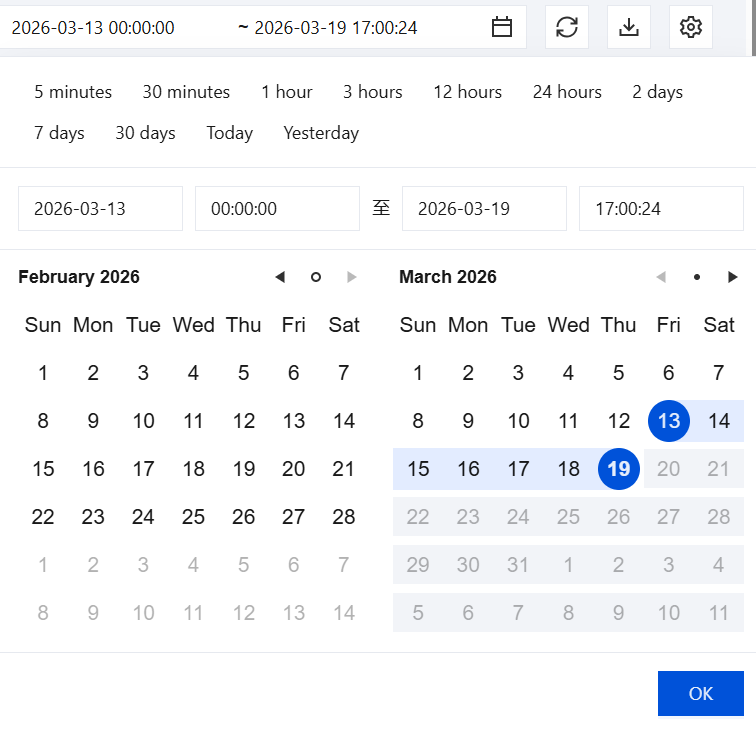
Select a time or custom time range to view relevant alarm records.
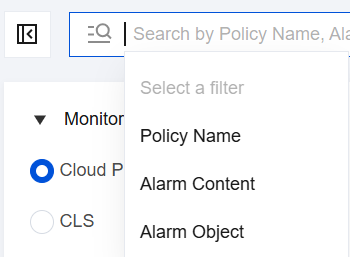
In the search box, you can quickly filter and view relevant alarm records by policy name, alarm content, and alarm target.
文档反馈