JavaScript
Download
포커스 모드
폰트 크기
Feature Overview
Pinning a conversation to the top is to fix a one-to-one or group conversation at the top of the conversation list to facilitate search. The status of a conversation being pinned to the top will be stored on the server and synced to new devices.
After this API is called successfully, the conversation list will be sorted again, and the SDK will distribute the
TencentCloudChat.EVENT.CONVERSATION_LIST_UPDATED event.Note:
The maximum number of conversations that can be pinned to the top is 50, and this limit cannot be increased.
UI Display
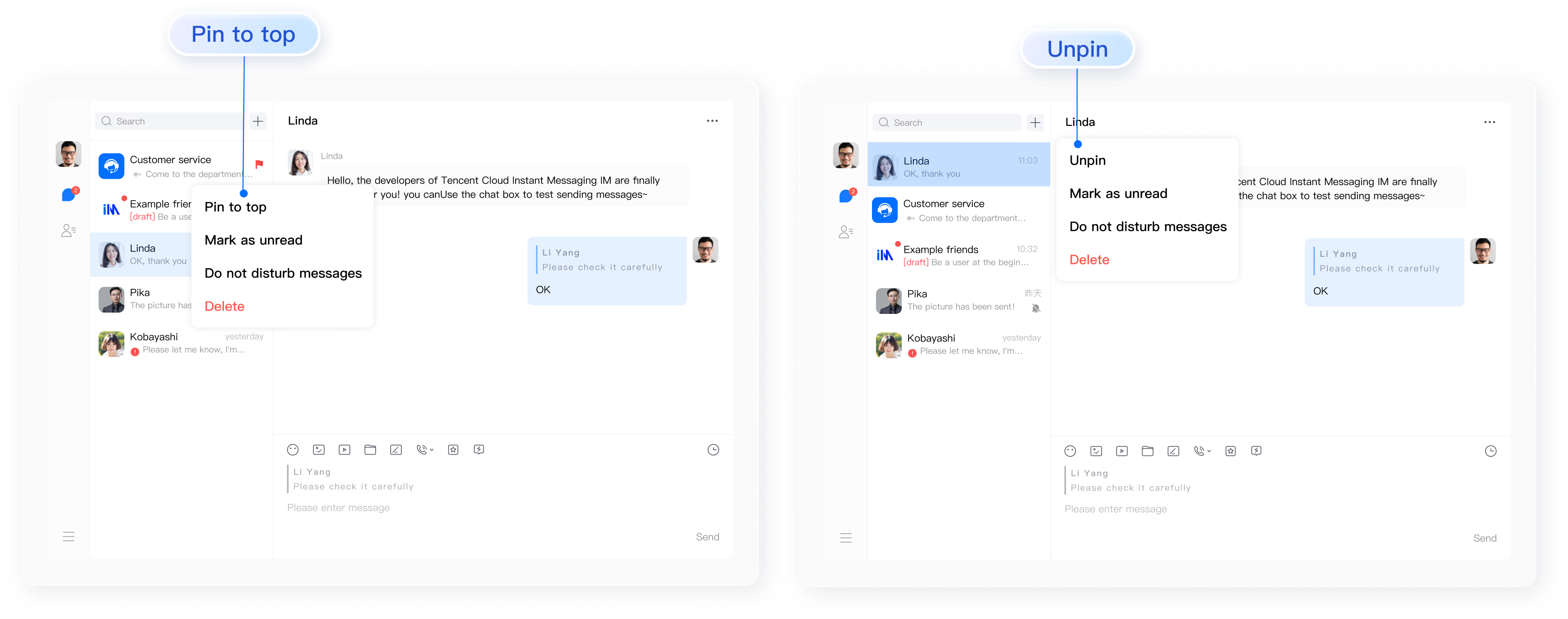
Pinning/Unpinning a Conversation to/from the Top
API
chat.pinConversation(options);
Parameters
The
options parameter is of the Object type. It contains the following attribute values:Name | Type | Description |
conversationID | String | Conversation ID, which consists of: C2C${userID} (for one-to-one chats)GROUP{groupID} (for group chats)@TIM#SYSTEM (system notification conversation)GROUP${topicID} (topic) |
isPinned | Boolean | true, the conversation is pinned to the topfalse, the conversation is unpinned from the top |
Return value
PromiseExamples
// Pin a conversation to toplet promise = chat.pinConversation({ conversationID: 'C2CExample', isPinned: true });promise.then(function(imResponse) {// The conversation is pinned to top successfully.const { conversationID } = imResponse.data; // ID of the conversation pinned to top}).catch(function(imError){console.warn('pinConversation error:', imError); // Error information});
// Unpin a conversation from toplet promise = chat.pinConversation({ conversationID: 'C2CExample', isPinned: false });promise.then(function(imResponse) {// The conversation is unpinned from top successfully.const { conversationID } = imResponse.data; // ID of the conversation unpinned from top}).catch(function(imError){console.warn('pinConversation error:', imError); // Error information});
피드백