tencent cloud
プロモーション
製品
ソリューション
価格
パートナー
マーケットプレイス
詳しく知る
Prev
Next
CVM Dedicated Host
Product Introduction
Overview
Regions and Zones
Strengths
Models
Purchase Guide
How to Purchase
Operation Guide
Querying CDH Instance Information
Search CDH Instance
Rename CDH Instance
Export List of CDH Instance
Assigning CVM Instances
Log into Dedicated CVM
Export List of Dedicated CVM
CVM Configuration Adjustment
Terminating Dedicated CVMs
Migrating Instances Among
FAQs
Billing
Hosts
CVM-related
ドキュメント
CVM Dedicated Host
Operation Guide
Rename CDH Instance
Rename CDH Instance
ダウンロード
フォーカスモード
フォントサイズ
最終更新日: 2021-06-30 14:31:20
In order to facilitate quick identification and management of CDHs, Tencent Cloud supports setting of host name with immediate effect.
Renaming a CDH Instance in Console
1.
Log in to the
CDH Console
.
2.
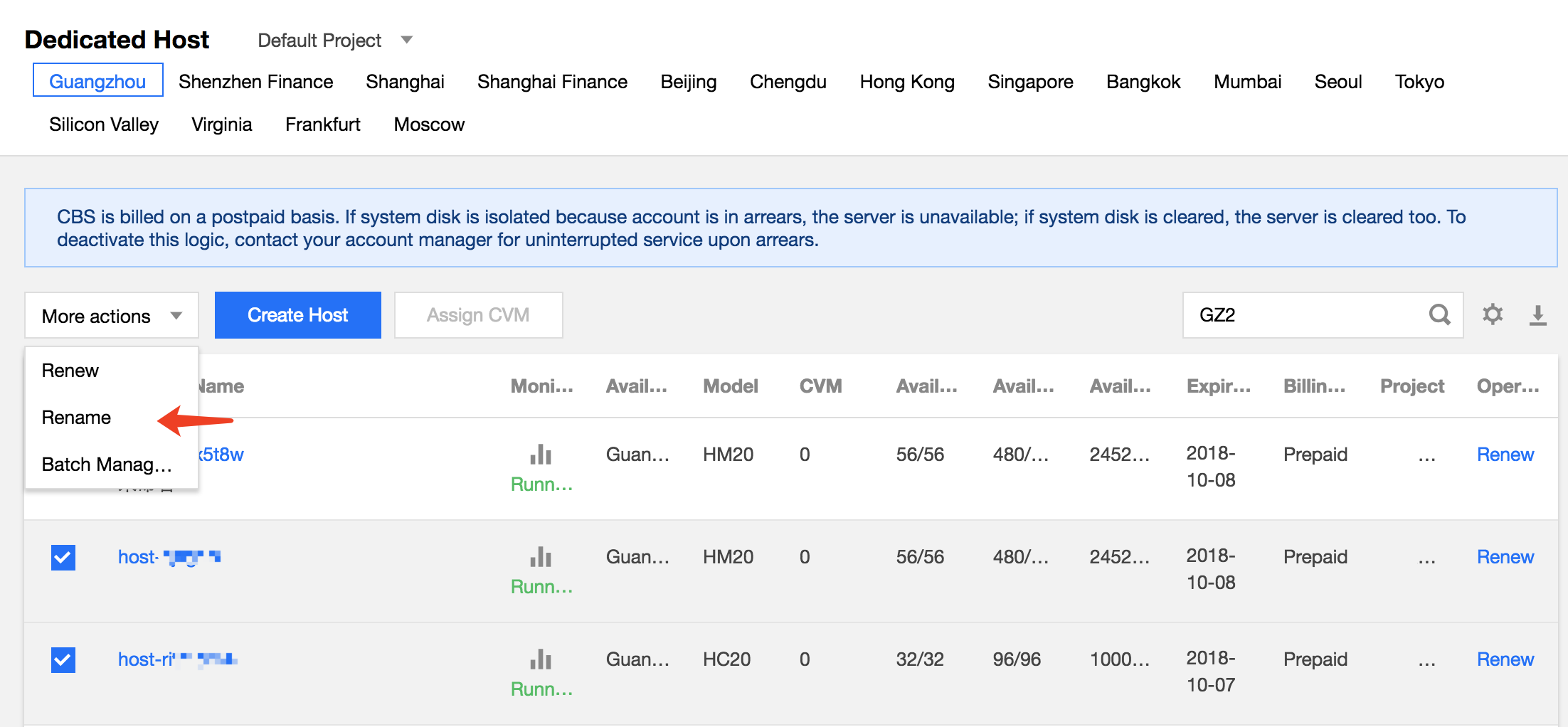
Select a region, check the host to be renamed and click
More actions
>
Rename
at the top of the list.
3.
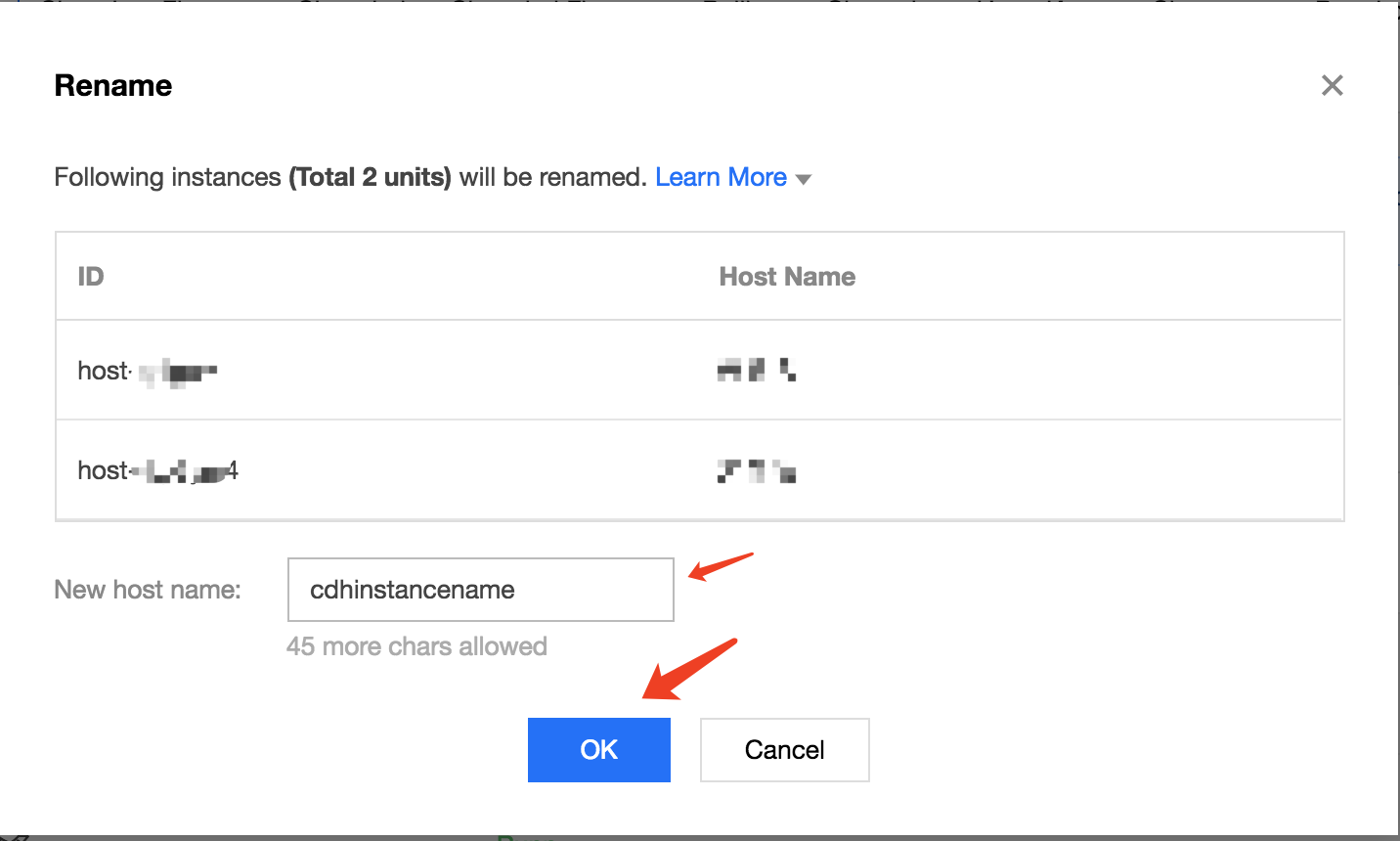
In the renaming operation pop-up, enter the new host name and click
OK
to complete.
Renaming a CDH Instance Through API
CDH instances can be renamed using the ModifyHostsAttribute API. For details, see
API for Modifying CDH Instance Attributes
.
前の記事へ: Search CDH Instance
次の記事へ: Export List of CDH Instance
ヘルプとサポート
この記事はお役に立ちましたか?
はい
いいえ
営業担当者に
お問い合わせ
いただくか
チケットを提出
してサポートを求めることができます。
フィードバック