Pausing Task
This document describes how to pause a test task, after which the Test Statistics page will not be able to display test data and billing will stop.
Directions
1. Log in to the CAT console.
2. On the left sidebar, click Tasks.
Pausing a test task
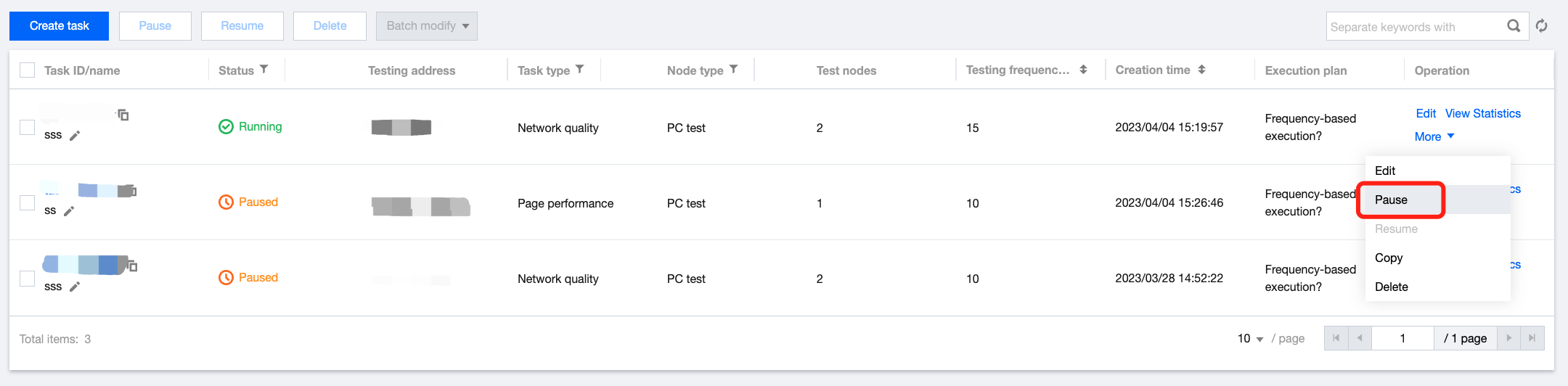
In the test task list, click More > Pause in the Operation column to pause a task.
Batch pausing test tasks
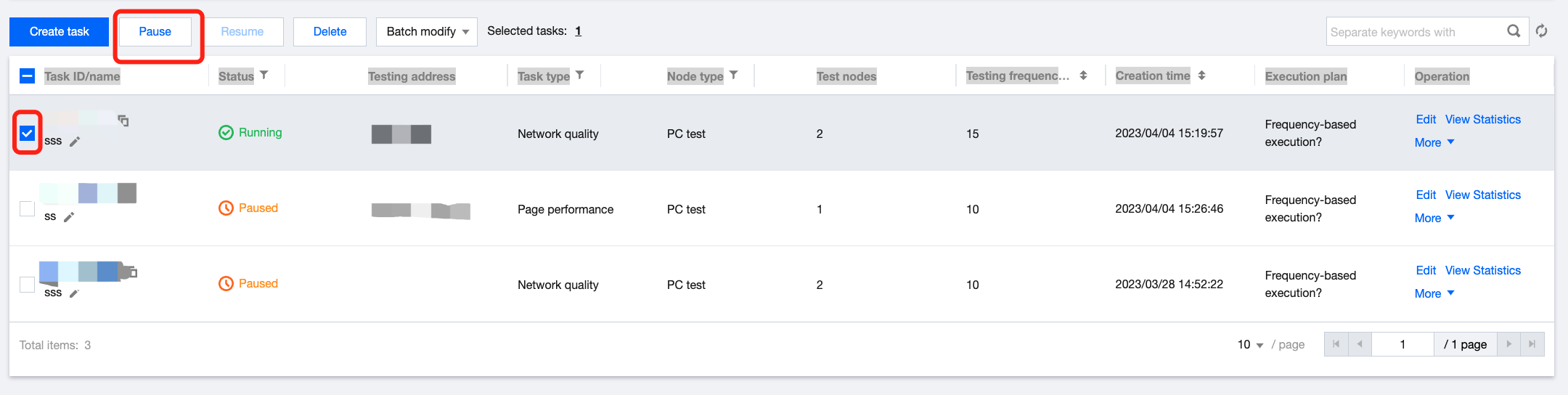
Select multiple tasks and click Pause in the top-right corner to pause them.
フィードバック