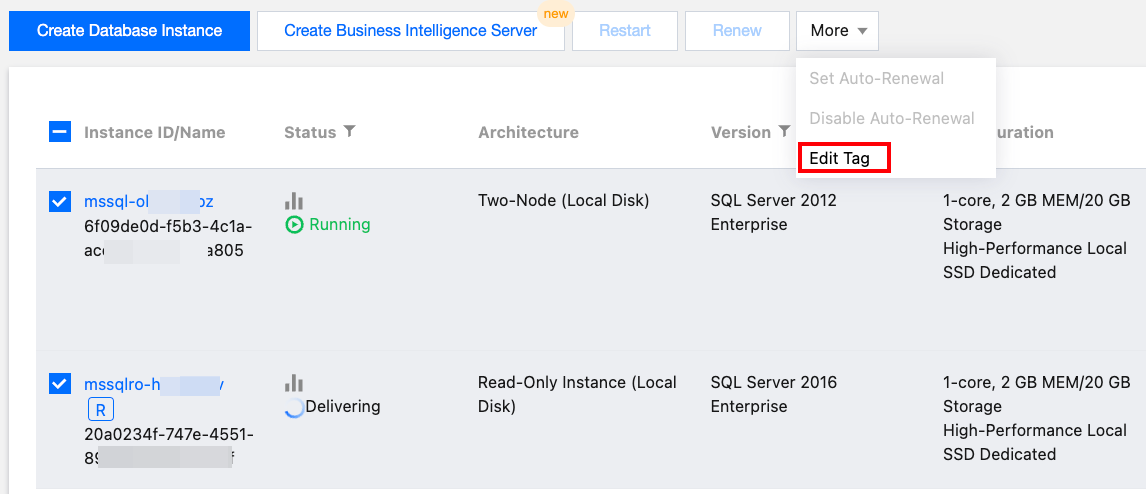
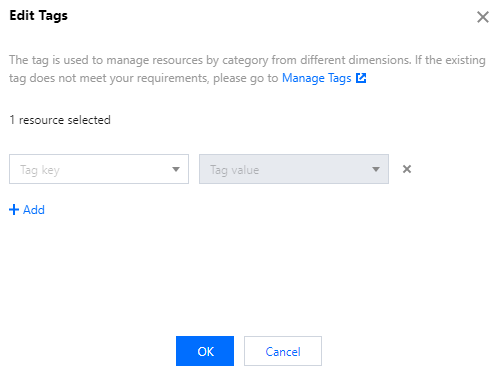
Tags are key-value pairs provided by Tencent Cloud to easily identify resources. For more information, see Tag Overview.
You can use tags to categorize and manage TencentDB for SQL Server resources by various metrics such as business, purpose, and owner. You can also easily find a resource by its tag. In Tencent Cloud, the tag key-value pairs have no semantic meaning and are strictly parsed and matched as strings. To use tags, pay attention to the use limits first.
2. Click Tag List on the left sidebar to enter the tag list page.
3. Click Create Tag. In the pop-up window, click Add Tag Key to create a tag or select an existing tag and add a tag value to it. You can create multiple tags at a time.
2. Select the region at the top, find the target instance, and click the target instance ID or Manage in the Operation column to enter the instance management page.
3. On the Instance Details page of the Instance Management page, click the editing icon next to the Tag.
4. In the pop-up window, set Tag Key and Tag Value and click OK.