Getting Started
ダウンロード
フォーカスモード
フォントサイズ
This document describes how to quickly use the quality traffic package service to help you understand the full process to use quality traffic packages, from creating to using them. You need to complete the following operations.
Prerequisites
1. Purchase quality traffic packages. For details, see Creating Quality Traffic Packages.
2. Enable Quality Traffic Package: After you enable Quality Traffic Package, the access quality of the following instances consuming traffic from Hong Kong (China) and Singapore to the Chinese mainland is improved (The feature is supported for instances only within the same region). It helps reduce the business access latency, improve the quality, and deliver higher stability.
Lighthouse: supports the Hong Kong (China) and Singapore regions. To enable quality traffic packages for Razor Speed Lighthouse instances, please submit a beta application. We will complete the review within 3 business days.
General BGP IP addresses, including common public IP addresses and EIPs in pay-by-traffic and main traffic billing modes: only Hong Kong (China) is supported.
Directions
Enabling Quality Traffic Package for Lighthouse
1. Log in to the Lighthouse console.
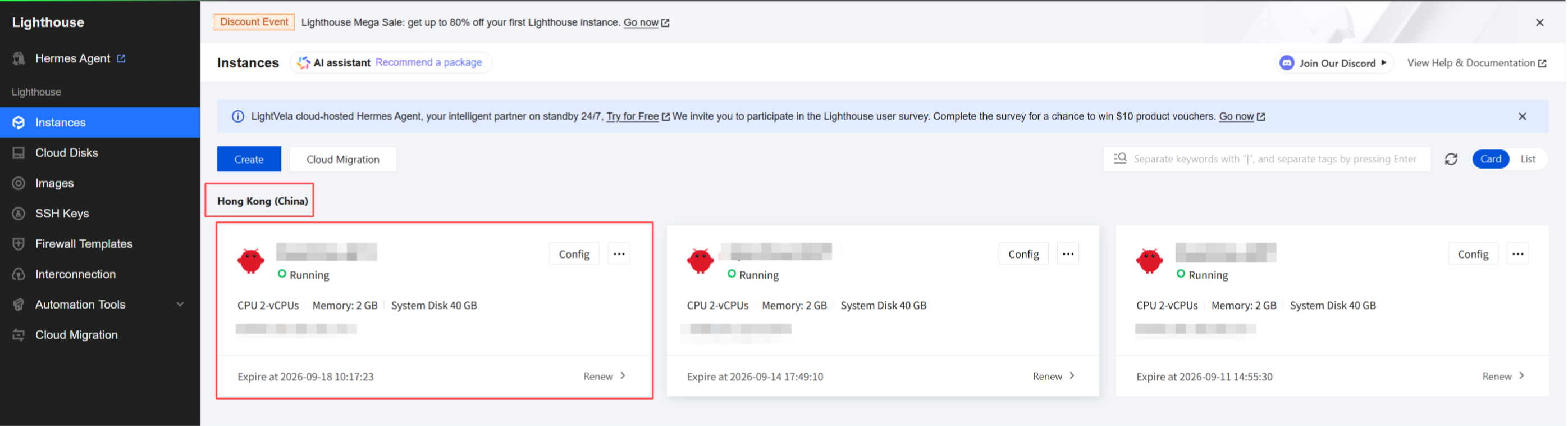
2. Select a region, such as Hong Kong (China). Find the Lighthouse instance for which you want to enable Quality Traffic Package, and click the instance to go to the instance details page.
3. On the instance details page, in the Network module, you can see that Quality Traffic Package is disabled by default for the instance. Click the on/off toggle of Quality Traffic Package.

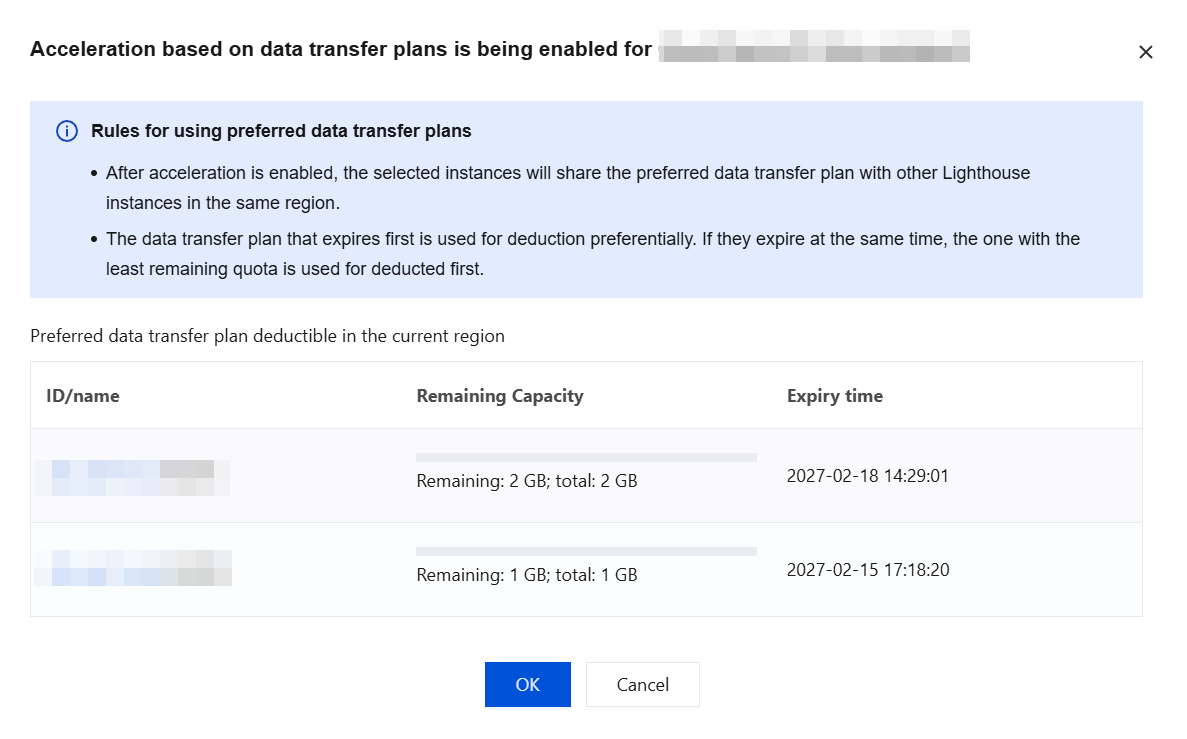
4. On the Enable Quality Traffic Package page, valid quality traffic packages in the current region are displayed. After you confirm the usage rules of the quality traffic packages, click OK to enable Quality Traffic Package for the instance.
Note:
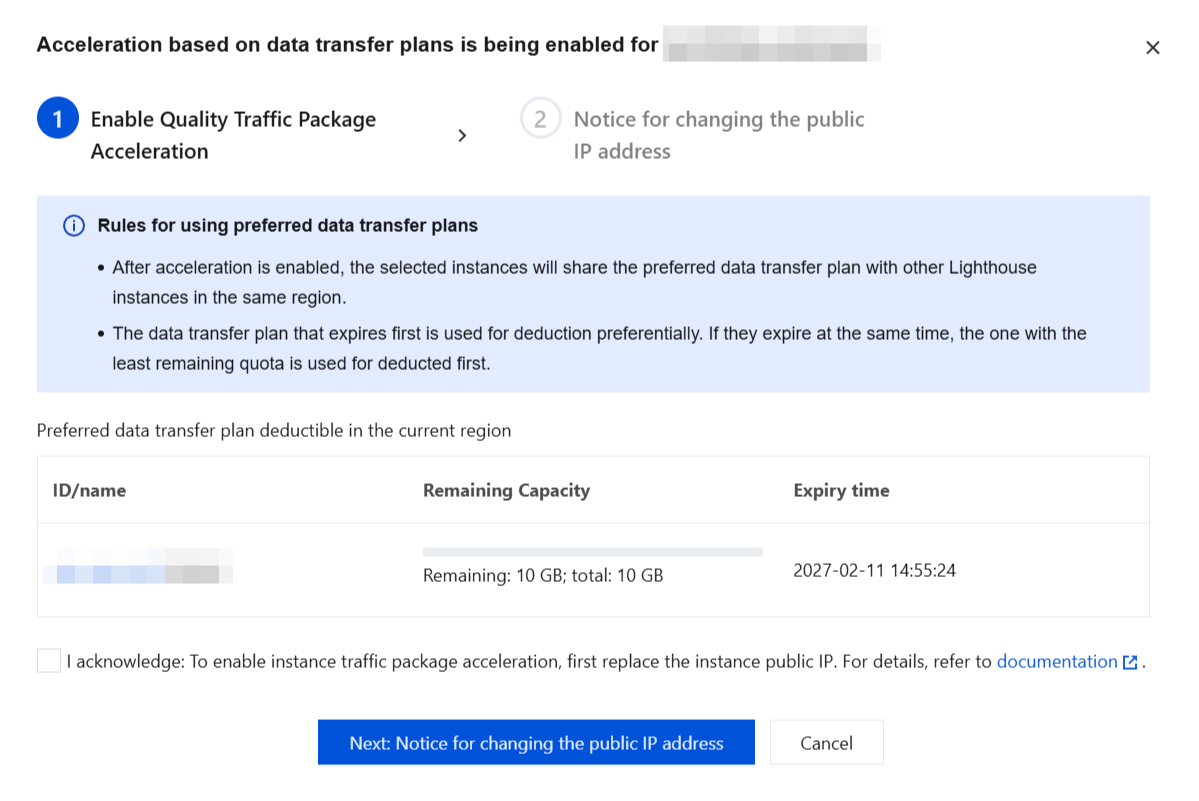
To enable Quality Traffic Package for a Lighthouse instance in the Singapore region, you must first replace the instance's public IP address. This replacement does not consume the quota for your self-service public IP address replacement.
Hong Kong (China):
Singapore:
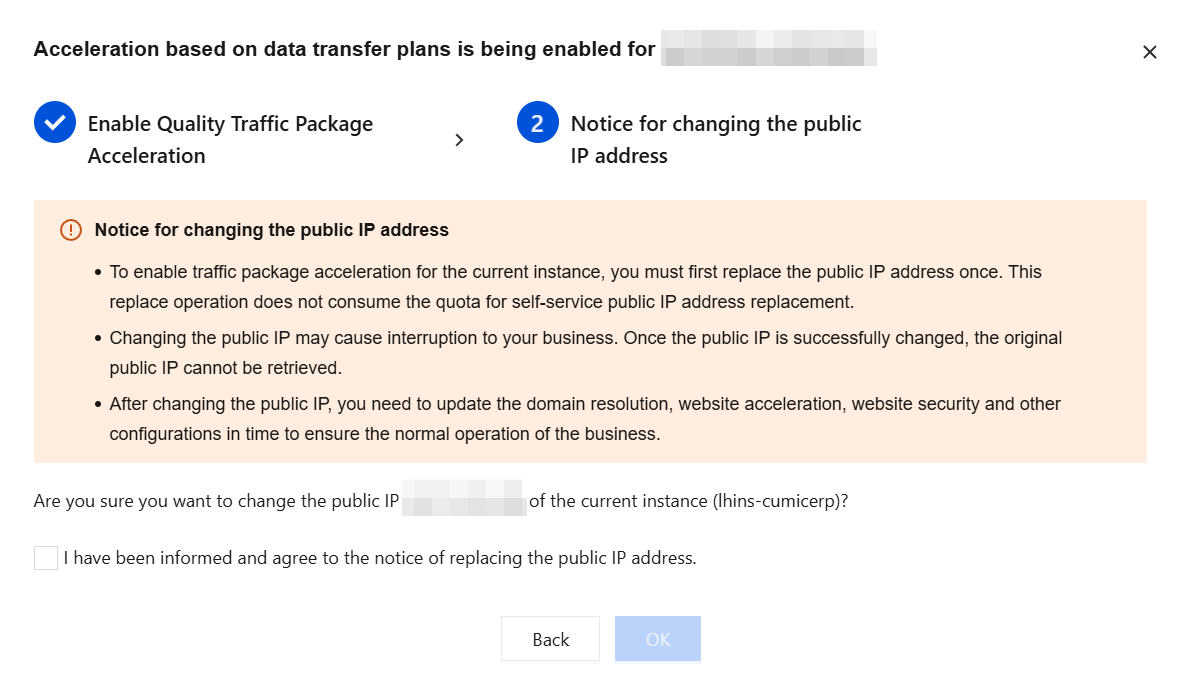
Enabling Quality Traffic Package for General BGP IP Addresses
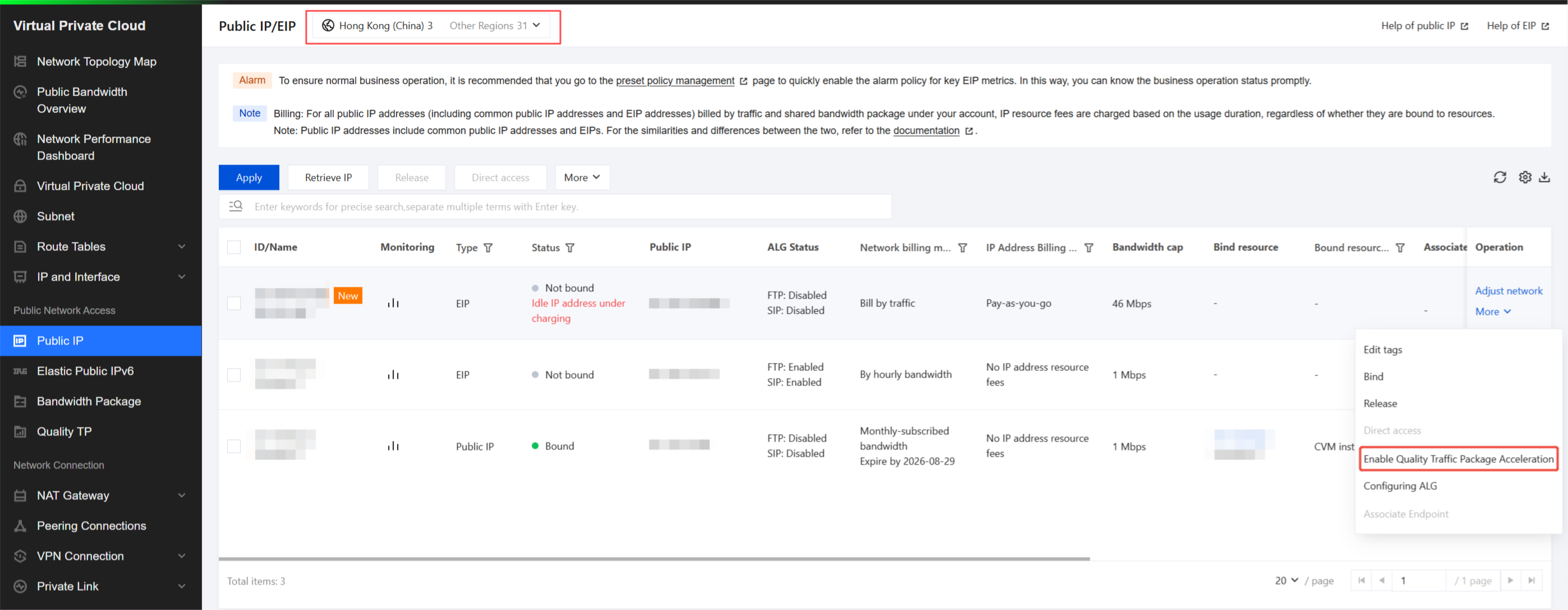
1. Log in to the EIP console. On the EIP page, select the following region from the top: Hong Kong (China).
Note:
Quality traffic packages only in Hong Kong (China) can be used to simultaneously offset traffic consumption for same-region Lighthouse instances and general BGP IP addresses, including common public IP addresses and EIPs in pay-by-traffic and main traffic billing modes.
Quality Traffic Package can be enabled for general BGP IP addresses, including common public IP addresses and EIPs only for standard account types. If you want to confirm your account type, see EIP - Account Type Description.
2. Locate the IP address for which you want to enable Quality Traffic Package. In the Operation column of the corresponding EIP, choose More > Enable Quality Traffic Package Acceleration.
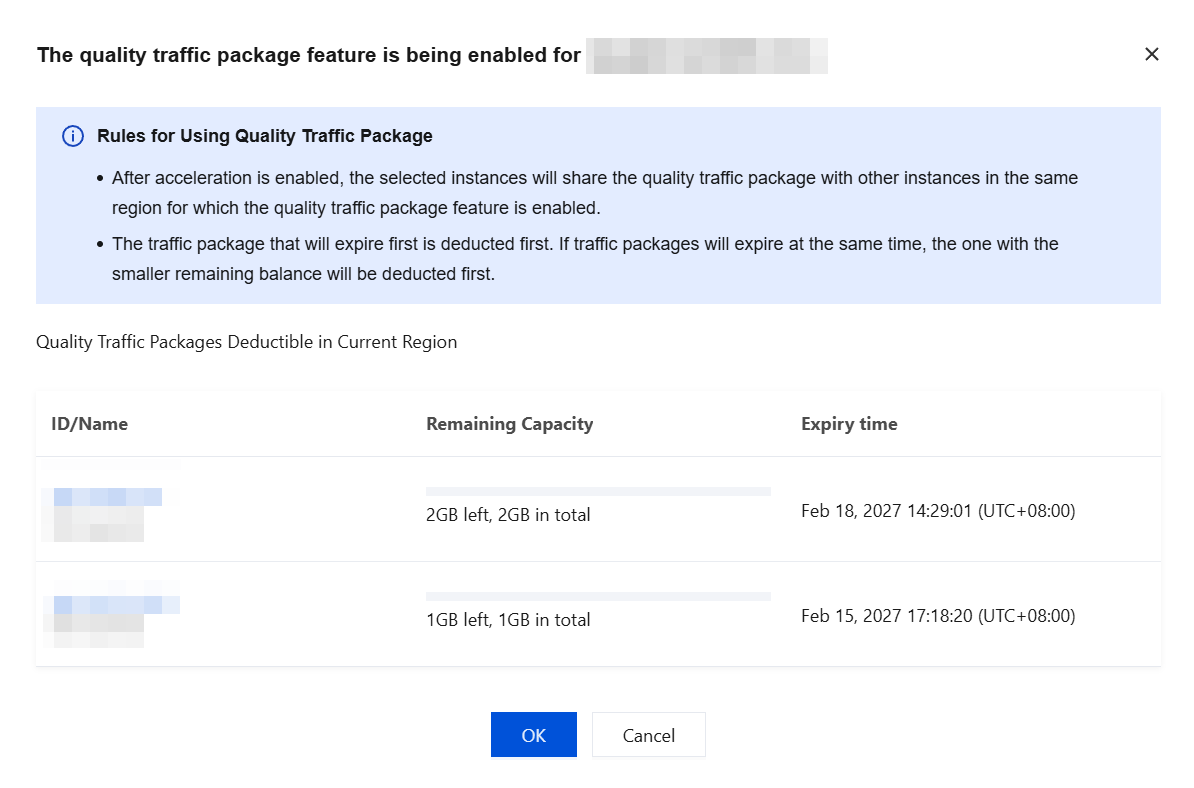
3. On the Enable Quality Traffic Package page, the valid quality traffic packages in the current region are displayed. After you confirm the usage rules of the quality traffic packages, click OK to enable Quality Traffic Package for the instance.
フィードバック