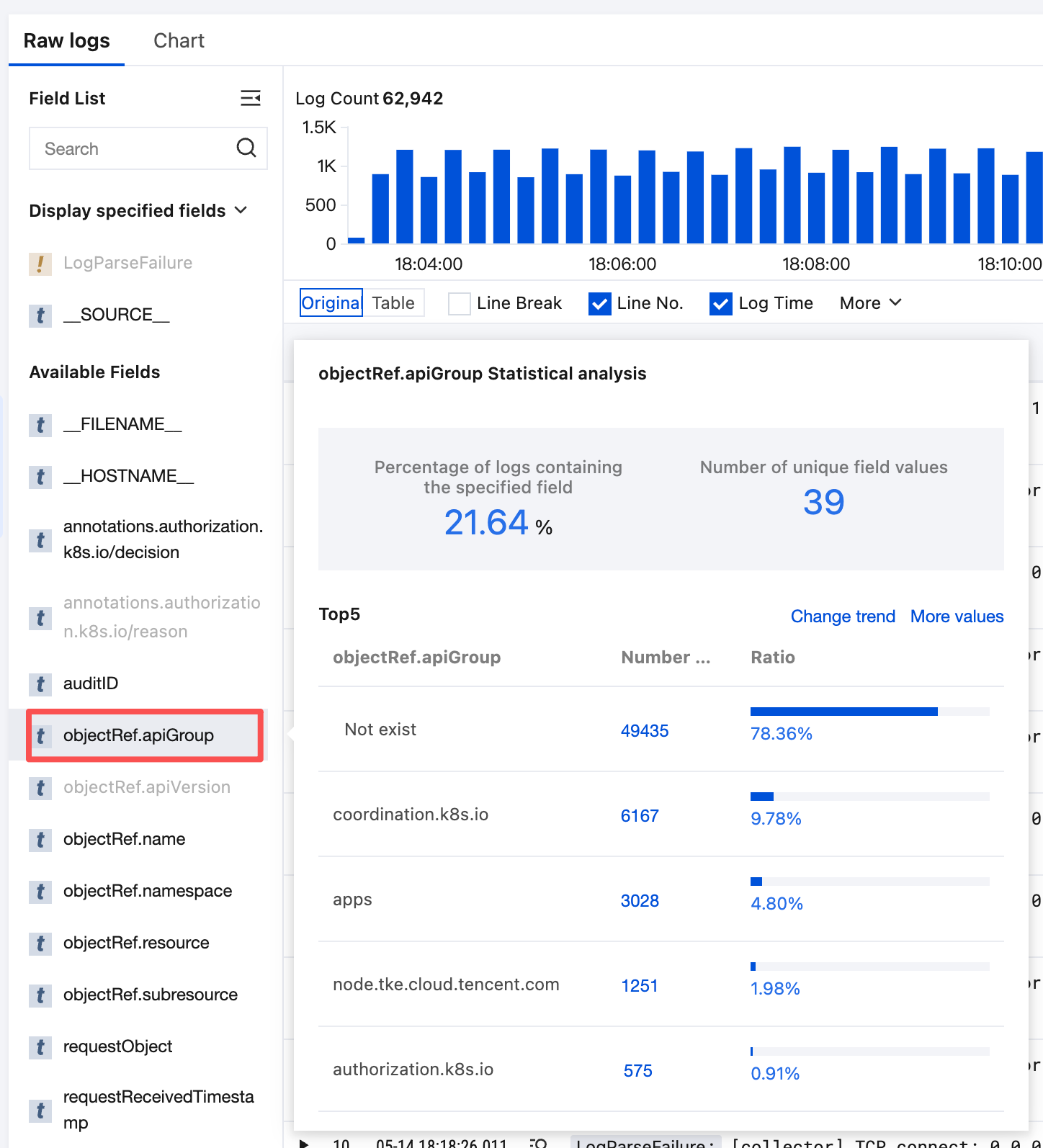
CLS provides a quick statistical analysis feature for fields, enabling you to analyze the distribution of field values, trends over time, and numeric statistics without writing query statements. For example, you can quickly view the Top 5 requested APIs or the trend of API response times.
Prerequisite
You have enabled quick analysis feature for fields in index configuration.
2. On the left sidebar, click Search and Analysis to go to the search and analysis page.
3. Select the target log topic to search.
4. In the field list on the left, click Field name.
Note:
Fields displayed in gray cannot be clicked because statistics have not been enabled for them. To use quick analysis, enable statistics for the field in the Index Configuration.
5. In the Quick Analysis pop-up box, click a number to automatically generate the corresponding search query and chart.