Viewing Migration Task Result
Unduh
Mode fokus
Ukuran font
Overview
This document describes how to view the results of migration tasks.
Prerequisites
You have logged in to the CFS console.
Directions
Viewing results in the data migration service panel
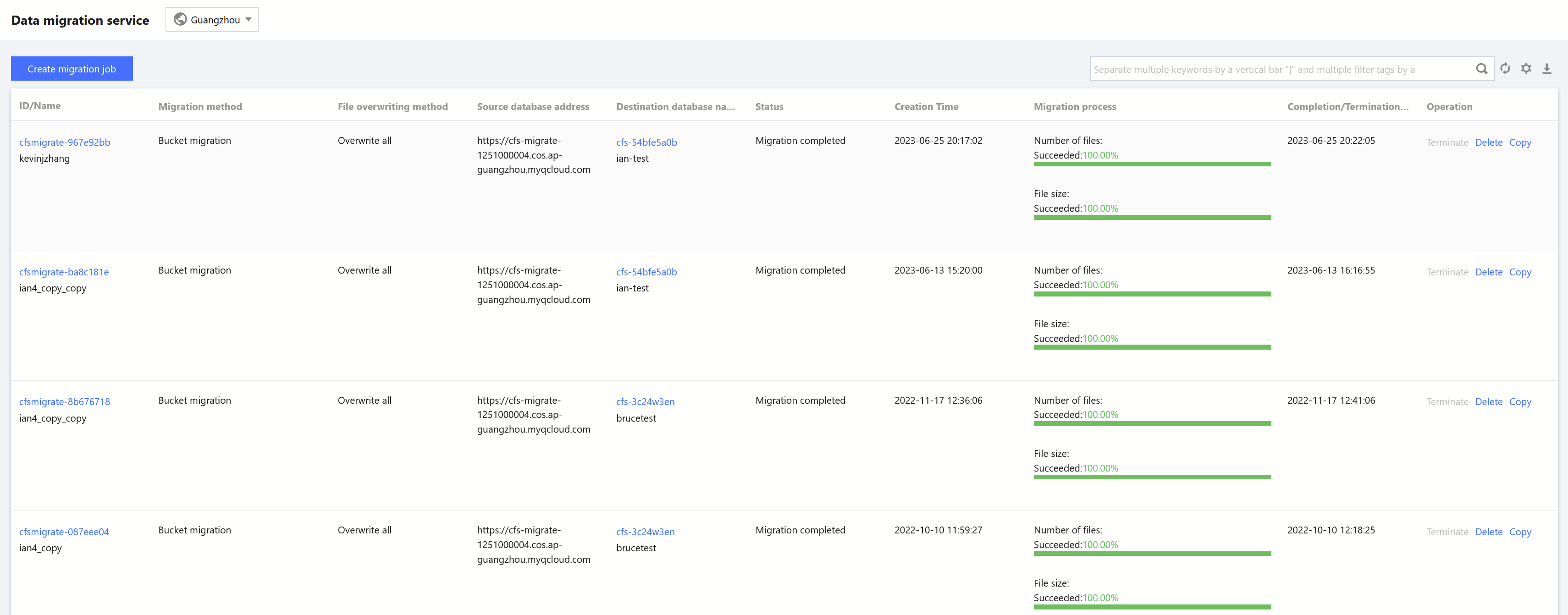
On the Data Migration Service page, select the target region and view the basic information of a migration task, such as migration settings and progress.
Viewing detailed information
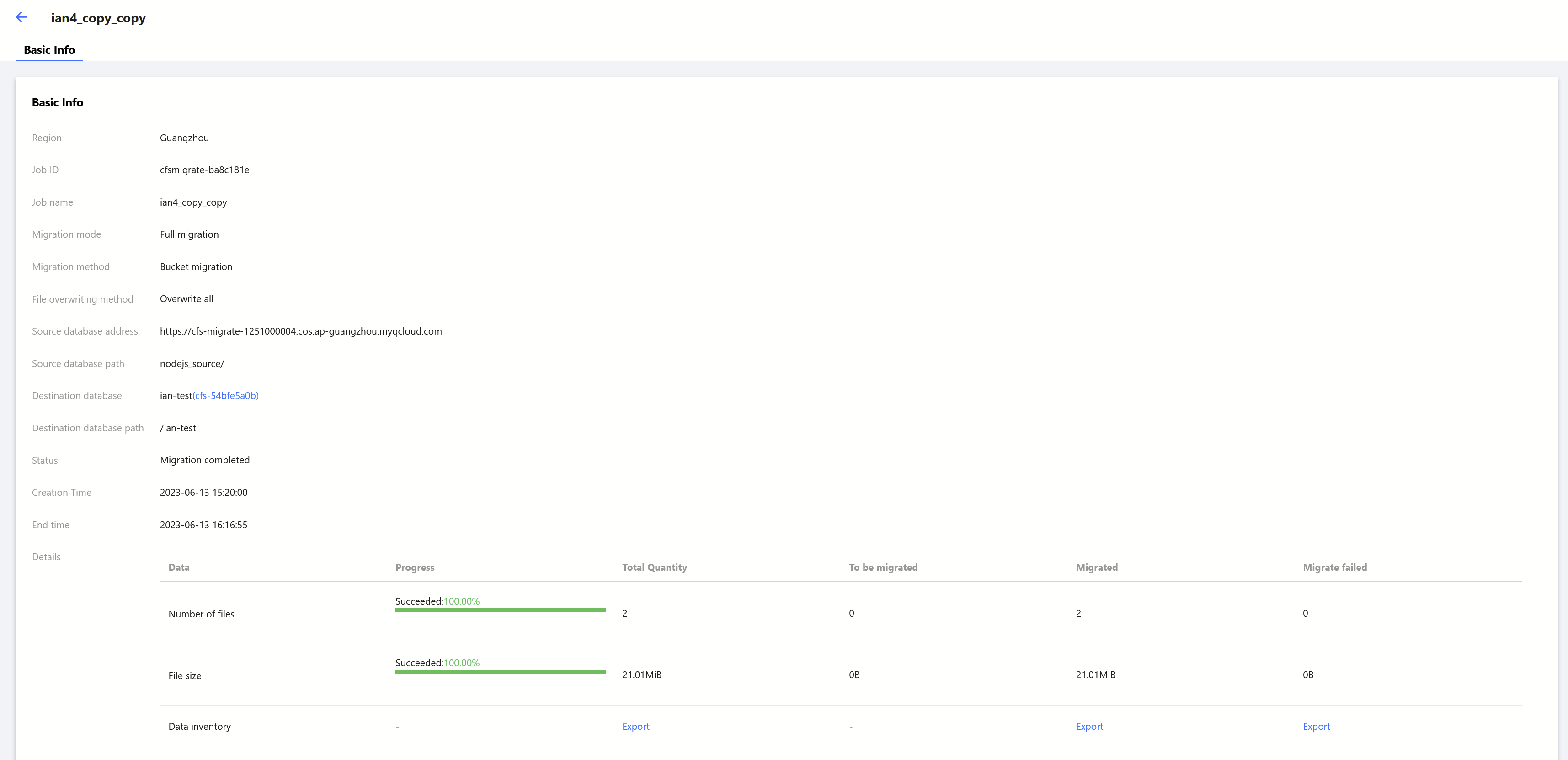
On the Data Migration Service page, click the ID/Name of the target migration task to view its details, such as the total number/size of files, and the number/size of files to be migrated, migrated successfully, and failed to be migrated.
Bantuan dan Dukungan
Apakah halaman ini membantu?
Anda juga dapat Menghubungi Penjualan atau Mengirimkan Tiket untuk meminta bantuan.
masukan