Token Plan Quick Start
Unduh
Mode fokus
Ukuran font
This article describes how to rapidly utilize models supported by the Token Plan subscription in openclaw or coding tools for work tasks or code development.
Purchasing a Token Plan Personal Edition Package
Selecting an AI Tool
Coding Tools | ||
An intelligent coding tool based on Tencent Cloud AI technology | Open-source AI coding agent tool | Lightweight, High-Performance Coding Tool |
A VSCode extension for code completion and debugging | AI-native code editor | Lightweight, High-Performance Coding Tool CLI |
An AI terminal coding assistant that supports natural language coding | Intelligent coding agent launched by OpenAI | A development tool with deeply integrated AI capabilities |
Configuring an AI Tool
The following section uses Cline as an example to describe how to use Token Plan.
1. Installing Cline
Open VSCode, search for and install Cline from the Extensions Marketplace. For details, refer to the Cline official installation guide.
2. Configuring Token Plan
After the Cline extension is installed, click the settings button in the upper-right corner. Configure the package information. Each model requires a separate configuration. After the configuration is complete, click "Done".
API Provider: Select OpenAI Compatible (the Token Plan API is compatible with the OpenAI standard).
Base URL:
https://tokenhub-intl.tencentcloudmaas.com/plan/v3.API Key: On the Token Plan package page > API Key, generate a dedicated API Key and copy it.

Model ID: Select a model ID supported by the package to configure.
3. Using Cline
After the configuration is complete, you can view the corresponding model configuration displayed below the dialog box, switch models, and interact with the model through the dialog box.
Other Operations
1. Viewing Package Usage Consumption
You can view the credit consumption and Token usage for your package's current billing cycle in the console. Go to the large language model service platform TokenHub > Token Plan.
Note:
Credit Refresh Rules: After the package credits are exhausted within the subscription month's cycle, no other resource packages or account balances will be consumed. You must wait until the next subscription month for the credits to be automatically restored. Alternatively, you can upgrade to a higher-tier package to enjoy a more generous Token quota.
1.1 View the overall consumption of your package credits in the Remaining Credits section.
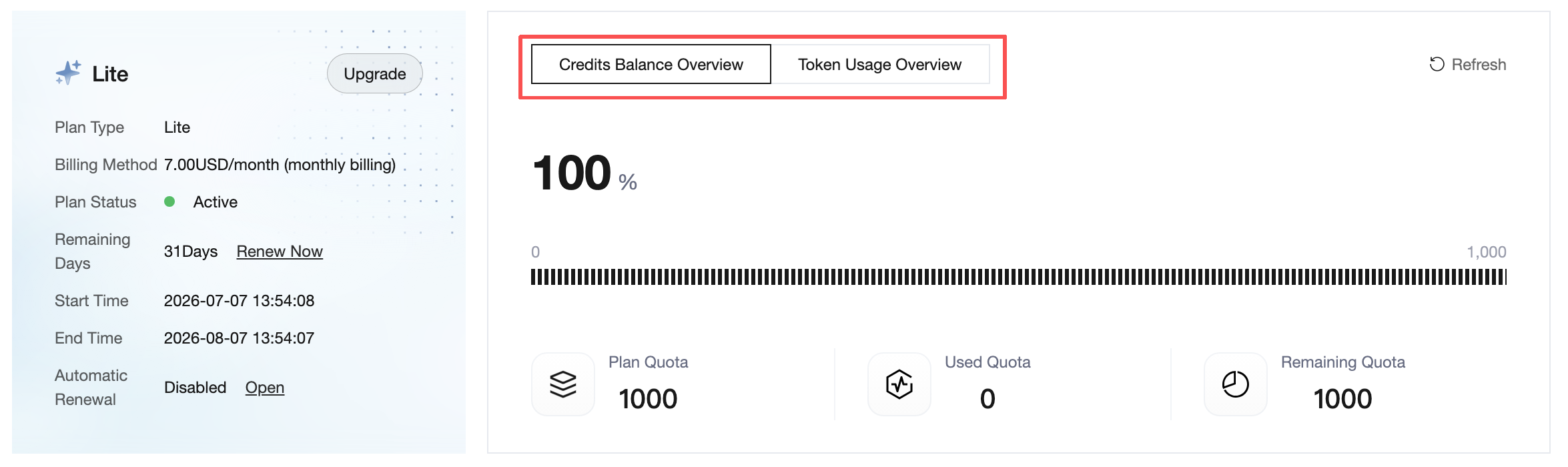
1.2 View the daily total usage, minute-level usage, and request-dimension usage in the Usage Details section at the bottom of the page.
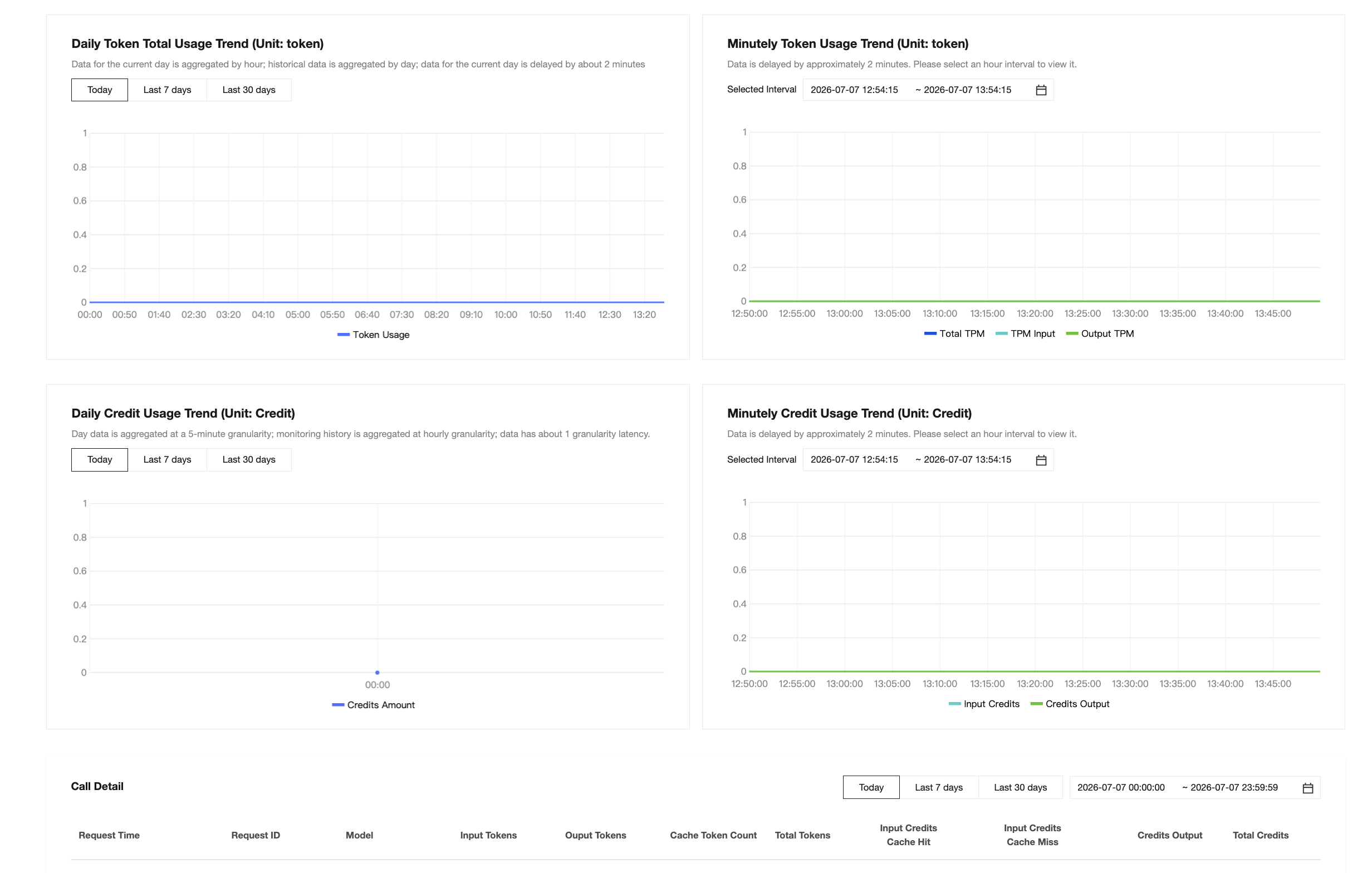
2. API Key Management
Copy the API Key
On the large model service platform TokenHub > Token Plan > API Key, click Copy to obtain the API Key.
Reset the API Key
On the large language model service platform TokenHub > Token Plan > API Key, click Reset to regenerate the API Key.
Attention:
Resetting the API Key for the Token Plan Personal Edition package will cause the old API Key to become permanently invalid within 5 minutes. Real-time API calls for all packages will be interrupted immediately and will not resume until you configure the new API Key on all calling clients. Please proceed with caution.
Delete the API Key.
On the large language model service platform TokenHub > Token Plan > API Key, click Delete to delete the API Key.
Attention:
Deleting the API Key for the Token Plan Personal Edition package will cause the old API Key to become permanently and irrecoverably invalid immediately. Real-time API calls for all packages will be interrupted instantly. Please proceed with caution.
Common Error Codes
Error Code | Error Message | Possible cause | Solution |
401 | unauthorized | URL or API Key configuration error | 1. Confirm that the URL is Token Plan URL. 2. Confirm that the API Key is correctly obtained according to the Dedicated API Key. 3. Refer to the OpenClaw and Coding Tools guides to confirm that the URL and API Key are configured correctly. |
429 | tpm rate limit exceeded | High system load triggers rate limiting. | Please retry 1-2 times or switch to other models. |
20033 | invalid model | Model Name configuration error | Check whether the model configuration is correct based on the package you subscribed to. |
20059 | Input length too long | Input length exceeded the allowed range. | The error can be resolved by creating a new session. |
20097 | month allocated quota exceeded | The request quota for each subscription month has been exhausted. | Wait until the same time of the next subscription month (subscription time) for quota reset, or upgrade to a higher-tier package. |
FAQs
Bantuan dan Dukungan
Apakah halaman ini membantu?
Anda juga dapat Menghubungi Penjualan atau Mengirimkan Tiket untuk meminta bantuan.
masukan