tencent cloud

Locking/Unlocking a User

PDF
Focus Mode
Font Size
Last updated: 2025-04-18 10:43:35

Overview

When a user account is locked, the administrator can access the user management page to find the locked user account and manually unlock it. After unlocking, the user can log in to the Bastion Host again and perform normal operations. Additionally, if a user is detected to have engaged in abnormal or non-compliant behavior, such as attempting to access unauthorized resources or executing hazardous commands, the administrator can manually lock the user's account to conduct an investigation and take appropriate actions.

Locking a User

1. Log in to the Bastion Host console.
2. In the left sidebar, select User Mgt > User.
3. On the User tab, select the target user, click More > Lock.


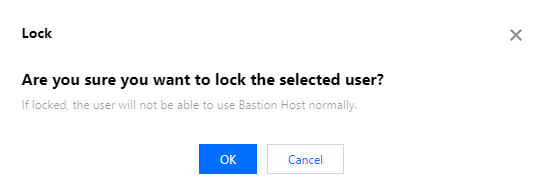
4. In the second confirmation pop-up dialog, click OK to lock the user.


Unlocking a User

1. Log in to the Bastion Host console.
2. In the left sidebar, select User Mgt > User.
3. On the User tab, select the target user, click More > Unlock.


4. In the second confirmation pop-up dialog, click OK to unlock the user.

Help and Support

Was this page helpful?

Help us improve! Rate your documentation experience in 5 mins.

Feedback
