You can renew your prepaid plans (Personal/Basic/Standard) manually before the expiration time, or enable auto-renewal for the plans. You can renew the plan in the Billing Center or EdgeOne console.
Note:
If the current resource is out of service, you need to manually enable the site after renewal to restore business services.
Manual Renewal
You can manually renew a single plan or multiple plans in a batch.
2. On the Plan Management page, you can renew a single plan or multiple plans in a batch:
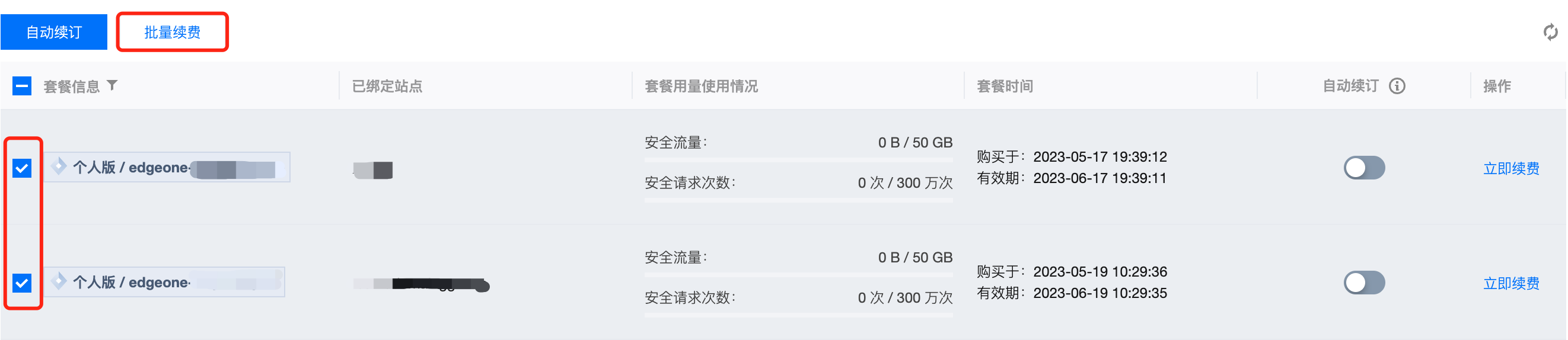
2.1 To renew a single plan, select the corresponding plan and click Renew Now, as shown in the figure below: 2.2 To renew multiple plans in a batch, go to the Plan Management page, select the plans to be renewed, and click Batch Renew. See the figure below:
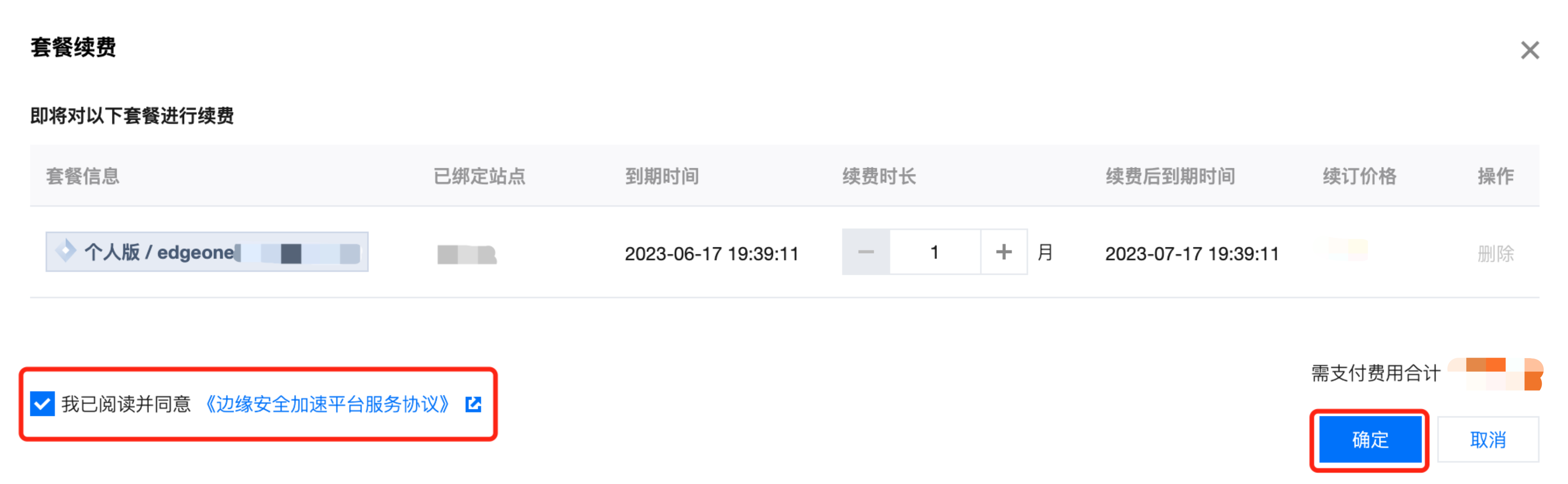
3. In the pop-up window, select the renewal period, agree to the service terms, and click OK. See the figure below:
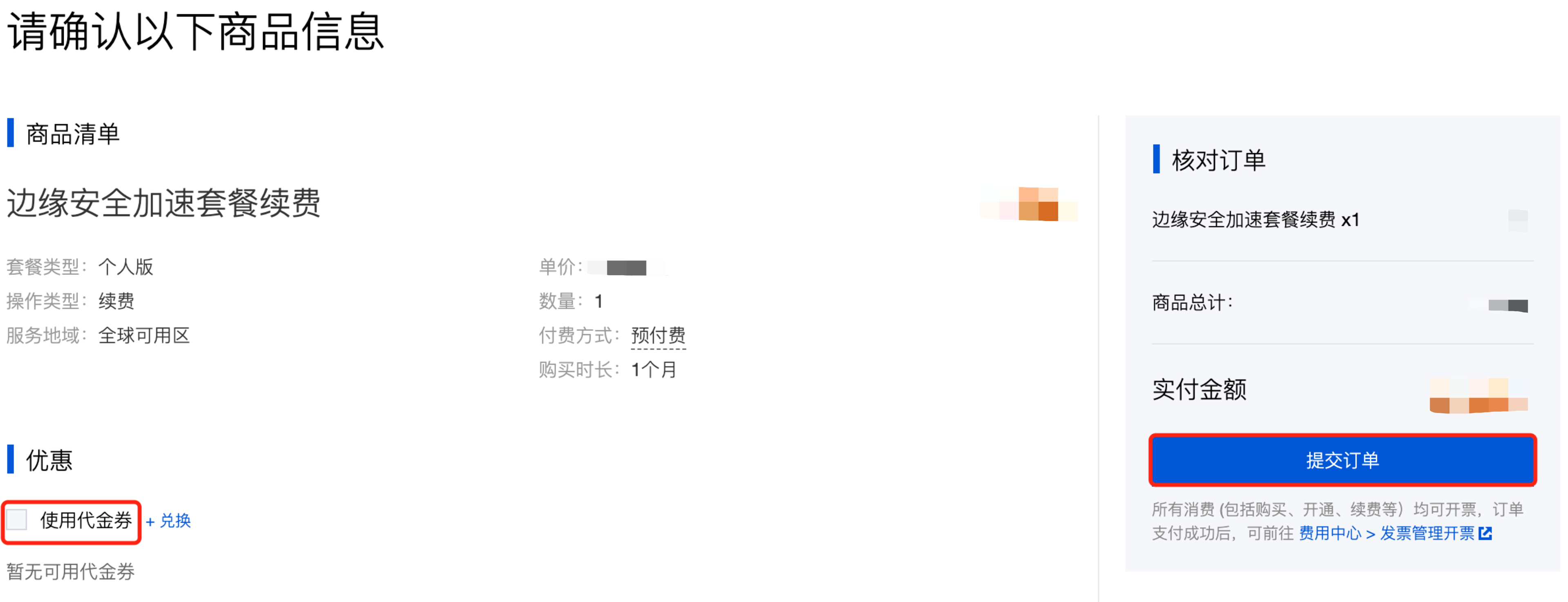
4. On the confirmation page, select the box that says Use promo voucher if there's any, and click . 5. When the order is submitted, select a payment method and pay fees.
Auto-Renewal
You can enable auto-renewal to have the plans renewed automatically. Once a plan has auto-renewal enabled, it will automatically renew for one month before the expiration date. Make sure you have sufficient account balance, otherwise the auto-renewal will fail. The following steps describe how to enable auto-renewal:
2. On the Plan Management page, you can enable auto-renewal for a single plan or for multiple plans in a batch:
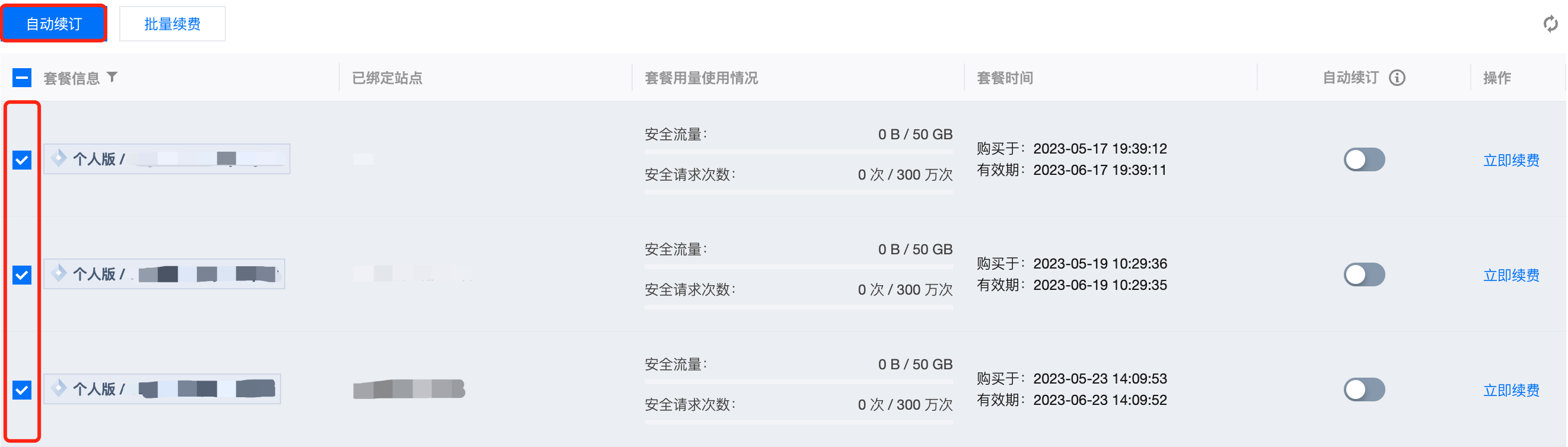
2.1 To enable auto-renewal for a single plan, go to the Plan Management page, select the plan for which you want to enable auto-renewal, and click to turn it on. 2.2 To batch enable auto-renewal for multiple plans, select the plans to be auto-renewed and click Auto-renewal.
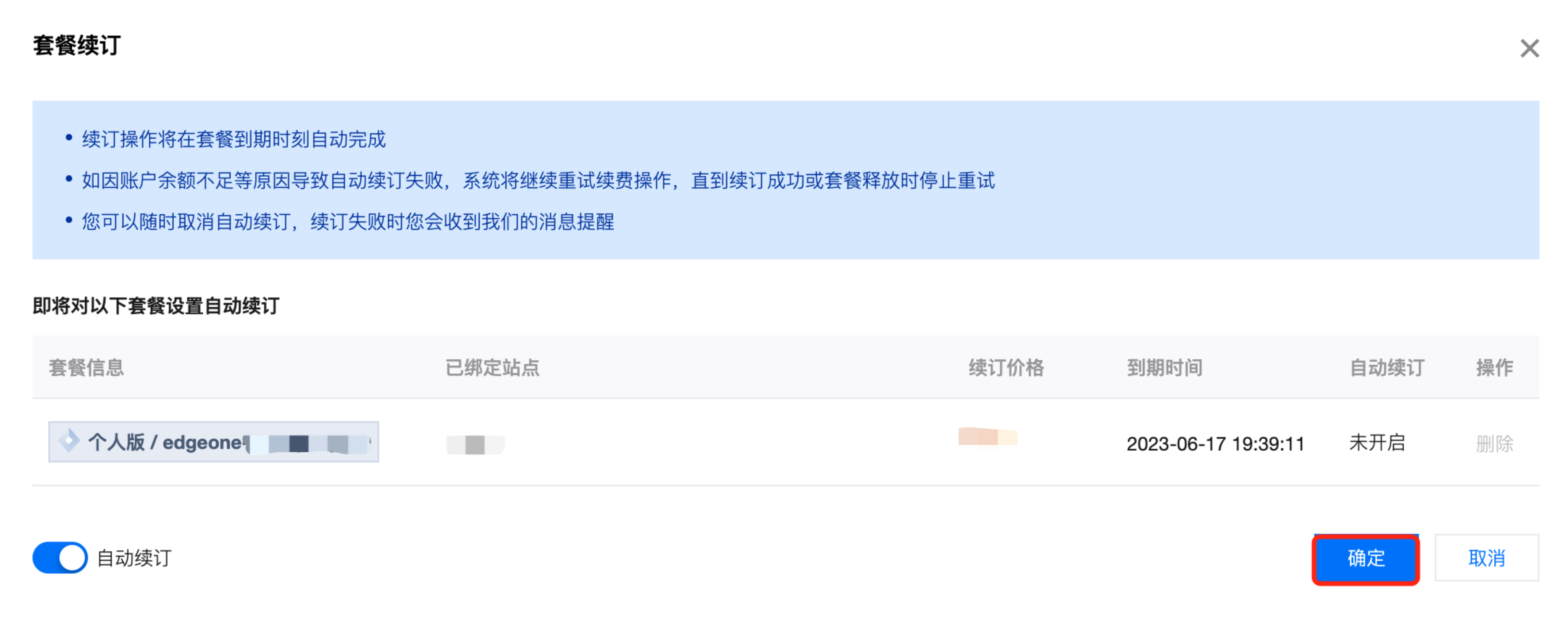
3. In the pop-up plan renewal window, confirm the renewal price. If it is correct, click OK, as shown in the figure below:
4. When the auto-renewal is successful, a message pops up in the top right corner and the toggle changes to . Note
If Auto-renewal is enabled, plans are automatically renewed 1 day before the expiration date.
If the account balance/credit is not enough for the renewal, the system retries renewing until it is successful or the plan is terminated.
To batch enable/disable Auto-renewal, the auto-renewal setting of all selected plans must be the same.
Related Documents