tencent cloud

Private DNS

PDNS 정책
개인 정보 보호 정책
데이터 처리 및 보안 계약
문서Private DNS

Activating Private DNS

포커스 모드
폰트 크기
마지막 업데이트 시간: 2024-12-31 16:10:18

Overview

Private DNS is a pay-as-you-go service. To use it, you need to confirm the agreement and activate it first. This document describes how to activate and try out the Private DNS service.

Activating Private DNS

1. Log in to the Private DNS console.
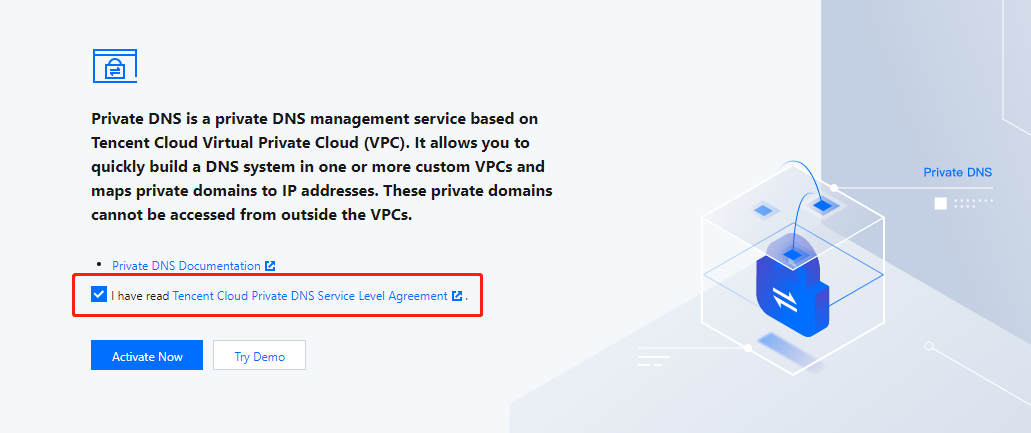
2. On the Private DNS overview page, read the Private DNS Service Level Agreement and select I have read Tencent Cloud Private DNS Service Level Agreement as shown below:

3. Click Activate Now.
Note:
Key account customers can enjoy exclusive services. Please contact your sales rep or architect to activate the service.
Trying out Private DNS

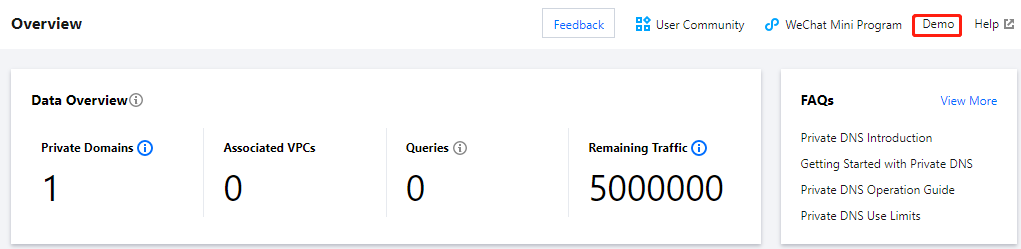
1. Log in to the Private DNS console to enter the Overview page.
2. After the Private DNS service is successfully activated, click Demo in the top-right corner to try it out as shown below:


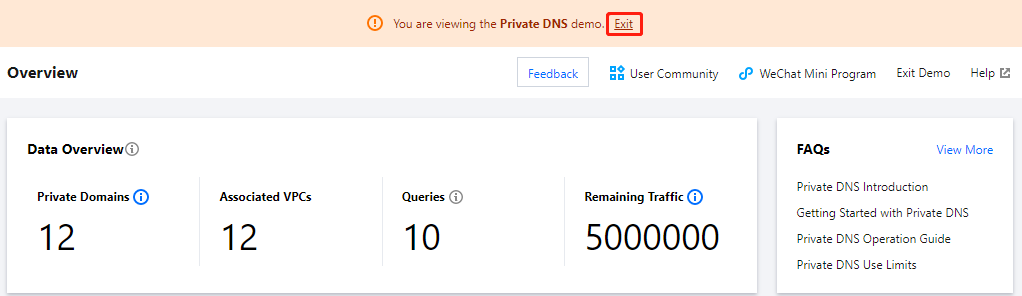
Exiting Demo

If you need to exit the demo, click Exit as shown below:
Note:
The demo only provides simulated data display and feature preview, while related features cannot be used.


도움말 및 지원

문제 해결에 도움이 되었나요?

피드백