The web real-time communication technology has the following compatibility requirements for browsers and mobile operating systems:
Mobile OS
Browser
Compatibility Requirements
iOS
Browser built in WeChat
iOS 14.3+ and WeChat 6.5+
Safari
iOS 11.1.2+ and Safari 11+
Chrome
iOS 14.3+
Android
Browser built in WeChat
Supported
Built-in browsers
Android 7+, with great compatibility with the built-in browsers of Huawei, OPPO, vivo, MEIZU, Honor, and Samsung (80% supported) and average compatibility with the built-in browser of Xiaomi (30% supported)
Other browsers
Android 7+, where Chrome is supported, but QQ Browser and UC Browser are not
NOTE:
1. Due to H.264 copyright restrictions, Chrome and Chrome WebView-based browsers on Huawei devices don't support the real-time communication technology.
2. Under circumstances where the real-time communication technology isn't supported, web face recognition will switch from reflection-based liveness detection to video recording mode, so as to ensure that the user can properly complete the eKYC process.
Mode switch description
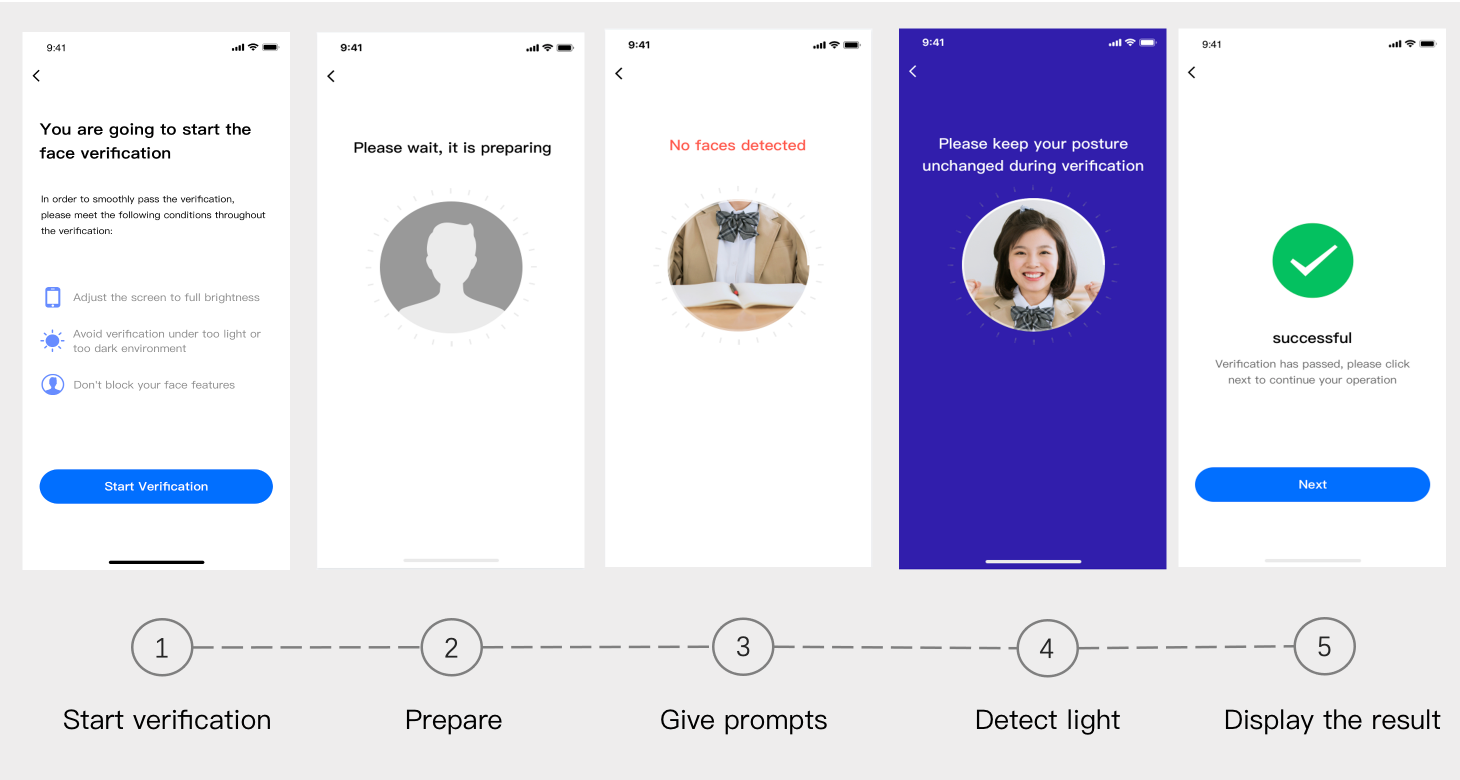
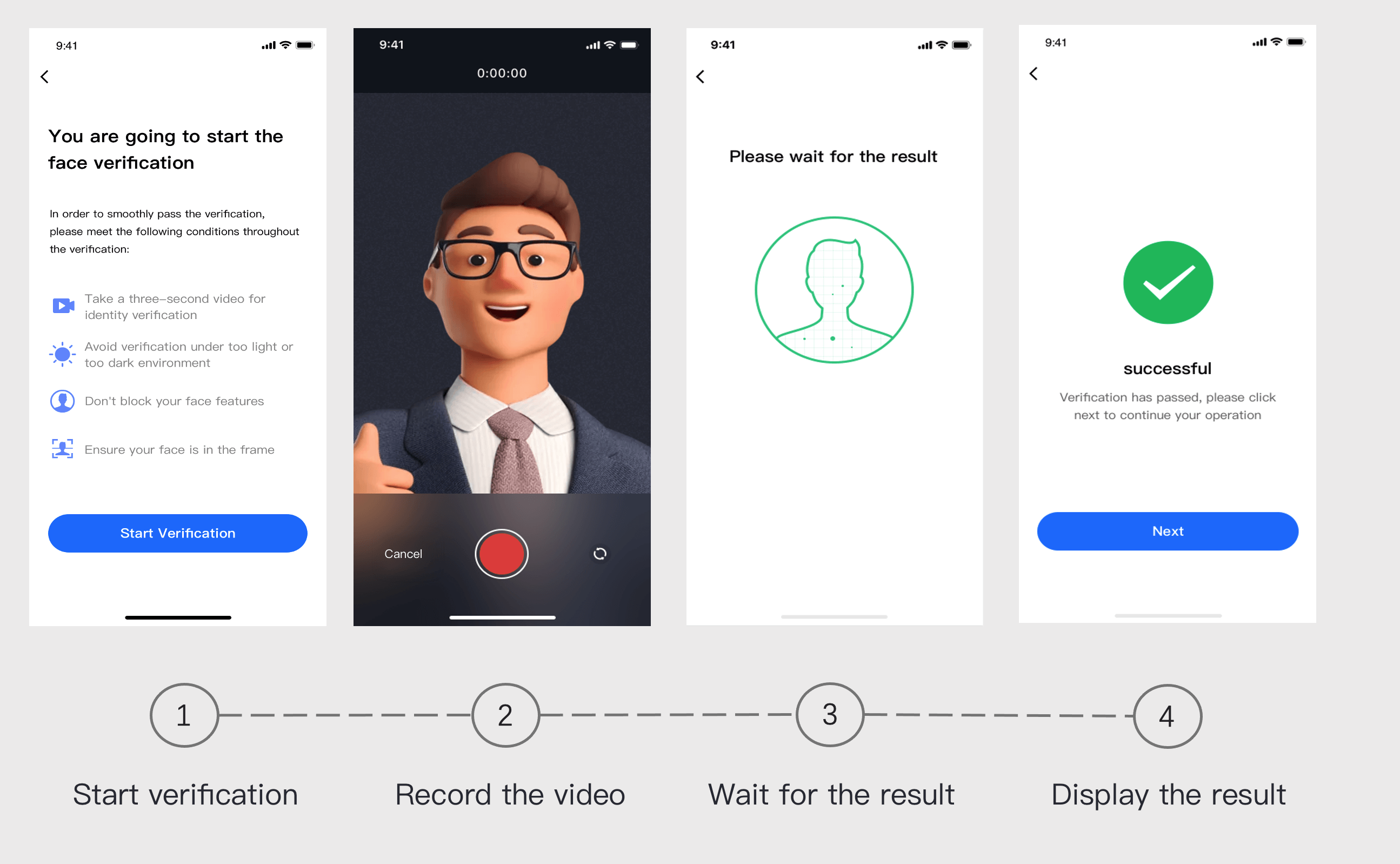
In the web face recognition process, reflection-based liveness detection mode will be used first. However, if the real-time communication compatibility requirements cannot be met, the process will automatically switch to video-based liveness detection mode. The service processes in the two modes are as follows:
Web face recognition process in reflection-based liveness detection mode:
Web face recognition process in video-based liveness detection mode:
Camera access description for reflection-based liveness detection
When you call the web face recognition service, reflection-based liveness detection mode requires the user's camera access. If the user denies the access request, the face recognition and access request process needs to be entered again. Certain browsers cannot pull the access granting page; in this case, the user can try clearing the browser's cache.
Returned Message
Action
Unable to access your camera/mic. Please make sure that there is no other app requesting access to them and try again.
Advise the user to check whether the required camera is in use.
Mic and camera permissions of your device are required during the whole verification. Please clear your browser cache and try again.
Advise the user to enter again and grant the camera access.
Please check whether the camera/mic can be accessed normally and try again
Advise the user to check whether the required camera works properly.