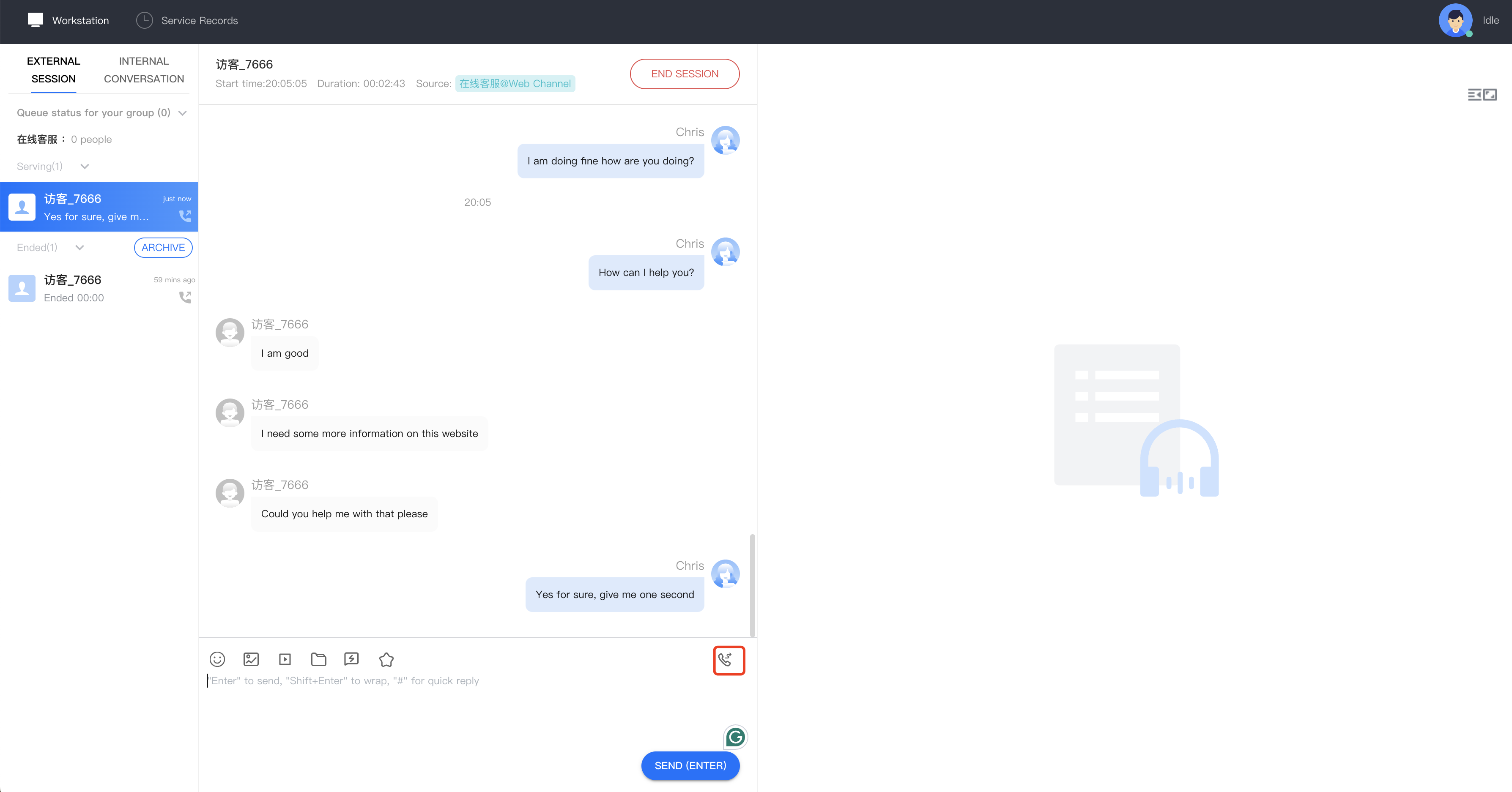
During a conversation with a user, if the conversation needs to be transferred to another group or agent for further communication, the agent can redirect the call to a specific group or another agent. Agents can initiate a transfer by clicking on the "Transfer Call" icon at the workstation, as shown in the image below.
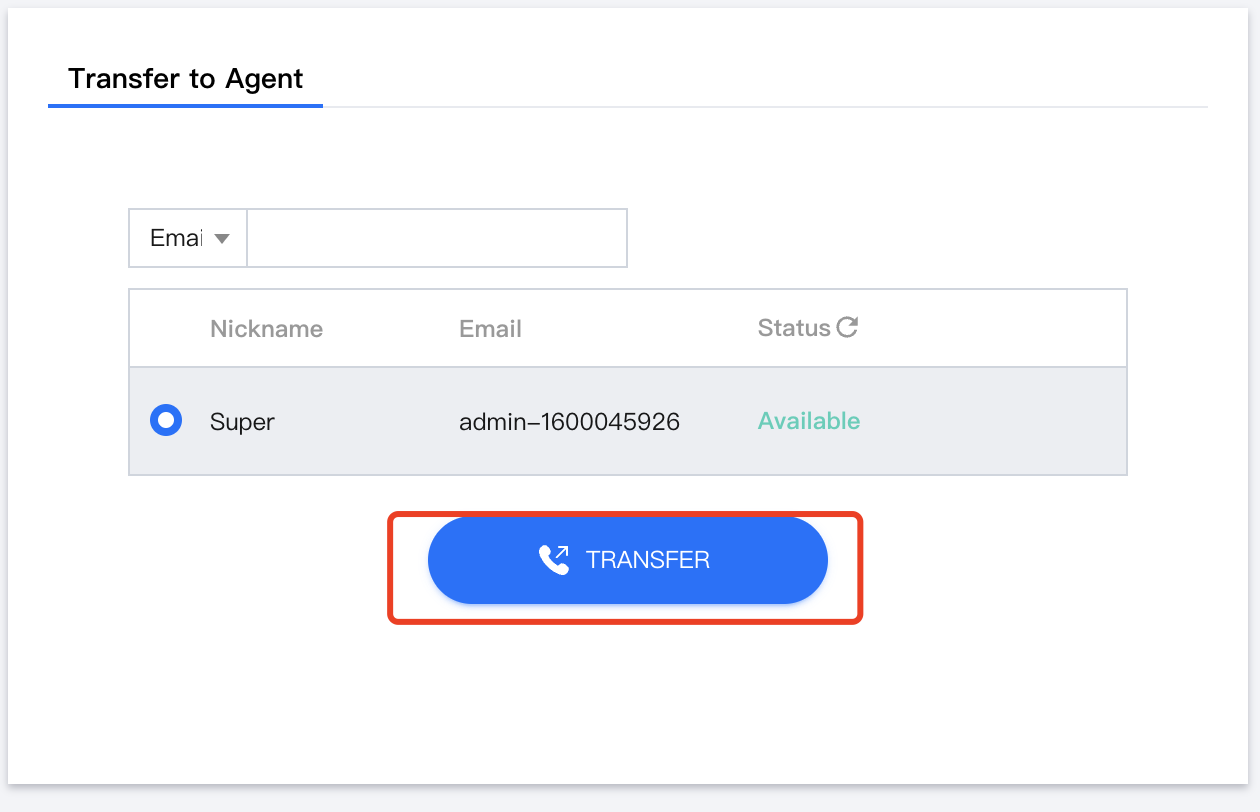
Transfer to another agent
You can search for and select the agent, and click "Start ." Before initiating the transfer, you can view the current status of the agent.