JavaScript
Download
Focus Mode
Font Size
Feature Overview
A community is a large group of people brought together by common topics, and multiple topics can be created under the same community based on different interests. A community is used to manage members. All its topics are shared among members, who can send and receive messages independently.
UI Display
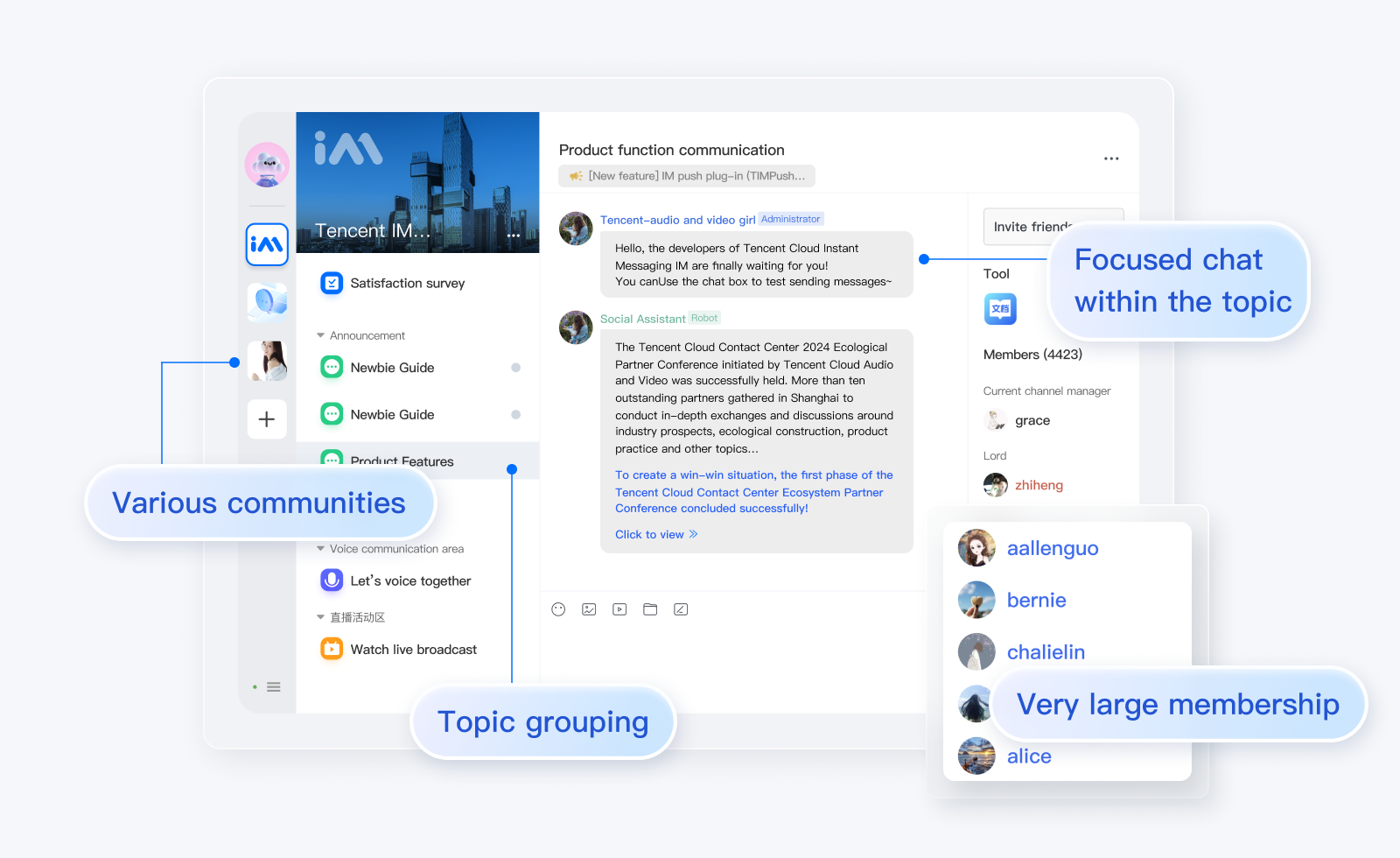
Community Group Management
Creating a community group
API
chat.createGroup(options);
Examples
// Create a topic-enabled communitylet promise = chat.createGroup({type: TencentCloudChat.TYPES.GRP_COMMUNITY,name: 'WebSDK',isSupportTopic: true,});promise.then(function(imResponse) { // Created successfullyconsole.log(imResponse.data.group); // Profile of the created group}).catch(function(imError){console.warn('createGroup error:', imError); // Error information});
Getting the list of topic-enabled communities
Note:
1. This API is supported only by topic-enabled communities. You need to Purchase Pro edition 、Pro Plus edition or Enterprise edition, log in to the Chat Console and enable the community switch. The switch path is: Applications > Your App > Chat > Configuration > Group Configuration > Community. Once the switch is enabled, you can use it.
API
chat.getJoinedCommunityList();
Parameters
None
Return value
PromiseExamples
// Get the list of topic-enabled communitieslet promise = chat.getJoinedCommunityList();promise.then(function(imResponse) { // Got successfullyconsole.log(imResponse.data.groupList); // List of topic-enabled communities}).catch(function(imError) { // Getting failedconsole.warn('getJoinedCommunityList error:', imError); // Failure message});
Creating a topic
Note:
Before using this API, you must call
createGroup to create a topic-enabled community.API
chat.createTopicInCommunity(options);
Parameters
The
options parameter is of the Object type. It contains the following attribute values:Name | Type | Description |
groupID | String | Community ID of the topic |
topicName | String | Topic name |
topicID | String | A custom topic ID must be in the format of "community ID + custom topic ID", such as "@TGS#_xxx@TOPIC#_xxx". |
avatar | String | Topic profile photo |
notification | String | Topic notice |
introduction | String | Topic introduction |
customData | String | Custom topic information |
Return value
PromiseExamples
// Create a topiclet promise = chat.createTopicInCommunity({groupID: 'group1',topicName: 'test',avatar: 'xxx'notification: 'xxx',introduction: 'xxx',customData: 'xxxx',});promise.then(function(imResponse) { // Created successfullyconsole.log(imResponse.data.topicID); // Topic ID}).catch(function(imError) { // Creation failedconsole.warn('createTopicInCommunity error:', imError); // Failed to create the topic});
Deleting a topic
API
chat.deleteTopicFromCommunity(options);
Parameters
The
options parameter is of the Object type. It contains the following attribute values:Name | Type | Description |
groupID | String | Community ID of the topic |
topicIDList | Array | undefined | List of topic IDs. If it is not passed in, all the topics are deleted. |
Return values
PromiseExamples
// Delete a specified topic under a communitylet promise = chat.deleteTopicFromCommunity({groupID: 'group1',topicIDList: ['topicID']});promise.then(function(imResponse) { // Deleted successfullyconst { successTopicList, failureTopicList } = imResponse.data;// List of topics deleted successfullysuccessTopicList.forEach((item) => {const { topicID } = item;});// List of topics failed to be deletedfailureTopicList.forEach((item) => {const { topicID, code, message } = item;});}).catch(function(imError) { // Deletion failedconsole.warn('deleteTopicFromCommunity error:', imError); // Failed to delete the topic});
// dissolve the community and delete all topics of this community.let promise = chat.dismissGroup('group1');promise.then(function(imResponse) {console.log(imResponse.data.groupID);}).catch(function(imError) {console.warn('dismissGroup error:', imError);});
Modifying the topic profile
Note:
After the update is successful, other members within the topic can receive the
TencentCloudChat.EVENT.TOPIC_UPDATED event.API
chat.updateTopicProfile(options);
Parameters
The
options parameter is of the Object type. It contains the following attribute values:Name | Type | Description |
groupID | String | Community ID of the topic |
topicID | String | Topic ID, which is required |
topicName | String | undefined | Topic name |
avatar | String | undefined | Topic profile photo |
notification | String | undefined | Topic notice |
introduction | String | undefined | Topic introduction |
customData | String | undefined | Custom topic information |
muteAllMembers | Boolean | undefined | Muting all. Valid values: true: mute all;false: unmute all. |
Return value
PromiseExamples
// Update the topic profilelet promise = chat.updateTopicProfile({groupID: 'group1',topicID: 'topic1',topicName: 'test',avatar: 'xxx'notification: 'xxx',introduction: 'xxx',customData: 'xxxx',muteAllMembers: true});promise.then(function(imResponse) { // Topic profile set successfullyconsole.log(imResponse.data.topic); // Modified topic profile}).catch(function(imError) { // Failed to set the topic profile// Information on the failure in setting the topic profileconsole.warn('updateTopicProfile error:', imError);});
Getting the topic list
API
chat.getTopicList(options);
Parameters
The
options parameter is of the Object type. It contains the following attribute values:Name | Type | Description |
groupID | String | Community ID of the topic |
topicIDList | Array | undefined | List of topic IDs. If it is not passed in, all the topics are obtained. |
Return value
PromiseExamples
// Get a specified topiclet promise = chat.getTopicList({groupID: 'group1',topicIDList: ['topicID'],});promise.then(function(imResponse) { // Got successfullyconst { successTopicList, failureTopicList } = imResponse.data;// List of topics got successfullysuccessTopicList.forEach((item) => {const { topicID } = item;});// List of topics failed to be gotfailureTopicList.forEach((item) => {const { topicID, code, message } = item;})}).catch(function(imError) { // Getting failedconsole.warn('getTopicList error:', imError); // Information on the failure in getting the topic list});
// Get all the topicslet promise = chat.getTopicList({groupID: 'group1',});promise.then(function(imResponse) { // Got successfullyconst { successTopicList, failureTopicList } = imResponse.data;// List of topics got successfullysuccessTopicList.forEach((item) => {const { topicID } = item;});// List of topics failed to be gotfailureTopicList.forEach((item) => {const { topicID, code, message } = item;})}).catch(function(imError) { // Getting failedconsole.warn('getTopicList error:', imError); // Information on the failure in getting the topic list});
Listening for topic update event
Examples
let onTopicCreated = function(event) {const groupID = event.data.groupID // ID of the community to which the topic belongsconst topicID = event.data.topicID // Topic IDconsole.log(event.data);};chat.on(TencentCloudChat.EVENT.TOPIC_CREATED, onTopicCreated);
let onTopicDeleted = function(event) {const groupID = event.data.groupID // ID of the community to which the topic belongsconst topicIDList = event.data.topicIDList // List of deleted topic IDsconsole.log(event.data);};chat.on(TencentCloudChat.EVENT.TOPIC_DELETED, onTopicDeleted);
let onTopicUpdated = function(event) {const groupID = event.data.groupID // ID of the community to which the topic belongsconst topic = event.data.topic // Topic profileconsole.log(event.data);};chat.on(TencentCloudChat.EVENT.TOPIC_UPDATED, onTopicUpdated);
Help and Support
Was this page helpful?
You can also Contact sales or Submit a Ticket for help.
Help us improve! Rate your documentation experience in 5 mins.
Feedback