Third-Party Cookie Settings
Baixar
Modo Foco
Tamanho da Fonte
To use the console retrieval and analysis capabilities, your browser should support third-party cookies. Common browser settings are as follows:
Chrome
1. Open the Chrome browser.
2. Click More Options in the upper right corner 
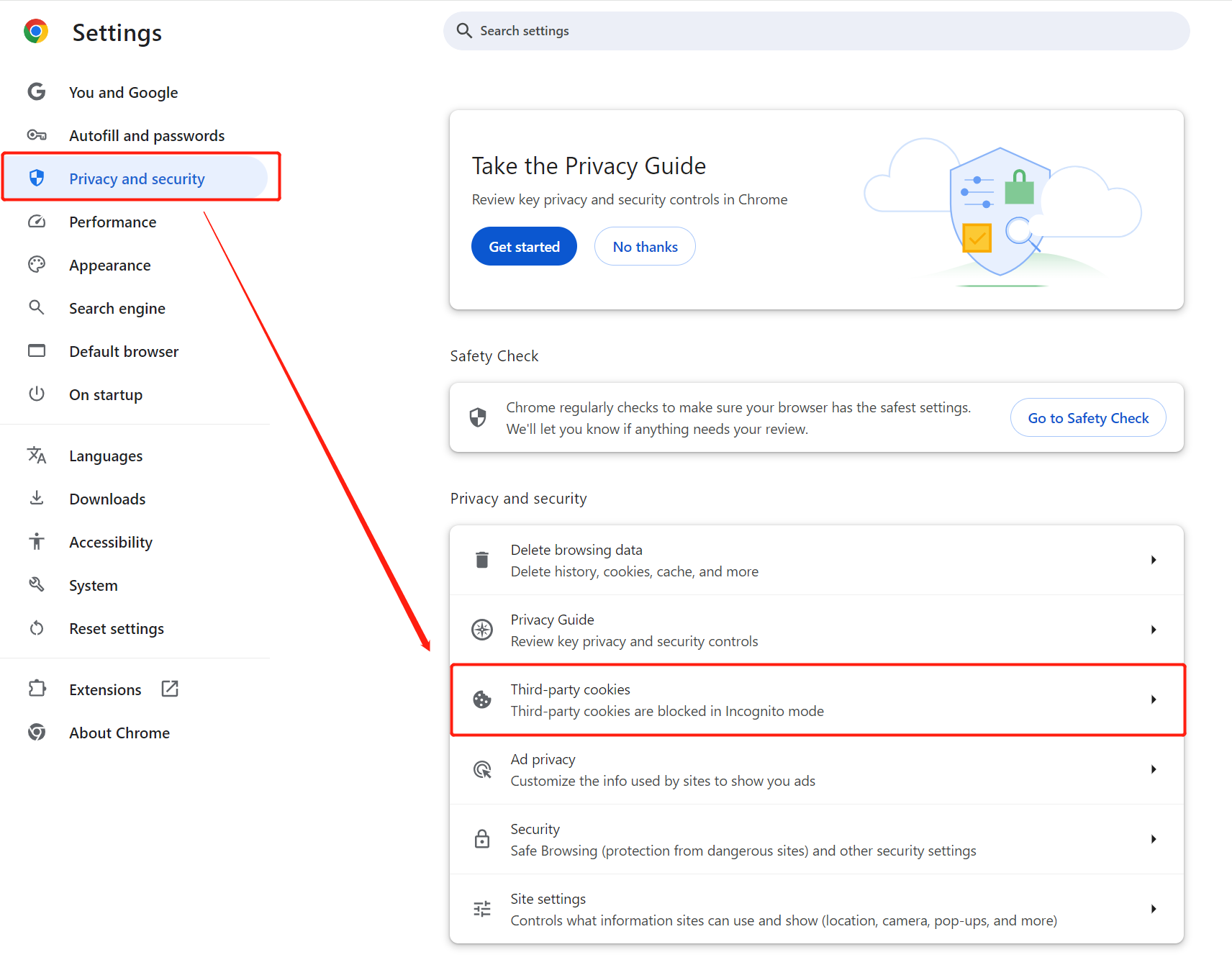
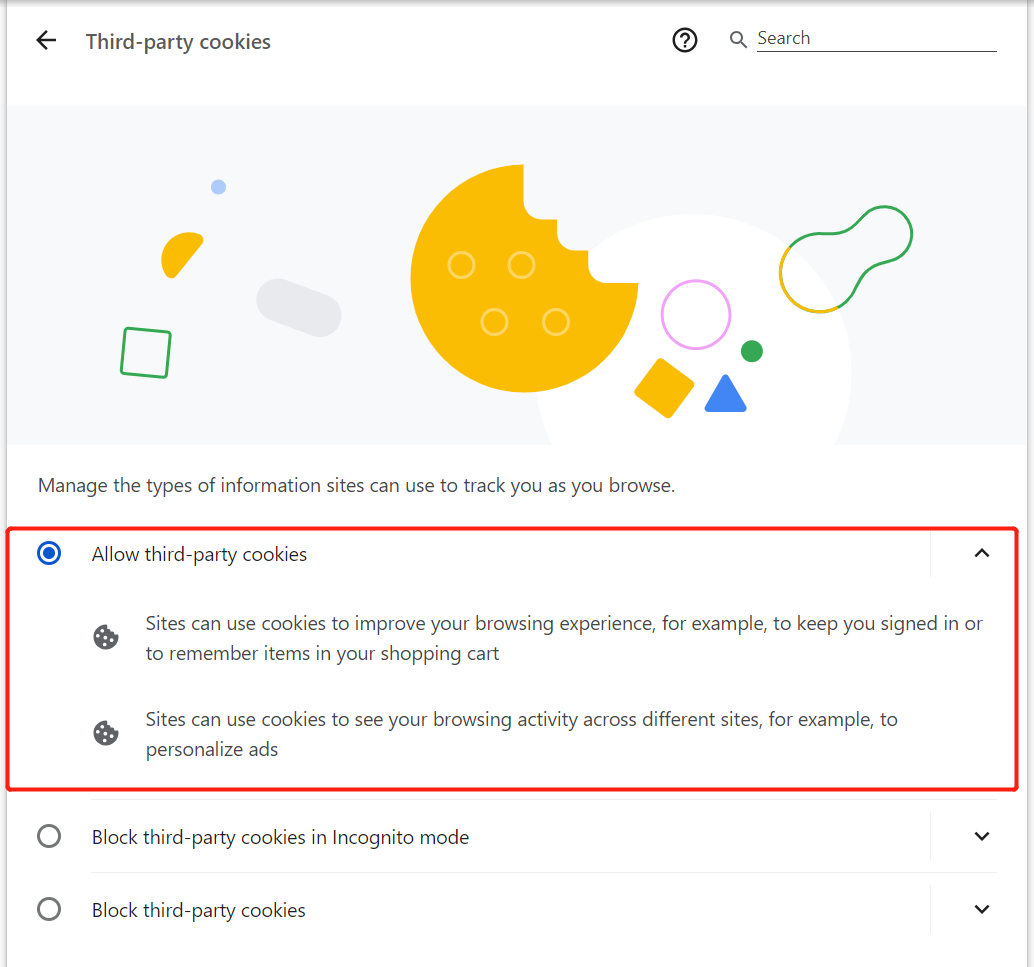
3. Click Settings > Privacy and security > Third-party cookies > Allow third-party cookies.
Safari
1. Open Safari on your Mac computer.
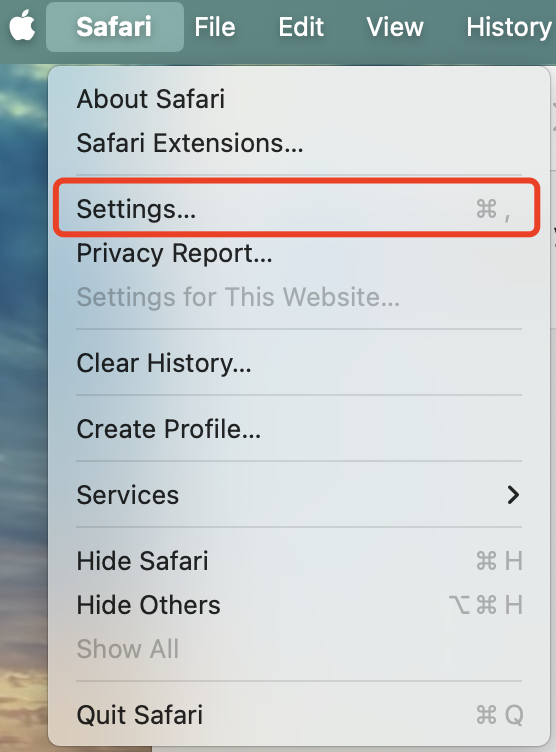
2. Go to Safari Browser > Settings to open the settings interface.
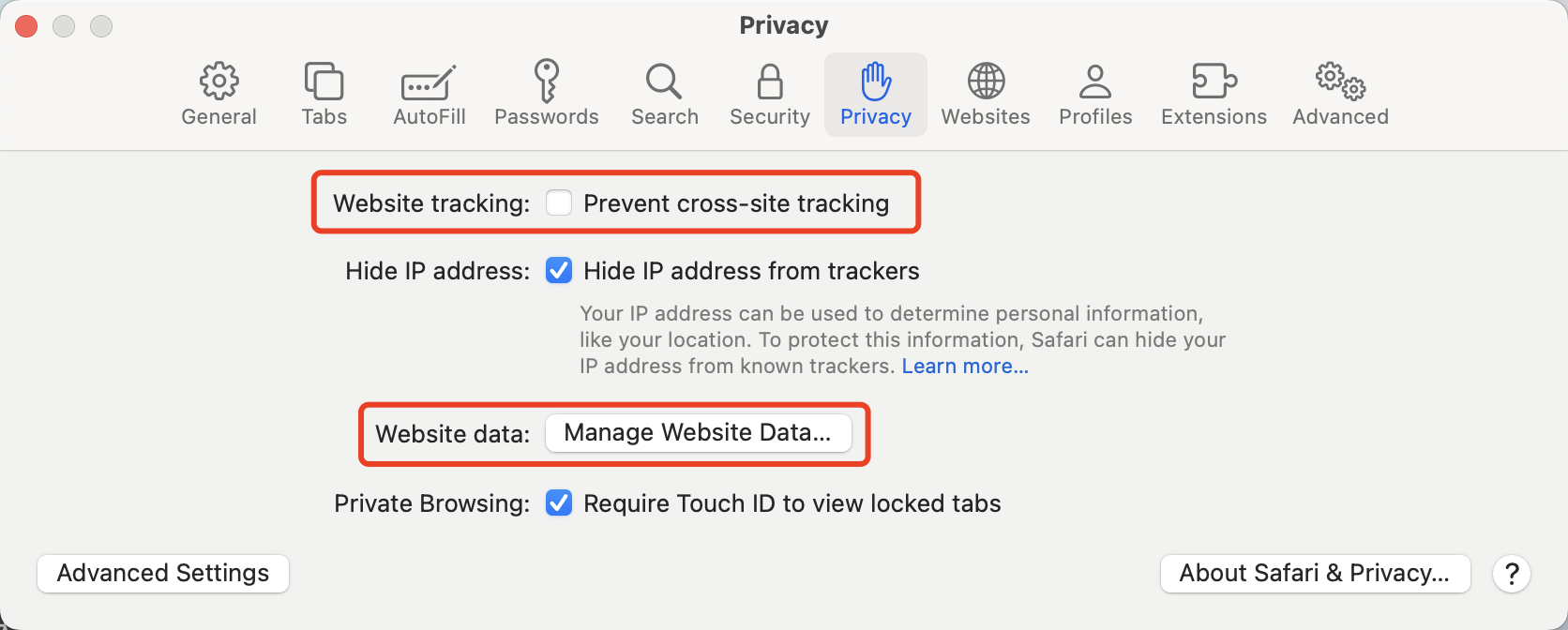
3. In the Privacy settings, uncheck Prevent cross-site tracking and Manage Website Data.
Ajuda e Suporte
Esta página foi útil?
Você também pode entrar em contato com a Equipe de vendas ou Enviar um tíquete em caso de ajuda.
comentários