2. In the left sidebar, select Configure Template.
Viewing Template Details and Application Records
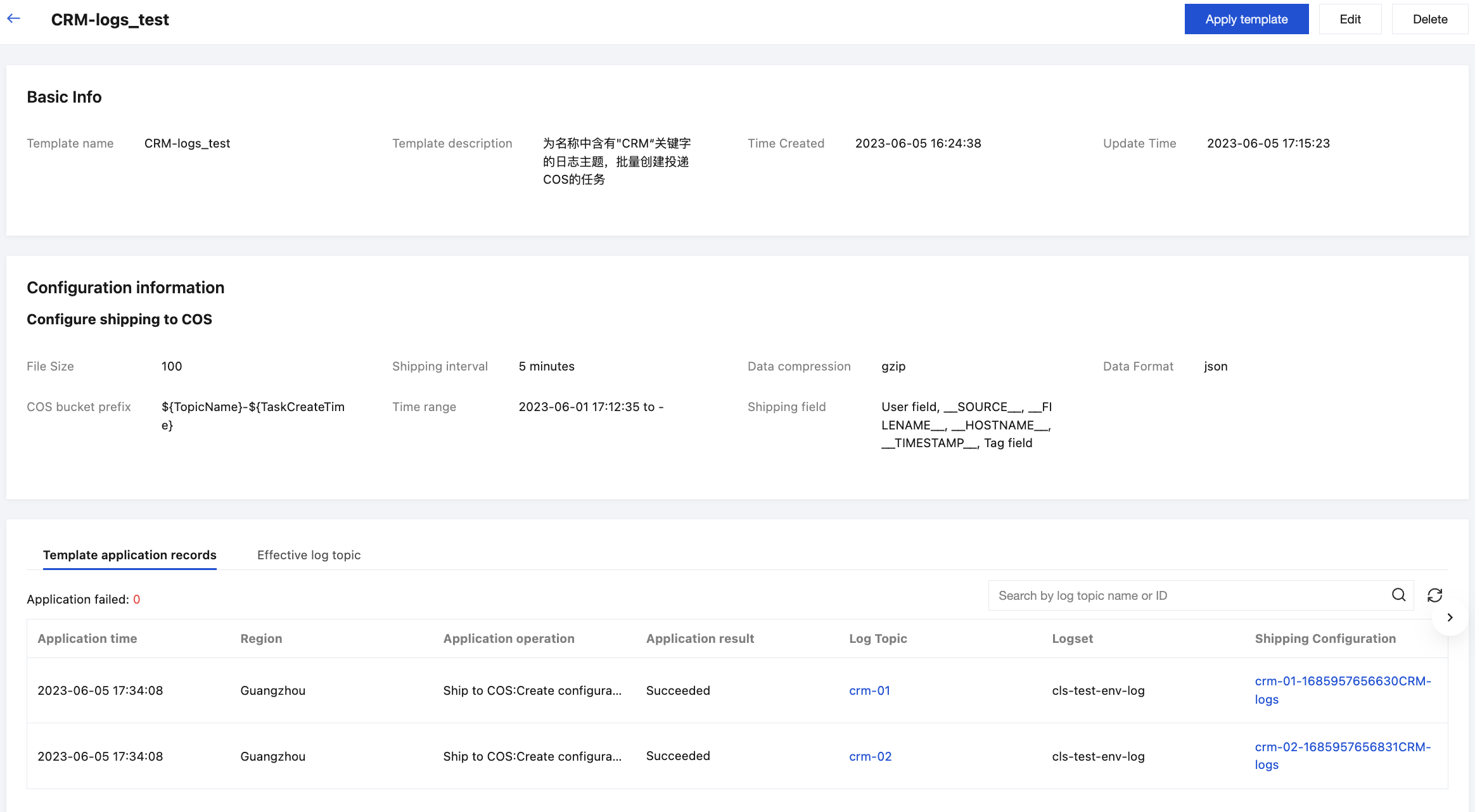
In the template list, select the template you want to view to see this template's info and application records.
As shown in the figure above, you can see the log topics that have taken effect after the template is applied.
Application method: Dynamically match log topics and their regular expressions.
Shipping Configuration: The name of the COS delivery task. You can click it to jump to the task list and view the task details. When creating the template, we configured the COS delivery task name as ${TopicName}-${TaskCreateTime}CRM-logs. Therefore, the generated task name is "log topic name" + "task creation time" (Unix time) + "CRM-logs".
Editing/Deleting a Template
You can click Edit or Delete in the Actions column on the Template List page, or in the upper-right corner of the template details page, to edit or delete the template.