Metric Topic Shipping
Baixar
Modo Foco
Tamanho da Fonte
Overview
After metrics are collected to CLS, they can be shipped to a time series database (such as Prometheus) with RemoteWrite enabled.
Prerequisites
1. CLS has been enabled, metric topics have been created, and metric data has been successfully collected.
2. RemoteWrite has been enabled for the time series database.
3. Sub-accounts/collaborators have been authorized by using the root account. For authorization steps, see Sub-account Authorization. To copy the authorization policy, see CLS Access Policy Template.
Directions
1. Log in to the Cloud Log Service console.
2. In the left sidebar, click Metric Topic.
3. Click the ID/name of the metric topic to be shipped to enter the metric topic management page.
4. Click Deliver metrics to go to the delivery configuration page, then click Create.
The configuration items are described as follows:
Configuration Item | Description | Limit | Required |
Task Name | Name of the shipping task | No more than 128 characters. | Required |
Service Logs | Enabled by default, shipping logs generated by shipping tasks to cls_service_log (free of charge). | - | - |
Shipping object | Tencent Cloud Prometheus: Ship to a Tencent Cloud Prometheus instance. Note: For Tencent Cloud Prometheus, you only need to select an instance; no other parameters need to be configured. Self-built Prometheus: Ship to a time series database that supports the Prometheus protocol, such as Prometheus\\Cortex\\VictoriaMetrics\\Thanos. | Configure RemoteWrite of the shipping destination in advance. | - |
Access method | Private network: Choose a private network if the shipping destination is accessed through the private network. For example, Prometheus is deployed on a CVM instance in the same region as the CLS instance. Public network: Not supported currently. | The shipping destination and metric topic are in the same region. | Required |
Network (private network) | VPC network of the shipping destination | - | Required |
Network service type (private network) | When you select the private network, you need to configure the network service type: CLB: The service address and port of the shipping destination are forwarded through Tencent Cloud CLB. CVM: The shipping destination is directly deployed on a CVM instance. 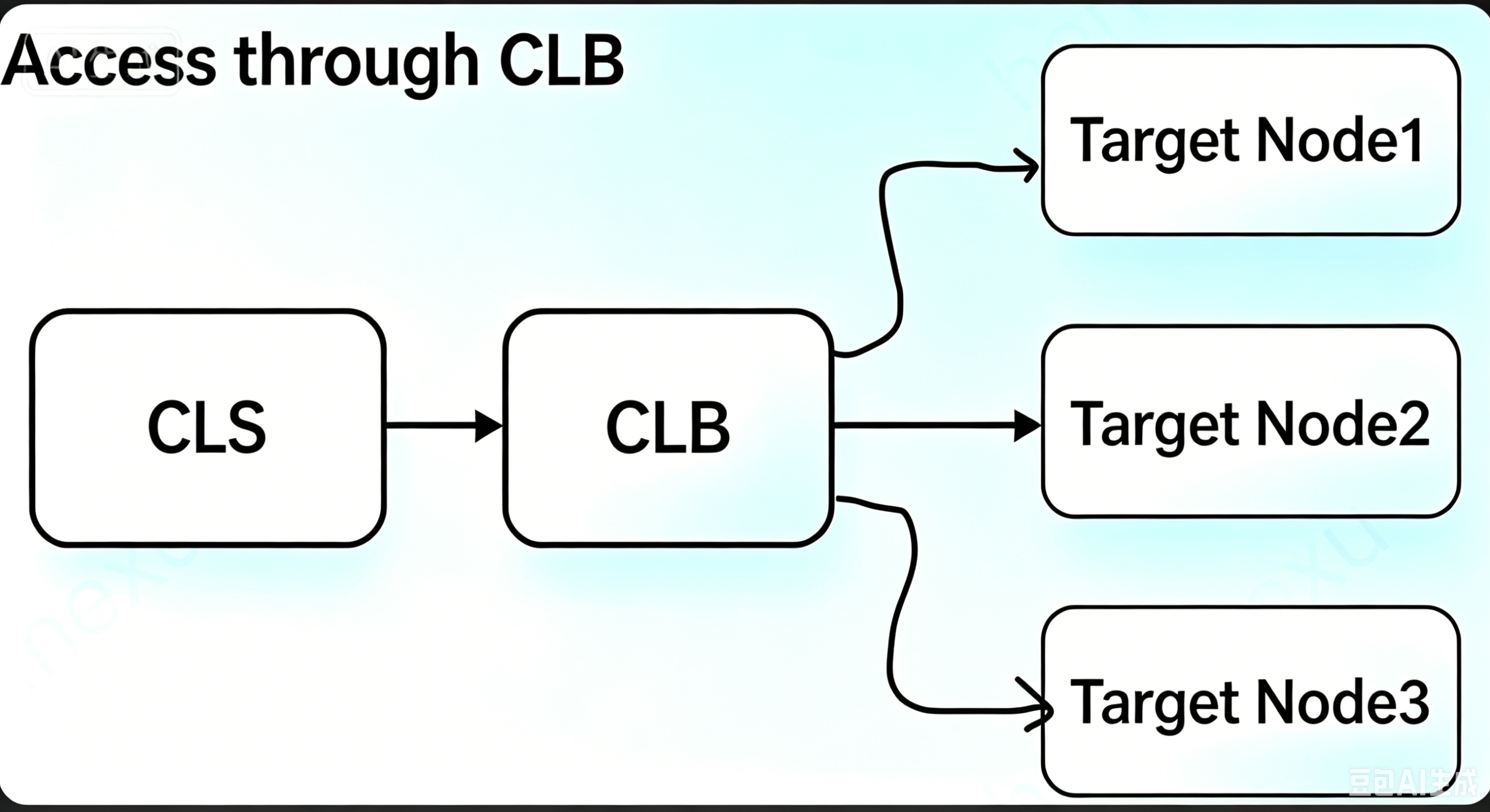 | - | - |
Remote Write address | Example: http://192.168.2.17:9090/api/v1/prom/write | - | Required |
Authentication method | Authentication method for accessing the time series database via RemoteWrite: BASIC AUTH: Username and password are required. No authentication | - | Required |
Test connectivity | Test the network connectivity between CLS and the shipping destination. Note: The metric shipping configuration can be submitted only after the connectivity test passes. | - | Required |
5. Click OK to submit the shipping task.
Ajuda e Suporte
Esta página foi útil?
Você também pode entrar em contato com a Equipe de vendas ou Enviar um tíquete em caso de ajuda.
comentários