Python SDK
Baixar
Modo Foco
Tamanho da Fonte
Overview
This task uses the Python client as an example to guide you on how to use the elastic Topic of TDMQ for CKafka and send and receive messages.
Prerequisites
Directions
Step 1: Preparing the Environment
Run the following command to install the Python dependency database.
pip install kafka-python
Step 2: Creating a Topic and Subscription Relationship
1. On the Elastic Topic list page of the console, create a Topic.


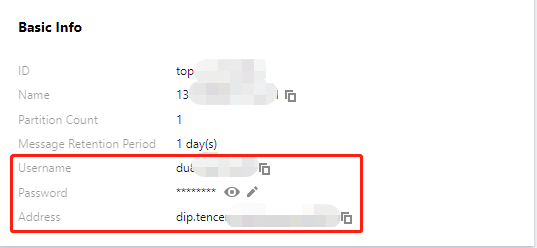
2. Click the ID of the Topic to enter the Basic Information page and obtain the username, password, and address information.
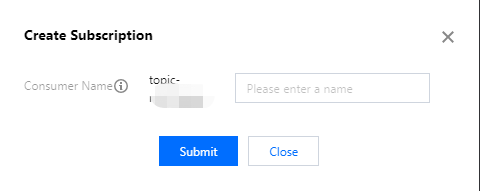
3. In the Subscription Relationships tab, create a subscription relationship (consumption group).
Step 3: Producing Messages
1. Modify the configuration parameters in the message production program
producer.py.producer = KafkaProducer(bootstrap_servers = ['xx.xx.xx.xx:port'],$addressapi_version = (1, 1),security_protocol = "SASL_PLAINTEXT",sasl_mechanism = "PLAIN",sasl_plain_username = "username",# usernamesasl_plain_password = "password",# password)message = "Hello World! Hello Ckafka!"msg = json.dumps(message).encode()producer.send('topic_name', value = msg)#Topic nameprint("produce message " + message + " success.")producer.close()
Parameter | Description |
bootstrapServers | The connection address. It can be obtained from the basic information page of an elastic Topic in the console. 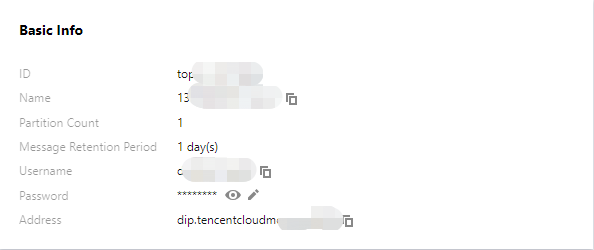 |
sasl_plain_username | The username. It can be obtained from the basic information page of an elastic Topic in the console. |
sasl_plain_password | The user password. It can be obtained from the basic information page of an elastic Topic in the console. |
topic_name | The topic name. It can be obtained from the basic information page of an elastic Topic in the console. |
2. Compile and run producer.py.
3. View the execution result.

Step 4: Consuming Messages
1. Modify the configuration parameters in the message consumption program consumer.py.
consumer = KafkaConsumer('topic_name',#topic namegroup_id = "group_id",#Consumption groupbootstrap_servers = ['xx.xx.xx.xx:port'],# addressapi_version = (1,1),security_protocol = "SASL_PLAINTEXT",sasl_mechanism = 'PLAIN',sasl_plain_username = "username",# usernamesasl_plain_password = "password",# password)for message in consumer:print ("Topic:[%s] Partition:[%d] Offset:[%d] Value:[%s]" %(message.topic, message.partition, message.offset, message.value))
Parameter | Description |
bootstrapServers | The connection address. It can be obtained from the basic information page of an elastic Topic in the console. 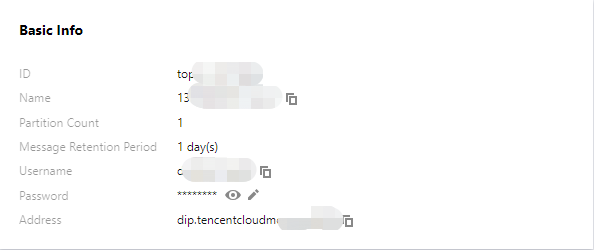 |
sasl_plain_username | The username. It can be obtained from the basic information page of an elastic Topic in the console. |
sasl_plain_password | The user password. It can be obtained from the basic information page of an elastic Topic in the console. |
topic_name | The topic name. It can be obtained from the basic information page of an elastic Topic in the console. |
group.id | The consumption group name. It can be obtained from the subscription relationship list of an elastic Topic in the console.  |
2. Compile and run consumer.py.
3. View the execution result.

Ajuda e Suporte
Esta página foi útil?
Você também pode entrar em contato com a Equipe de vendas ou Enviar um tíquete em caso de ajuda.
comentários