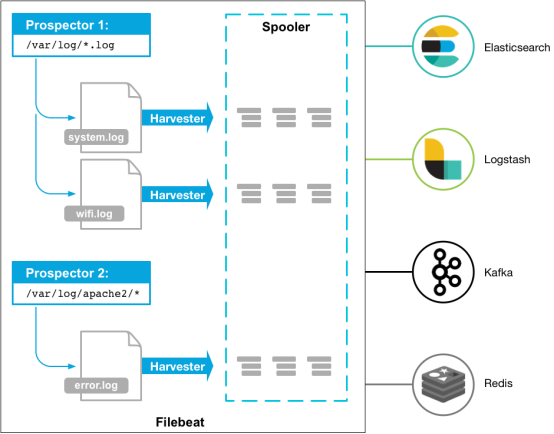
Beats Platform assembles various single-purpose data collectors. Once installed, these collectors function as lightweight agents to send collected data from hundreds, thousands, or even tens of thousands of machines to designated targets.
Beats offers various types of collectors. You can download specific collectors based on your requirements. This document uses Filebeat (a lightweight log collector) as an example to demonstrate how to connect Filebeat to CKafka, along with solutions to common issues encountered after connection.
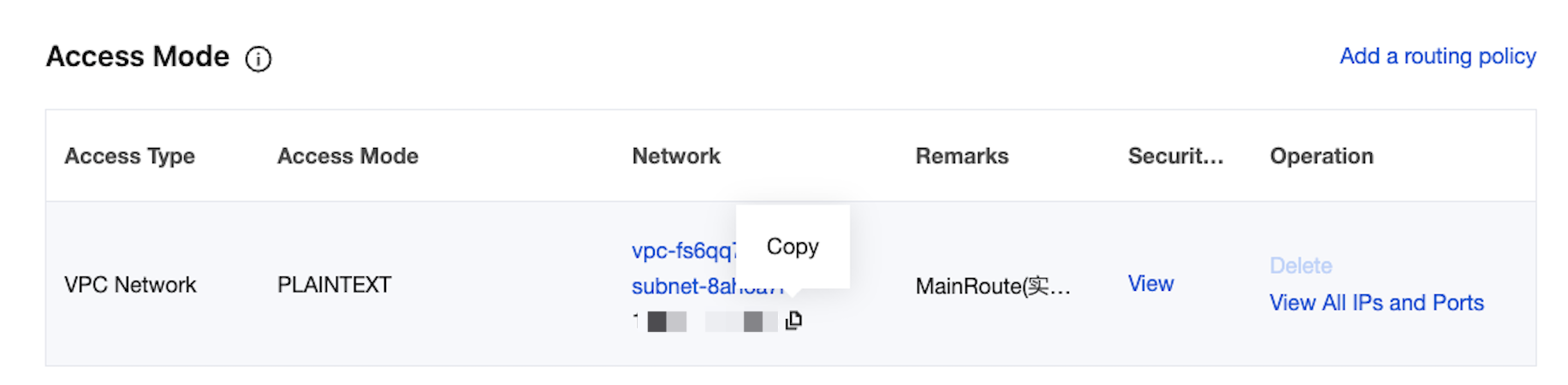
If you want to configure SASL/PLAINTEXT, you need to set the username and password under the Kafka configuration.
# Configure the following information for SASL. If not needed, the following two options can be omitted.
username: "yourinstance#yourusername" //username needs to be the concatenation of instance ID and username.
password: "yourpassword"
FAQs
A large number of INFO logs appear in the Filebeat log (the default path is /var/log/filebeat/filebeat), for example:
2019-03-20T08:55:02.198+0800 INFO kafka/log.go:53 producer/broker/544 starting up
2019-03-20T08:55:02.198+0800 INFO kafka/log.go:53 producer/broker/544 state change to [open] on wp-news-filebeat/4
2019-03-20T08:55:02.198+0800 INFO kafka/log.go:53 producer/leader/wp-news-filebeat/4 selected broker 544
2019-03-20T08:55:02.198+0800 INFO kafka/log.go:53 producer/broker/478 state change to [closing] because EOF
2019-03-20T08:55:02.199+0800 INFO kafka/log.go:53 Closed connection to broker bitar1d12:9092
2019-03-20T08:55:02.199+0800 INFO kafka/log.go:53 producer/leader/wp-news-filebeat/5 state change to [retrying-3]
2019-03-20T08:55:02.199+0800 INFO kafka/log.go:53 producer/leader/wp-news-filebeat/4 state change to [flushing-3]
2019-03-20T08:55:02.199+0800 INFO kafka/log.go:53 producer/leader/wp-news-filebeat/5 abandoning broker 478
2019-03-20T08:55:02.199+0800 INFO kafka/log.go:53 producer/leader/wp-news-filebeat/2 state change to [retrying-2]
2019-03-20T08:55:02.199+0800 INFO kafka/log.go:53 producer/leader/wp-news-filebeat/2 abandoning broker 541
2019-03-20T08:55:02.199+0800 INFO kafka/log.go:53 producer/leader/wp-news-filebeat/3 state change to [retrying-2]
2019-03-20T08:55:02.199+0800 INFO kafka/log.go:53 producer/broker/478 shut down
A large number of INFO logs may indicate an issue with the Filebeat version, as Elastic products have very frequent releases, and major versions often contain incompatibilities.
For example: Version 6.5.x natively supports Kafka versions 0.9, 0.10, 1.1.0, and 2.0.0, while version 5.6.x natively supports version 0.8.2.0.
You need to check the version configuration item in the configuration file:
output.kafka:
version: 0.10.2 // Complete settings based on different open-source edition CKafka instances.
Notes
When sending data to CKafka, the compression.codec cannot be set.
Gzip compression is not supported by default. If you need this feature, submit a ticket to apply.
Gzip compression consumes significant CPU resources. Using Gzip will cause all messages to be marked as InValid messages.
When using the LZ4 compression method, the program may fail to run normally due to the following reasons:
Incorrect message format. The default CKafka version is 0.10.2, and you need to use the V1 message format.
The configuration methods for SDKs of different Kafka Clients vary. You can search in the open-source community (for example, Instructions for the C/C++ Client) to set the message format version.